Sort Users
Use the sort options to organize the users list by different criteria. This helps administrators quickly find users based on name, role, activity, or creation date.
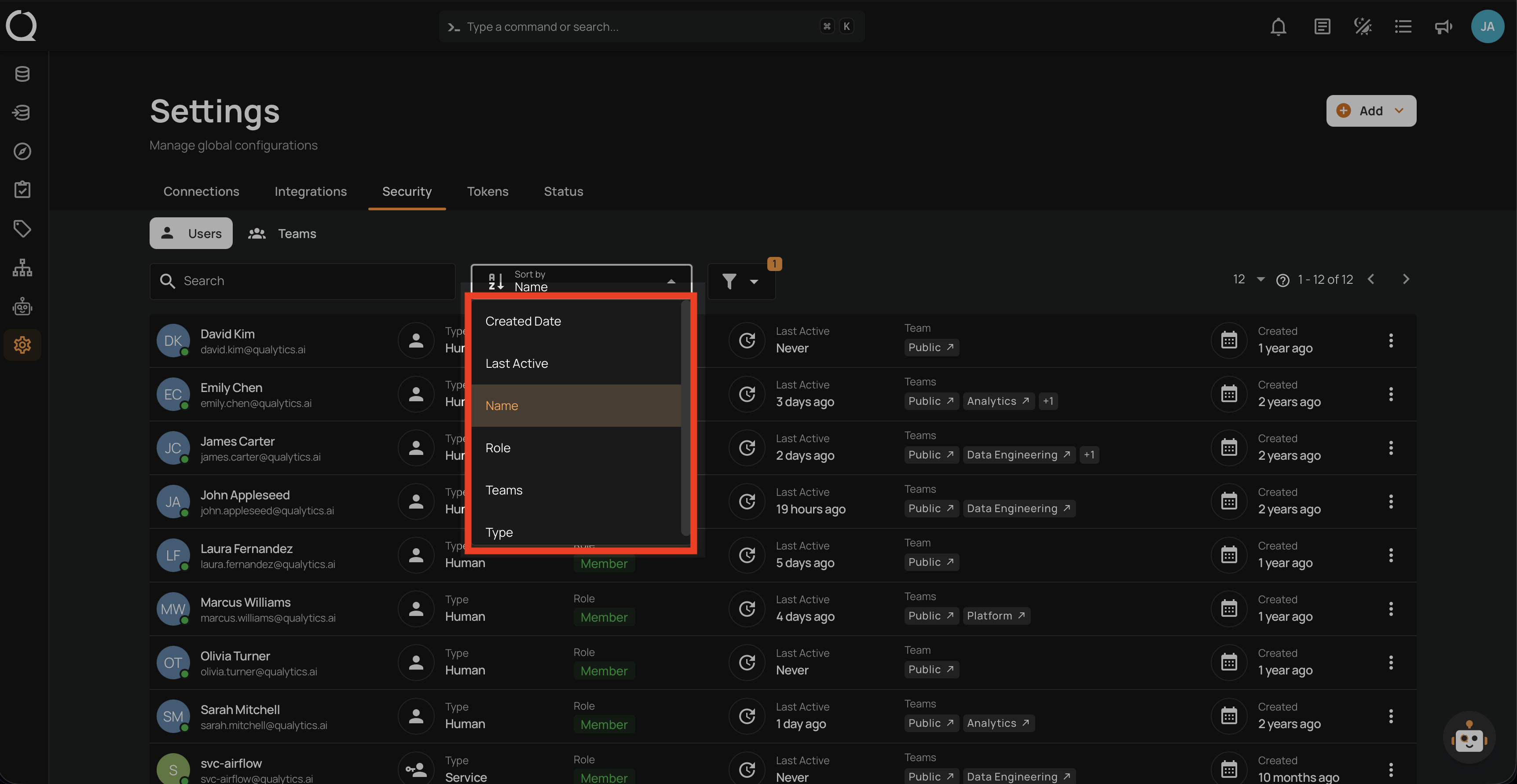
Available Sort Options
| Option | Description |
|---|---|
| Name | Sort users alphabetically by name (default). |
| Created Date | Sort users by account creation date. |
| Last Active | Sort users by their most recent activity. |
| Role | Sort users by their assigned role. |
| Teams | Sort users by team assignment. |
| Type | Sort users by account type (Human or Service). |
Last Active sorting
When sorting by Last Active, users who have never logged in (shown as Never in the List Columns) always appear at the bottom of the list, regardless of whether you choose ascending or descending order.
How It Works
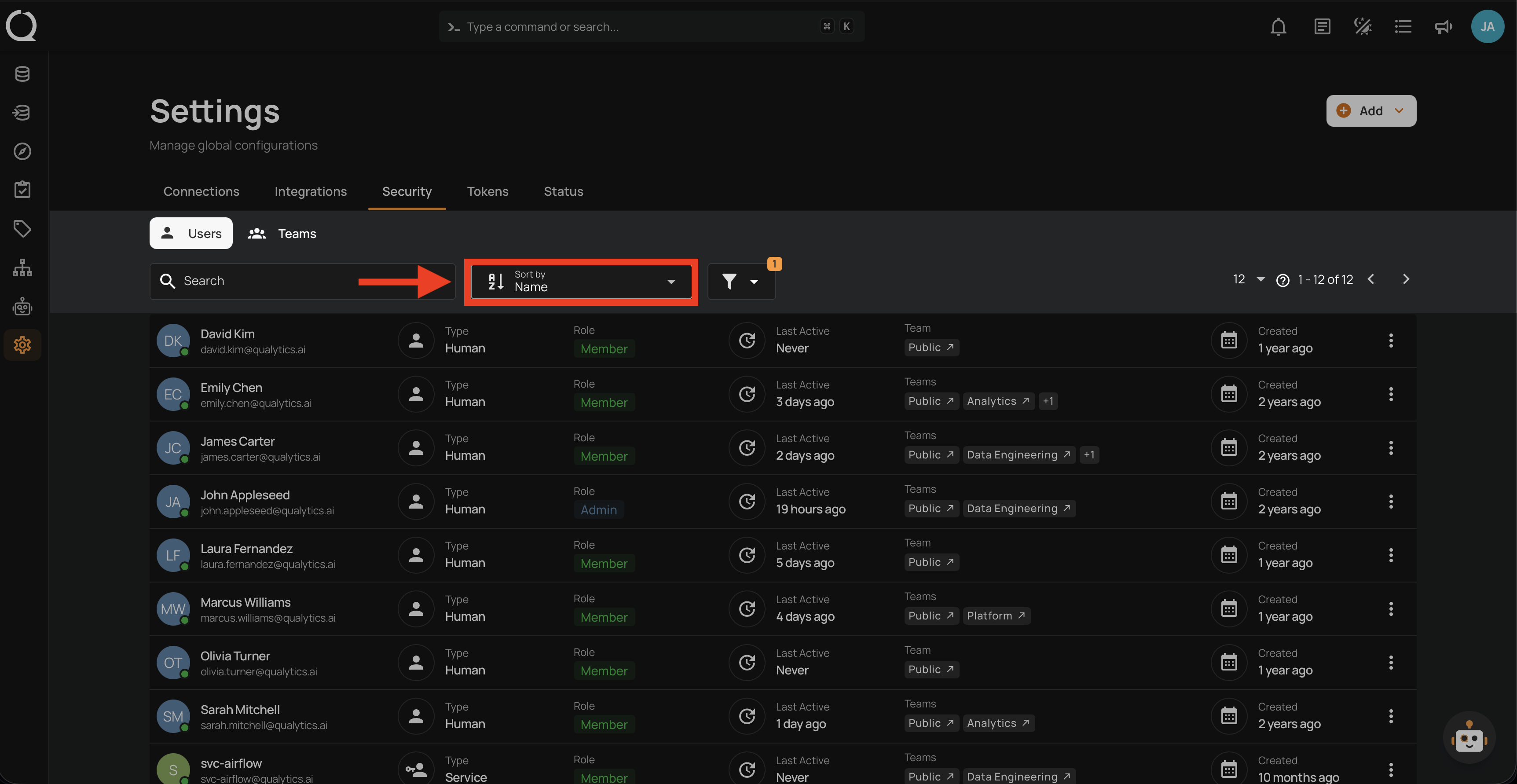
Step 1: Click the Sort by dropdown at the top of the users list.
Step 2: Select the sorting criteria from the dropdown.
Sort Order
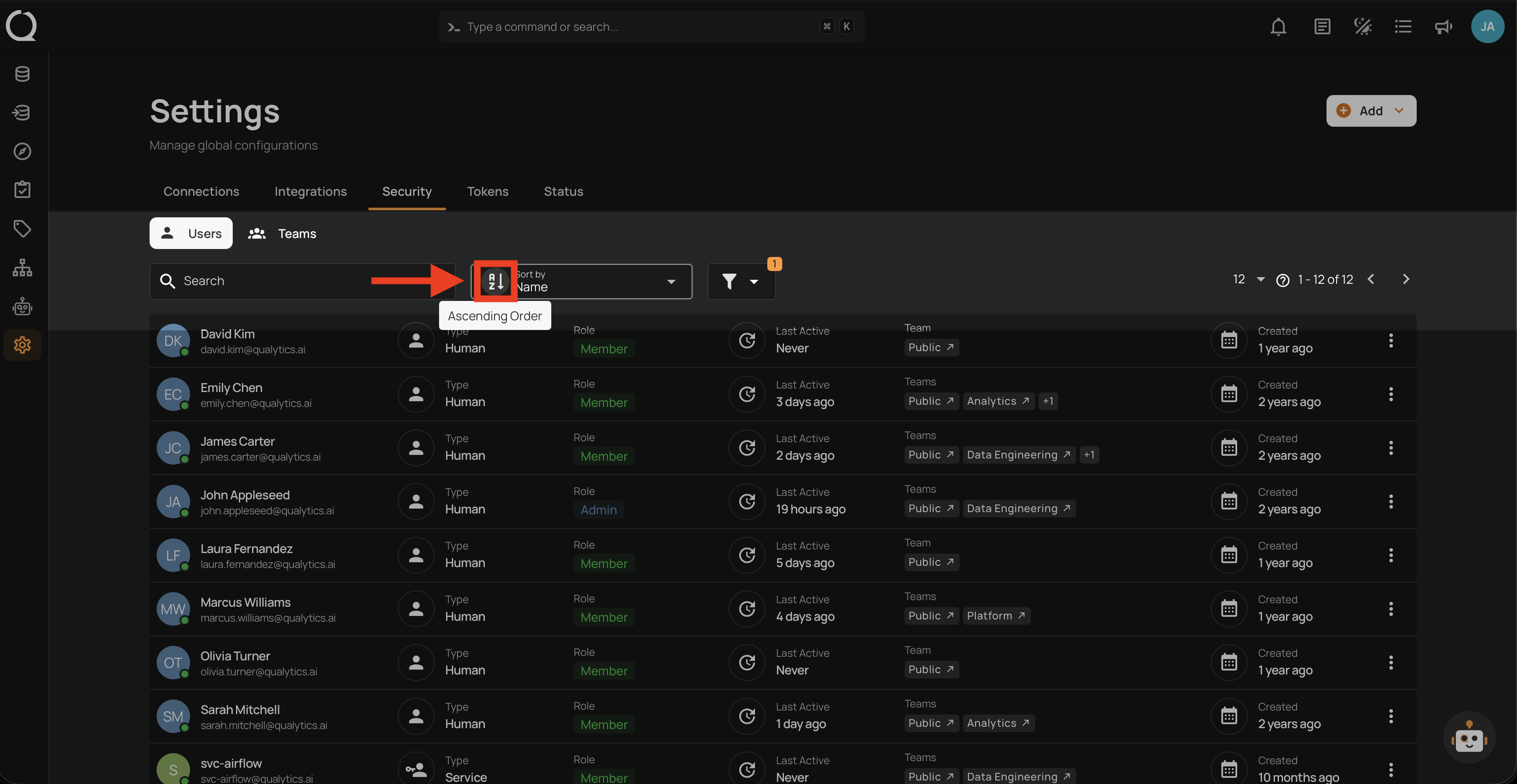
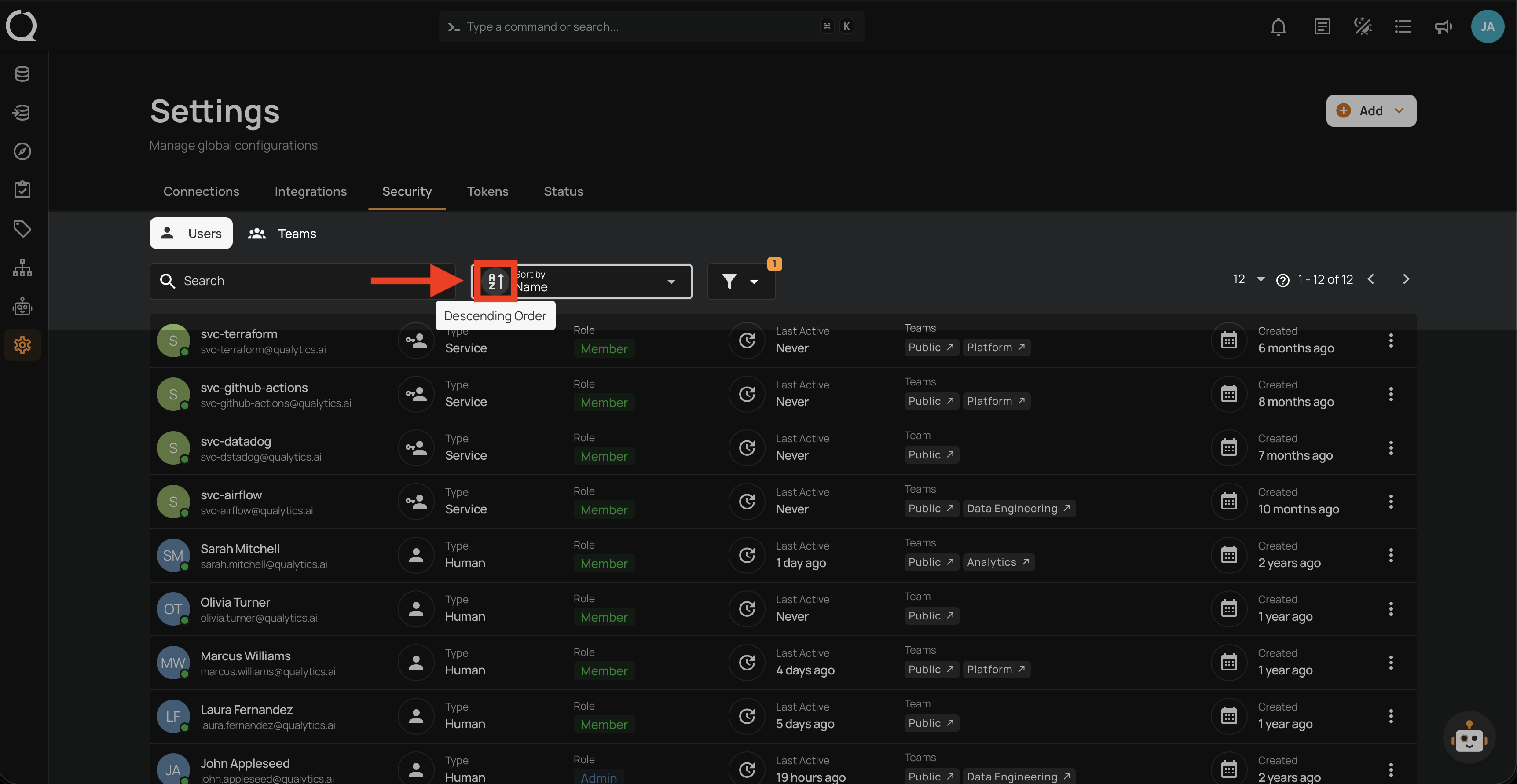
Click the sort order toggle to switch between ascending and descending order.
Ascending:
Descending:
Tip
Combine sorting with Filter Users to narrow results down to a specific role, team, or account type.