Configure Scan Defaults
Set the workspace-wide defaults for anomaly rollup and the number of source examples stored per anomaly in the enrichment destination. These defaults apply to source and enrichment datastores. New scan operations inherit these values, and you can optionally push them to every existing datastore at save time.
Permission Required
You need the Admin user role to edit Platform Defaults. See the Permissions page for details.
Fields
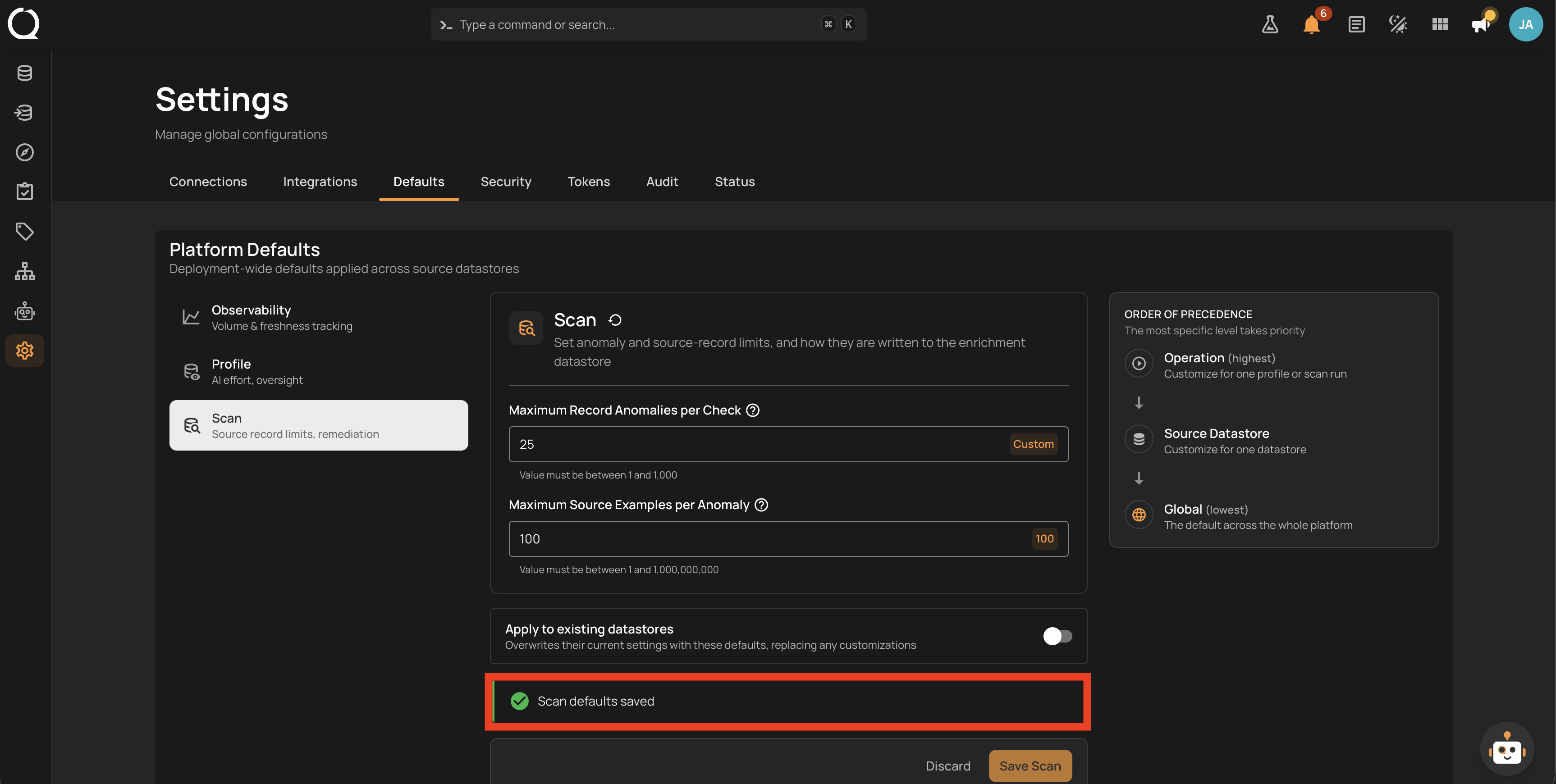
The Scan panel exposes the following fields:
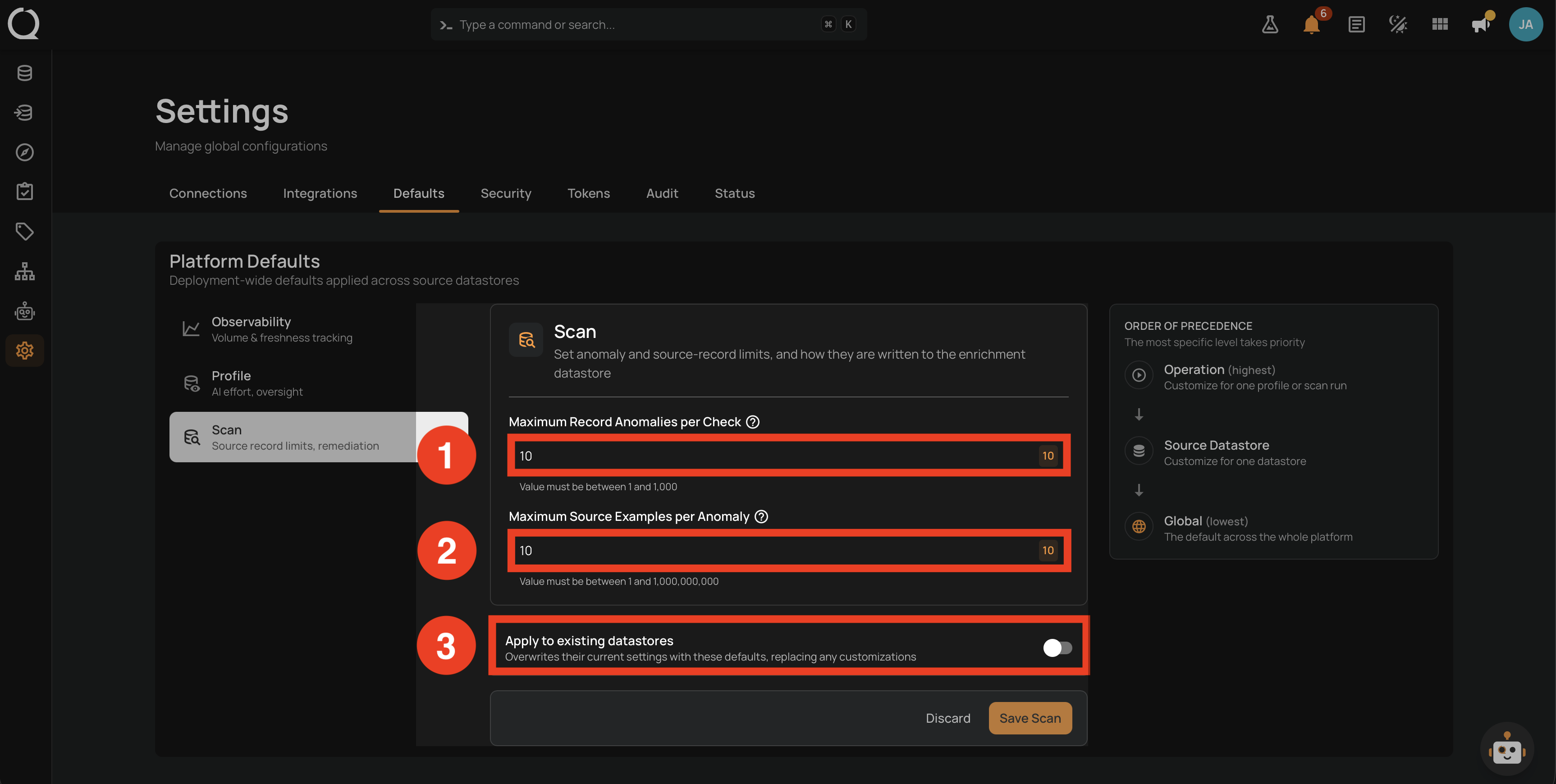
| No. | Field | Description |
|---|---|---|
| 1 | Maximum Record Anomalies per Check | Numeric input with preset chips (1, 10, 100, 1K). How many record anomalies can be created per check before they are grouped into one rolled-up anomaly. Range 1 to 1000. Default: 10. |
| 2 | Maximum Source Examples per Anomaly | Numeric input with preset chips (1, 10, 100, 1K, 1B). How many source records are stored in your enrichment destination as examples when a check fails. Range 1 to 1,000,000,000. Default: 10. |
| 3 | Apply to existing datastores | Opt-in toggle that overwrites the current rollup and source-example values on every existing datastore when you save. Off by default; resets to off after each save. |
Steps
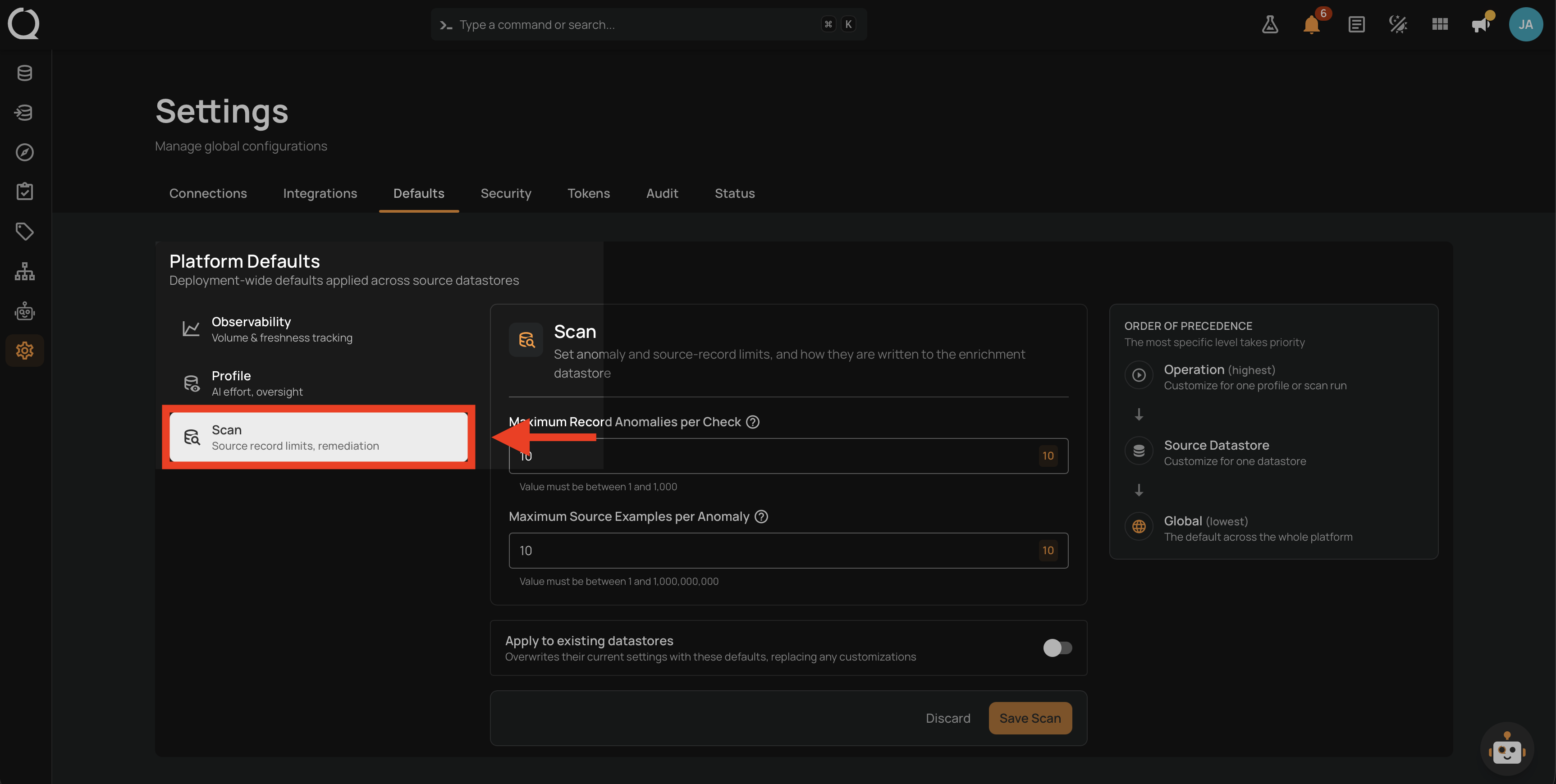
Step 1: Open Settings from the left sidebar, click the Defaults tab, and click Scan in the left rail. The current Scan defaults load on the right.
Step 2: Type the values you want (or click a preset chip) for each numeric input. If you also want the new defaults to replace the current values on every existing datastore, turn on Apply to existing datastores.
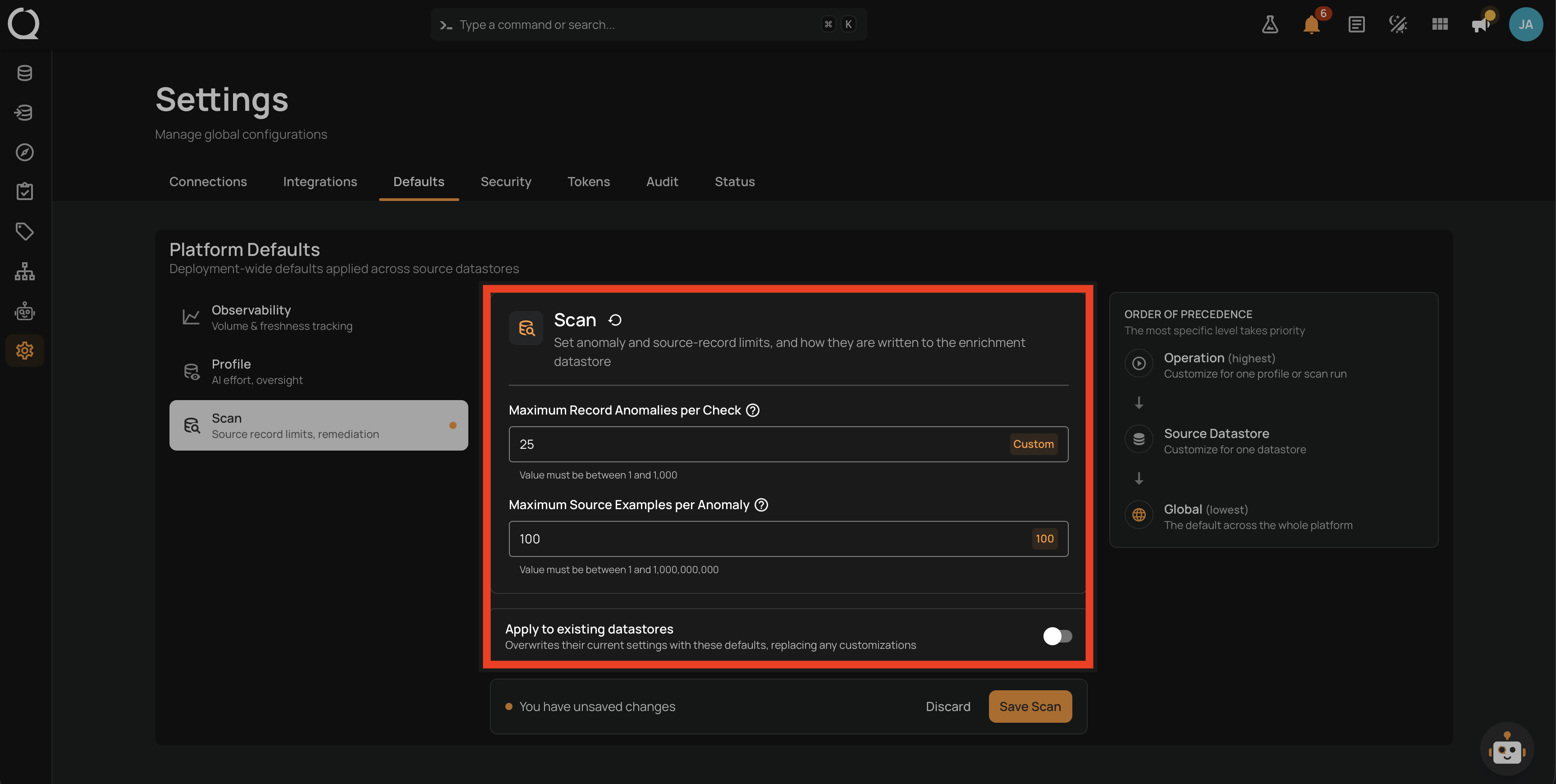
Propagation overwrites customizations
When the Apply-to-existing toggle is on, propagation replaces the current values on every existing datastore in your workspace. Per-datastore customizations are wiped and replaced with the newly saved defaults.
Step 3: Click Save Scan to apply the changes.
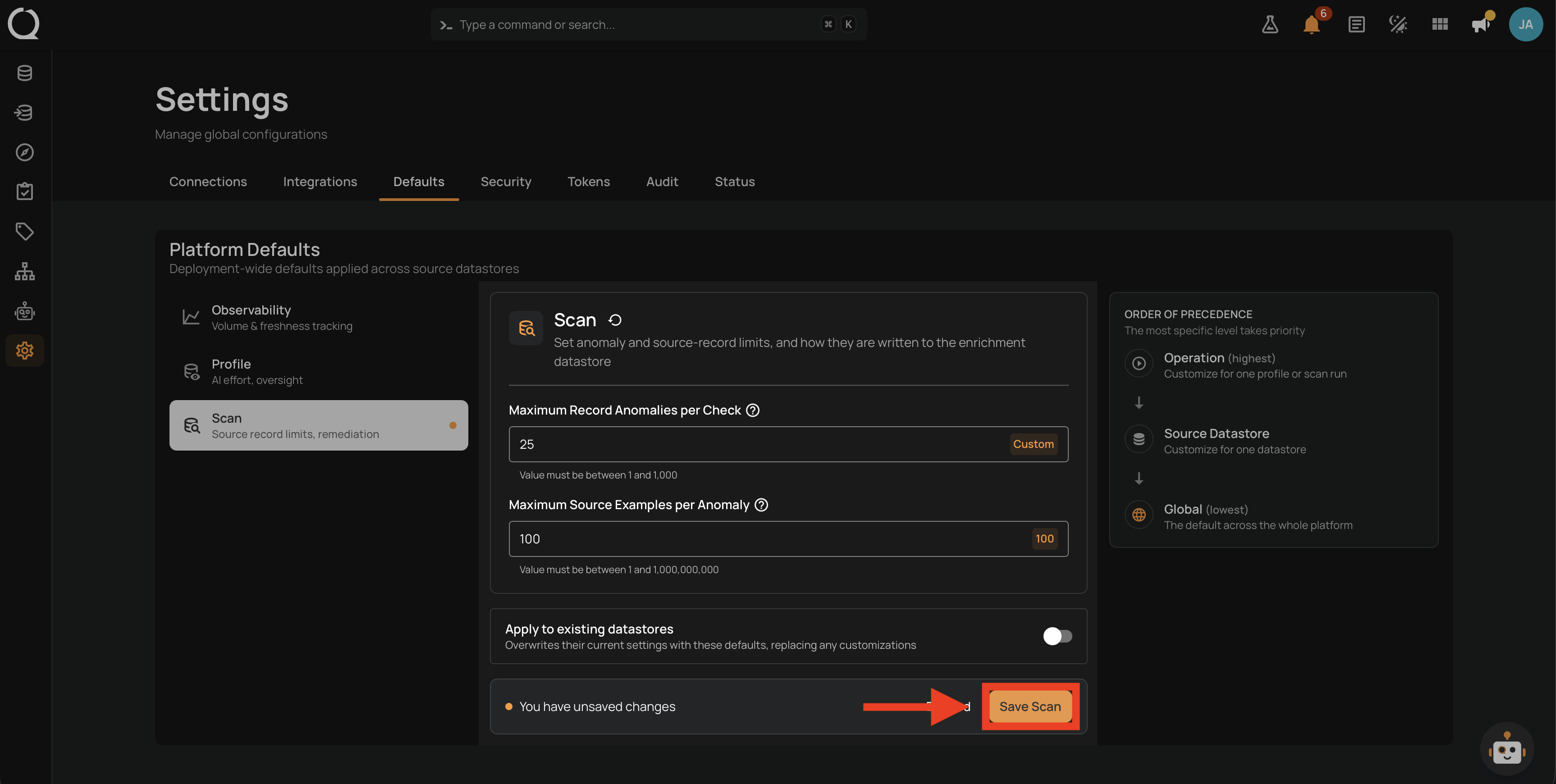
Step 4: A confirmation banner appears at the top of the panel. When propagation was on, the banner reports how many datastores were updated. When propagation was off, it confirms that the defaults were saved.
Related
See How It Works for the precedence chain and how these defaults interact with per-operation values.