Find ServiceNow Values
When creating a ServiceNow ticket from Qualytics, some fields — Category, Subcategory, and Assignment Group — require values that must match exactly what's configured in your ServiceNow instance. This page explains how to look them up directly in ServiceNow.
Exact match required
Category and Subcategory names are case-sensitive and must match exactly as they appear in ServiceNow. Assignment Group requires the sys_id, not the display name.
Category / Subcategory
Step 1: Open any existing Incident in ServiceNow.
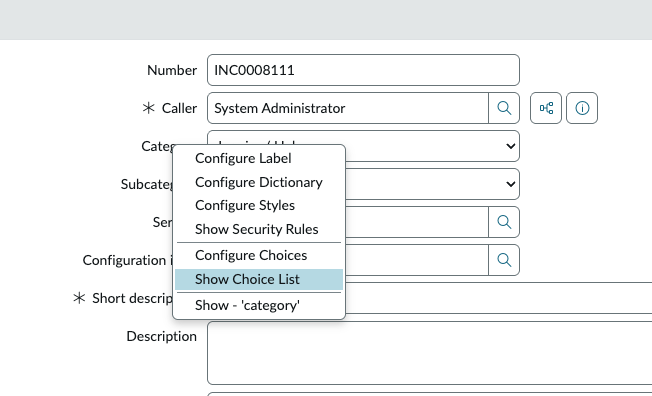
Step 2: Right-click on the Category field and select Show choice list.
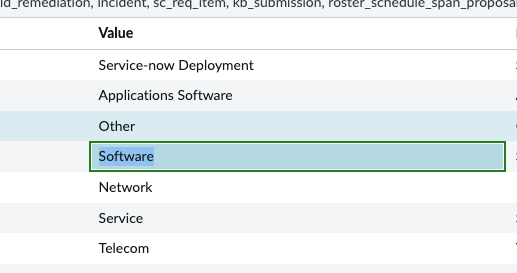
Step 3: Copy the exact Name value (case-sensitive).
Tip
Subcategories are discovered the same way — right-click the Subcategory field and use Show choice list. Subcategory values are filtered by the selected Category.
Assignment Group sys_id
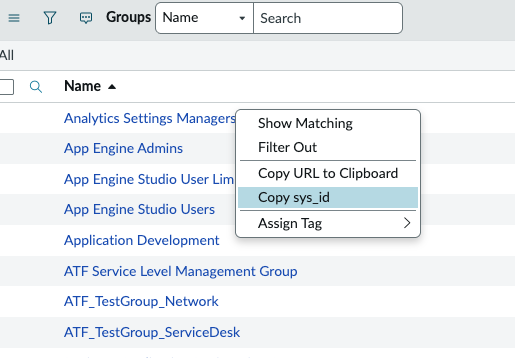
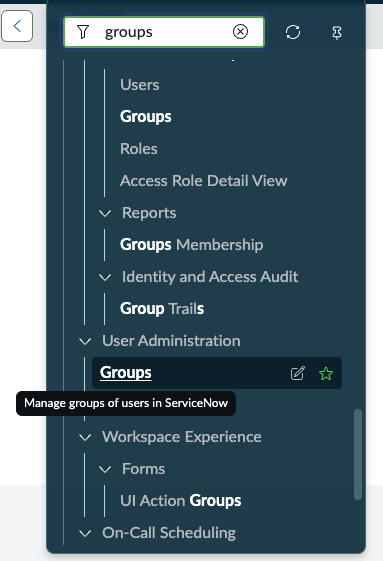
Step 1: Navigate to User Administration → Groups.
Step 2: Locate the desired group, right-click on the row, and select Copy sys_id. Paste the value into Qualytics.