Revoke Personal Token
Use the Revoke action to deactivate a Personal Access Token. Revoking a token immediately prevents it from being used for API authentication. A revoked token can be restored or deleted.
Permissions
Any user with at least the Member role can revoke their own Personal Tokens. See the Permissions page for details.
Side Effects
Revoking a Personal Token takes effect immediately — there is no grace period or confirmation dialog. Any script, tool, or integration using this token will lose API access the moment it is revoked.
Steps
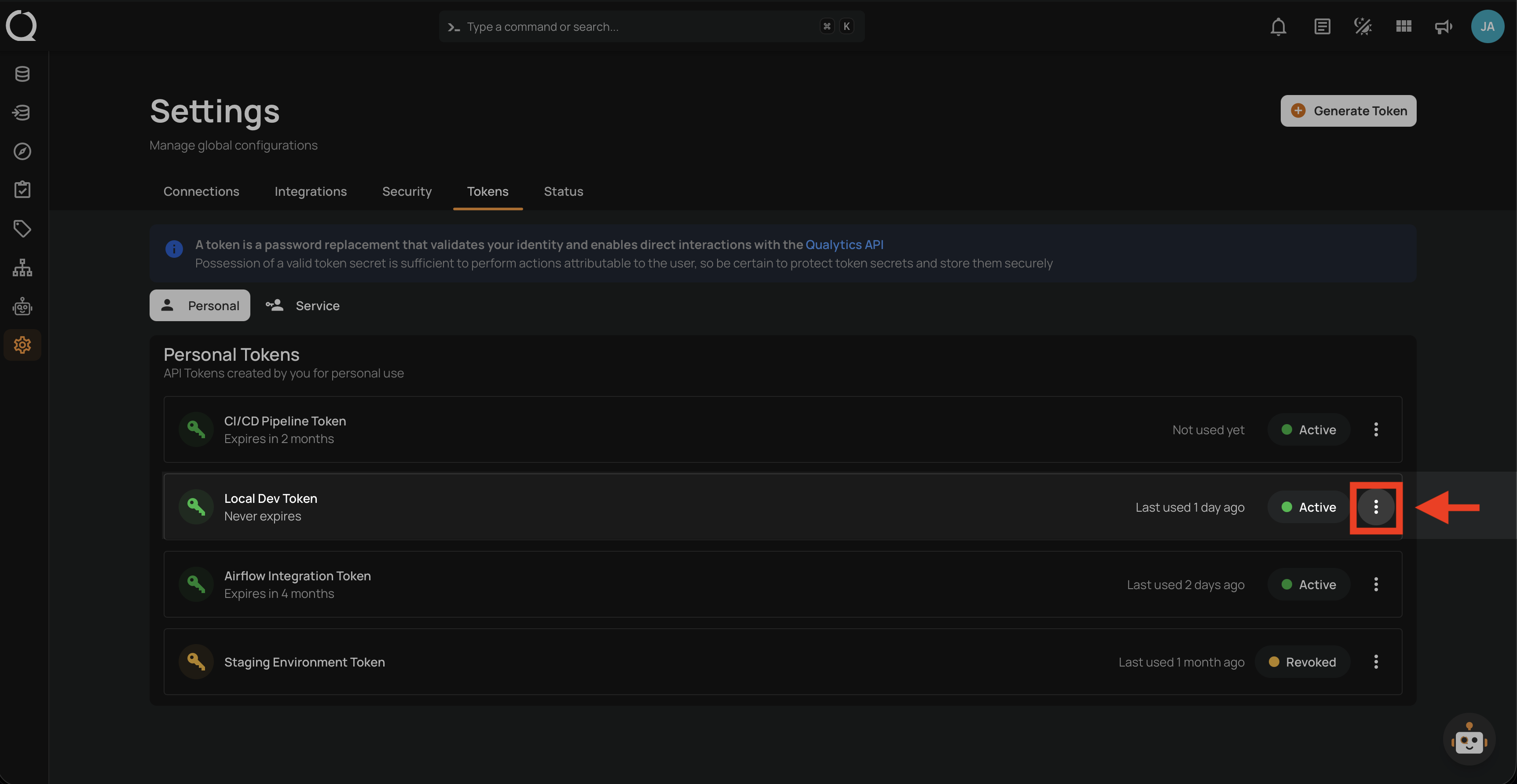
Step 1: Click the vertical ellipsis next to the active token that you want to revoke.
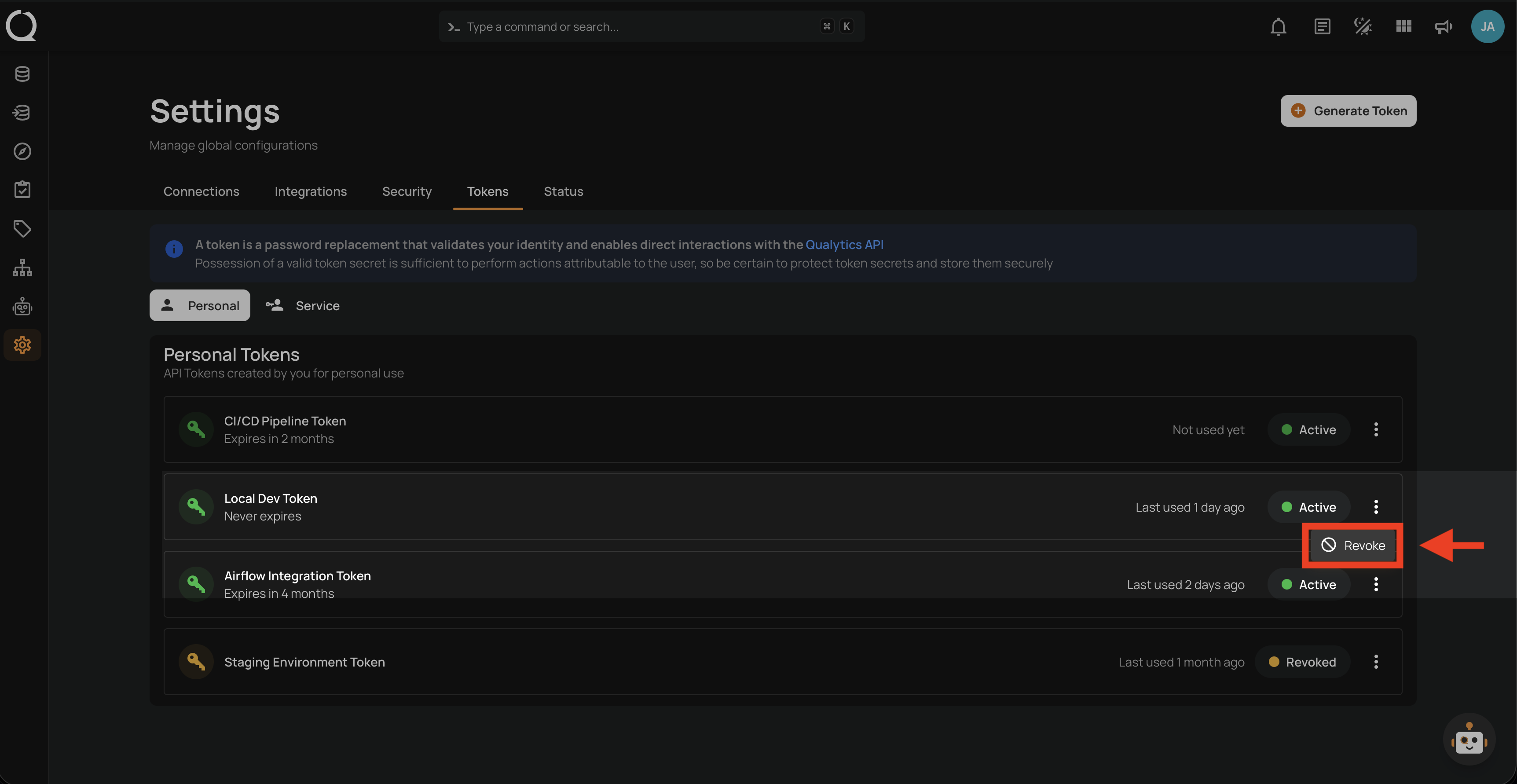
Step 2: Click Revoke from the dropdown menu.
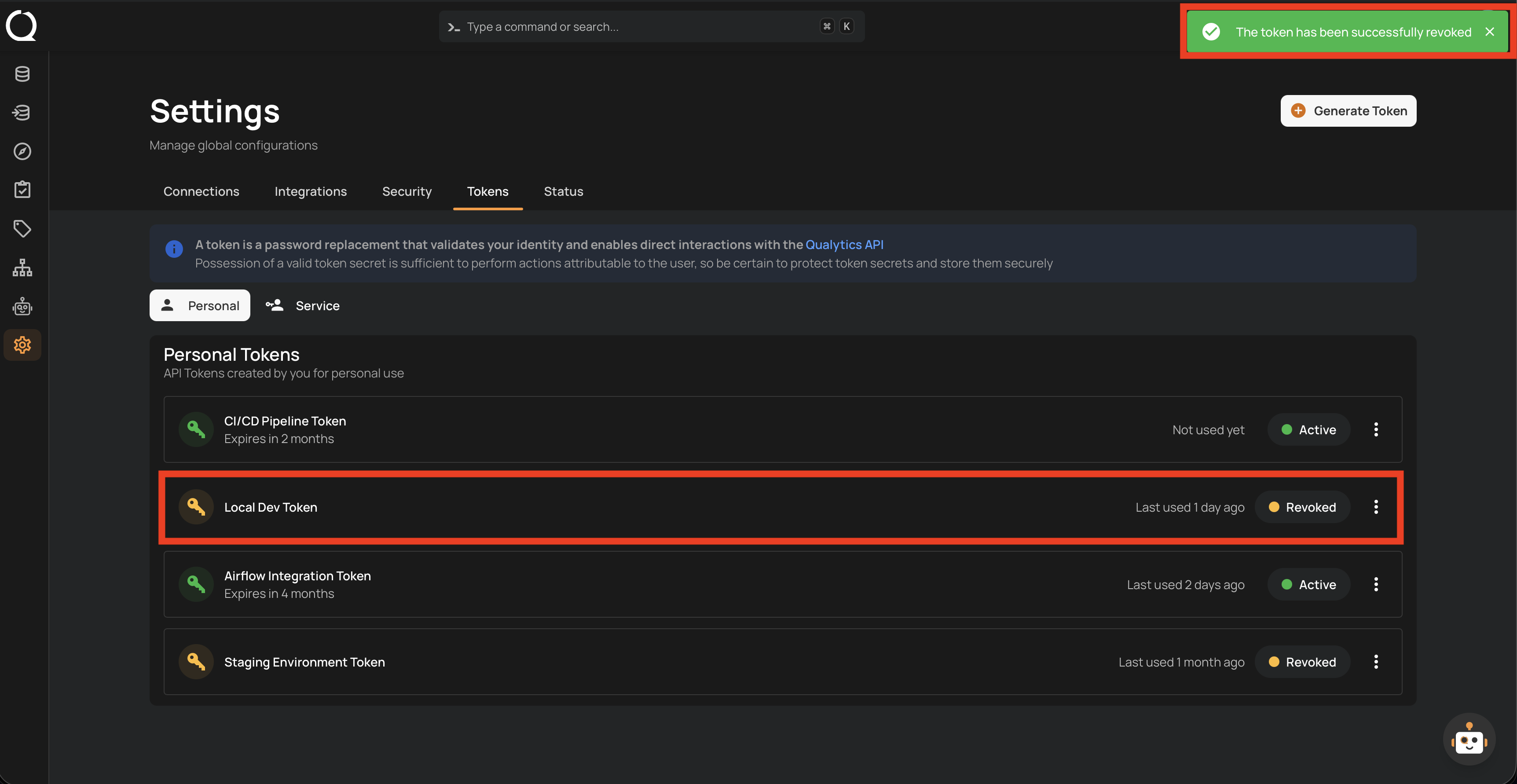
Step 3: A success notification appears confirming "The token has been successfully revoked". The token's status badge changes from Active (green) to Revoked (orange).
Note
If you revoke a token by mistake, you can restore it using the Restore action.