Delete Personal Token
Use the Delete action to permanently remove a Personal Access Token. Once deleted, the token cannot be recovered.
Note
You can only delete revoked tokens. Active tokens (including those past their expiration date) must be revoked first before they can be deleted.
Permissions
Any user with at least the Member role can delete their own Personal Tokens. See the Permissions page for details.
Side Effects
Deletion is permanent and cannot be undone. Any external system or webhook using this token stops working immediately. If you only want to disable API access temporarily, use Revoke instead.
Steps
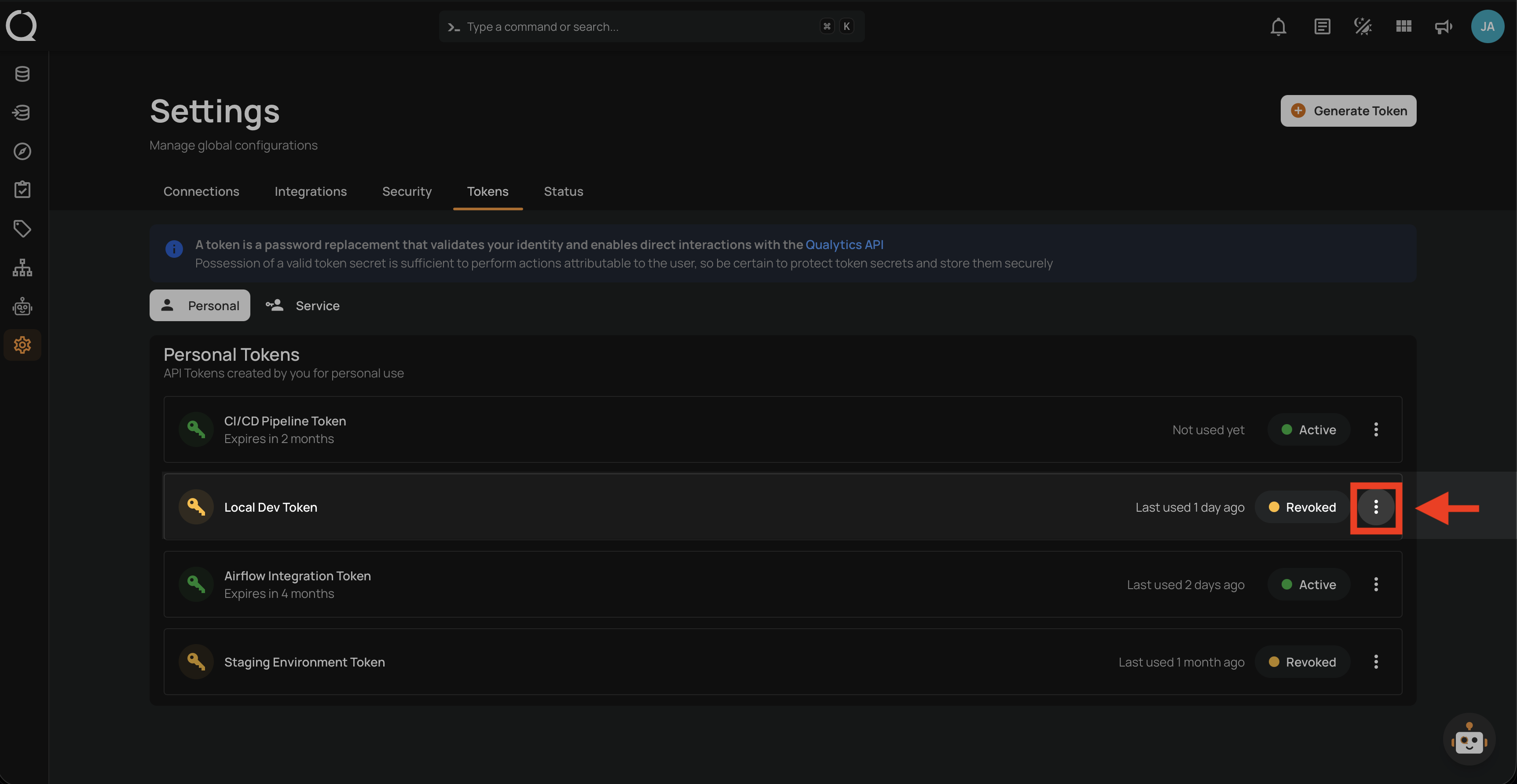
Step 1: Click the vertical ellipsis next to the revoked token that you want to delete.
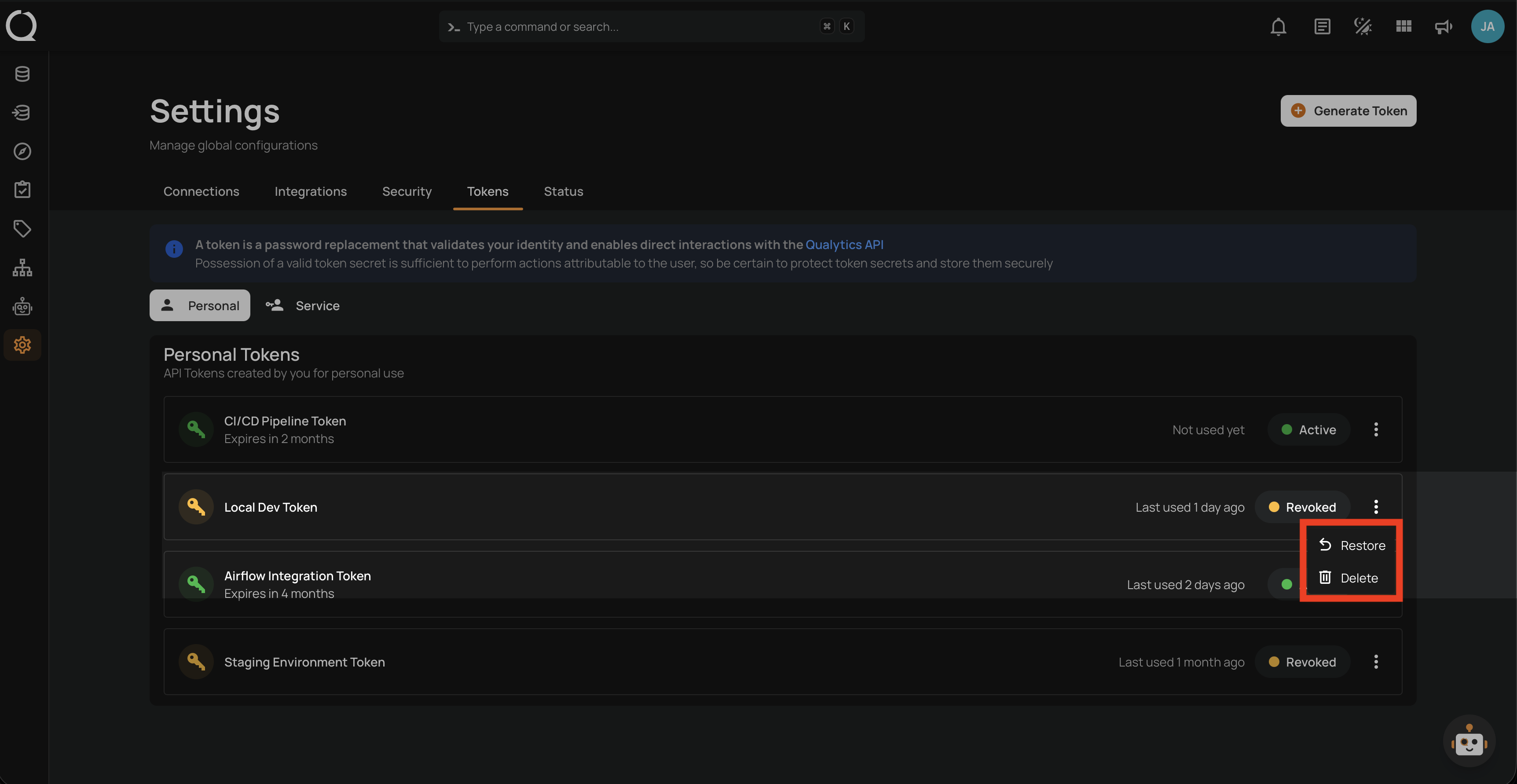
Step 2: A dropdown menu appears with the available actions.
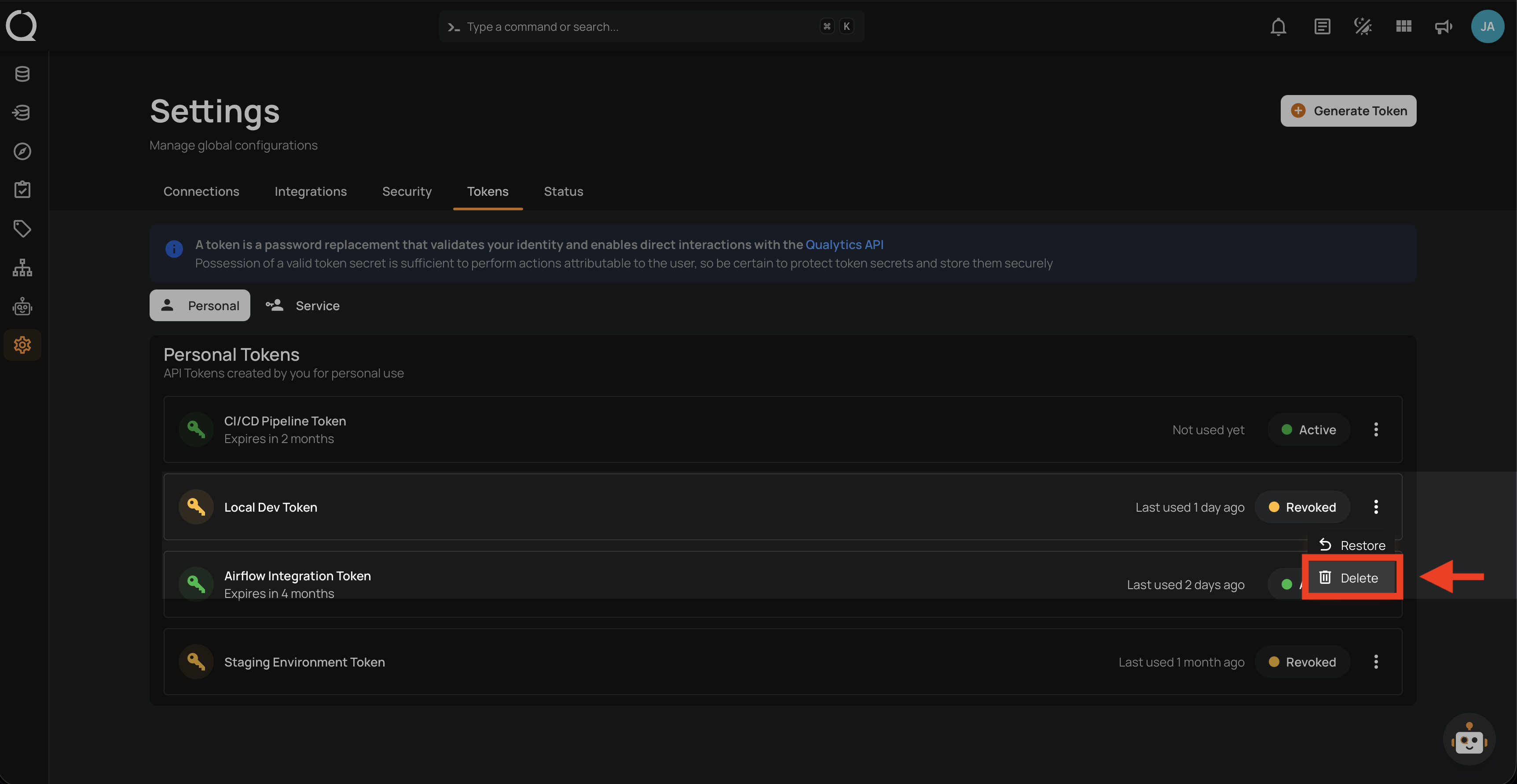
Step 3: Click Delete from the dropdown menu.
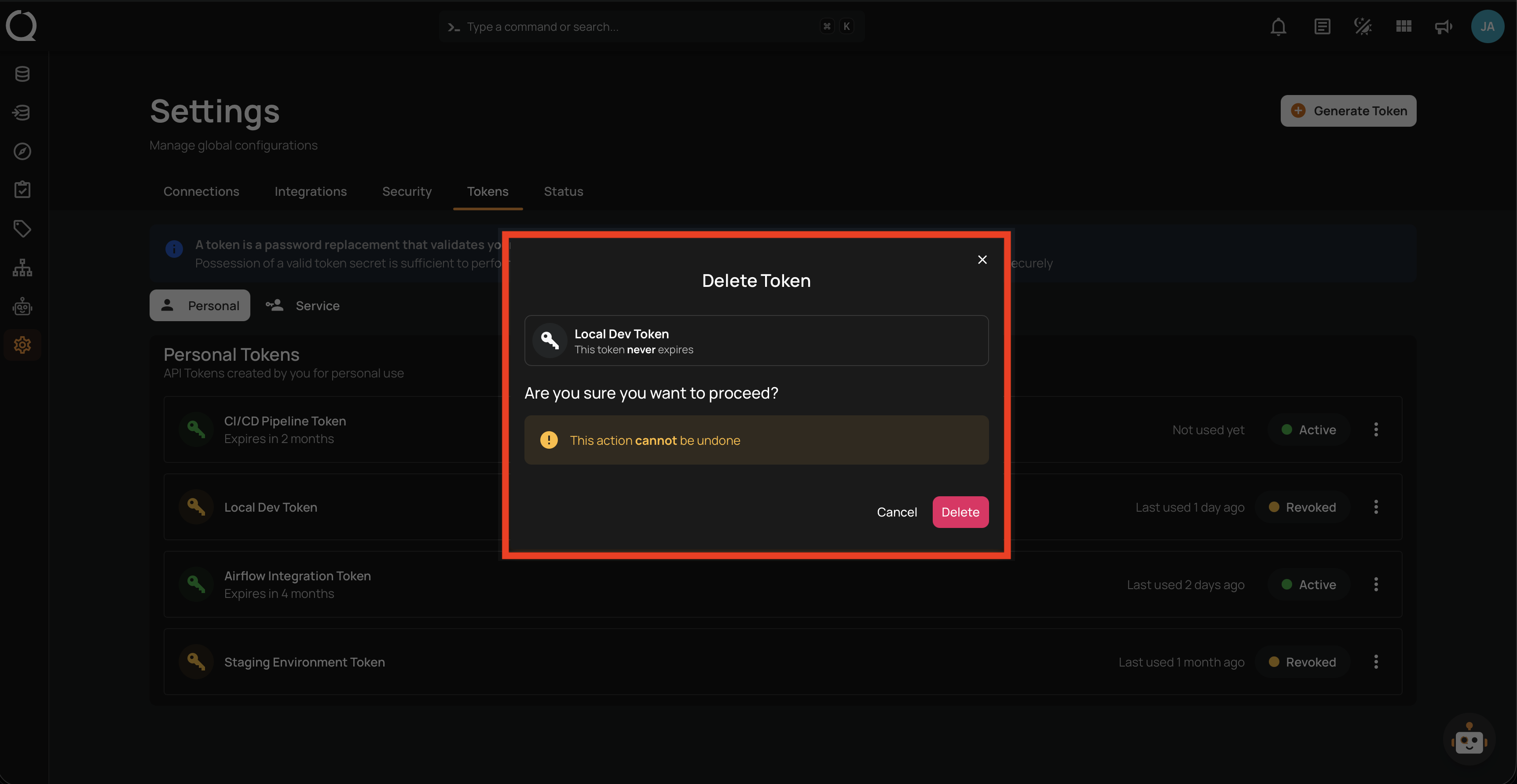
Step 4: A confirmation modal appears showing the token name and a warning that any external system or webhook using this token will stop working immediately. Click Delete to confirm.
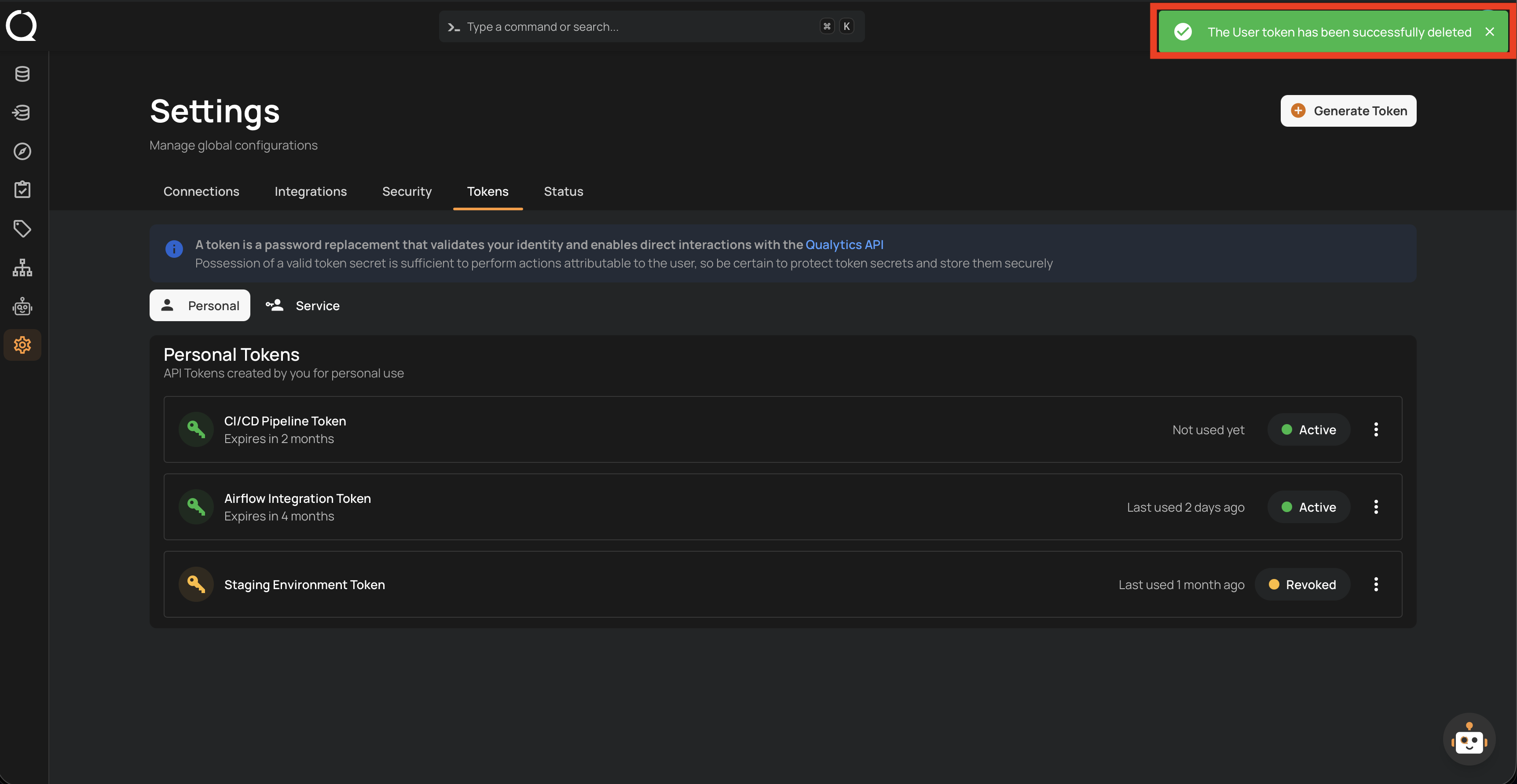
Step 5: A success notification appears confirming "The User token has been successfully deleted". The token is removed from the list.