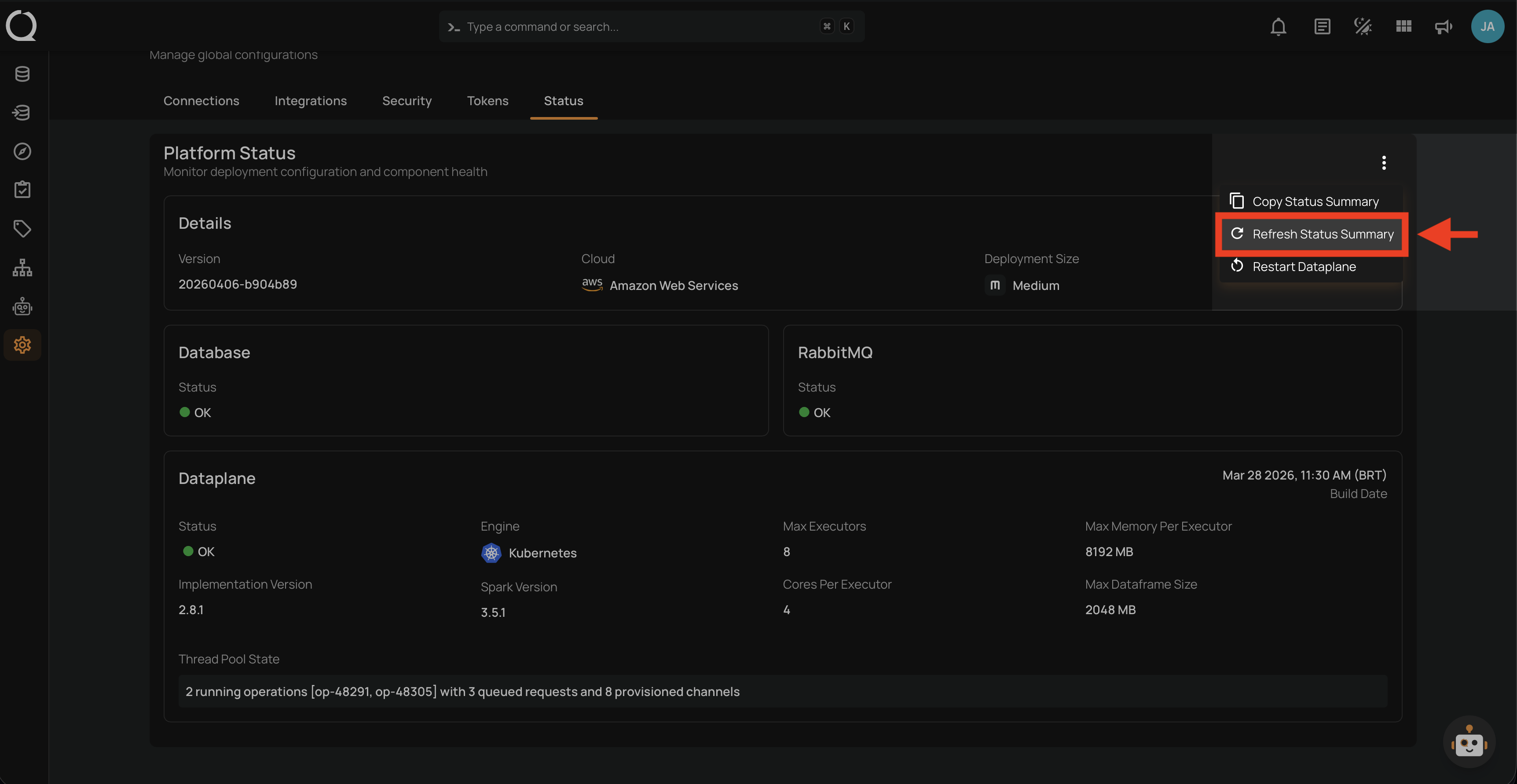
Refresh Status Summary
The Refresh Status Summary action re-fetches the latest status data from the platform. This updates all sections — Details, Database, RabbitMQ, Dataplane, and Private Routes — with the most current information.
Permissions
Users with the Manager or Admin role can refresh the status summary. For a full breakdown of status-related permissions, see the Permissions page.
Steps
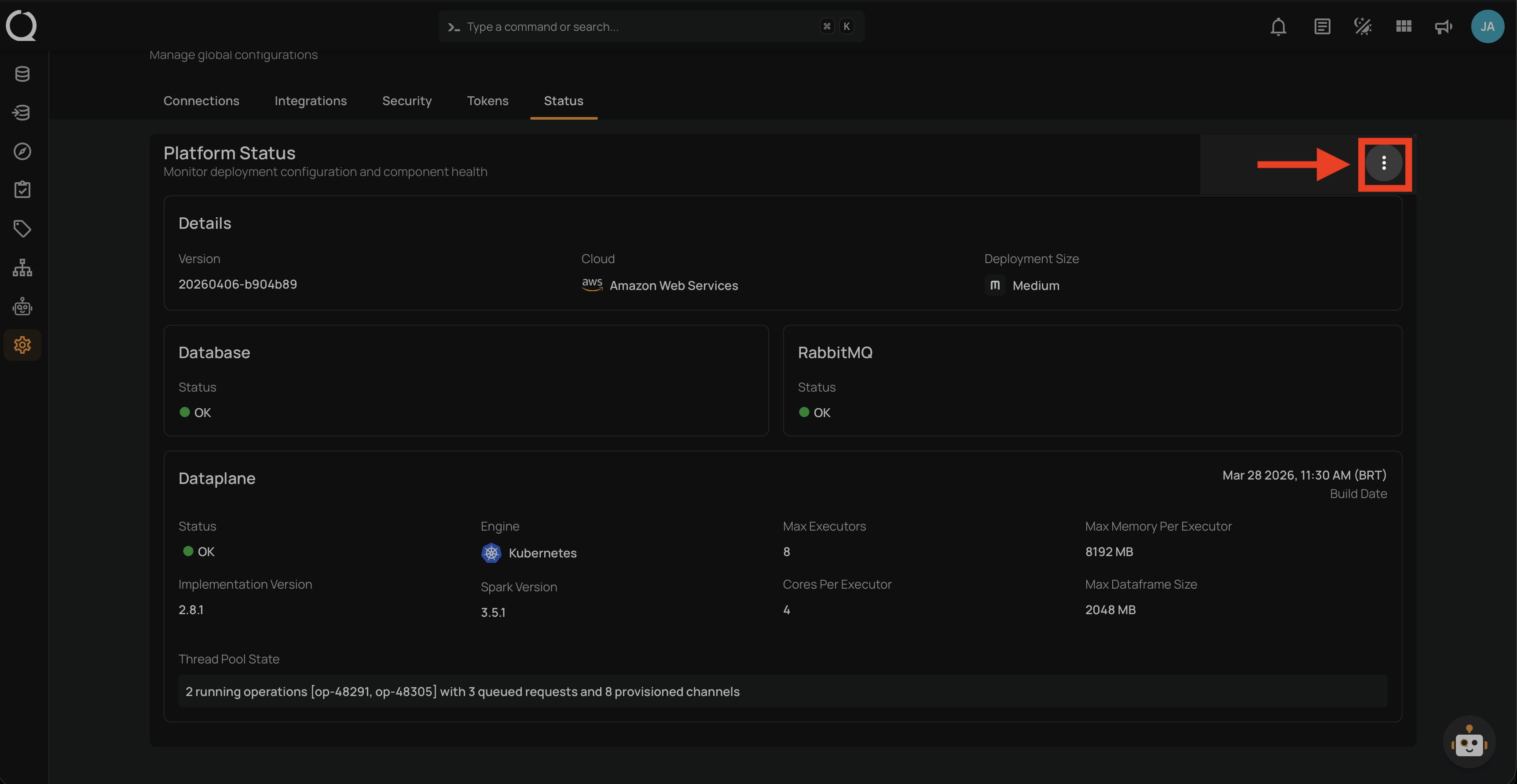
Step 1: Click the vertical ellipsis button at the top-right corner of the Platform Status section.
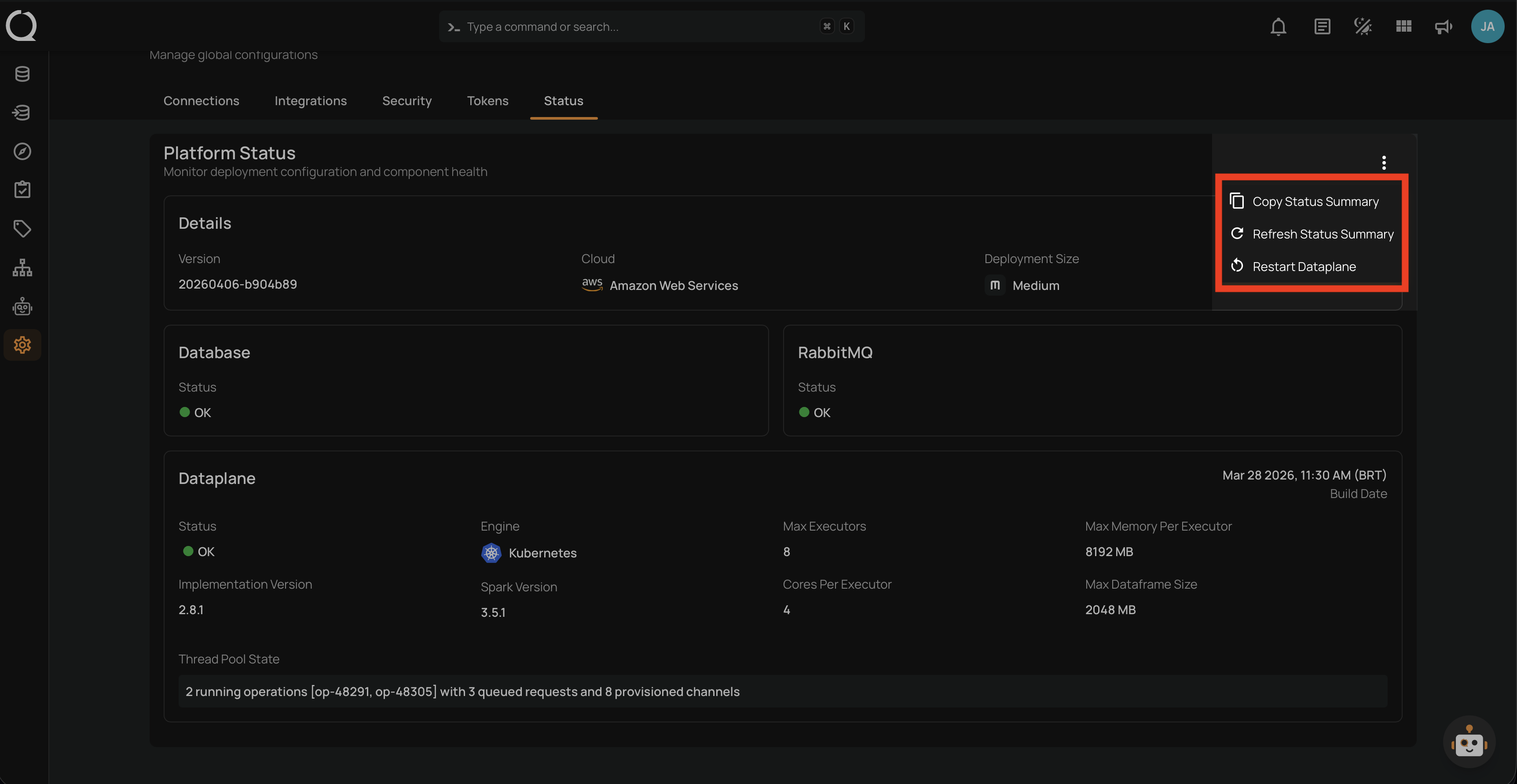
Step 2: A dropdown menu appears with the available actions.
Step 3: Select Refresh Status Summary from the dropdown menu. The page immediately reloads, showing loading indicators in place of field values while the data is fetched.