Create a Jira Ticket
Create a new Jira issue directly from an anomaly in Qualytics. The new ticket is automatically linked to the anomaly and enriched with anomaly details.
Prerequisites
The Jira integration must be connected before you can create tickets.
Permissions
Users with the Manager or Admin role and Reporter team permission on the anomaly's datastore can create Jira tickets. See the Permissions page for details.
Fields
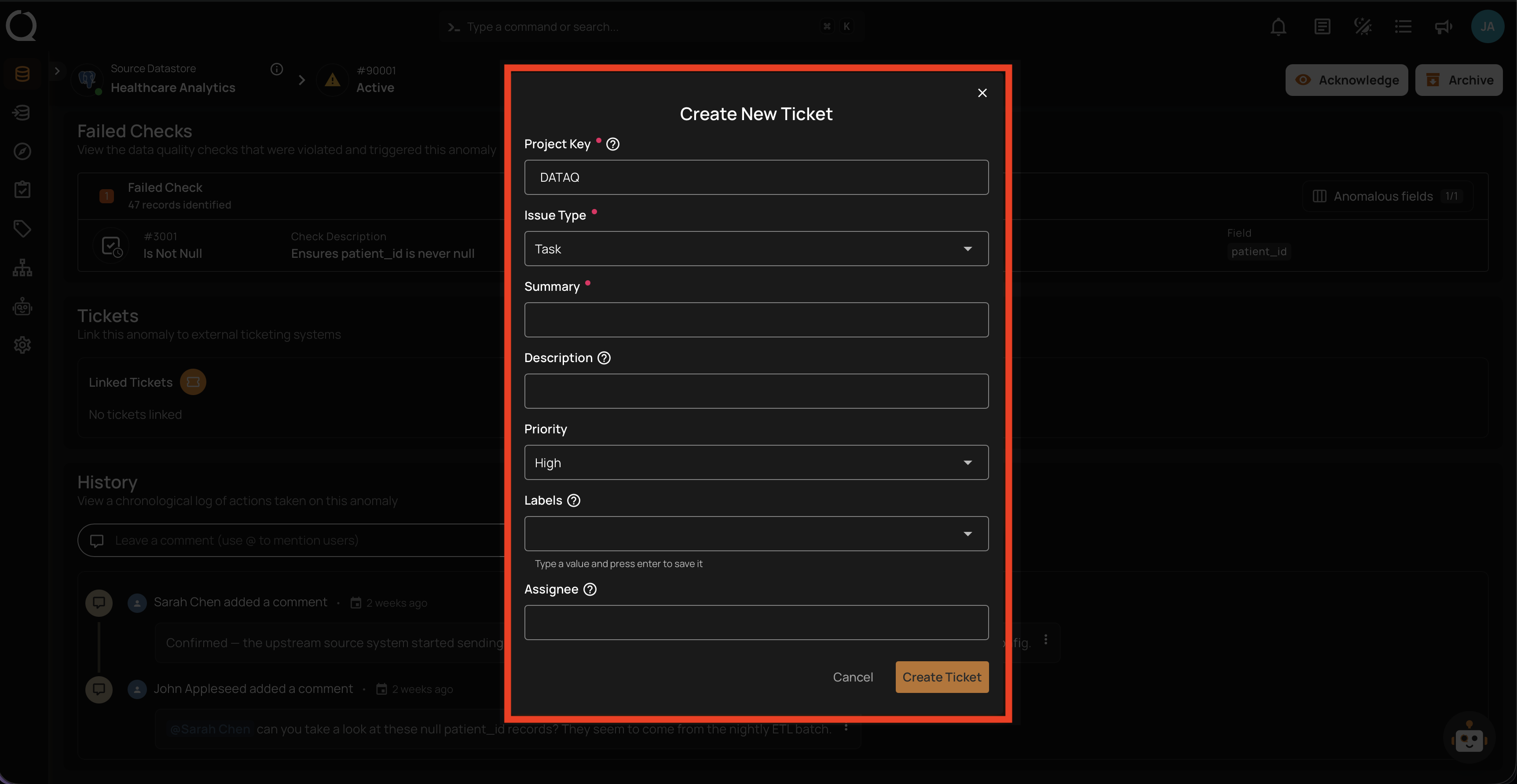
The Create New Ticket form contains the following fields:
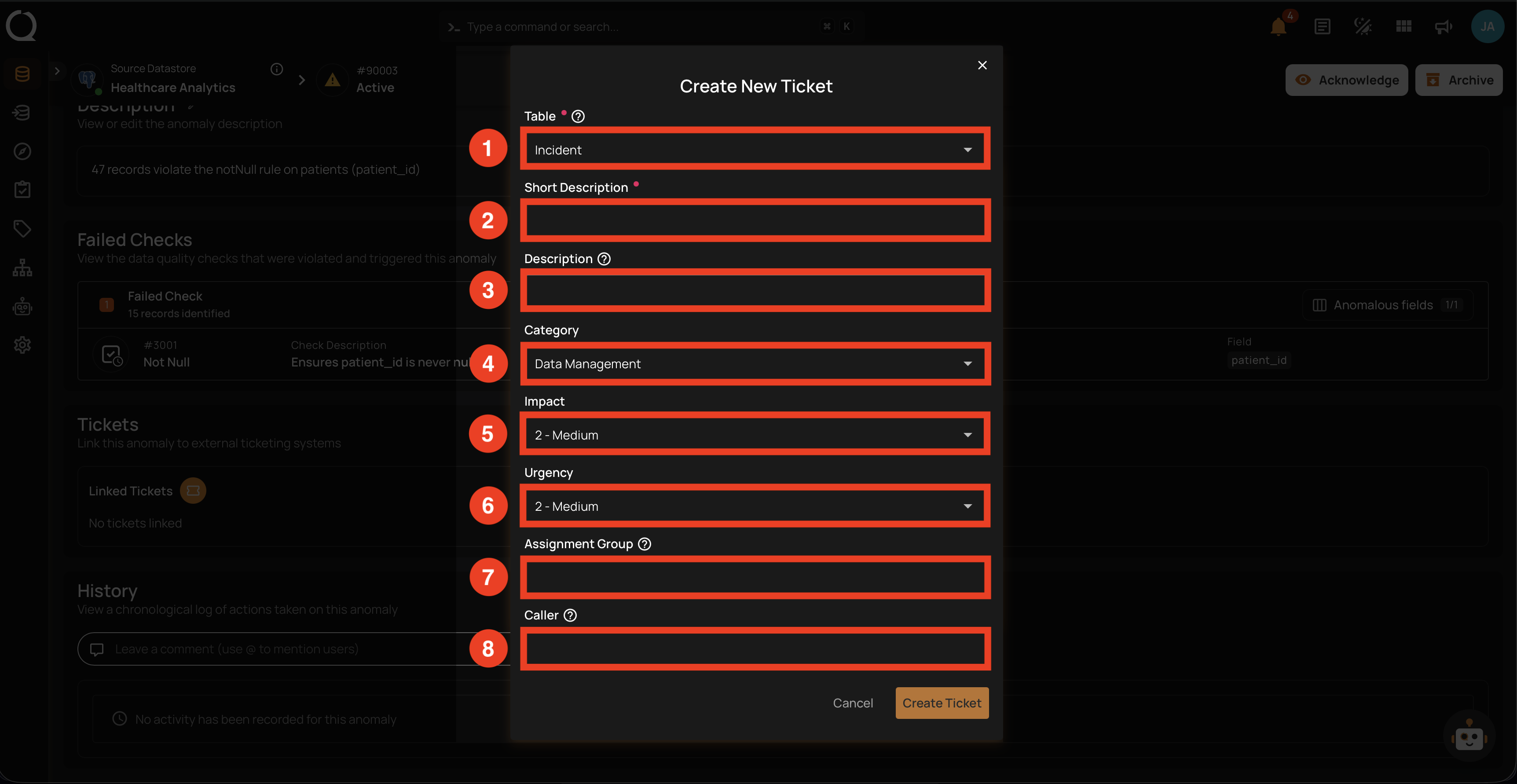
| REF. | FIELD | DESCRIPTION |
|---|---|---|
| 1 | Project Key (Required) | The Jira project key where the ticket will be created (e.g., DATAQ). Pre-filled with the Default Project Key from the integration configuration — can be overridden per ticket. |
| 2 | Issue Type (Required) | The type of Jira issue to create (e.g., Task, Bug, Story). The available options come from your Jira project's configuration. |
| 3 | Summary (Required) | Brief one-line description of the issue (maps to Jira summary). |
| 4 | Description | Detailed description of the issue. Anomaly details are auto-appended on submit. |
| 5 | Priority | Issue priority level (e.g., Low, Medium, High, Highest). |
| 6 | Labels | Optional labels to categorize the issue. Type a value and press Enter to add each label. |
| 7 | Assignee | Username or email of the Jira user to assign the issue to. |
Steps
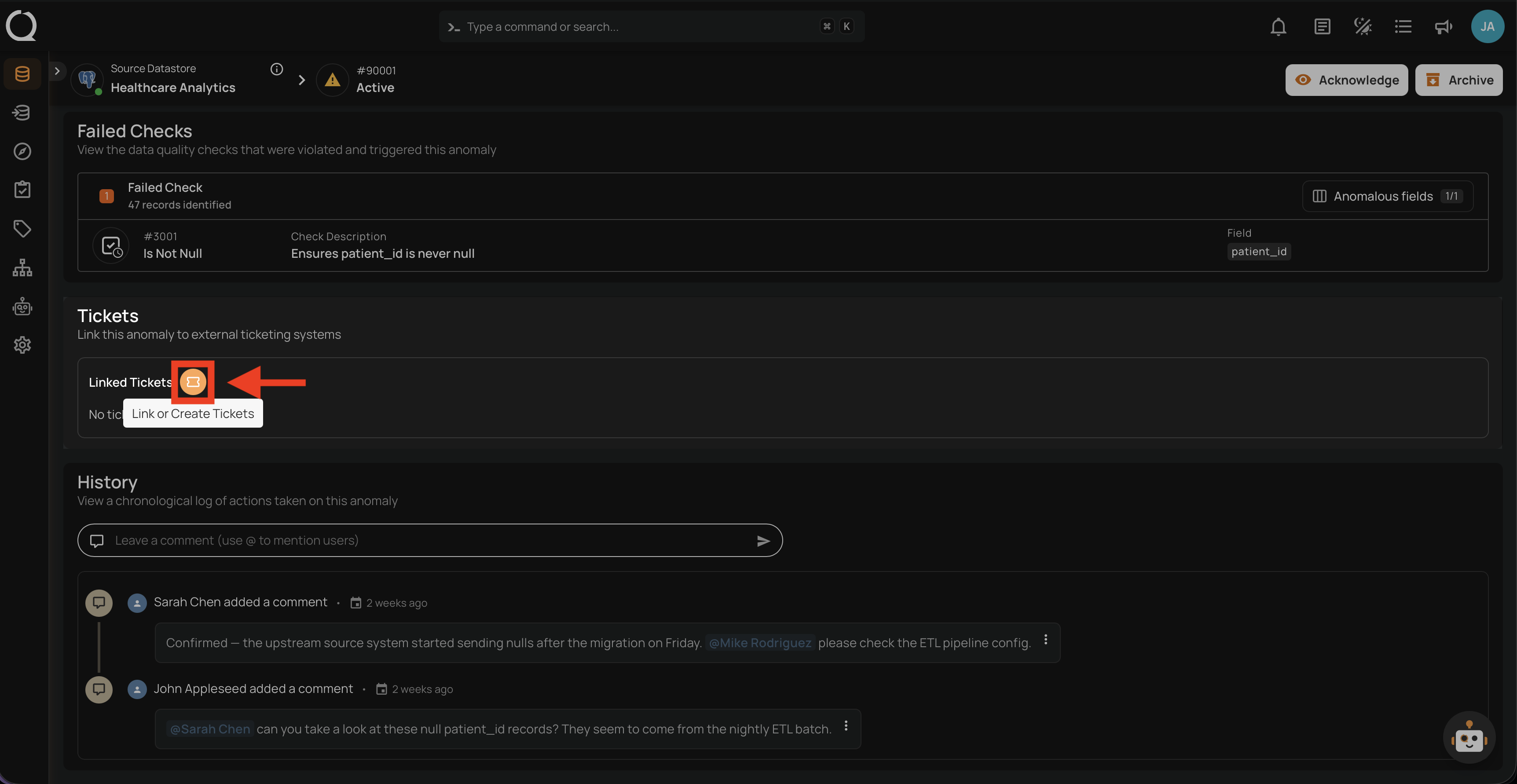
Step 1: Open the anomaly in Qualytics, scroll to the Linked Tickets section, and click the Link or Create Tickets button.
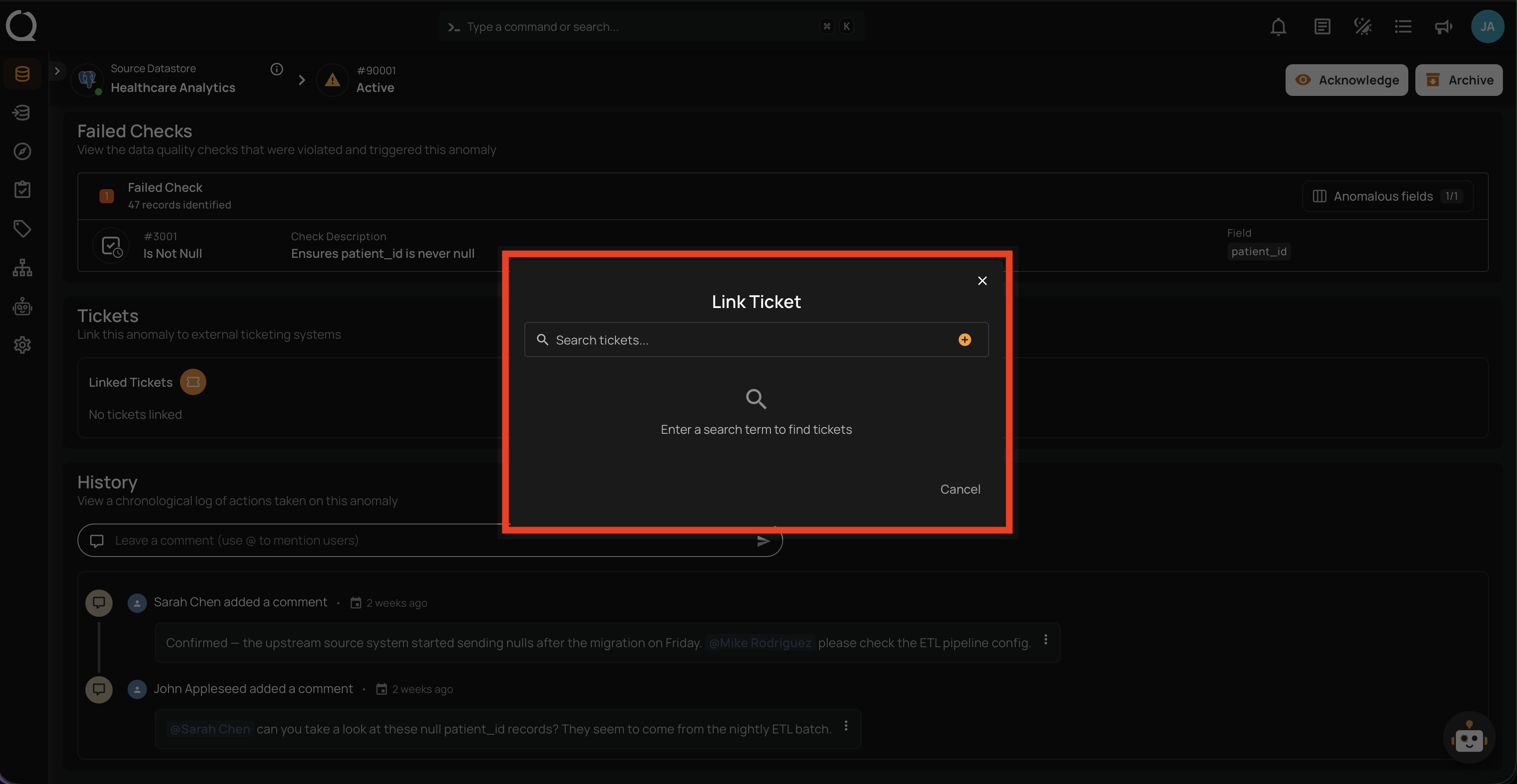
Step 2: The Link Ticket modal opens with a search bar. This is the unified entry point for both linking existing tickets and creating new ones.
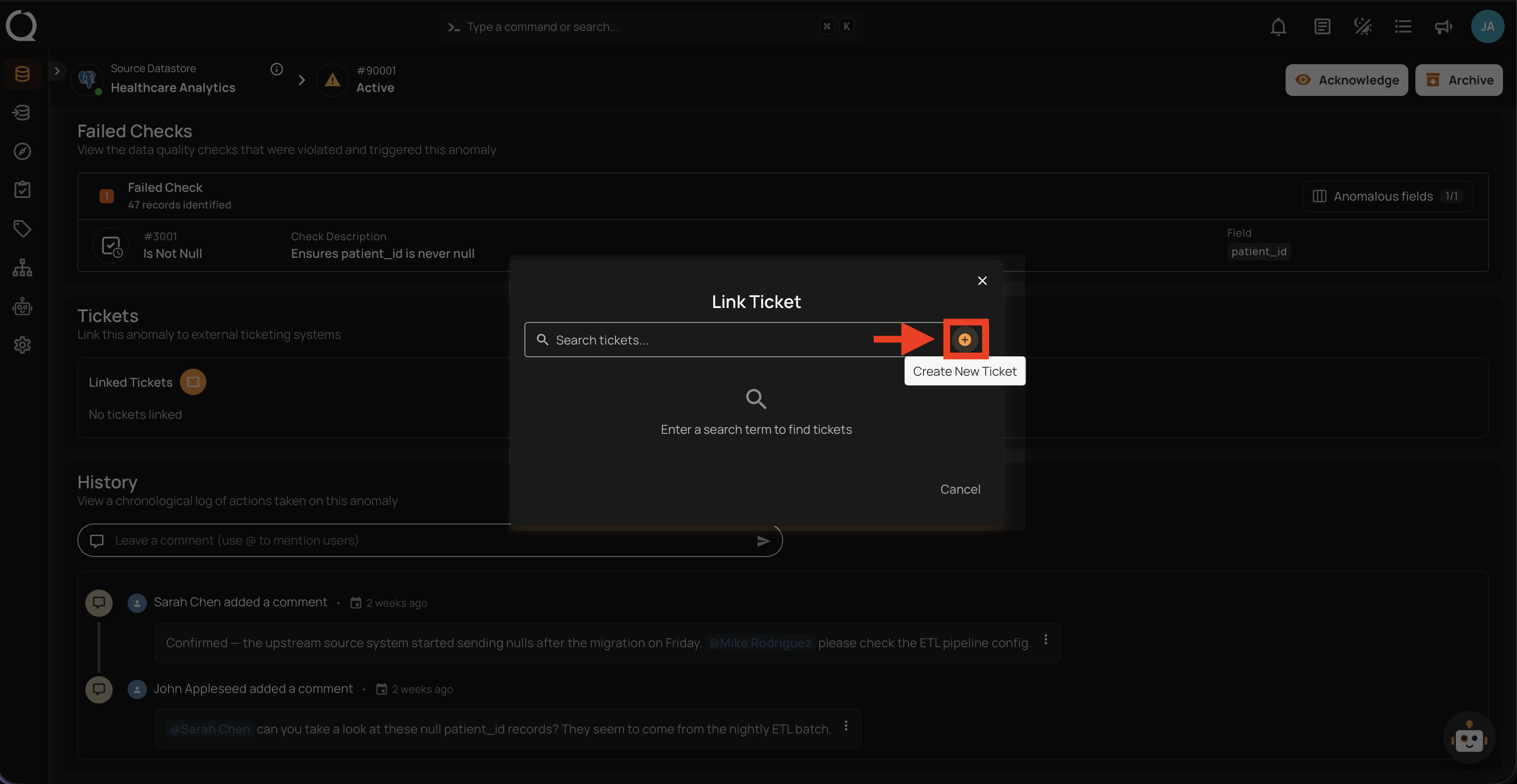
Step 3: Click the Create New Ticket button next to the search bar.
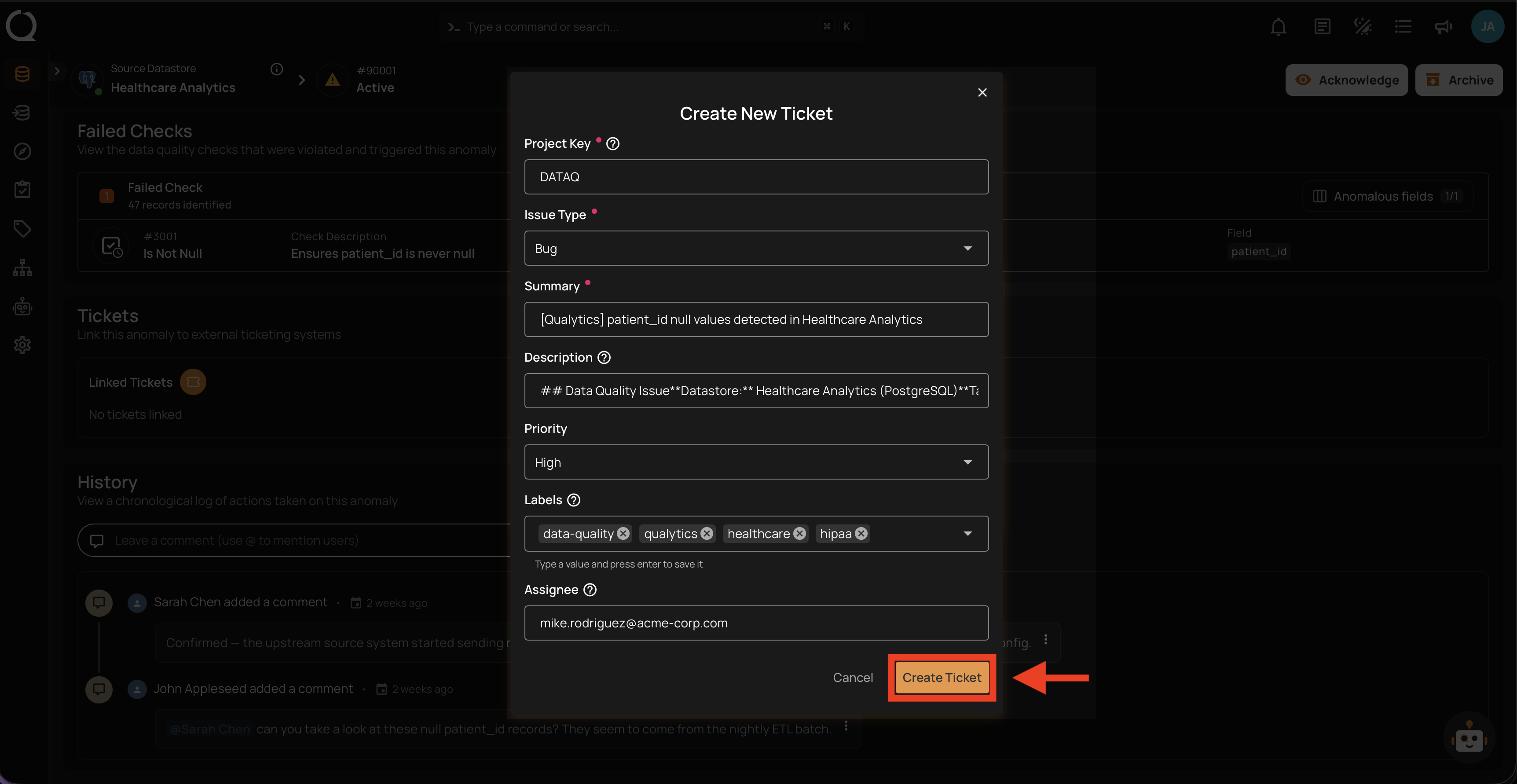
Step 4: The Create New Ticket form opens. Fill in the fields described in the Fields section above.
Step 5: Click the Create Ticket button to submit.
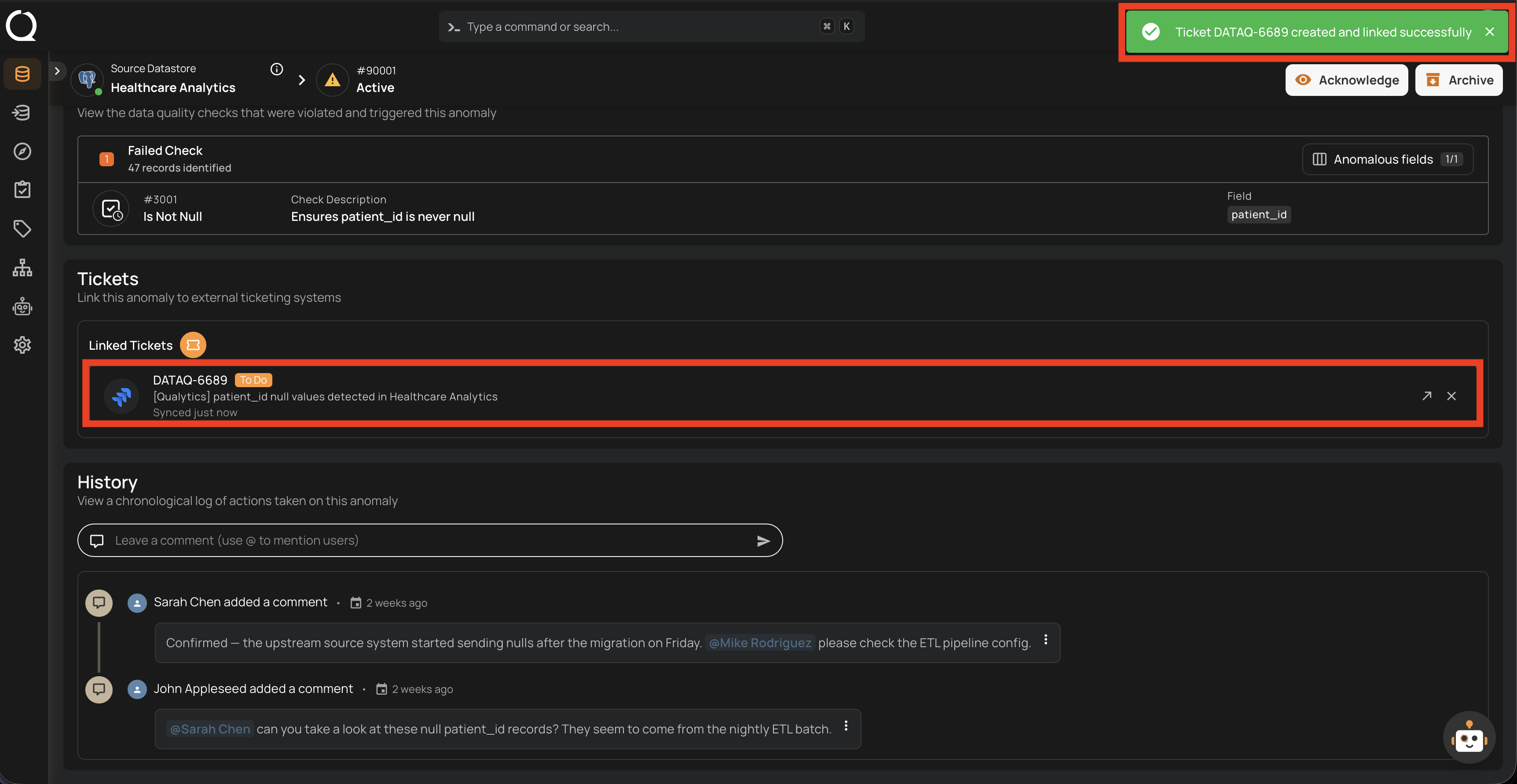
Step 6: A success notification appears, and the new ticket is shown in the Linked Tickets section of the anomaly.
The Jira issue description is auto-populated with the anomaly's context:
- Anomaly ID and status
- Anomaly type and detection timestamp
- Failed checks information
- A direct link back to the anomaly in Qualytics
Tip
If you need to link an existing Jira issue instead of creating a new one, use the Link Existing Ticket flow.