Delete a Computed Field
Delete a Computed Field from a container.
Related
- Add a Computed Field to create a new one.
- Edit a Computed Field to change the transformation without deleting.
- Exclude a Field for suppressing a Computed Field's output while keeping the definition.
Before You Delete
Deleting a Computed Field is a hard delete. There is no archive step and no undo. Understand what goes with it before you confirm:
| What happens to... | Effect |
|---|---|
| The Computed Field definition | Removed permanently. |
| The derived output field | Removed permanently. |
| Quality checks that reference the Computed Field | Removed together with the field. |
| Anomalies raised against the Computed Field | Removed together with the field. |
| Source fields the transformation reads | Not affected. They retain their status and configuration. |
Irreversible
Once a Computed Field is deleted, the definition and the derived value cannot be recovered. If you only want to suppress the output temporarily, exclude the source field instead. Exclusion preserves the definition for later restoration; deletion does not. See Exclude a Field for the exclusion flow.
Permissions
Deleting requires the Editor team permission on the parent datastore, or the Author team permission when you are the current owner. See Permissions for the full matrix.
Steps
Step 1: Navigate to the Computed Field's detail page by clicking its name in the container's field listing.
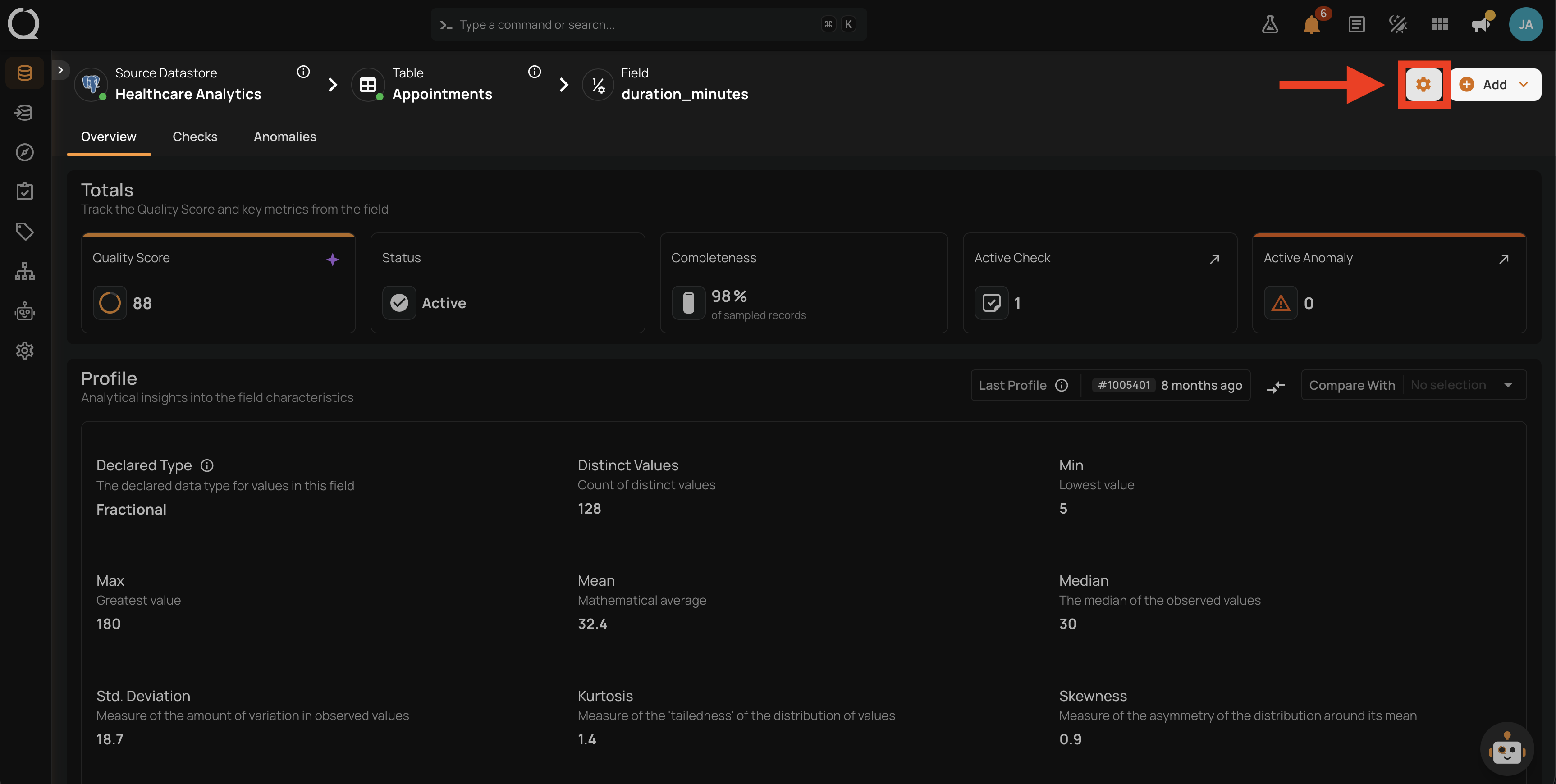
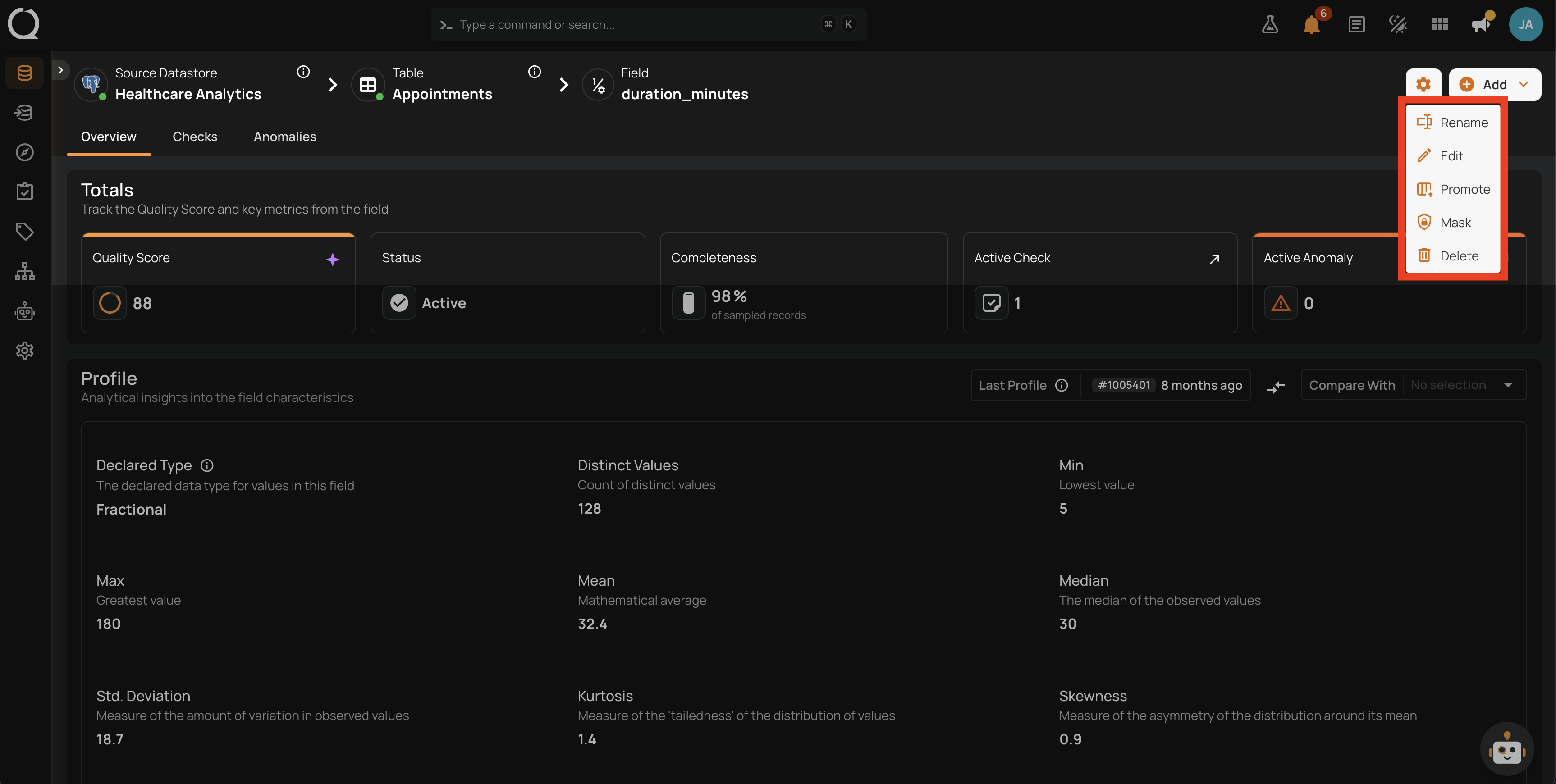
Step 2: Click the settings icon in the top-right corner of the field page. A dropdown appears with the actions available for the field.
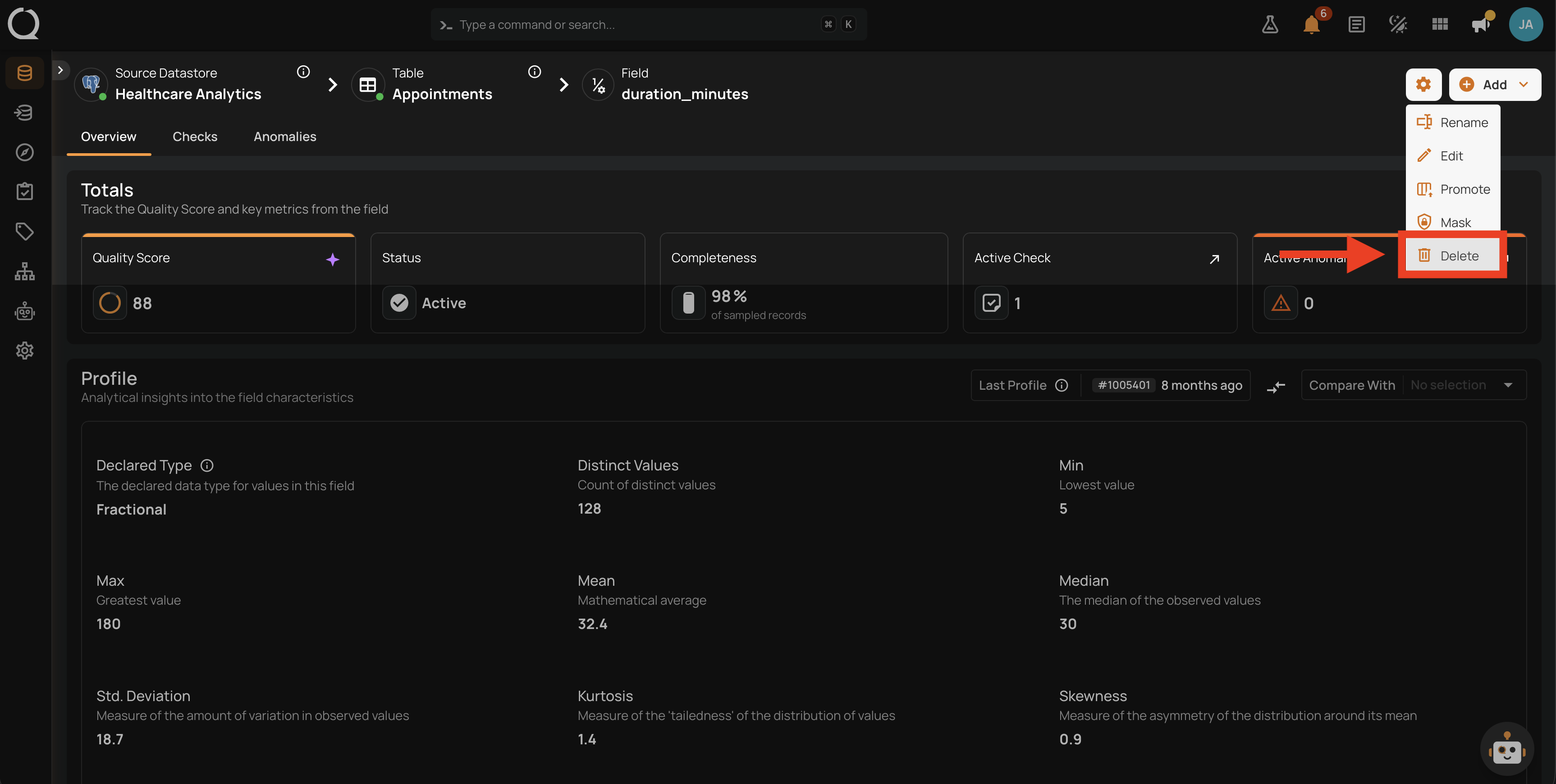
Step 3: Select Delete .
Step 4: A confirmation dialog appears listing what will be removed together with the field.
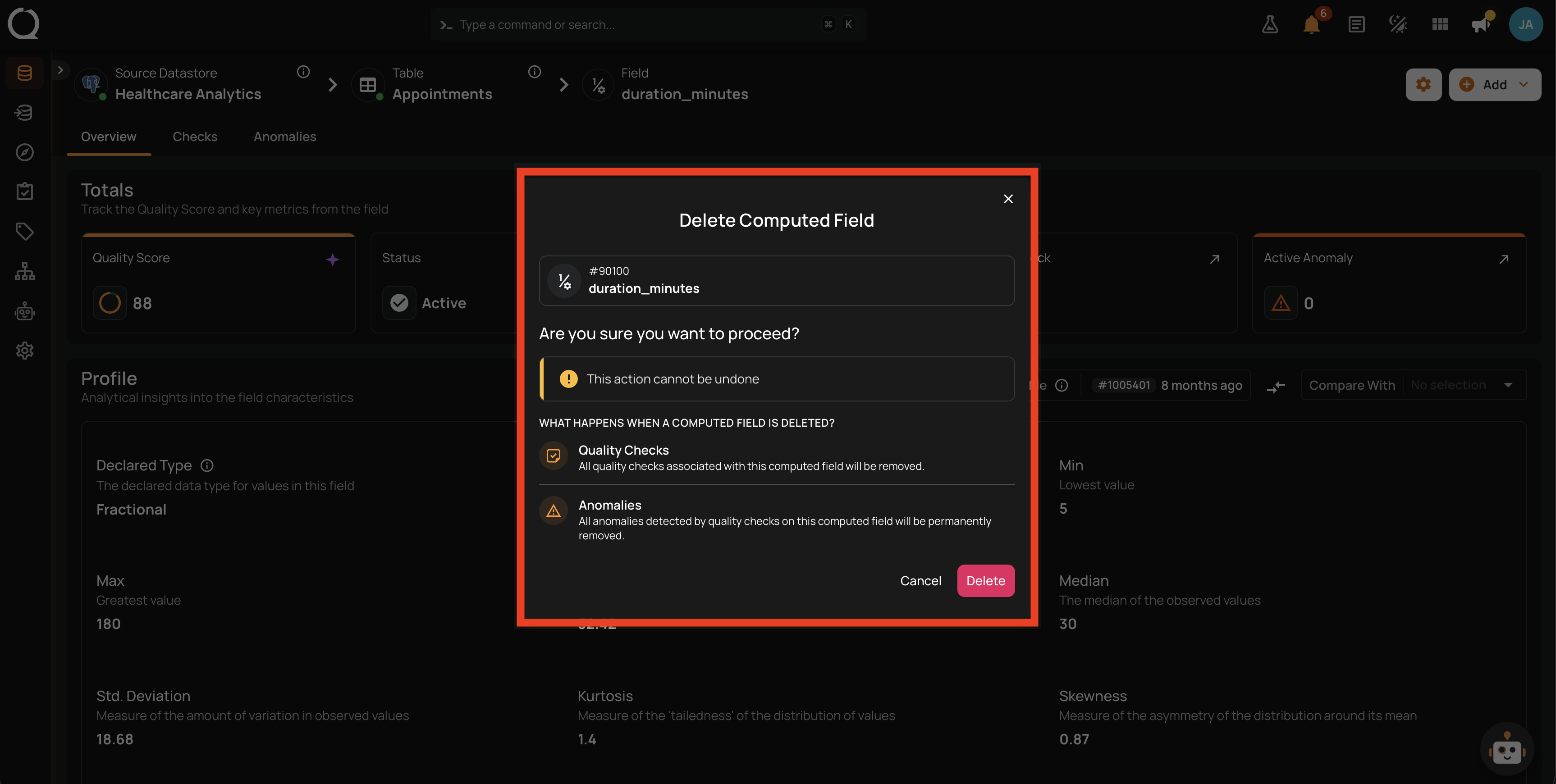
Step 5: Read the summary and click Delete to confirm. The field is removed immediately, together with its quality checks and anomalies.
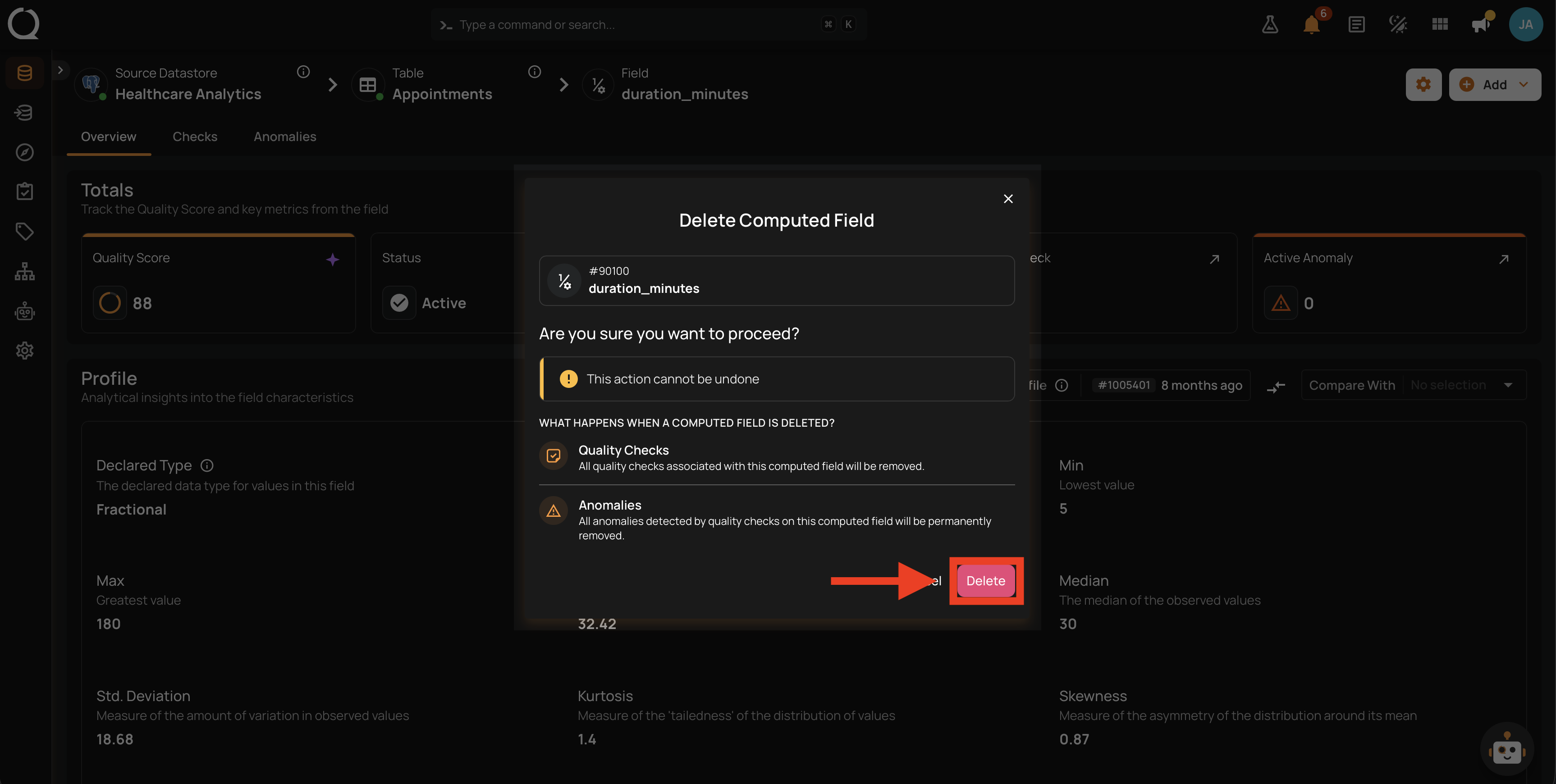
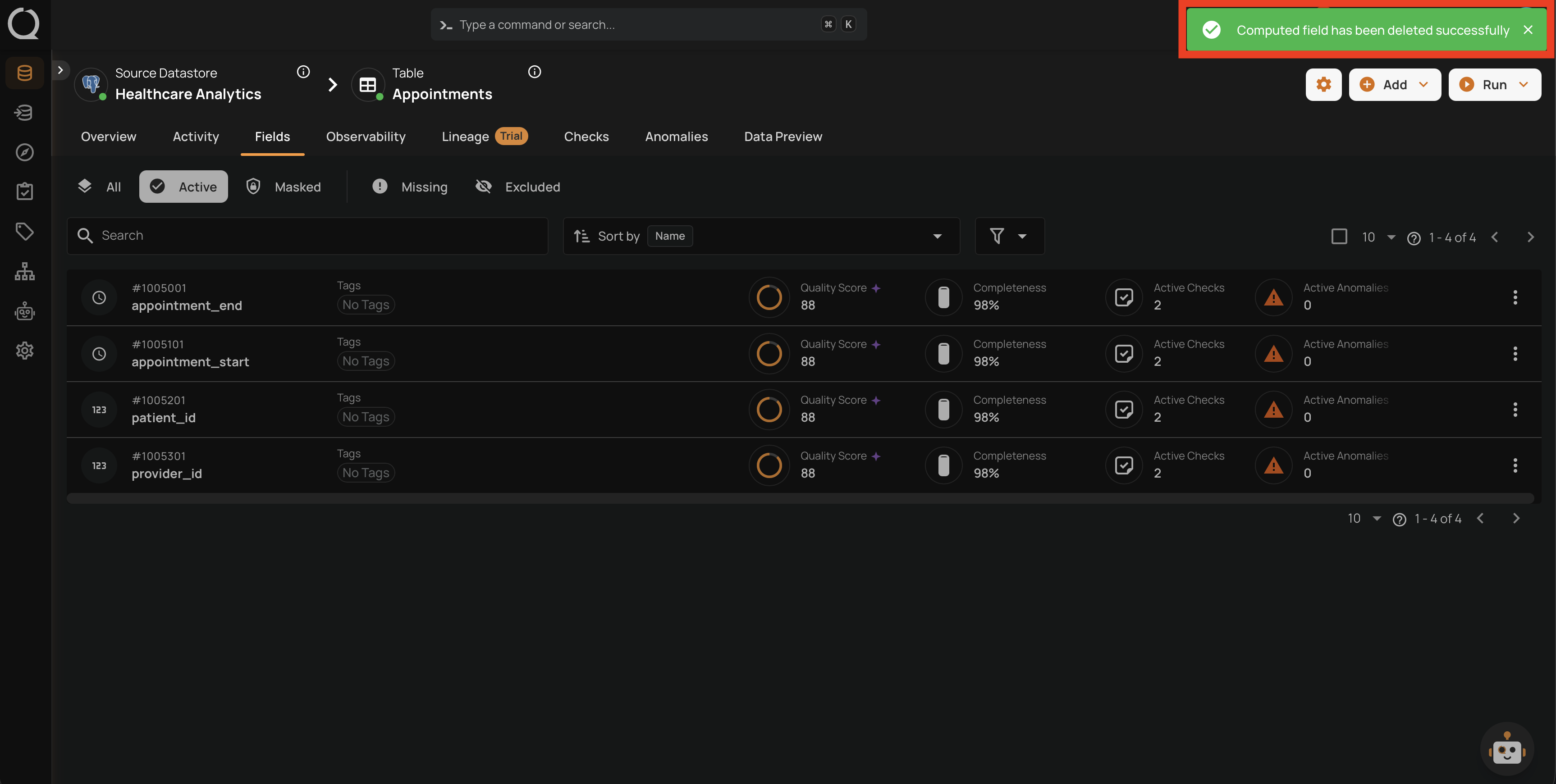
Step 6: A success message confirms the deletion and the Computed Field no longer appears in the container's field listing.