Generate Personal Token
Use the Generate Token action to create a new Personal Access Token (PAT) for authenticating with the Qualytics API.
Permissions
Any user with at least the Member role can generate Personal Tokens. See the Permissions page for details.
Warning
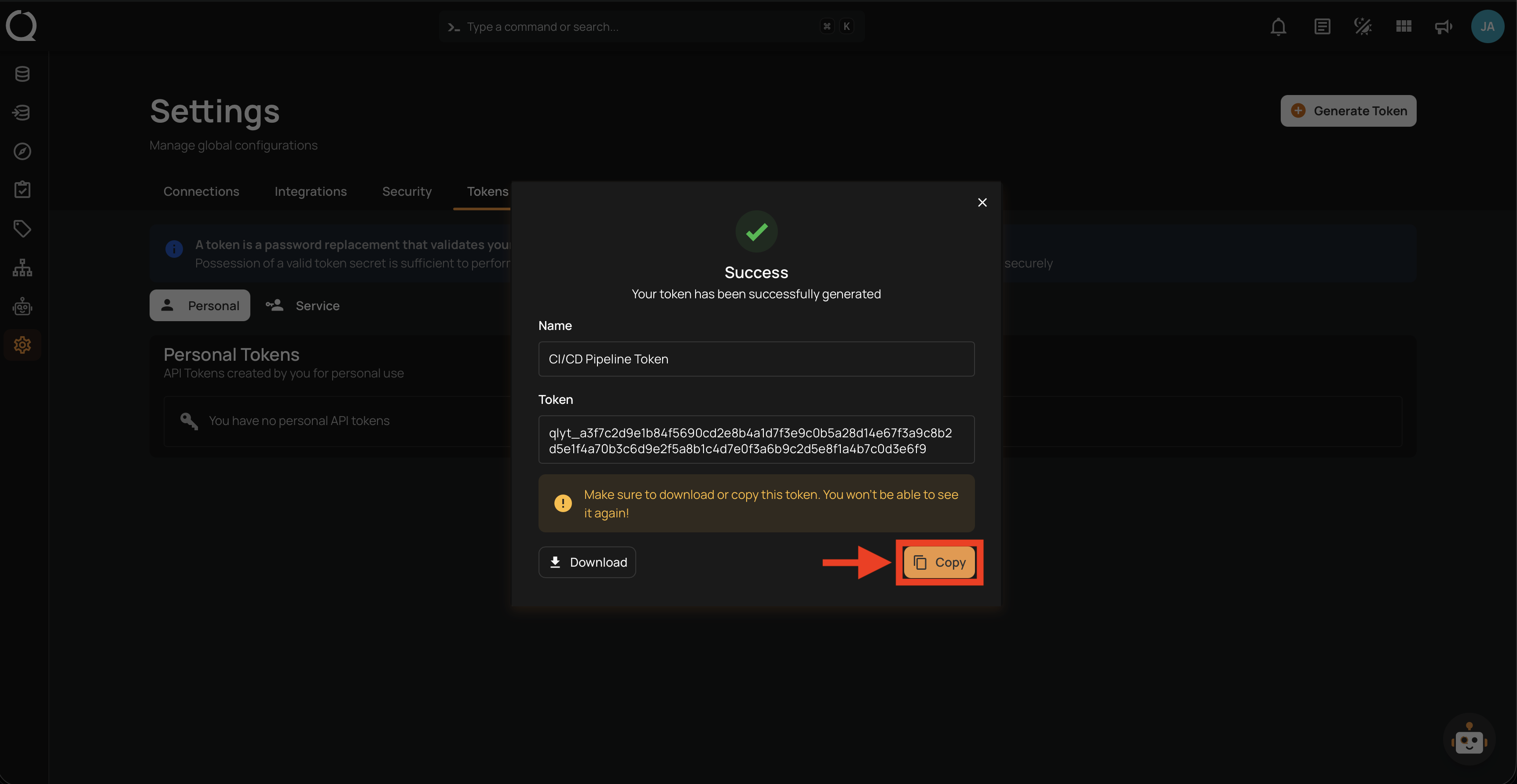
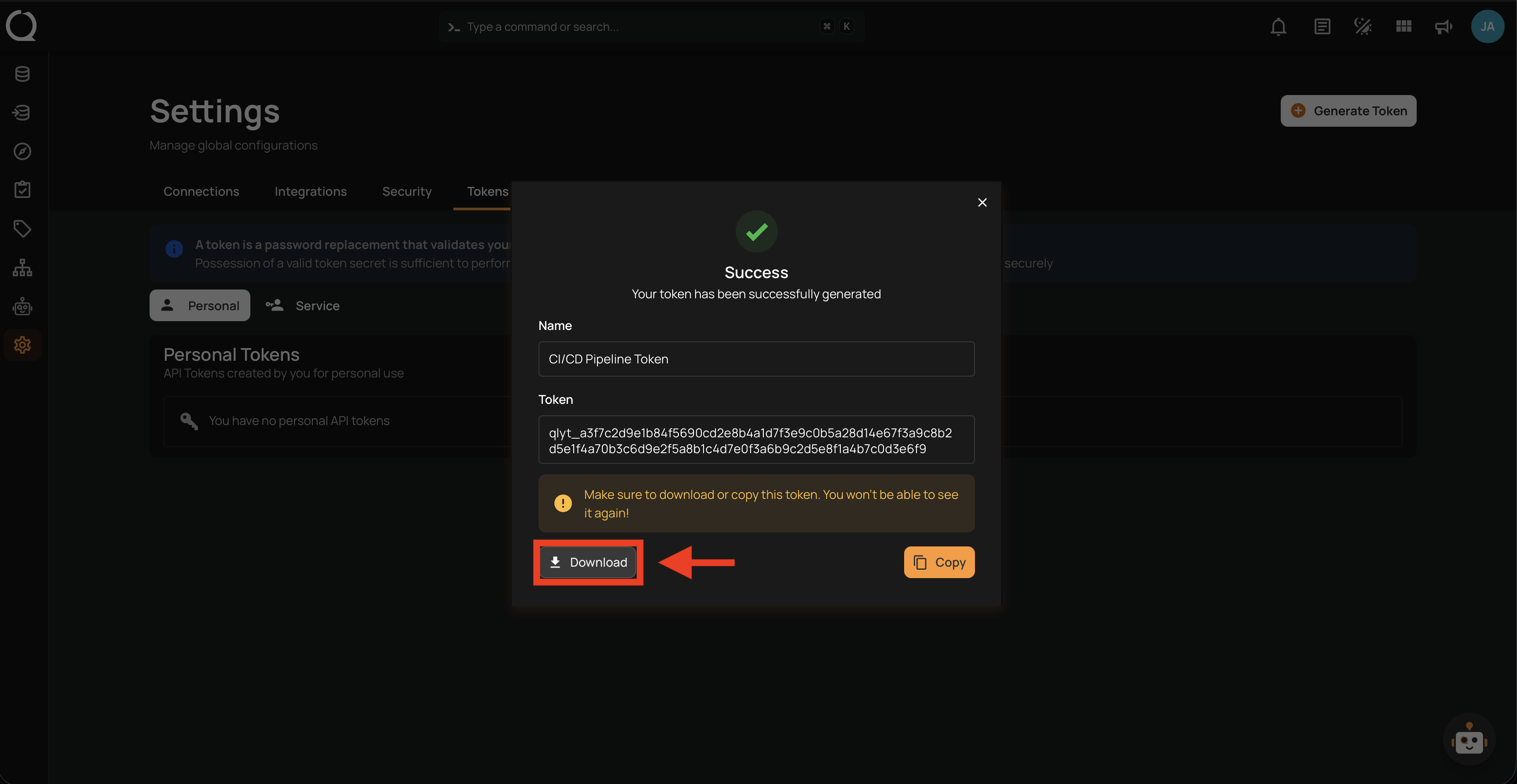
Tokens are shown only once at creation time. Make sure to copy or download the token before closing the modal — it cannot be retrieved later.
Fields
The token form contains the following fields:
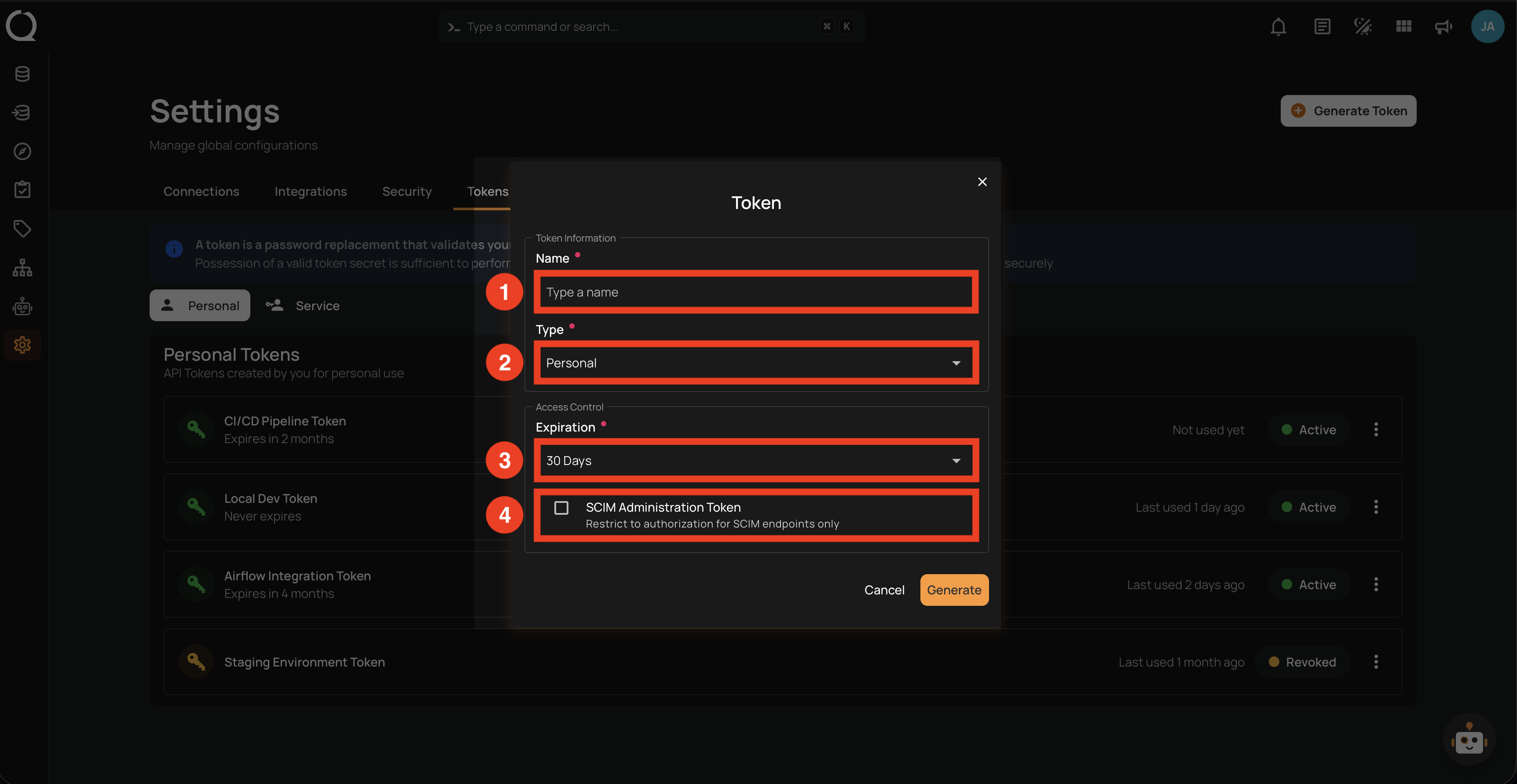
| REF. | FIELD | DESCRIPTION |
|---|---|---|
| 1 | Name | A descriptive label for the token (e.g., CI/CD Pipeline). Must be unique per user. |
| 2 | Type | The token type (Personal or Service). Only Admins see this selector; other users always create Personal tokens. |
| 3 | Expiration | The token's lifespan: 30 days, 60 days, 90 days, 1 year, or Never. |
| 4 | SCIM Administration Token | When enabled, the token is restricted to SCIM endpoints (/scim/v2/*) for automated user provisioning and identity management. See How It Works for details on SCIM. Only available to users with the Admin role. |
Steps
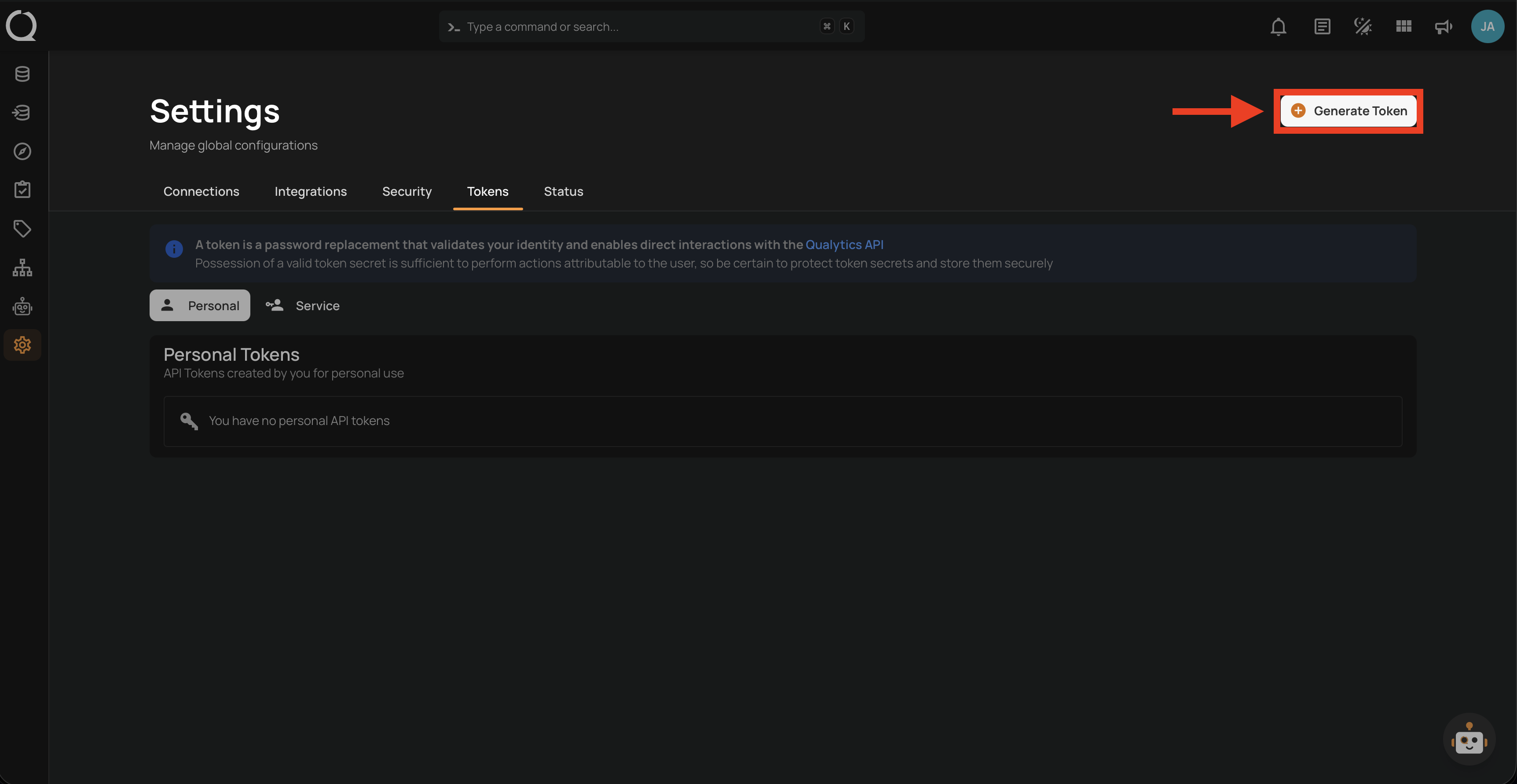
Step 1: Click the Generate Token button located in the top right corner of the Settings page.
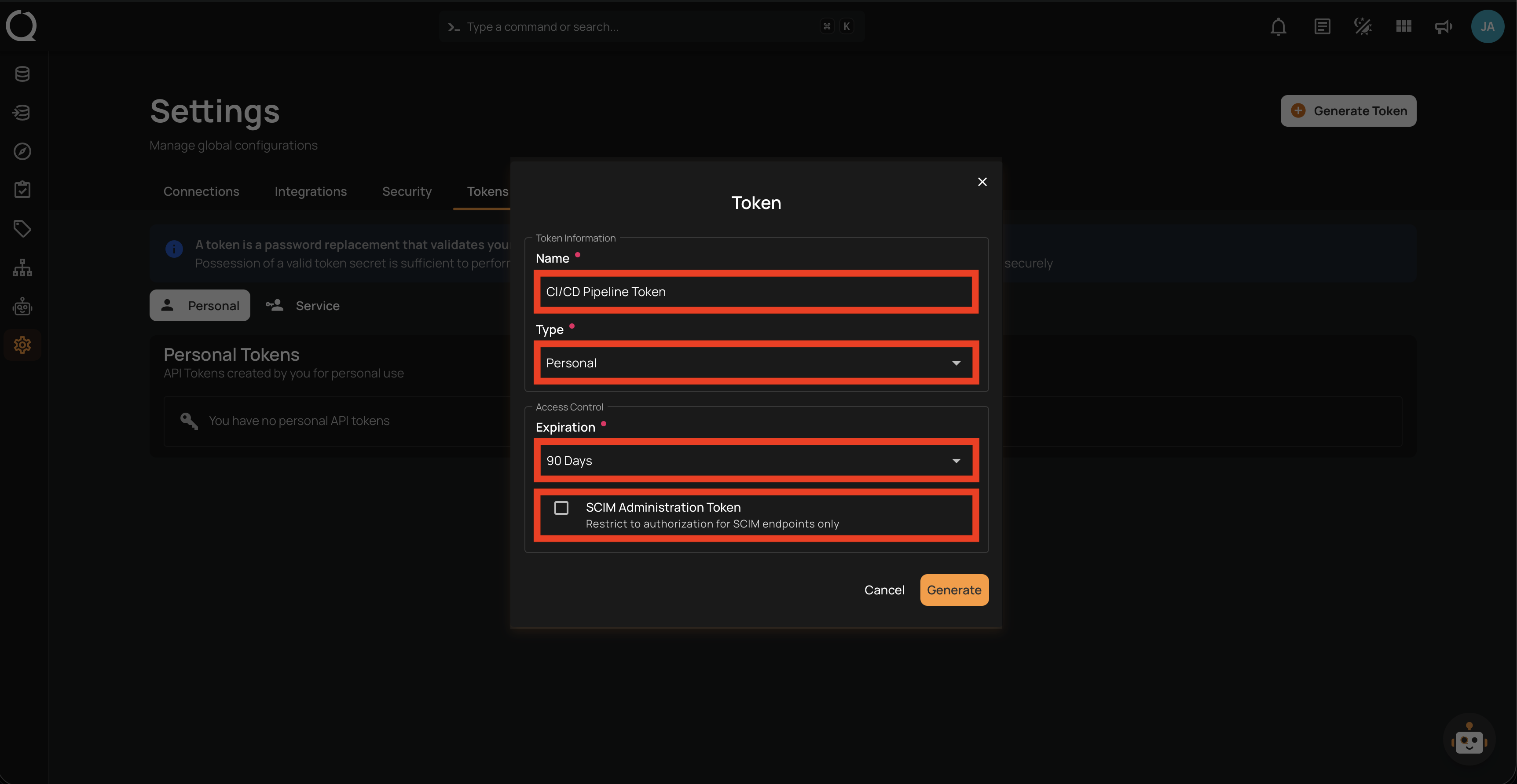
Step 2: Fill in the fields and review your selections.
Note
Avoid selecting Never as the expiration unless strictly required. See Best Practices for recommended expiration periods.
Step 3: Click the Generate button to create the token. The modal switches to a success view displaying the generated token.
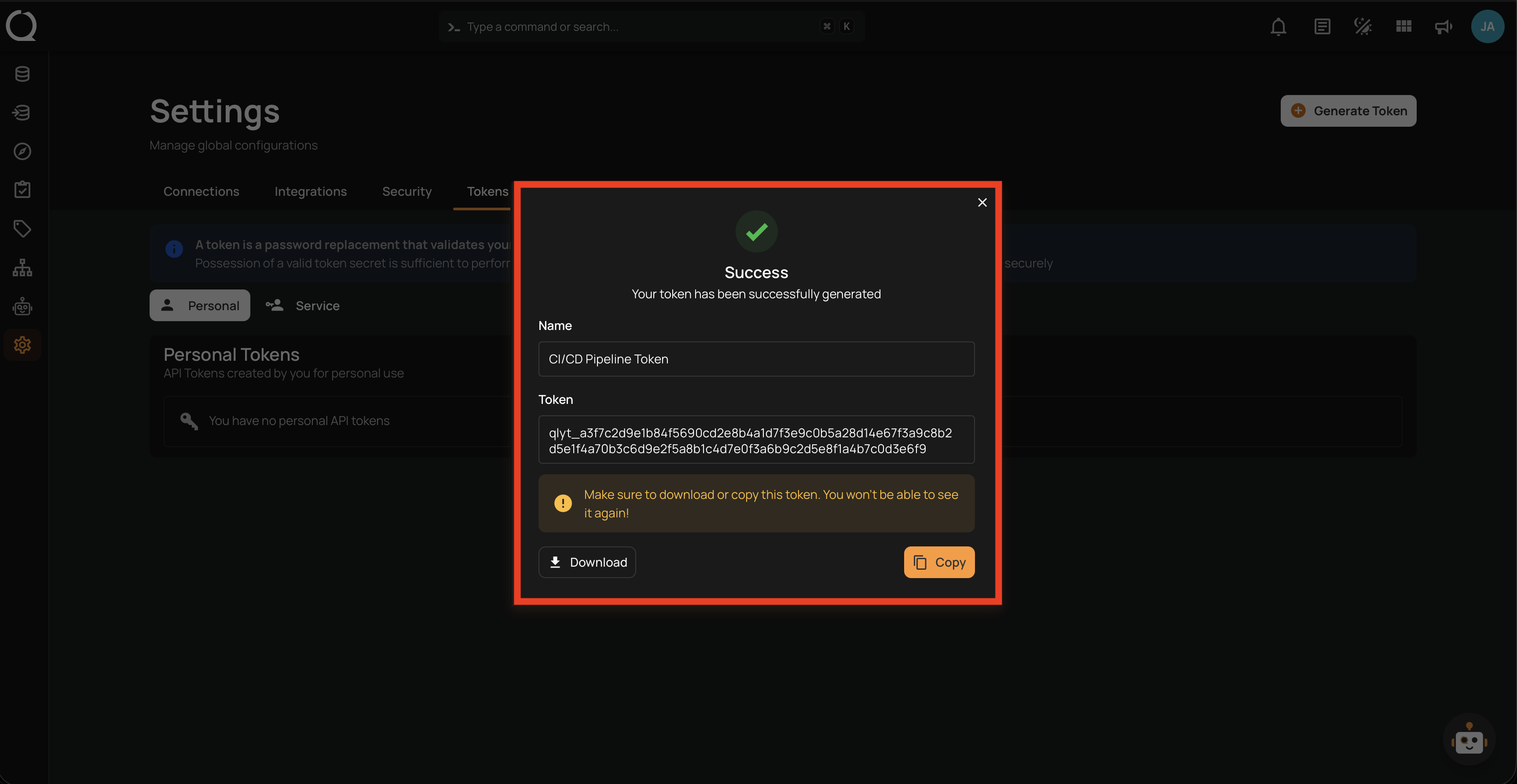
Step 4: Save the token using one of the two options:
Click the Copy button to copy the token to your clipboard.
Click the Download button to save the token as a .txt file. The filename follows the pattern <token-name>-token.txt (e.g., ci-cd-pipeline-token.txt).
Step 5: Close the modal. The new token appears in the Personal Tokens list with Active status.