Create a ServiceNow Ticket
Create a new ServiceNow Incident directly from an anomaly in Qualytics. The new ticket is automatically linked to the anomaly and includes its context.
Prerequisites
The ServiceNow integration must be connected before you can create tickets.
Permissions
Users with the Manager or Admin role and Reporter team permission on the anomaly's datastore can create ServiceNow tickets. See the Permissions page for details.
Fields
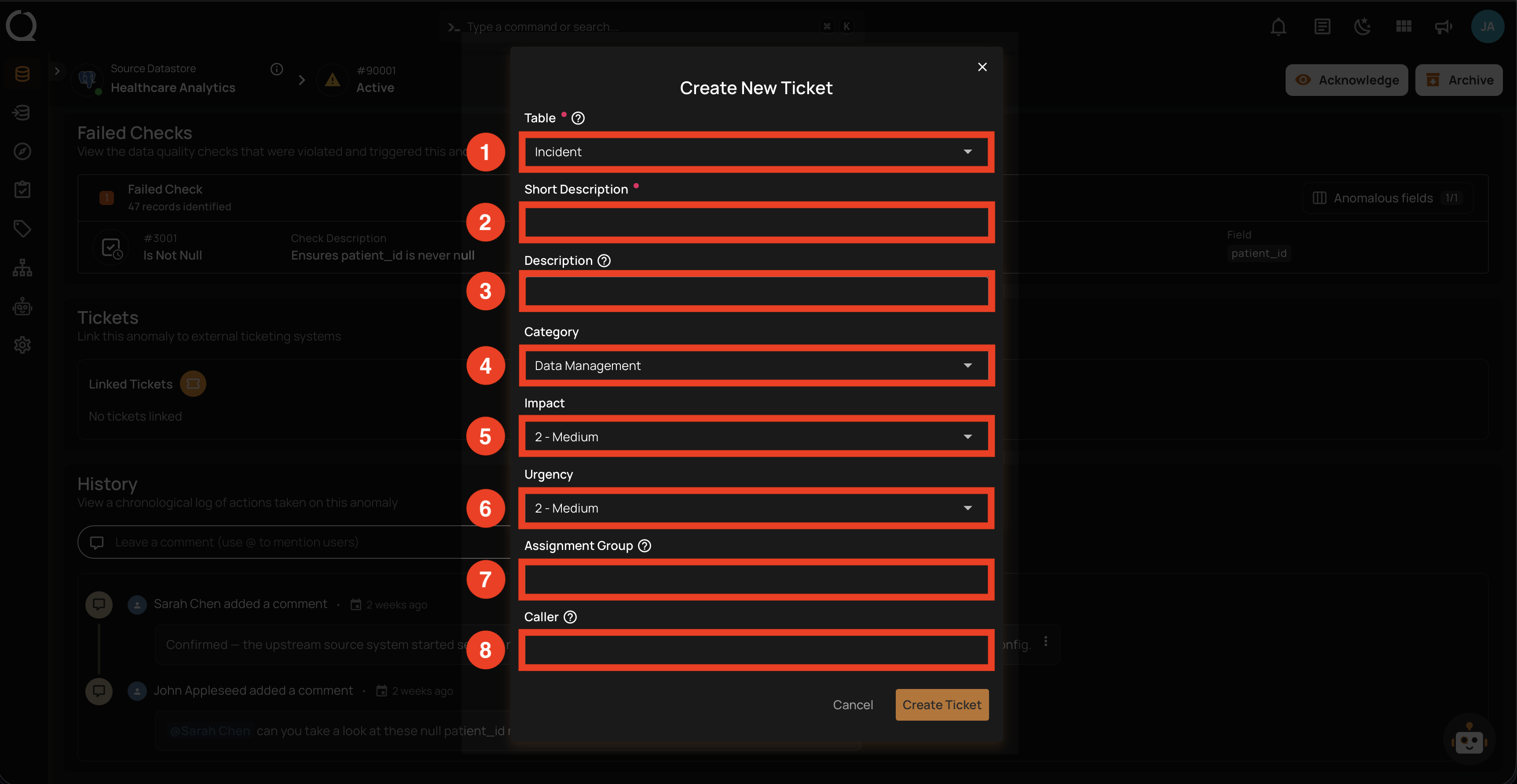
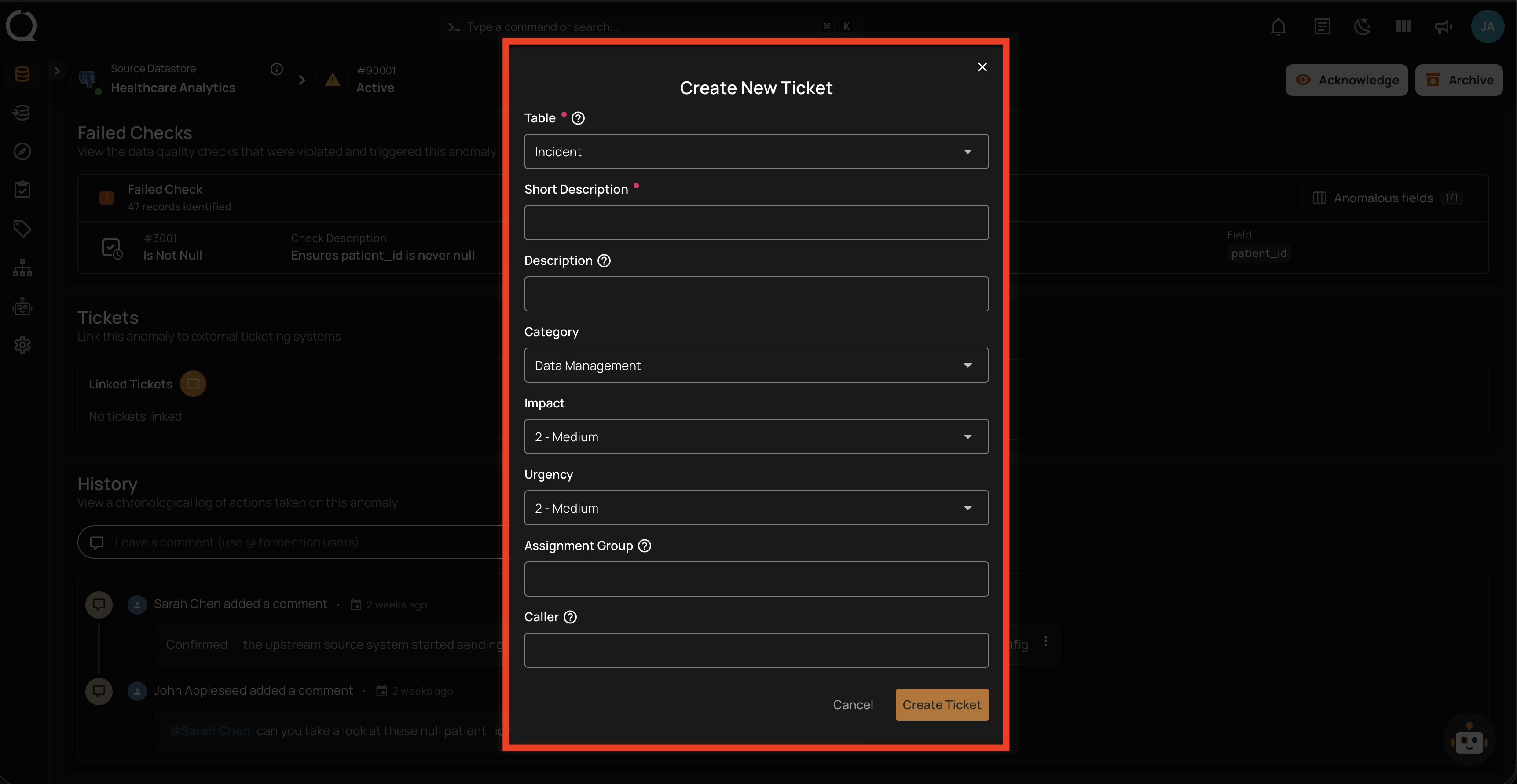
The Create New Ticket form contains the following fields:
| REF. | FIELD | DESCRIPTION |
|---|---|---|
| 1 | Table (Required) | ServiceNow table the record will be created in (default: Incident). |
| 2 | Short Description (Required) | Brief summary of the data quality issue (maps to ServiceNow short_description). |
| 3 | Description | Detailed description of the issue. Anomaly details are auto-appended on submit. |
| 4 | Category | Incident category (must match ServiceNow exactly — case-sensitive). See Find ServiceNow Values. |
| 5 | Impact | Impact level (e.g., 1 - High, 2 - Medium, 3 - Low). |
| 6 | Urgency | Urgency level (e.g., 1 - High, 2 - Medium, 3 - Low). |
| 7 | Assignment Group | sys_id of the assignment group, not the display name. See Find ServiceNow Values. |
| 8 | Caller | User to register as the caller on the incident. |
Steps
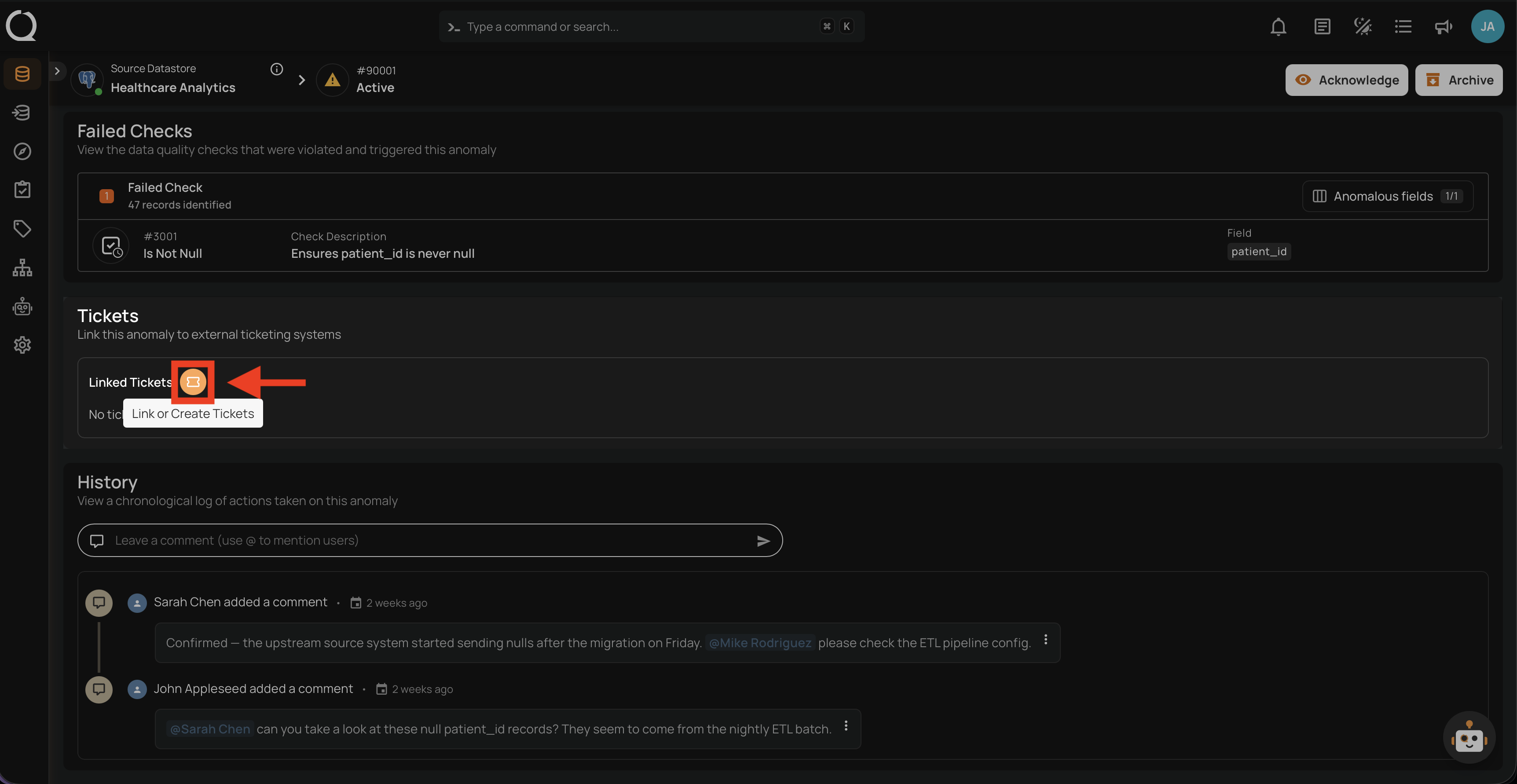
Step 1: Open the anomaly in Qualytics, scroll to the Linked Tickets section, and click the Link or Create Tickets button.
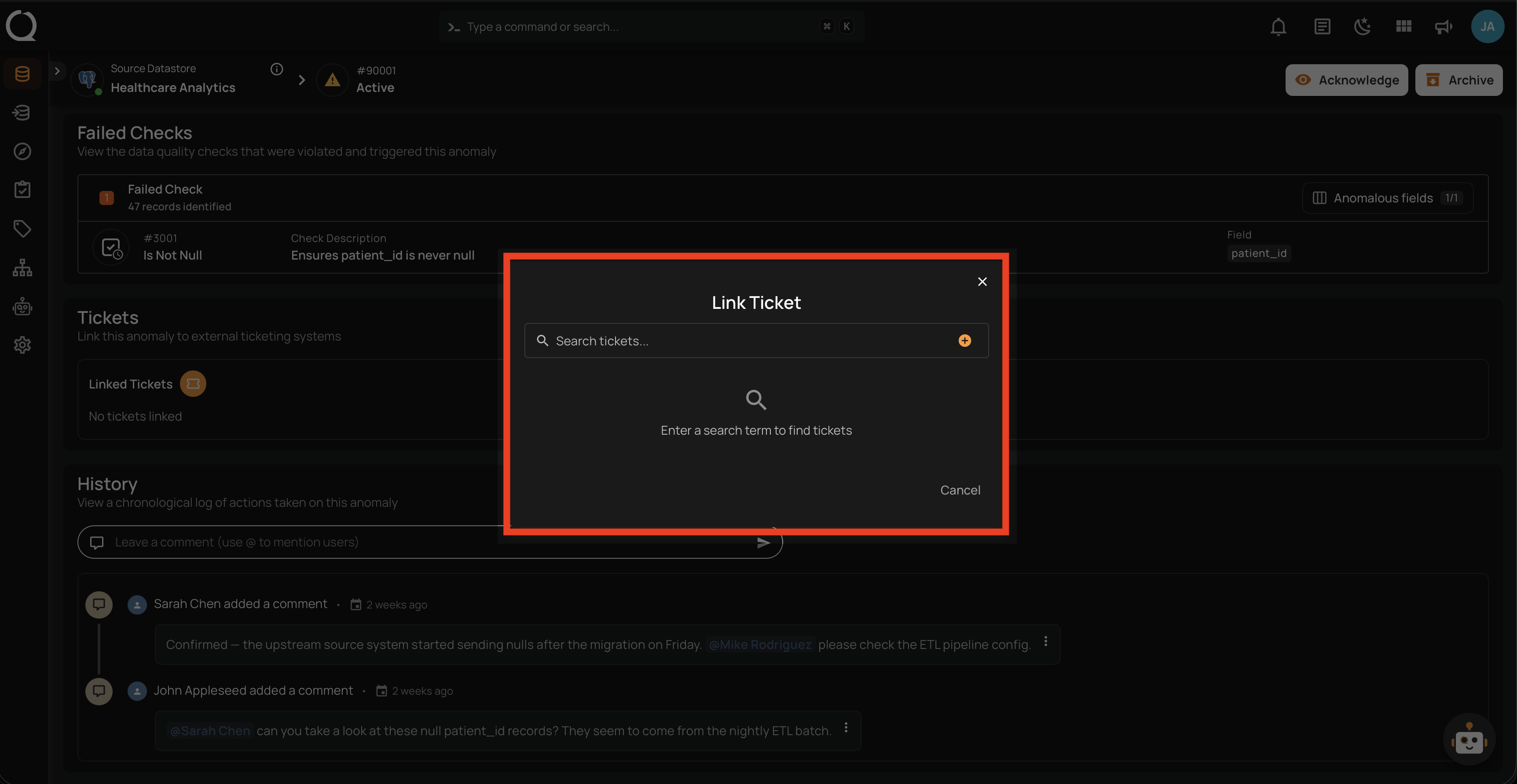
Step 2: The Link Ticket modal opens with a search bar. This is the unified entry point for both linking existing tickets and creating new ones.
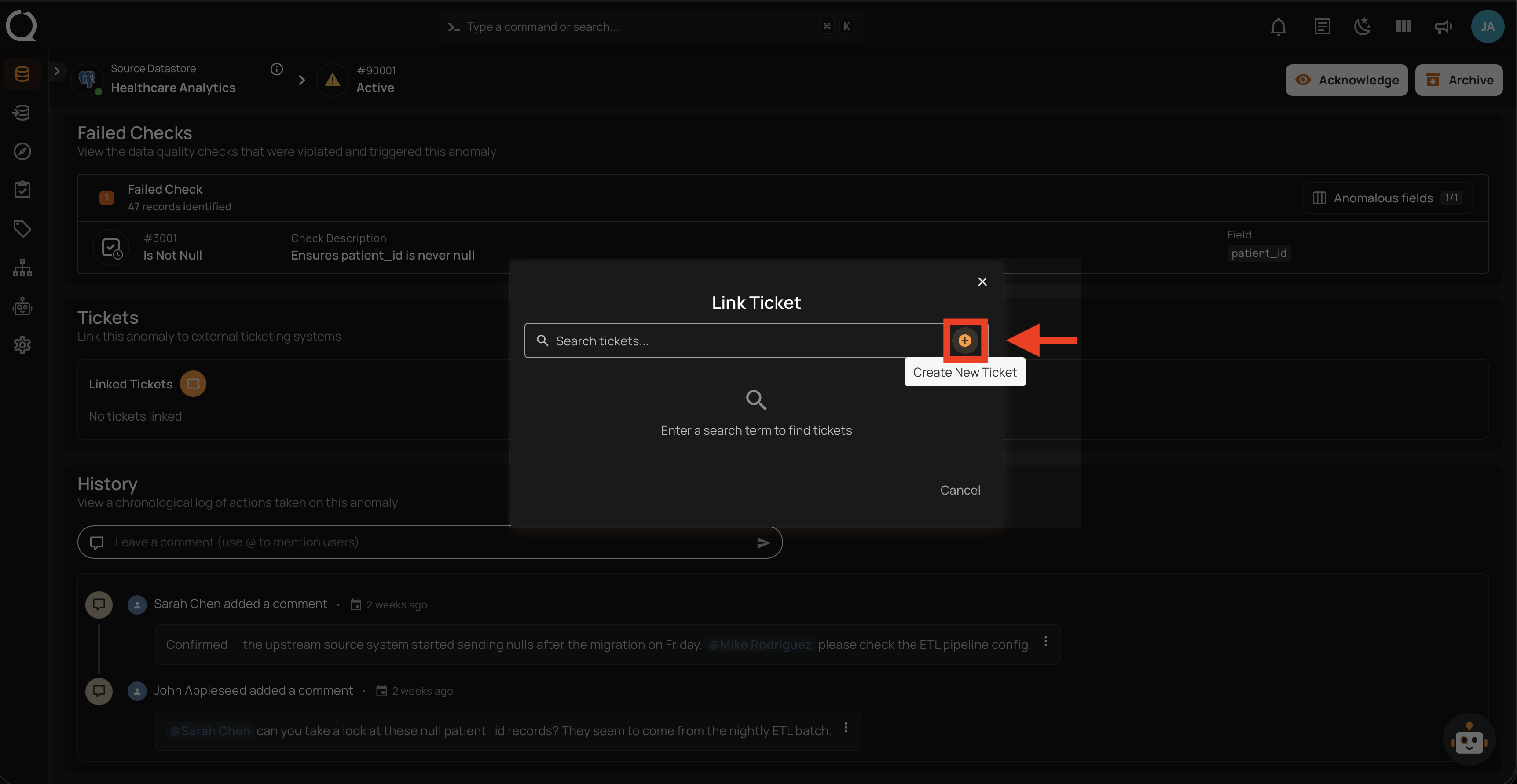
Step 3: Click the Create New Ticket button next to the search bar.
Step 4: The Create New Ticket form opens. Fill in the fields described in the Fields section above.
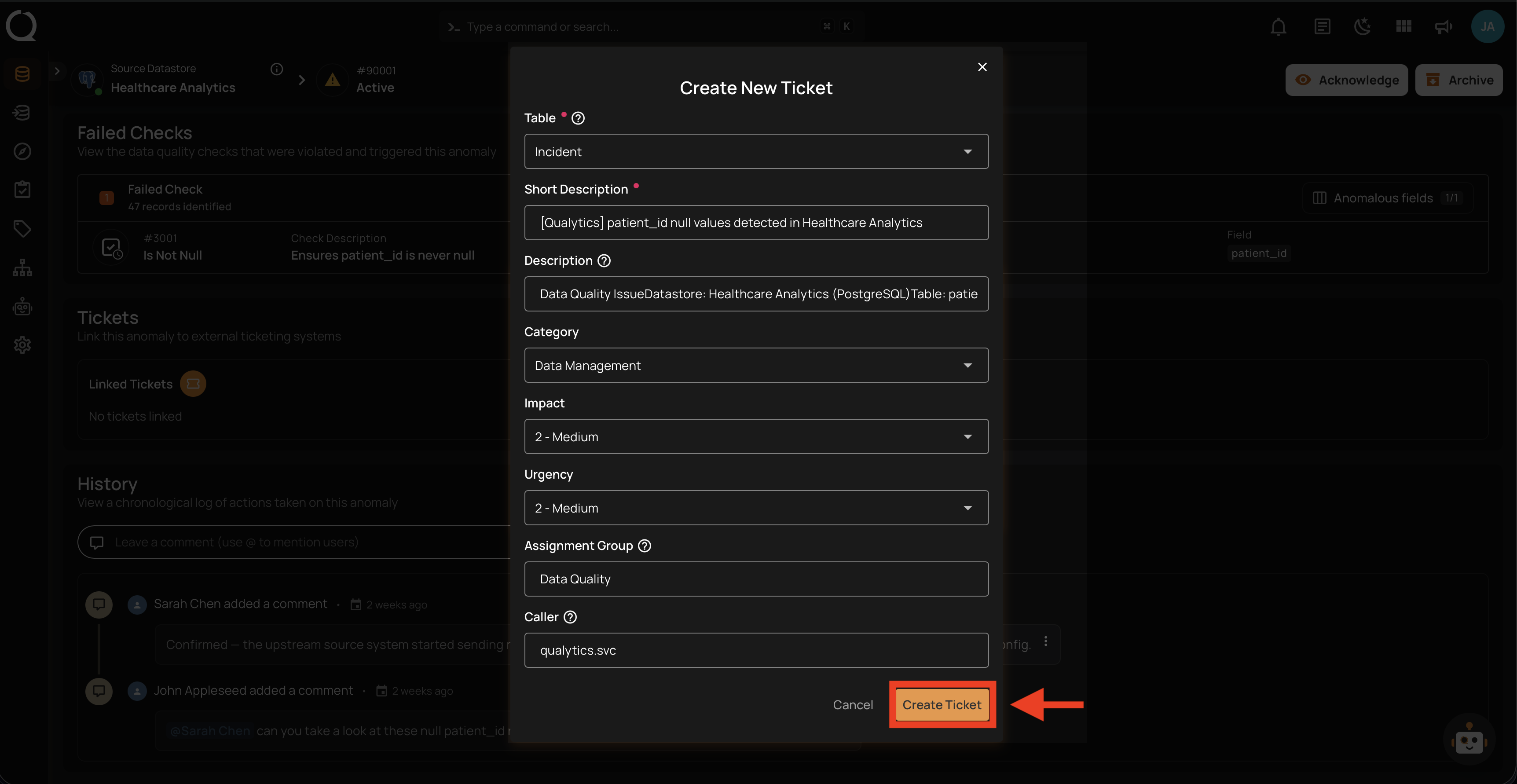
Step 5: Click the Create Ticket button to submit.
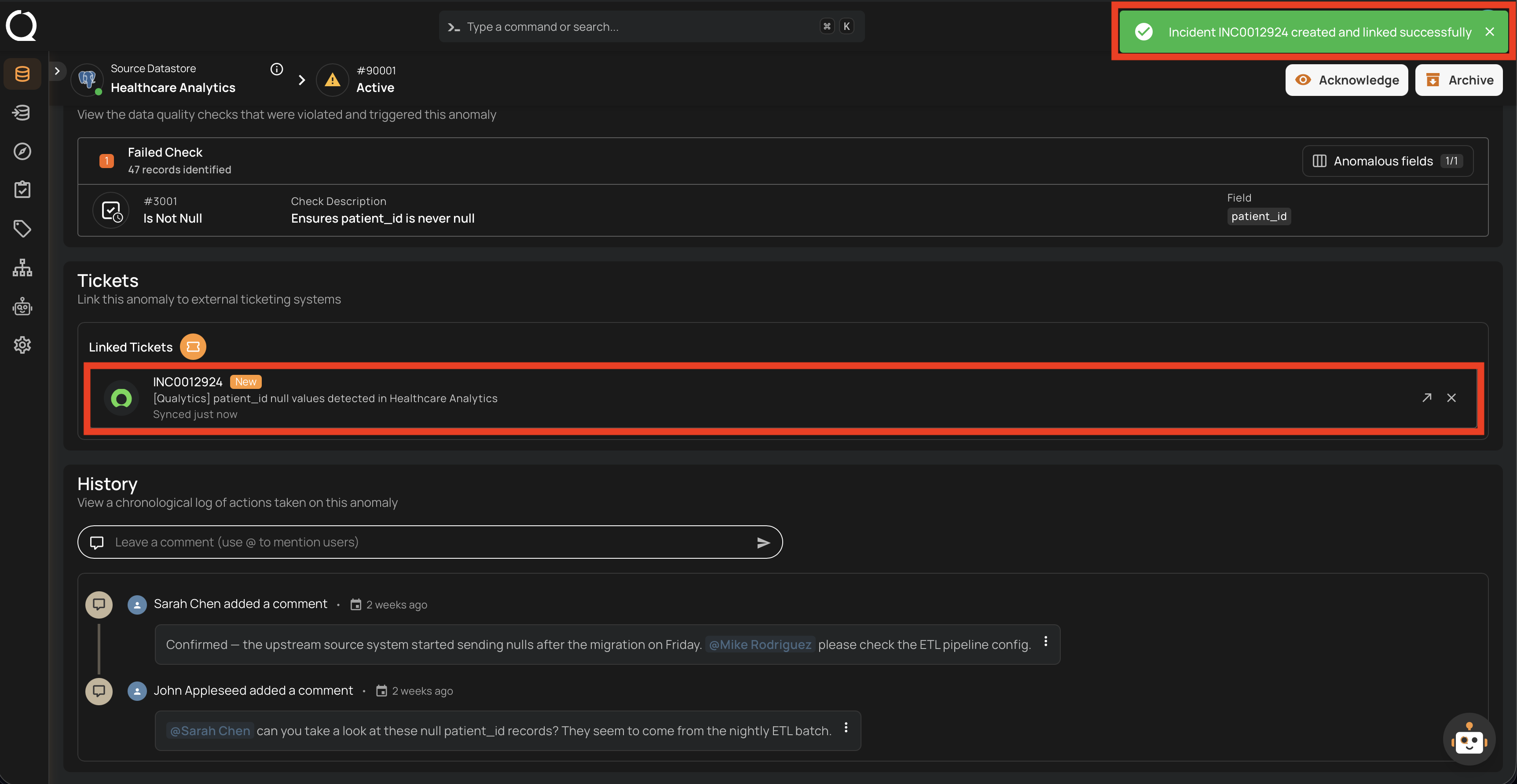
Step 6: A success notification appears, and the new ticket is shown in the Linked Tickets section of the anomaly.
The ServiceNow incident description is auto-populated with:
- Anomaly ID and status
- Anomaly type and detection timestamp
- Failed checks information
- A direct link back to the anomaly in Qualytics
Tip
If you need to link an existing ServiceNow incident instead of creating a new one, use the Link Existing Ticket flow.
Need help finding Category or Assignment Group values?
Category, Subcategory, and Assignment Group values must match your ServiceNow instance exactly. See Find ServiceNow Values for step-by-step instructions on looking them up.