Restore Service Token
Use the Restore action to reactivate a previously revoked Service Token. This is useful if a token was mistakenly revoked or if access needs to be re-enabled without generating a new token.
Permissions
Only users with the Admin role can restore Service Tokens. See the Permissions page for details.
Note
The Restore option is only available for revoked tokens that have not expired. If a token has expired, the UI hides the Restore option — generate a new token instead.
Steps
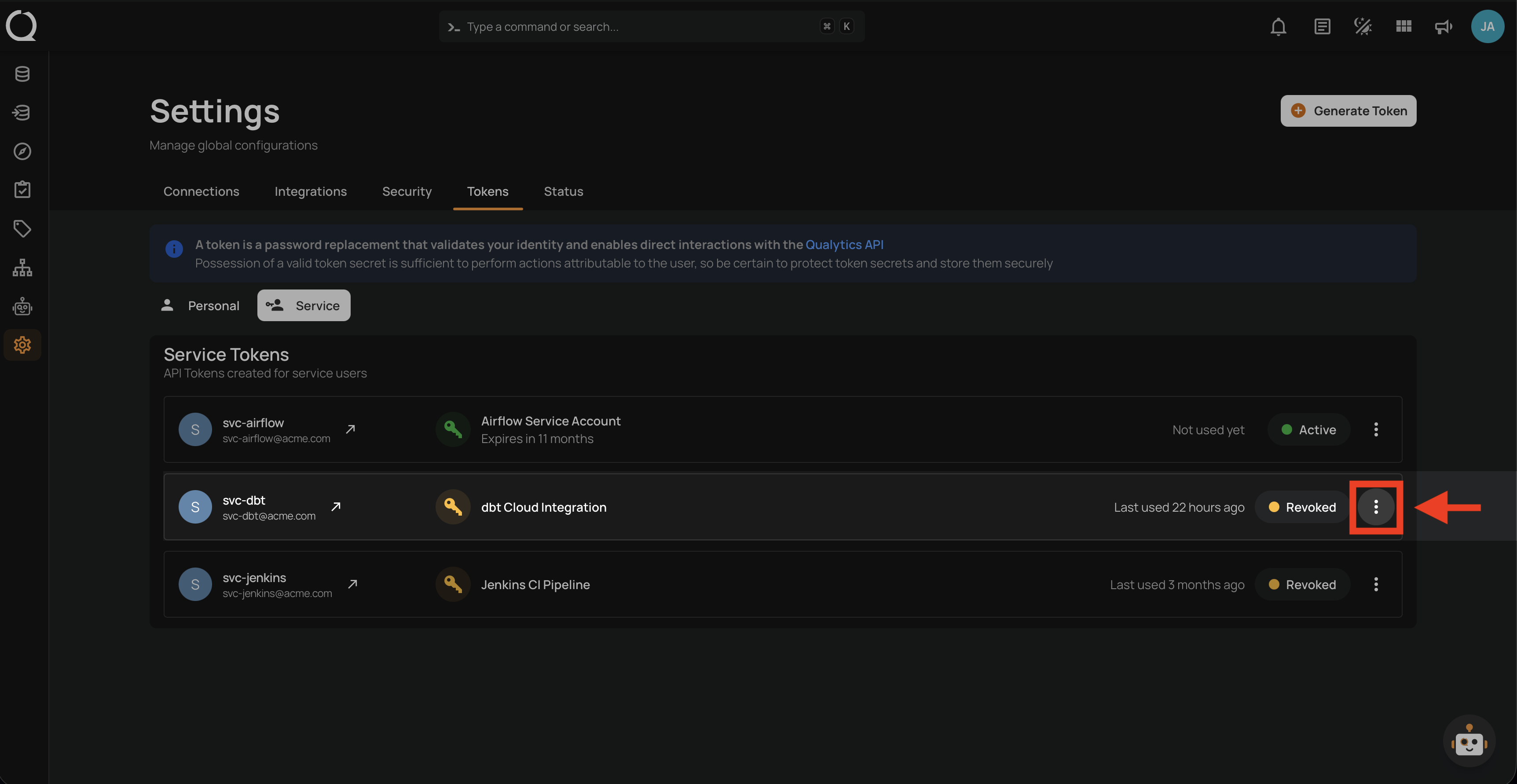
Step 1: Click the vertical ellipsis next to the revoked Service Token that you want to restore.
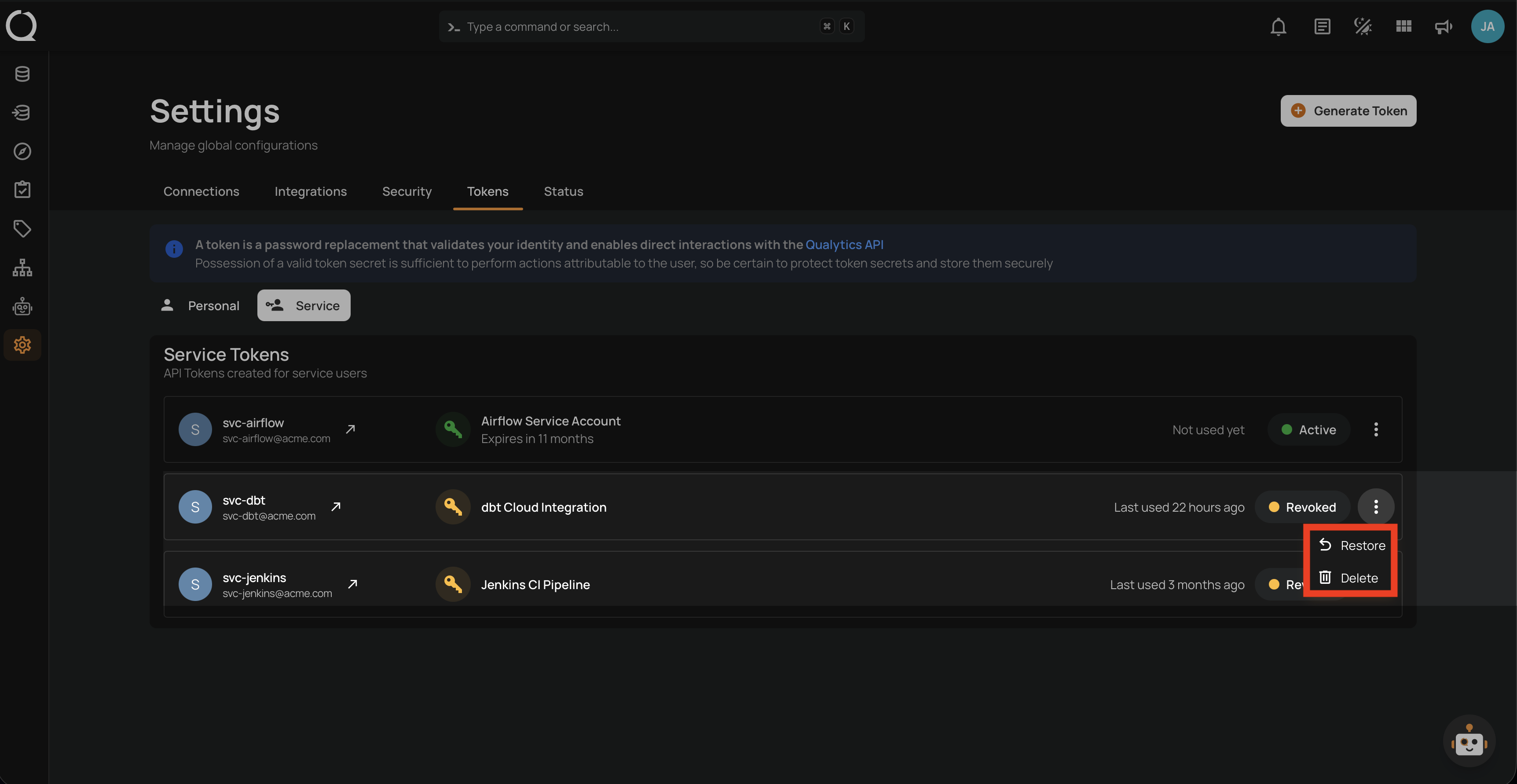
Step 2: A dropdown menu appears with the available actions.
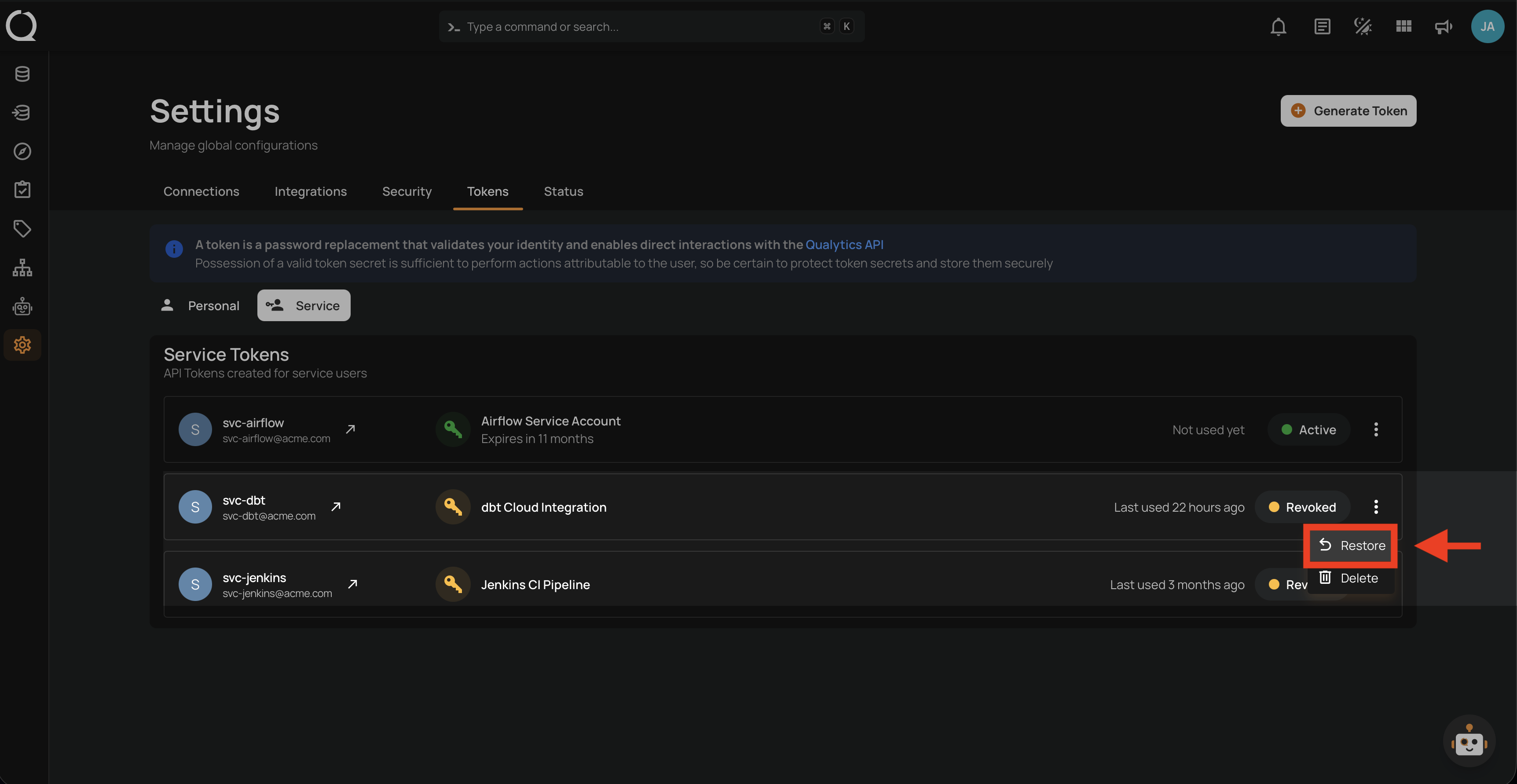
Step 3: Click Restore from the dropdown menu.
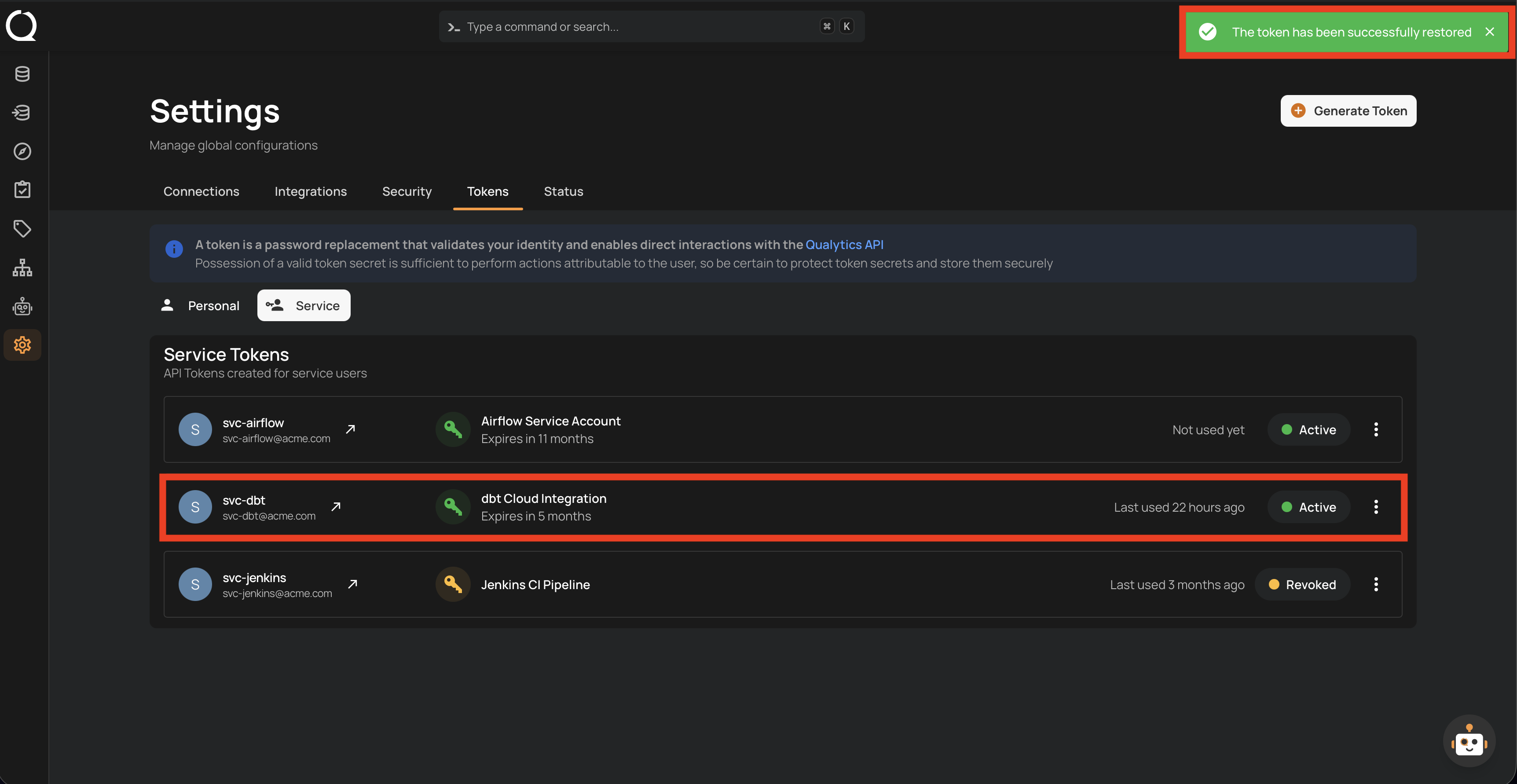
Step 4: A success notification appears confirming "The token has been successfully restored". The token's status badge changes from Revoked (orange) back to Active (green).
Tip
If the token was revoked because it was compromised or exposed, do not restore it. Generate a new token instead, update your automation, and delete the compromised token permanently.