Data Catalog Integrations
Configured data catalog integrations exchange supported metadata between Qualytics and matched catalog assets. Depending on the catalog and sync direction, you can:
- Push Qualytics quality scores, active anomaly counts, active check counts, and asset links to the catalog
- Pull supported catalog tags or classifications into Qualytics as external tags during a manual sync
- Push updates for supported Qualytics events when Event Driven is enabled
- Review synchronization results and errors in the integration logs
Only assets matched by the connector are updated. Supported asset types, matching rules, and catalog-specific outputs are documented in each setup guide. When the automatic match picks the wrong asset or finds none, you can link the asset yourself: see Data Catalog Links.
Setting Up Catalog Integration
Each data catalog can be connected once per deployment. To work with more than one catalog at the same time, connect different catalogs, such as Atlan and Alation; a second integration of the same catalog is not accepted.
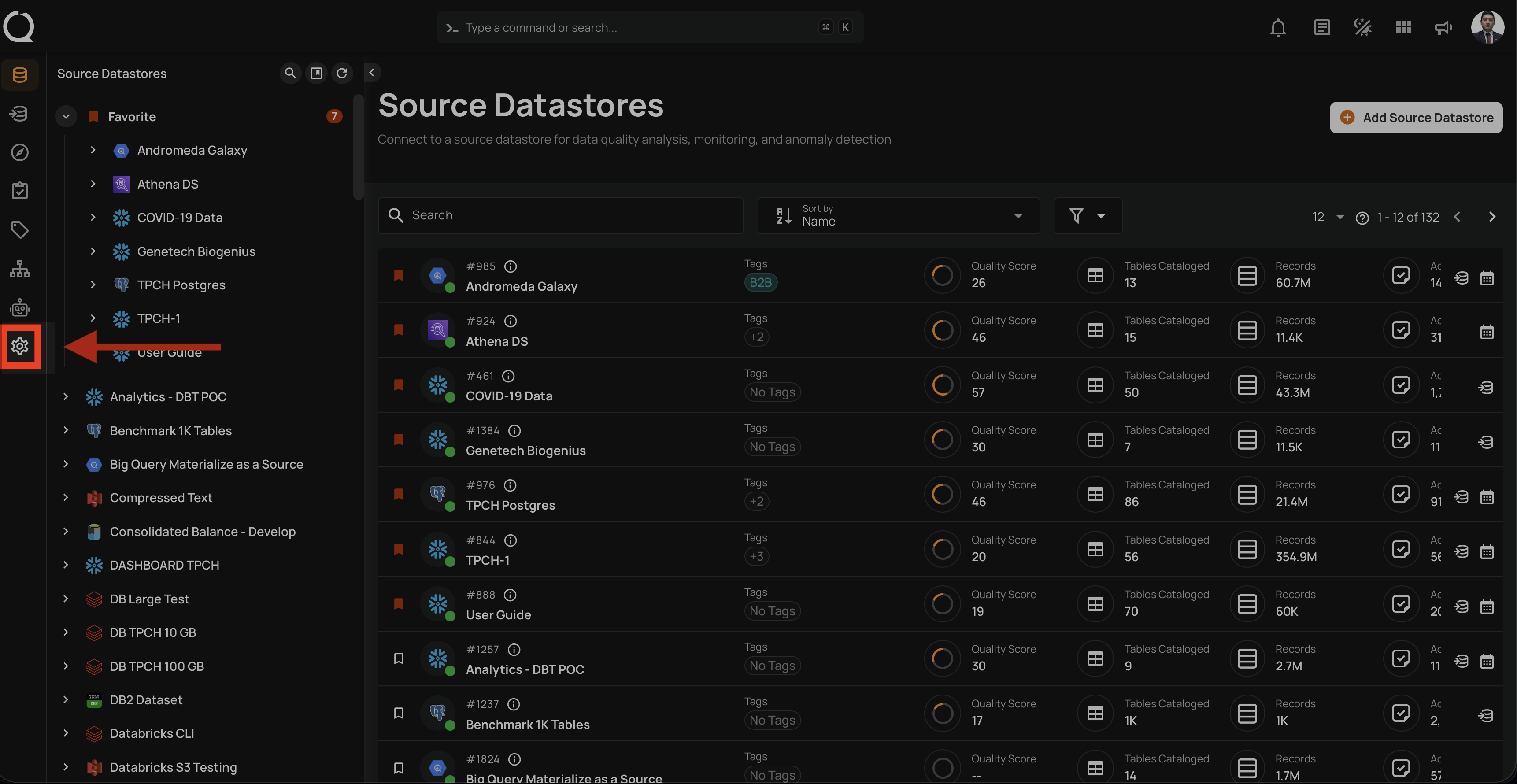
Navigate to Settings:
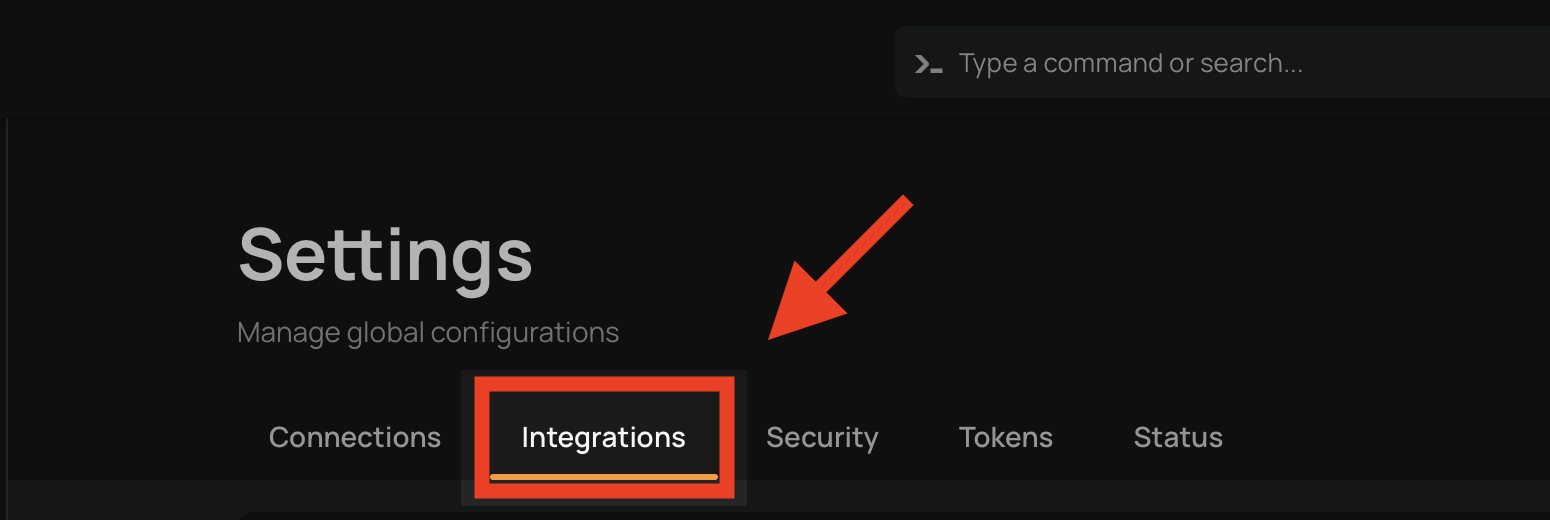
Click on Integrations tab:
Click on Connect:
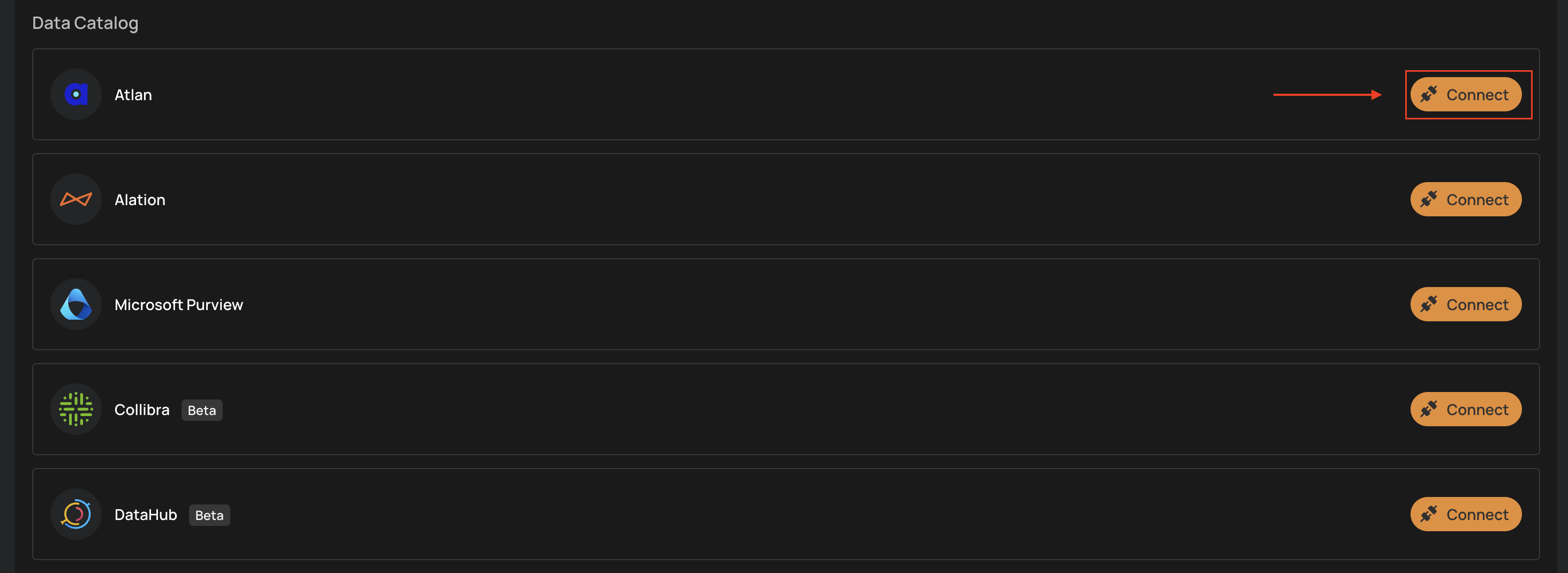
Supported Data Catalogs
Currently, Qualytics supports integration with the following data catalog platforms:
| Catalog | Authentication | Status | Documentation |
|---|---|---|---|
| Atlan | API Token | GA | Setup Guide |
| Alation | Refresh Token | GA | Setup Guide |
| Microsoft Purview | Service Principal (Client ID / Secret) | GA | Setup Guide |
| Collibra | OAuth Client Credentials | Beta | Setup Guide |
| DataHub | Personal Access Token | GA | Setup Guide |
Atlan
The Atlan integration supports manual pull and push synchronization, plus event-driven pushes for supported Qualytics events:
- Pull Atlan tags into Qualytics as external tags
- Push Qualytics quality scores, active anomaly and check counts, and asset links to matched Atlan assets
- Control tag-name conflicts with Overwrite Tags
- Authenticate with an Atlan API token
For detailed configuration steps, see the Atlan documentation.
Alation
The Alation integration supports manual pull and push synchronization, plus event-driven pushes for supported Qualytics events:
- Pull Alation tags into Qualytics as external tags
- Push Qualytics quality scores, active anomaly and check counts, and asset links to matched Alation assets
- Show active check results in Alation's Data Health view
- Control tag-name conflicts with Overwrite Tags
- Authenticate with an Alation refresh token
For detailed configuration steps, see the Alation documentation.
Microsoft Purview
The Microsoft Purview integration connects Qualytics with Azure’s native data governance platform.
Key capabilities include:
- Pull Purview classifications and labels into Qualytics as external tags during a manual sync
- Push Qualytics quality scores, active anomaly and check counts, and asset links to matched Purview assets
- Push affected asset updates after supported Qualytics events when Event Driven is enabled
For detailed configuration steps, see the Microsoft Purview documentation.
Collibra
The Collibra integration enables metadata synchronization between Qualytics and Collibra, allowing data quality insights to be surfaced directly within Collibra’s governance workflows.
Key capabilities include:
- Pull Collibra tags into Qualytics as external tags during a manual sync
- Push Qualytics quality scores, active anomaly and check counts, and asset links to matched Collibra assets
- Push affected asset updates after supported Qualytics events when Event Driven is enabled
For detailed configuration steps, see the Collibra documentation.
DataHub
The DataHub integration connects Qualytics with DataHub to make data quality insights available within DataHub’s data discovery experience.
Key capabilities include:
- Pull DataHub tags into Qualytics as external tags during a manual sync
- Push quality dimensions, active anomaly and check counts, and Qualytics links to matched DataHub assets
- Raise or resolve a DataHub incident for active anomalies on a matched container
For detailed configuration steps, see the DataHub documentation.
Synchronization Options
Use manual synchronization for pull or push operations. Use event-driven synchronization for supported push events.
Manual Sync
Start a manual pull, push, or both for the integration's configured scope:
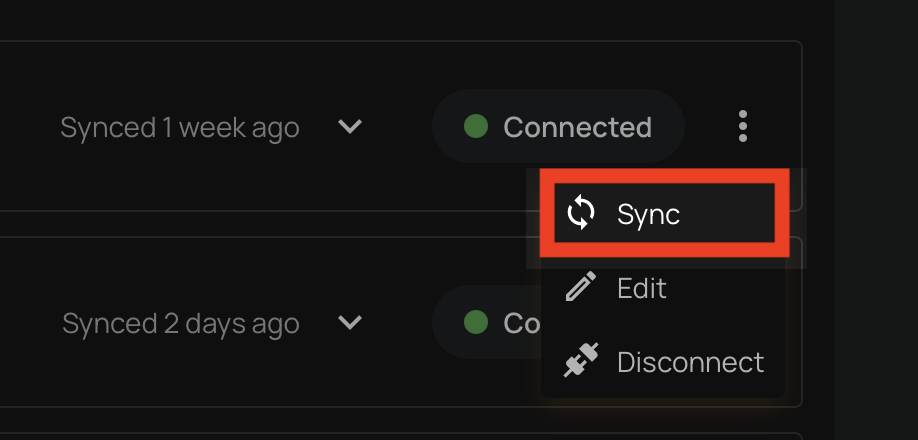
For detailed steps, see the Synchronization section.
Event Driven
When Event Driven is enabled on a data catalog integration, supported events push an update for the affected matched table to that catalog. This setting is enabled by default for all catalog integrations.
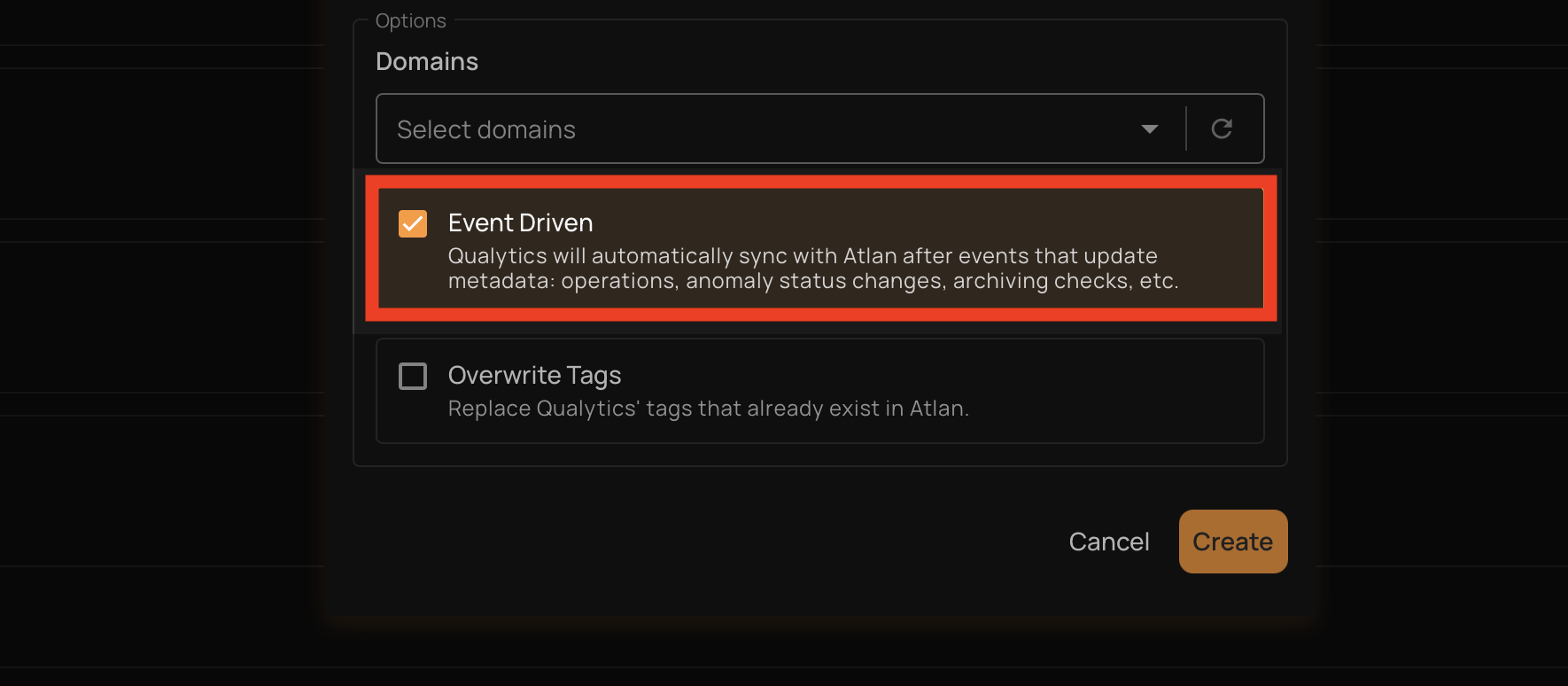
The following events trigger an automatic push:
| Event | What Gets Synced |
|---|---|
| Quality scores are recorded (after a profile or scan completes) | The affected table is updated in the catalog with the latest scores, anomaly counts, and check counts |
| An anomaly status changes, including archive or resolution transitions | The table where the anomaly was found is updated with the latest quality signals |
| An anomaly is deleted (including bulk deletes) | The table where the anomaly was found is updated in the catalog |
| A quality check is deleted (including bulk deletes) | The table the check belongs to is updated in the catalog |
| A container scan is deleted | The table associated with the scan is updated in the catalog |
For each event, Qualytics pushes quality scores, active anomaly counts, active check counts, and a link back to the asset in Qualytics. The push is scoped to the specific matched table affected by the event, not the entire datastore.
Note
Event-driven sync is push-only (Qualytics → catalog). It does not pull tags or metadata from the catalog. To pull catalog metadata into Qualytics, use a manual sync. Only table containers are supported; file-based and computed containers are excluded.
If multiple catalog integrations are connected, each integration with Event Driven enabled receives its own push. When repeated events affect the same table within a short window, Qualytics combines their updates to reduce duplicate pushes.
Overwrite Tags
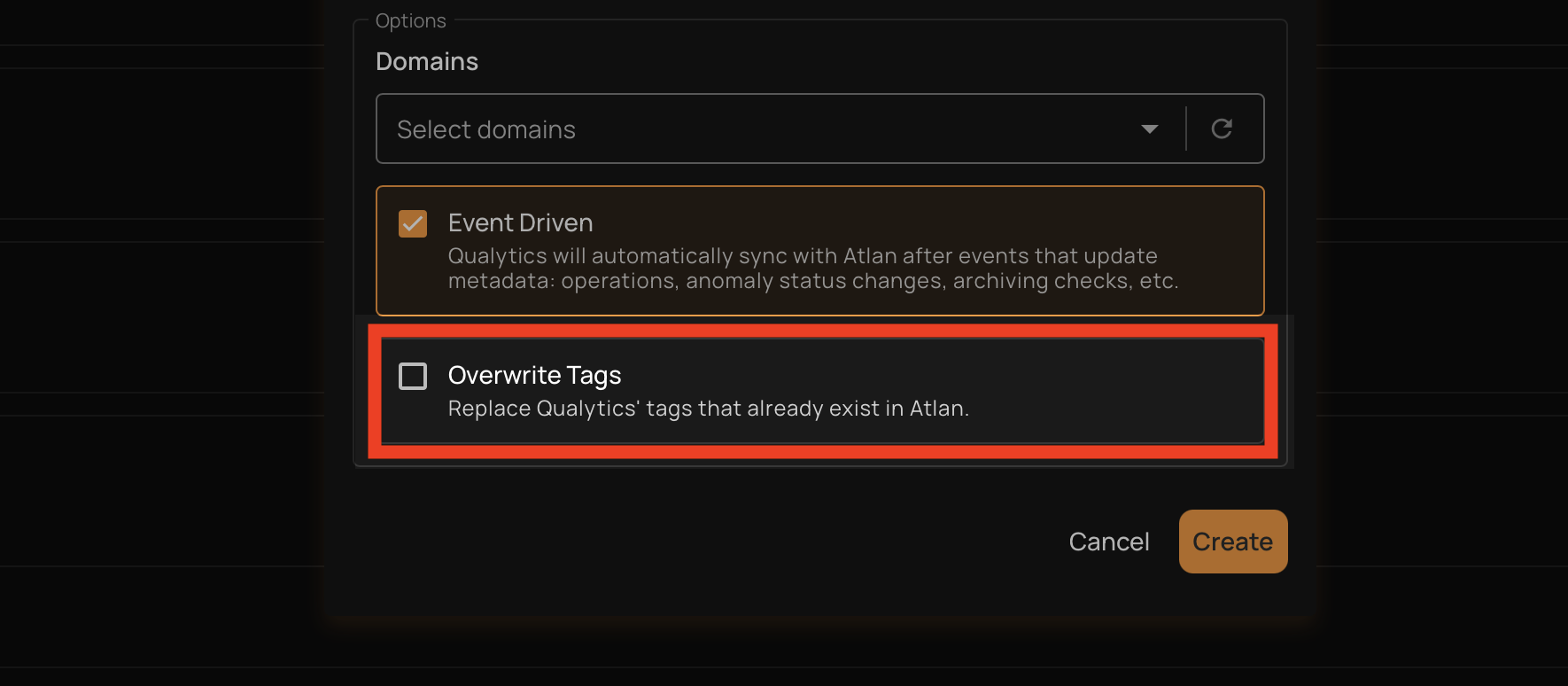
The Overwrite Tags setting controls what happens during a pull sync when a tag from the data catalog has the same name as an existing Qualytics tag (global, entity, or lineage).
| Setting | Behavior |
|---|---|
| On | The existing Qualytics tag is converted into an external tag managed by the data catalog integration. The tag keeps all its current asset associations (datastores, tables, columns) but its description and color are updated from the catalog. |
| Off (default) | The existing Qualytics tag is left unchanged and the catalog tag is skipped. No duplicate is created. |
Note
This setting only applies to pull operations (syncing from the data catalog into Qualytics). It does not affect push operations.
After a pull sync completes, any external tags that are no longer associated with any asset are automatically cleaned up.