Getting Started with Quality Check Ownership
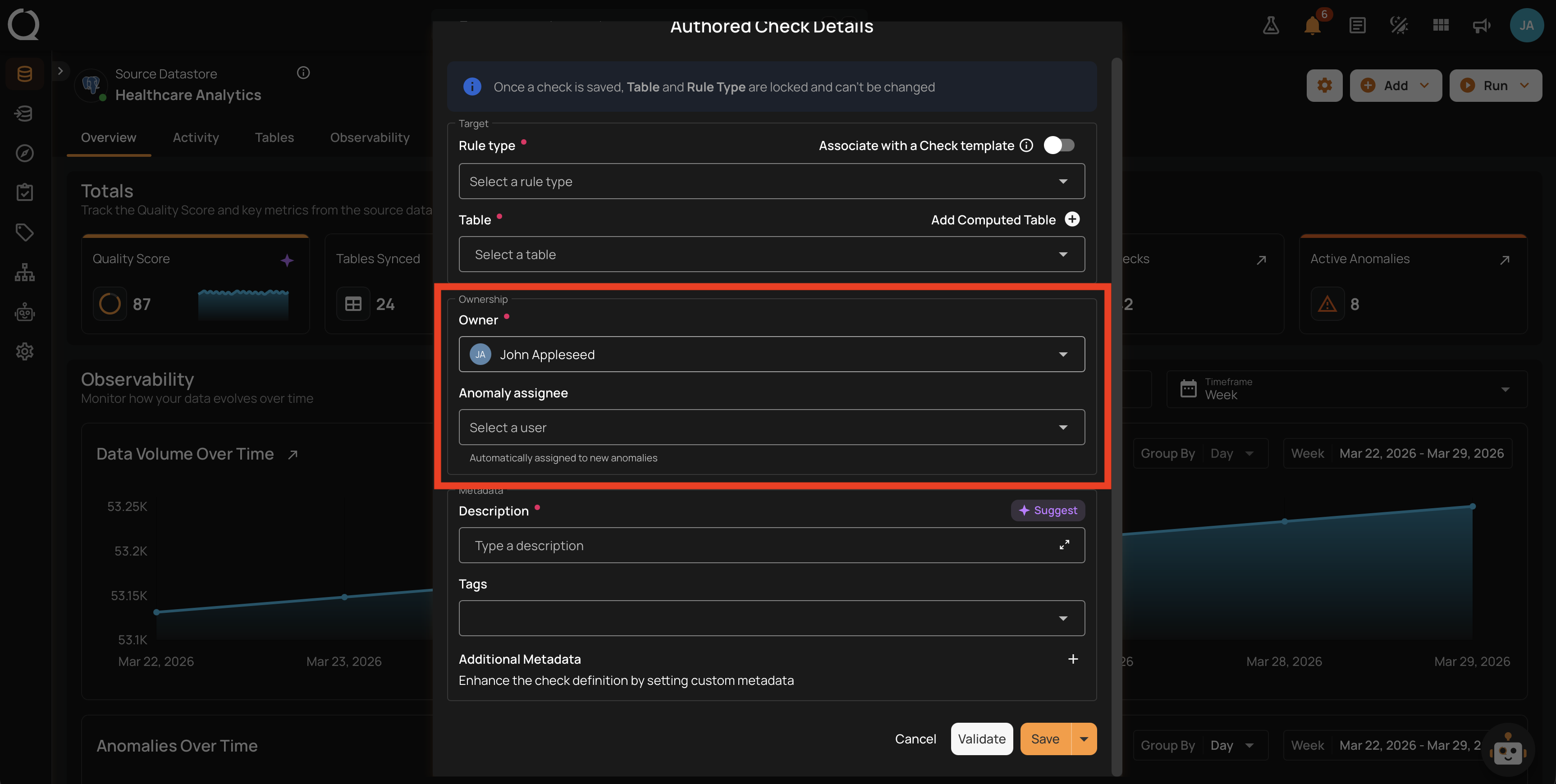
Every quality check has an owner: a single user responsible for it. Ownership drives check filtering by responsibility, in-app notifications when someone edits a check you own, and the audit trail in the check's history. In this section you'll learn what ownership controls, the four transfer modes (explicit, implicit, Drafter activation, and the deactivated owner handoff), how to change the owner from the UI and API, and how notifications, history, and filtering behave.
Permissions
The Author team permission on the check's datastore is required to change a check's owner. Users selectable as the new owner need at least the Drafter permission on the same datastore.
Deep Dive
-
Introduction
Conceptual overview of the Owner field, why ownership matters, and the four transfer modes at a glance.
-
How It Works
Full semantics: defaults at creation, the four transfer modes in detail, permissions, notifications, history tracking, and filtering.
-
Examples
Production scenarios that show ownership in action: onboarding, handoffs, notification-driven workflows, compliance audits, and Draft promotion.
How-tos
-
Change Check Owner
Transfer ownership of a single check from the Edit Check form.
-
Bulk Change Check Owner
Apply the same owner to many checks at once from the Bulk Edit Checks modal.