Add a Team
Use the Add Team action to create a new team for organizing users and controlling access to datastores.
Permissions
Only users with the Admin role can create teams. See the Permissions page for details.
Fields
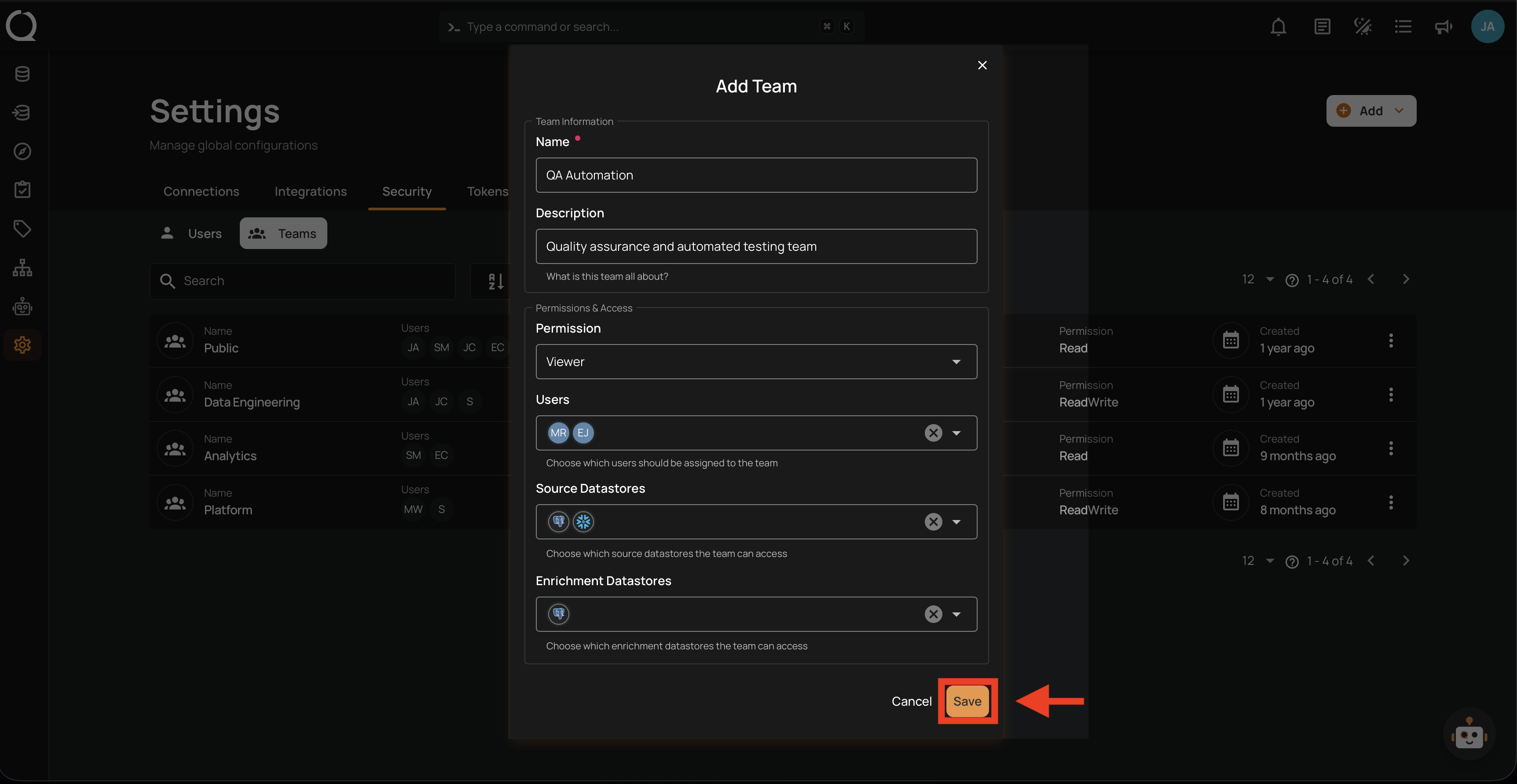
The team form contains the following fields:
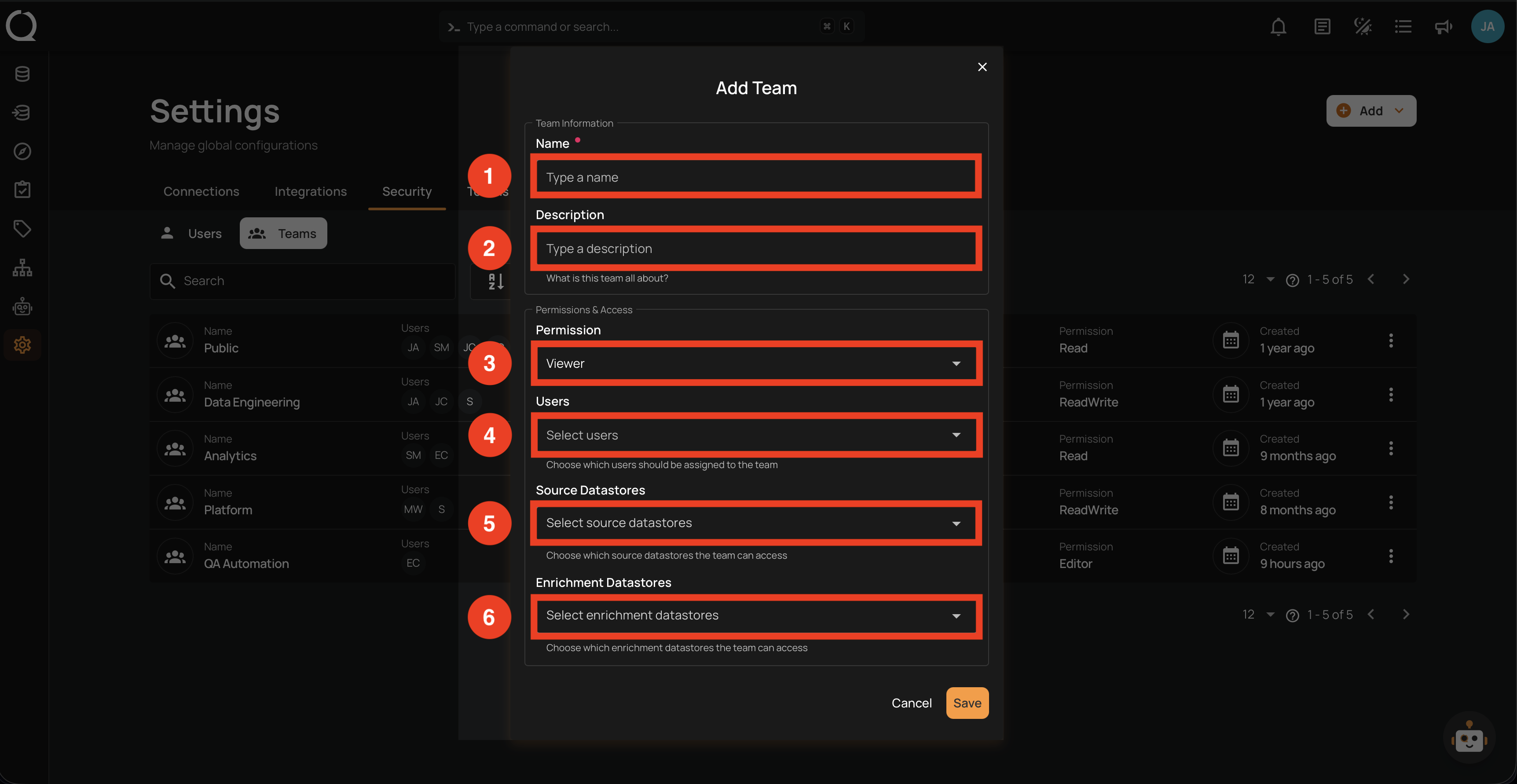
| REF. | FIELD | DESCRIPTION |
|---|---|---|
| 1 | Name | A descriptive name for the team (e.g., Data Engineering, QA Automation). |
| 2 | Description | A brief description of the team's purpose. |
| 3 | Permission | The permission level for the team: Editor, Author, Drafter, Viewer, or Reporter. |
| 4 | Users | Users to assign to the team. |
| 5 | Source Datastores | Source datastores the team can access. |
| 6 | Enrichment Datastores | Enrichment datastores the team can access. |
Steps
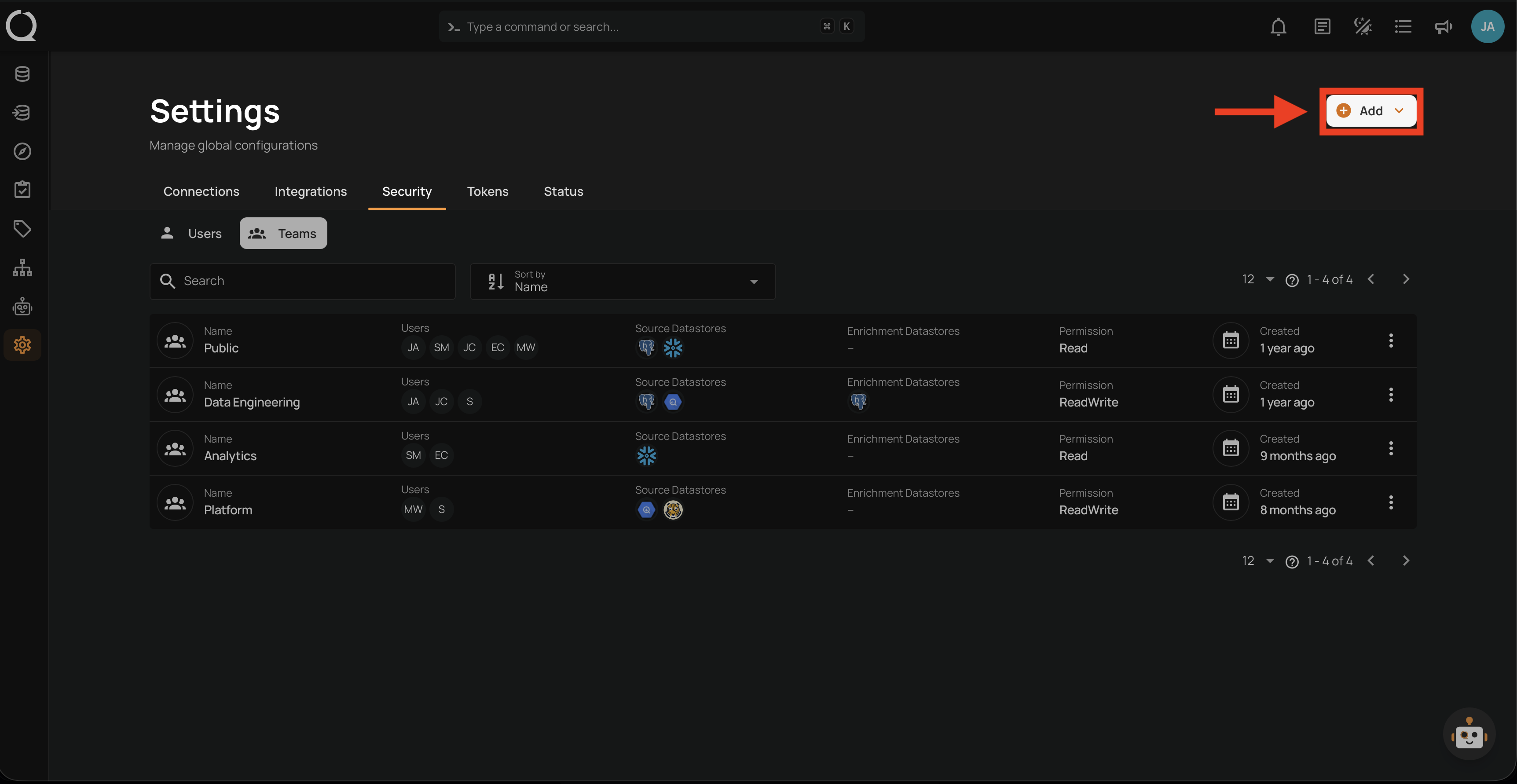
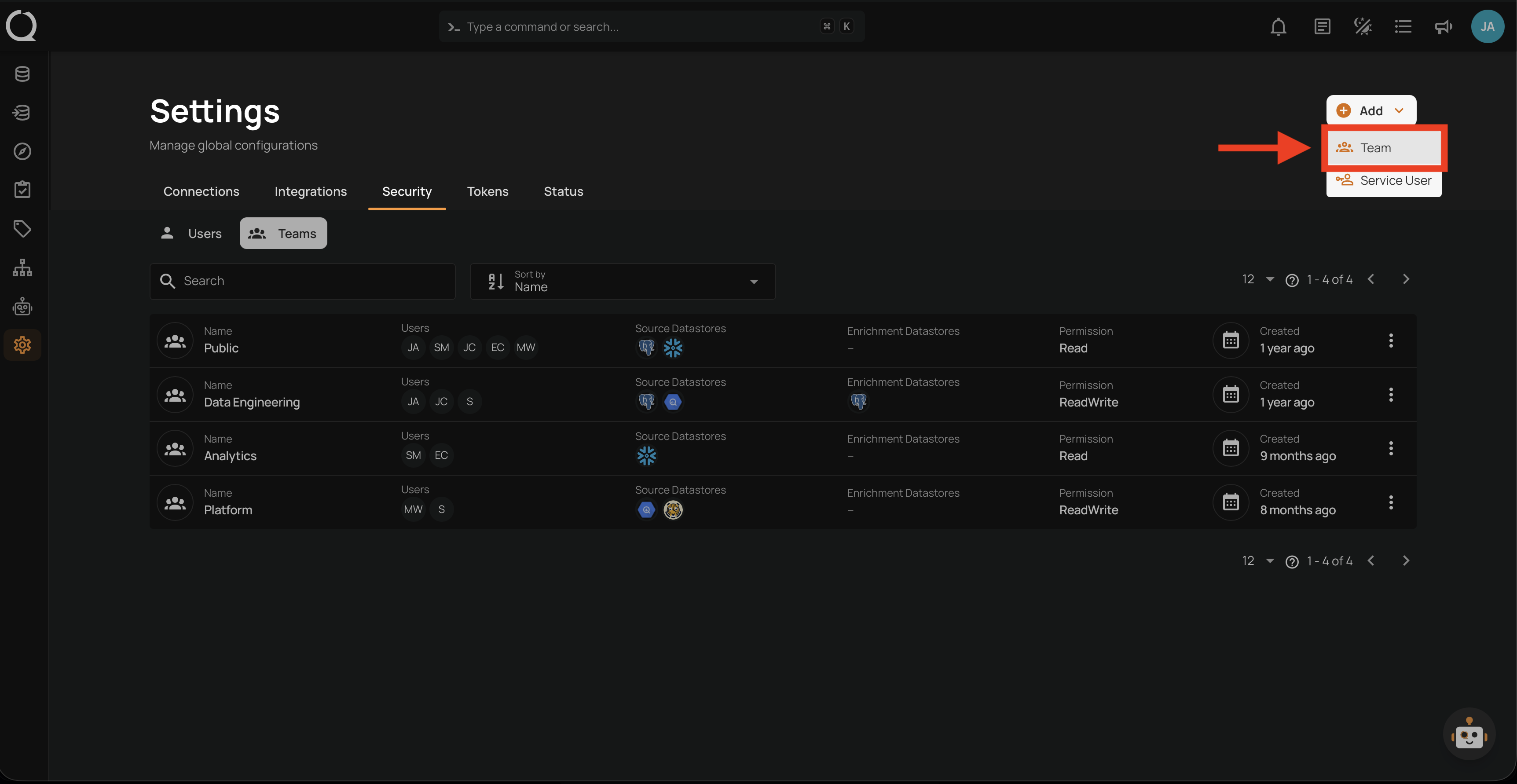
Step 1: In the Security tab, click the Teams sub-tab, then click the Add button in the top right corner and select Team.
Step 2: Fill in the team fields and review your selections.
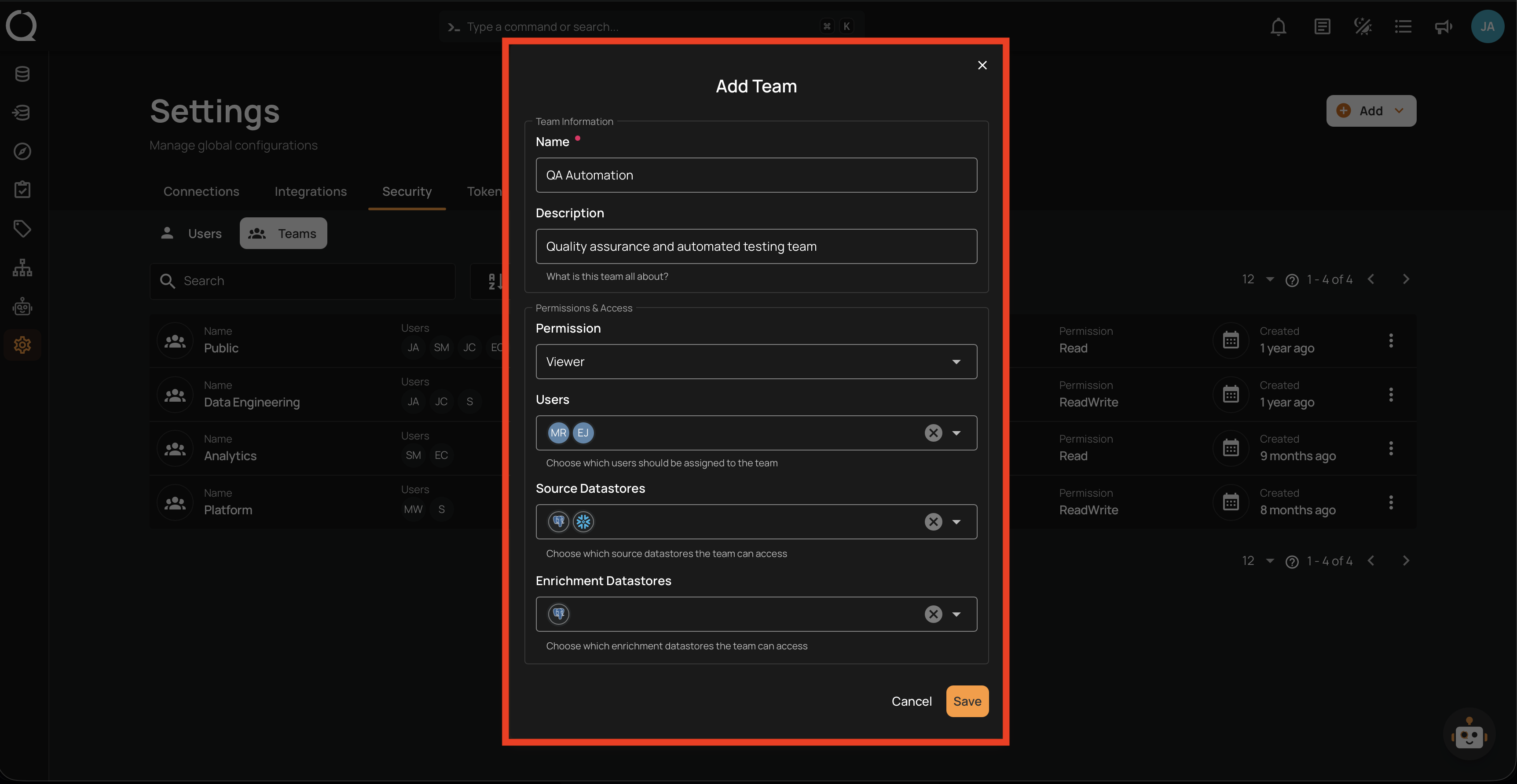
Step 3: Click the Save button to create the team.
Tip
If you need to cancel, click the X button or Cancel at any point before clicking Save. No team will be created.