Link an Existing Jira Ticket
Link an existing Jira issue to an anomaly in Qualytics instead of creating a new ticket.
Prerequisites
The Jira integration must be connected before you can link tickets.
Permissions
Users with the Manager or Admin role and Author team permission on the anomaly's datastore can link Jira tickets. See the Permissions page for details.
Steps
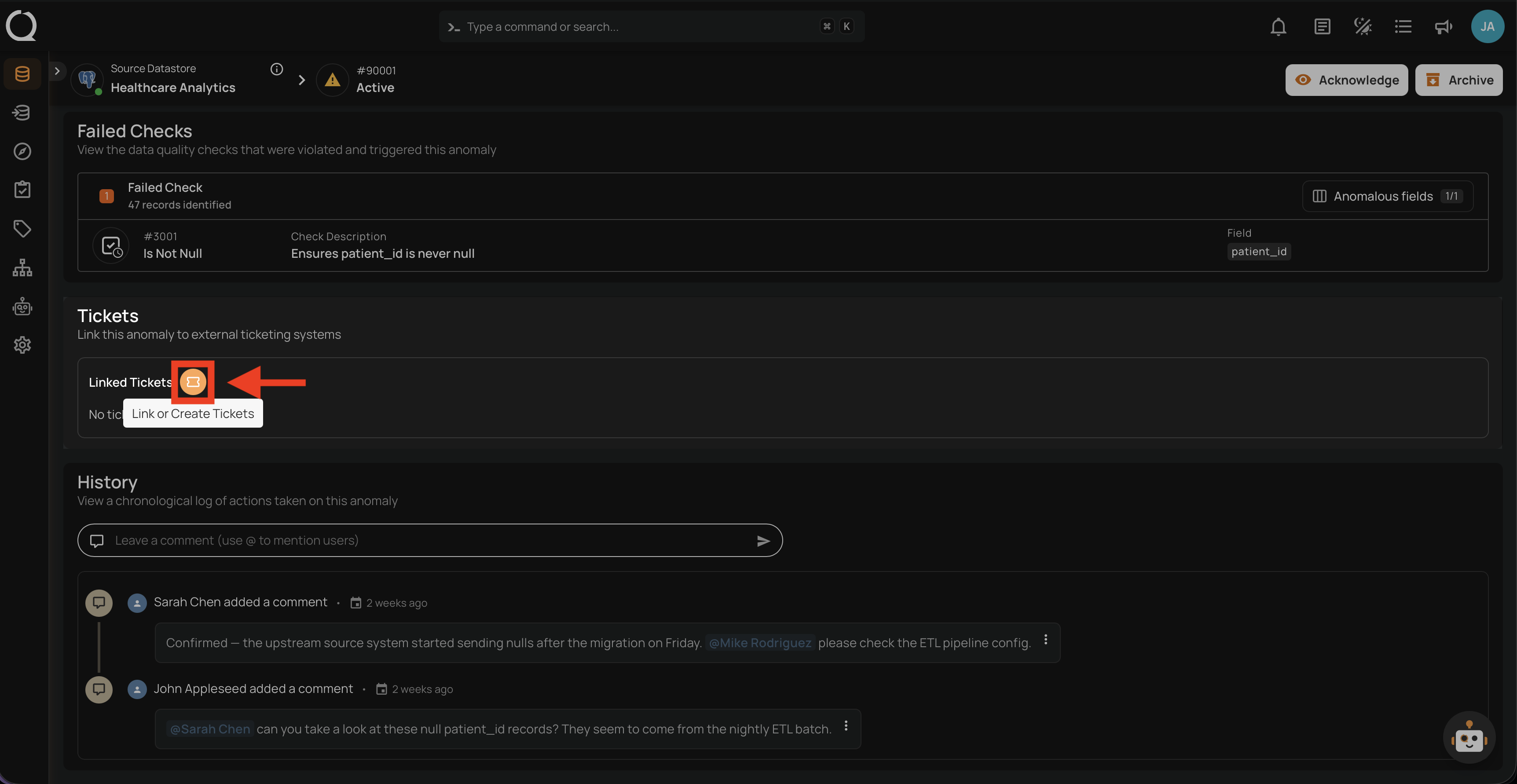
Step 1: Open the anomaly in Qualytics, scroll to the Linked Tickets section, and click the Link or Create Tickets button.
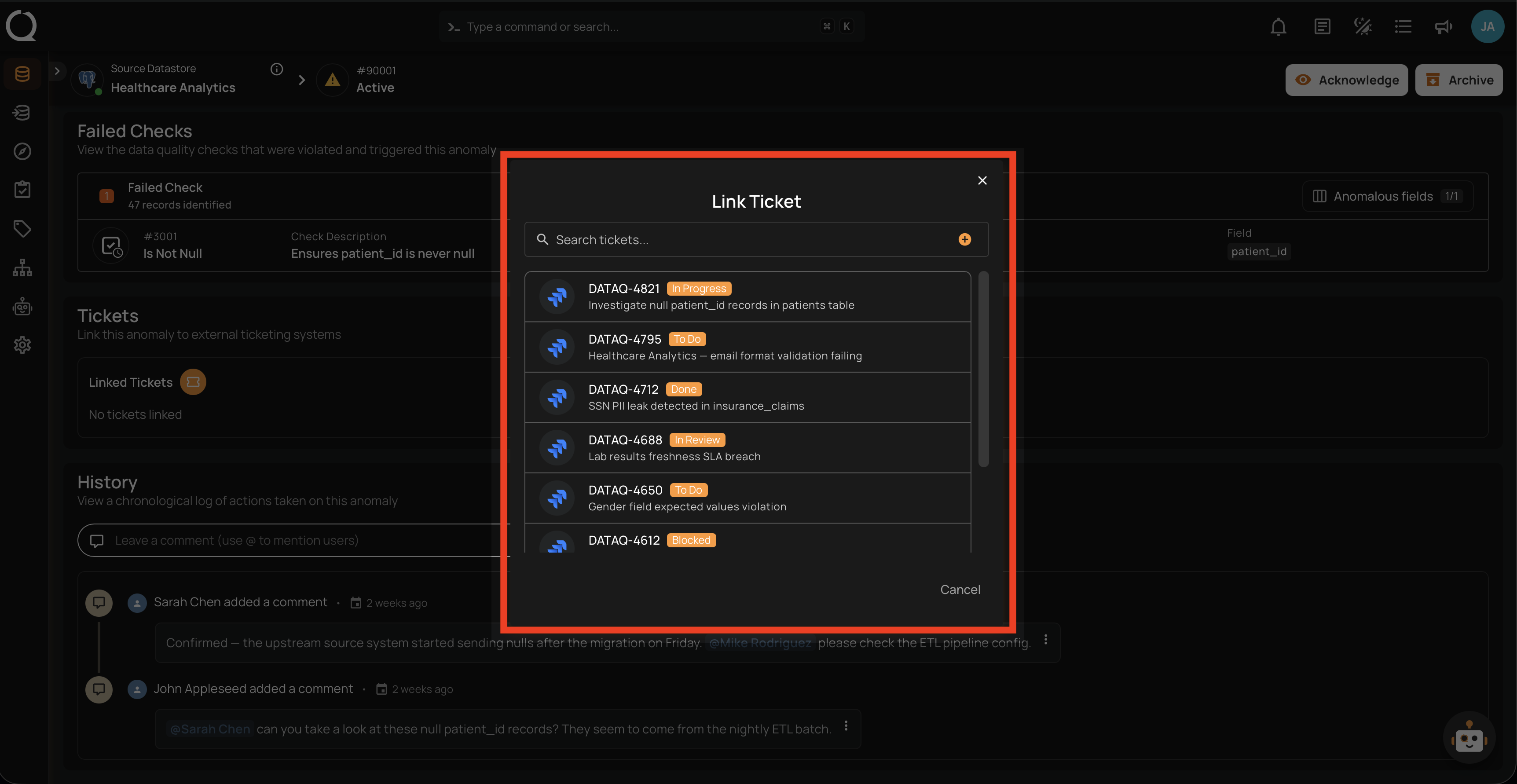
Step 2: The Link Ticket modal opens. Type in the search bar to find existing Jira issues by key or summary.
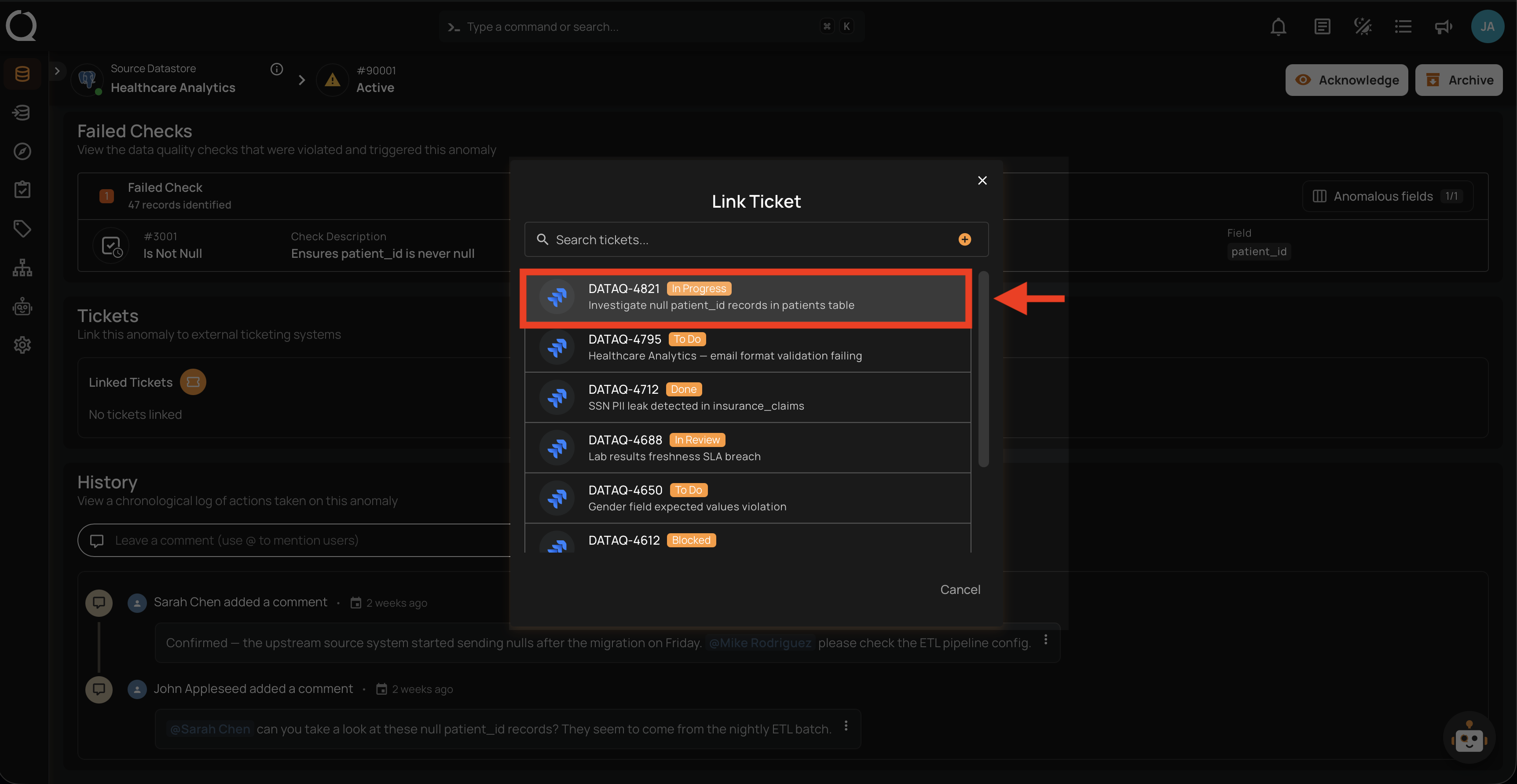
Step 3: Click on the Jira issue you want to link.
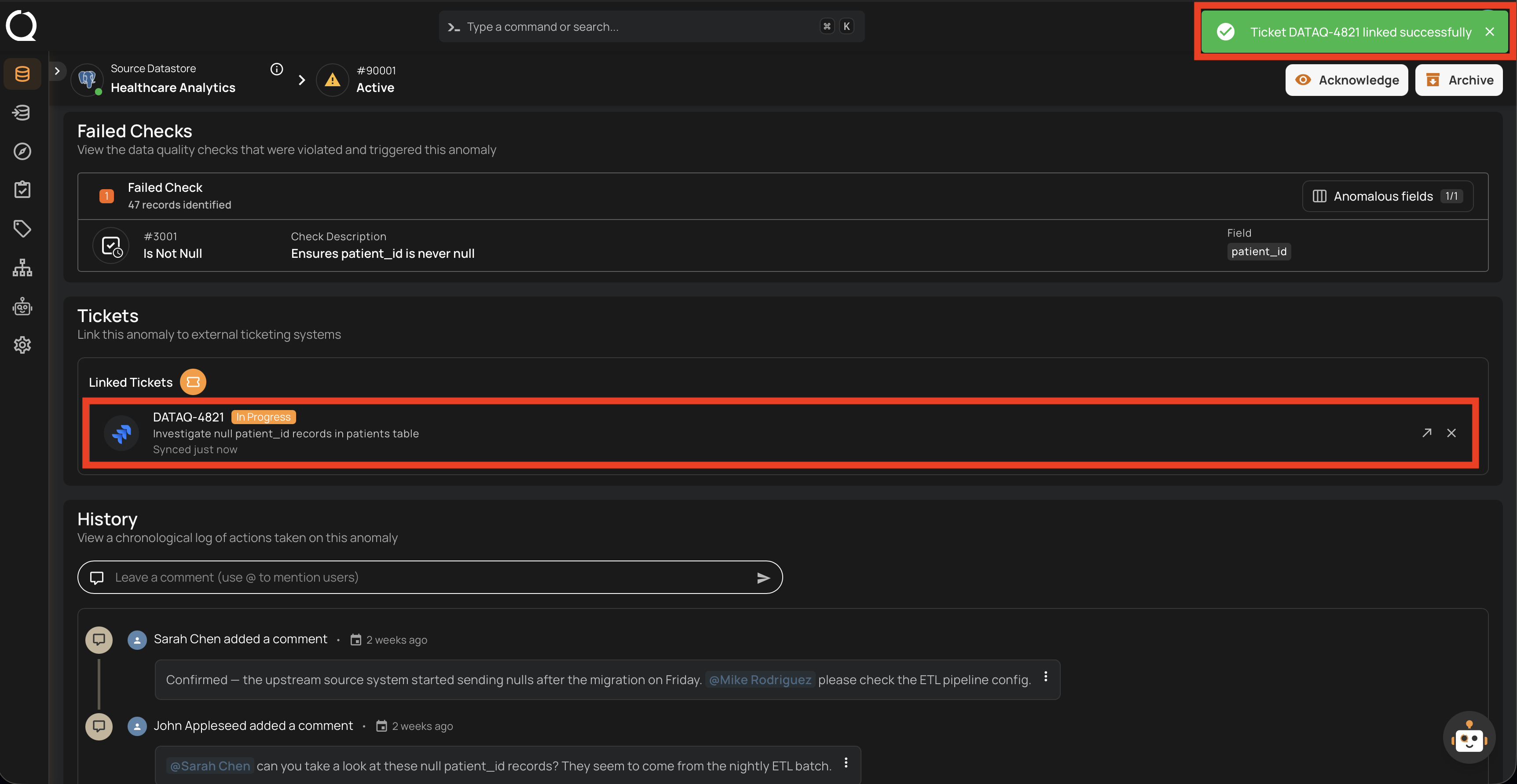
Step 4: A success notification appears, and the Jira issue is shown in the Linked Tickets section of the anomaly.
When linking an existing ticket:
- A link is established in Qualytics between the anomaly and the issue
- The Jira issue itself is not modified — no comment is added on link creation
Tip
Multiple tickets can be linked to a single anomaly. Use this to track related issues across different teams or projects.