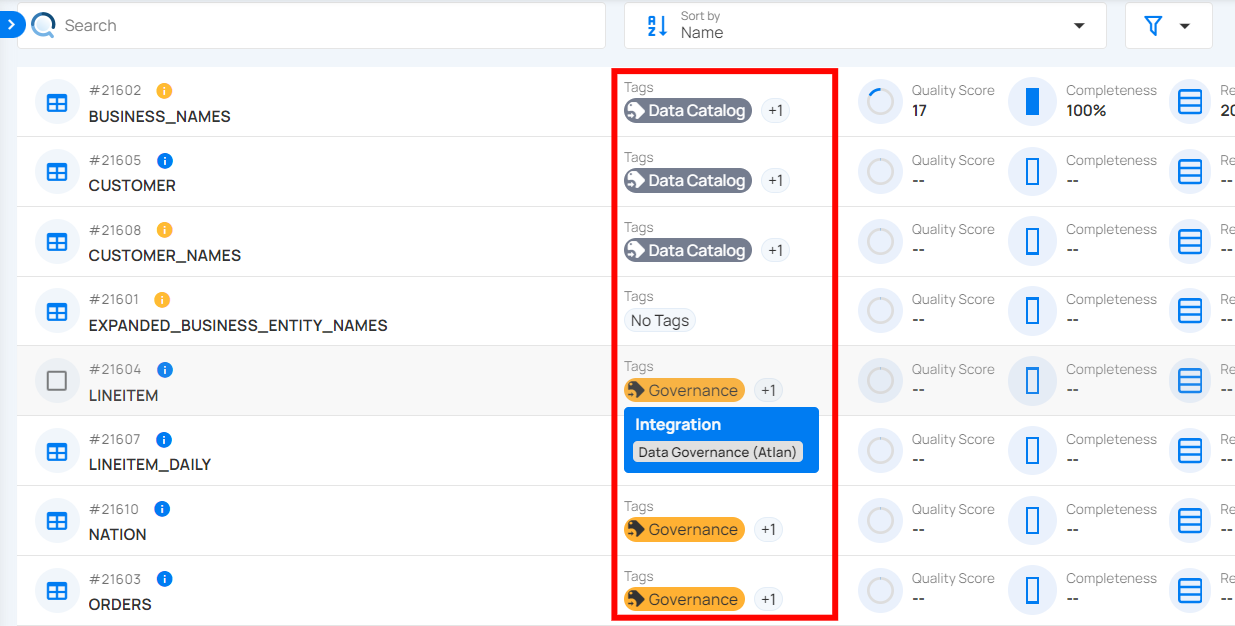
External Tag Propagation
External tags propagation in Qualytics serve as metadata labels that are automatically synchronized from an integrated data catalog, such as Atlan or Alation. This process helps maintain consistent data tagging across various platforms by using pre-existing tags from the data catalog.
Let’s get started 🚀
Connect the Catalog
Tags can only propagate once the catalog is connected. Open Settings, then the Integrations tab. Each data catalog has its own card. On a catalog that is not connected yet, click Connect to open its Add
The fields differ per catalog. For Atlan, see Add Atlan Integration.
Synchronization
Synchronization supports both push and pull operations. This includes pulling metadata from one platform to Qualytics and pushing Qualytics metadata to the other platform. During the syncing process, the integration pulls tags assigned to data assets in the source platform and assigns them to Qualytics assets as an external tag.
For demonstration purposes we have selected Atlan synchronization.
Note
Tag synchronization requires manual triggering.
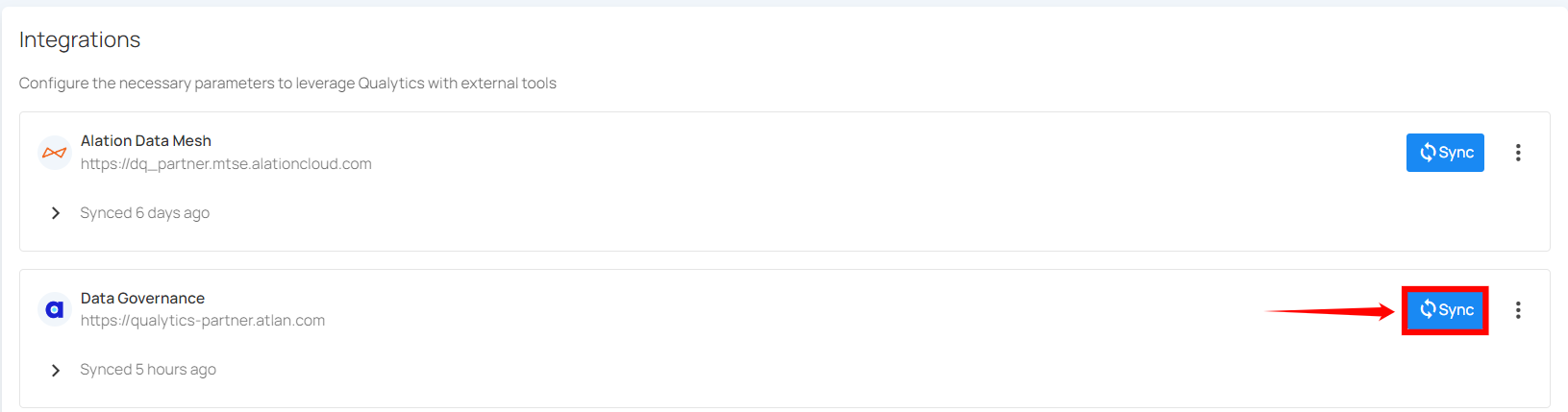
Step 1: To sync tags, simply click on the Sync button next to the relevant integration card.
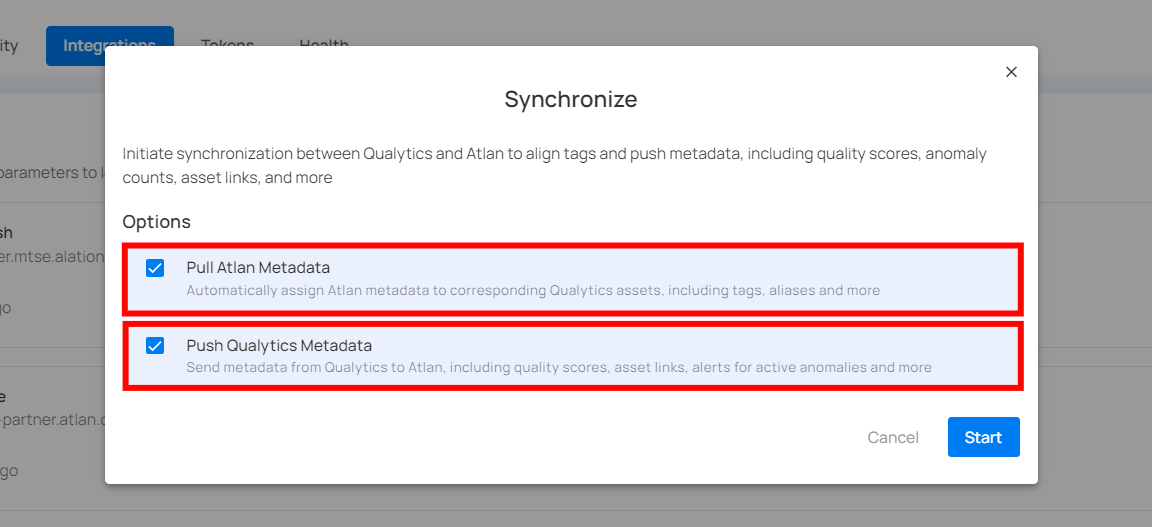
Step 2: After clicking the Sync button, you will have the following options:
- Pull Atlan Metadata
- Push Qualytics Metadata
Specify whether the synchronization will pull metadata, push metadata, or do both.
Step 3: After selecting the desired options, click on the Start button.
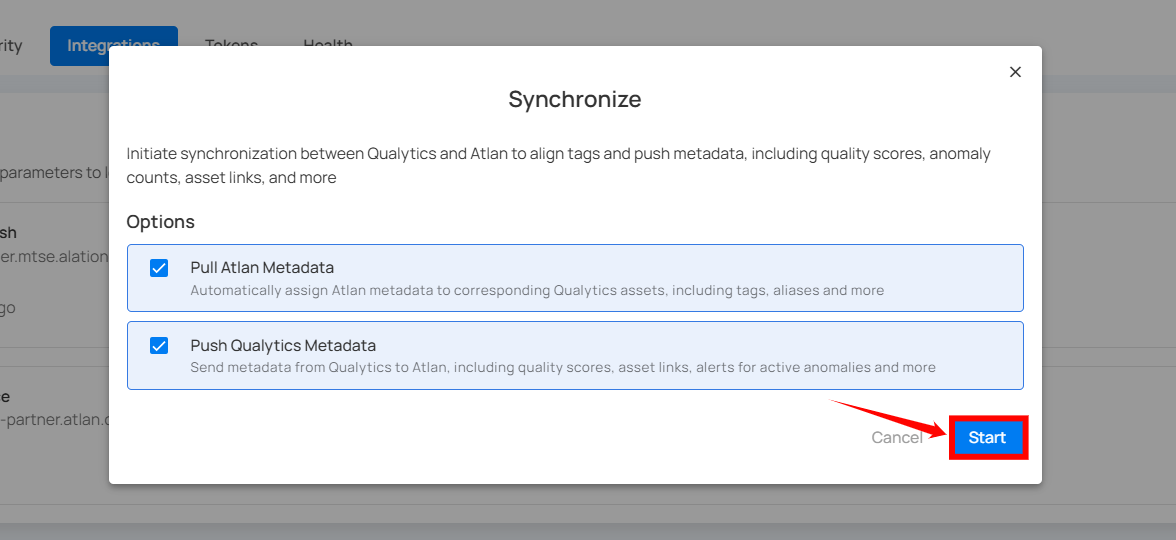
Step 4: After clicking the Start button, the synchronization process between Qualytics and Atlan begins. This process pulls metadata from Atlan and pushes Qualytics metadata, including tags, quality scores, anomaly counts, asset links, and many more.
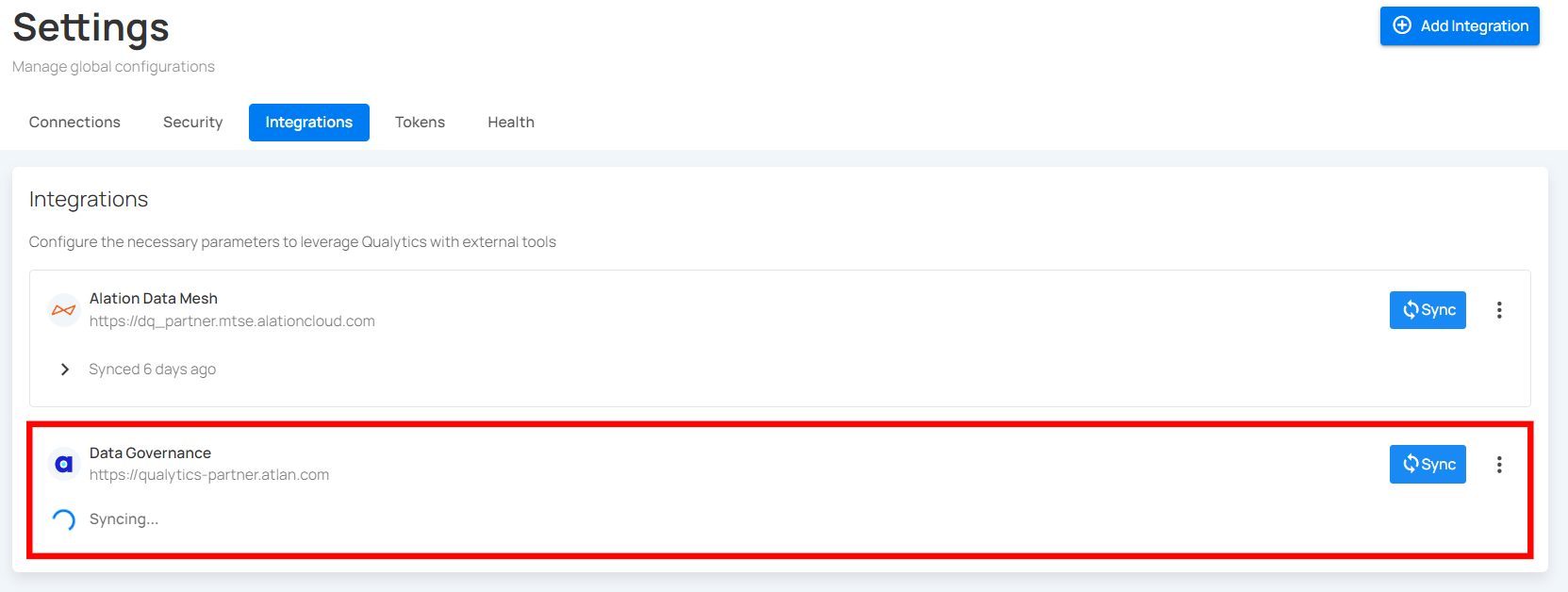
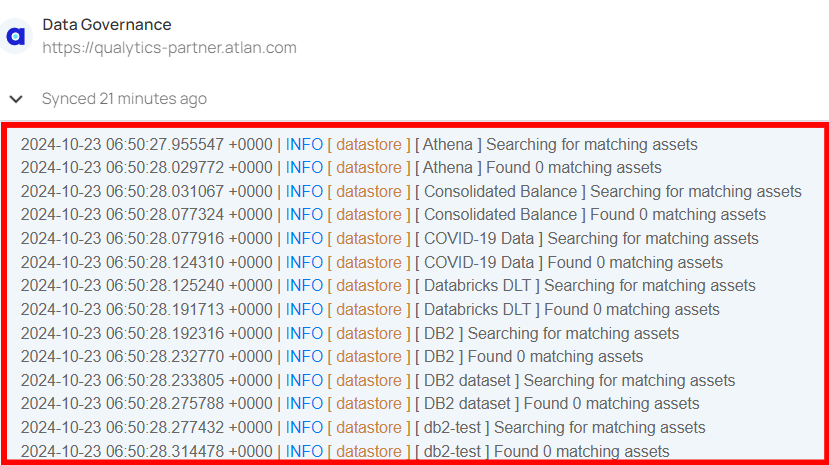
Step 5: Review the logs to verify which assets were successfully mapped from Atlan to Qualytics.
Step 6: Once synchronization is complete, the mapped assets from Atlan will display an external tag.