Configure Profile Defaults
Set the workspace-wide default AI Effort level for profile operations, and choose whether AI-generated checks activate automatically or remain as drafts. New profile operations inherit these values, and you can optionally push them to every existing source datastore at save time.
These defaults and their propagation apply only to source datastores. Enrichment datastores are excluded.
Permission Required
You need the Admin user role to edit Platform Defaults. See the Permissions page for details.
Fields
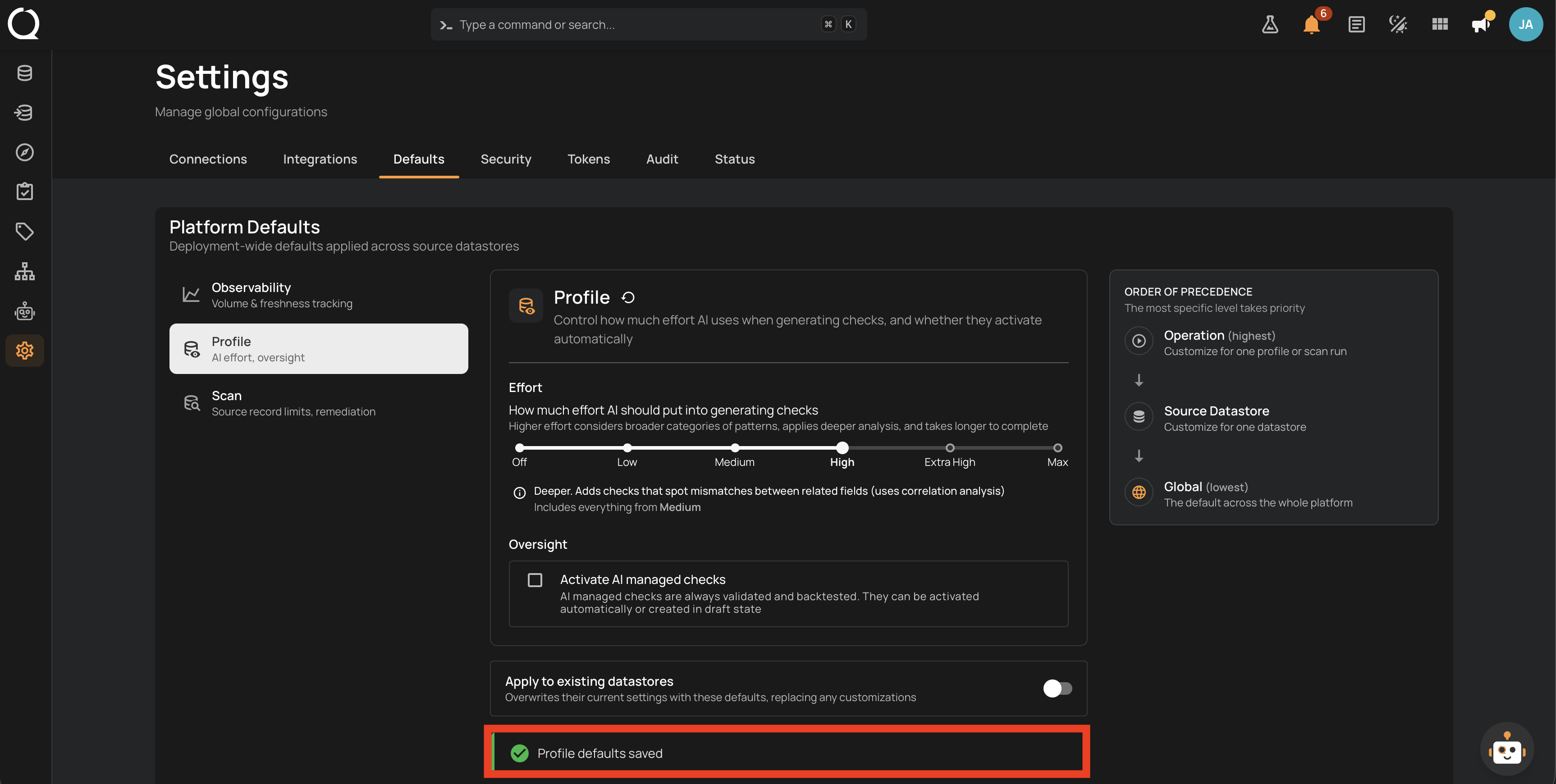
The Profile panel exposes the following fields:
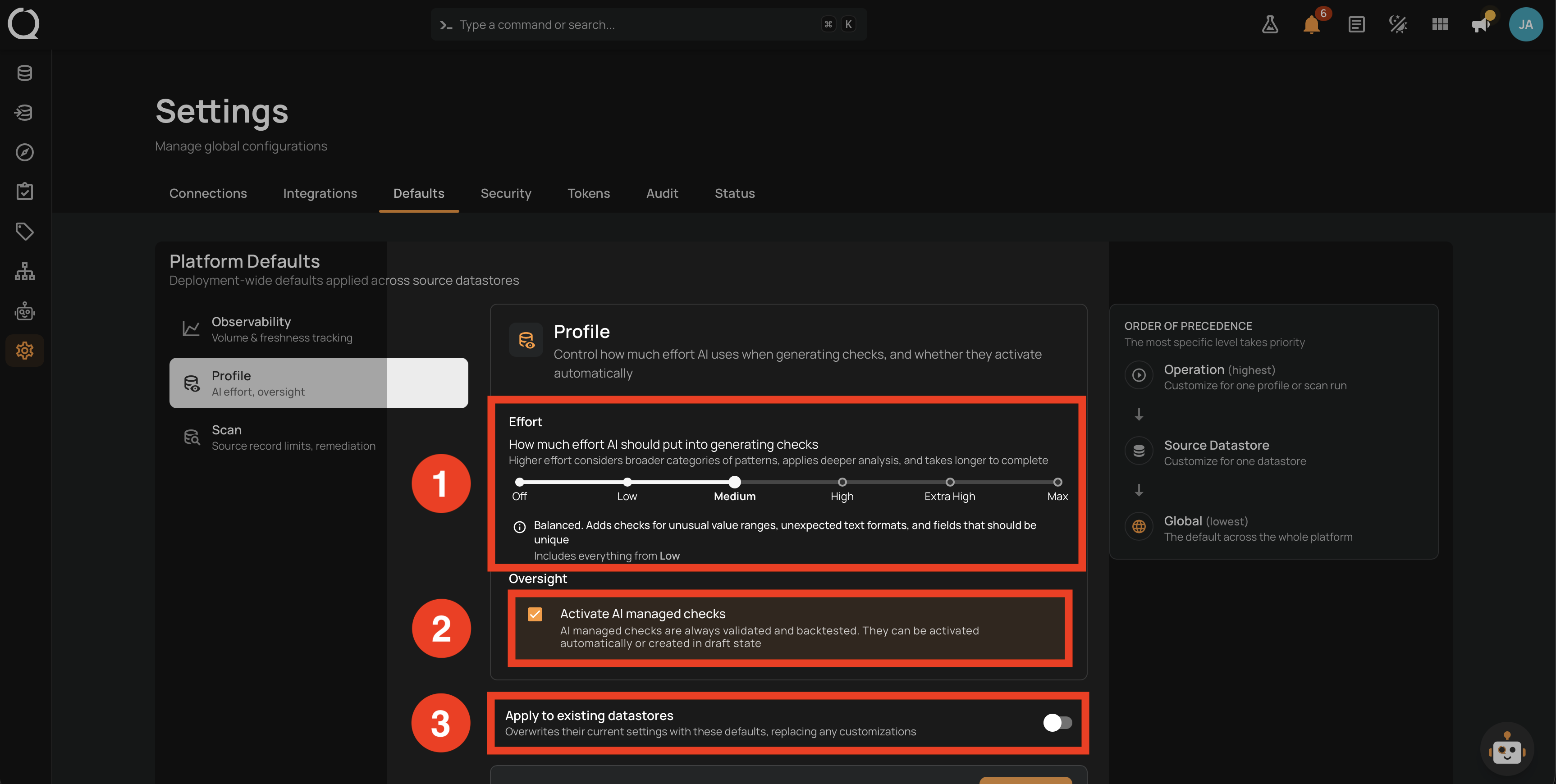
| No. | Field | Description |
|---|---|---|
| 1 | Effort | Snap slider with six named stops (Off, Low, Medium, High, Extra High, Max) that controls how much effort AI puts into generating checks. The description below the slider updates to show what each level adds relative to the previous stop. Default: Medium. |
| 2 | Activate AI managed checks | When on, AI-generated checks activate as soon as the profile completes. When off, they are saved as drafts and must be reviewed before they take effect. Disabled when Effort is Off. |
| 3 | Apply to existing datastores | Opt-in toggle that overwrites the current AI Effort and Activate settings on every existing source datastore when you save. Off by default; resets to off after each save. |
Steps
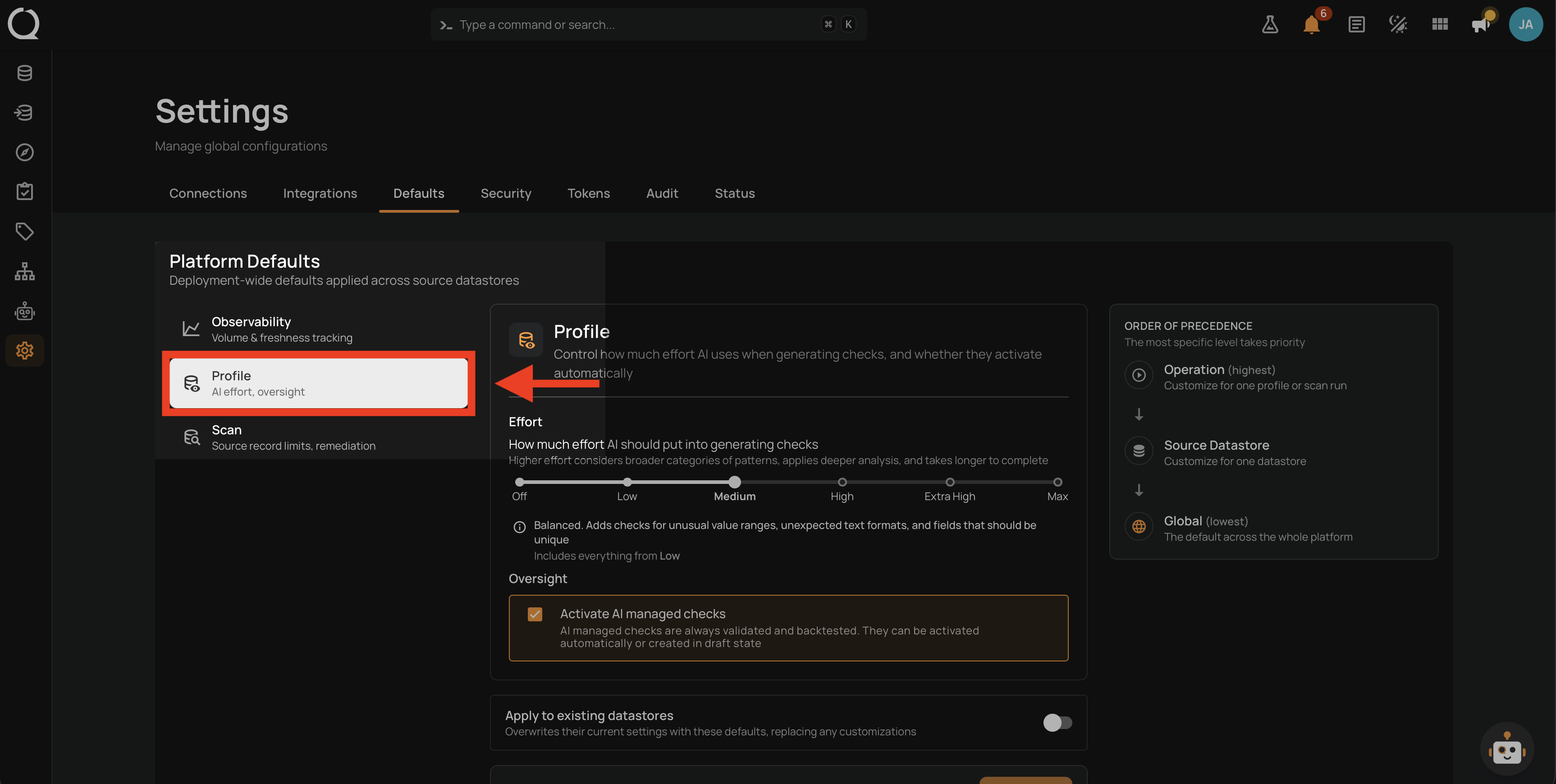
Step 1: Open Settings from the left sidebar, click the Defaults tab, and click Profile in the left rail. The current Profile defaults load on the right.
Step 2: Move the slider to the Effort level you want, then set Activate AI managed checks to on or off. If you also want the new defaults to replace the current values on every existing source datastore, turn on Apply to existing datastores.
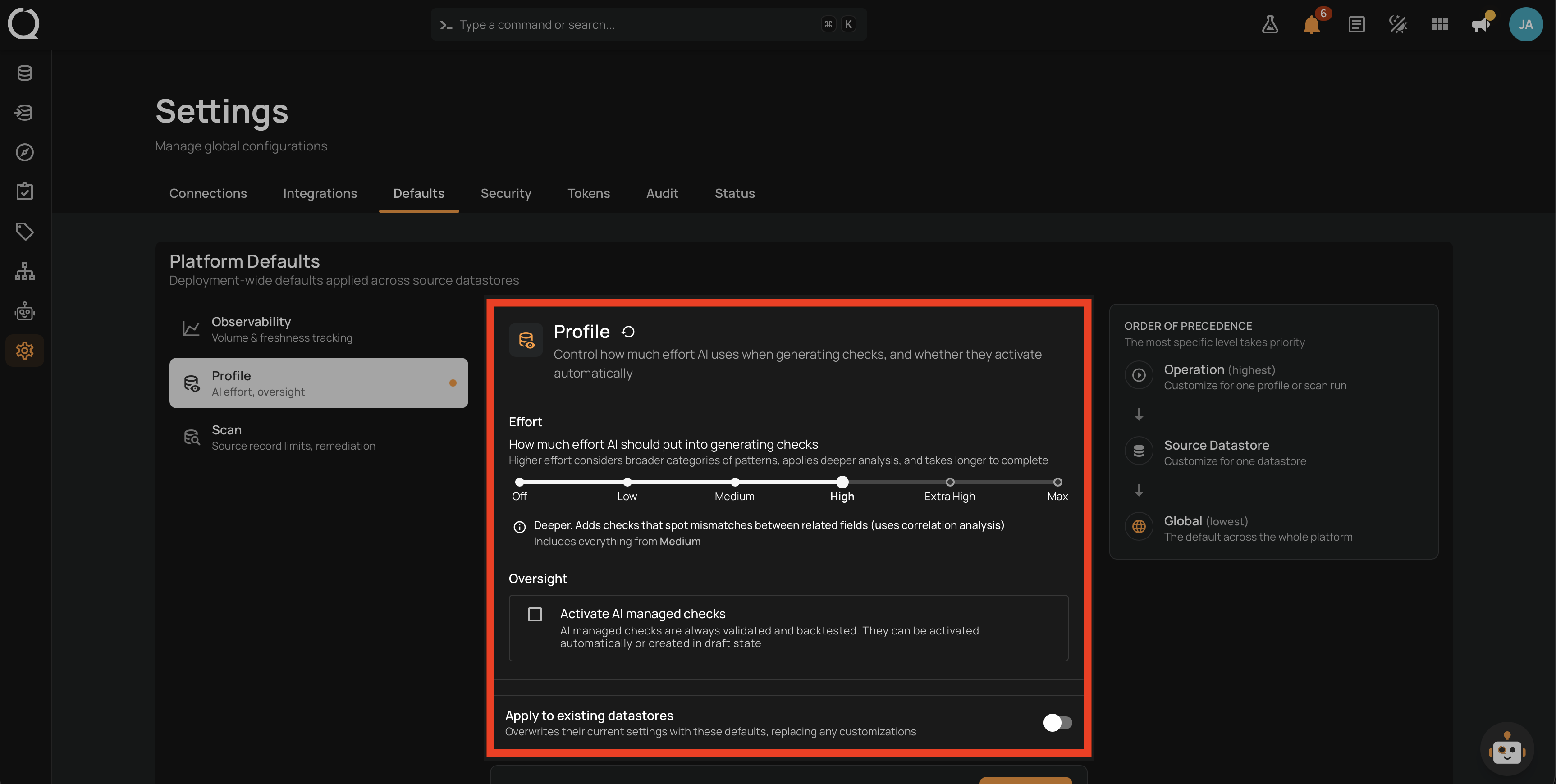
Propagation overwrites customizations
When the Apply-to-existing toggle is on, propagation replaces the current values on every existing source datastore in your workspace. Per-datastore customizations are wiped and replaced with the newly saved defaults.
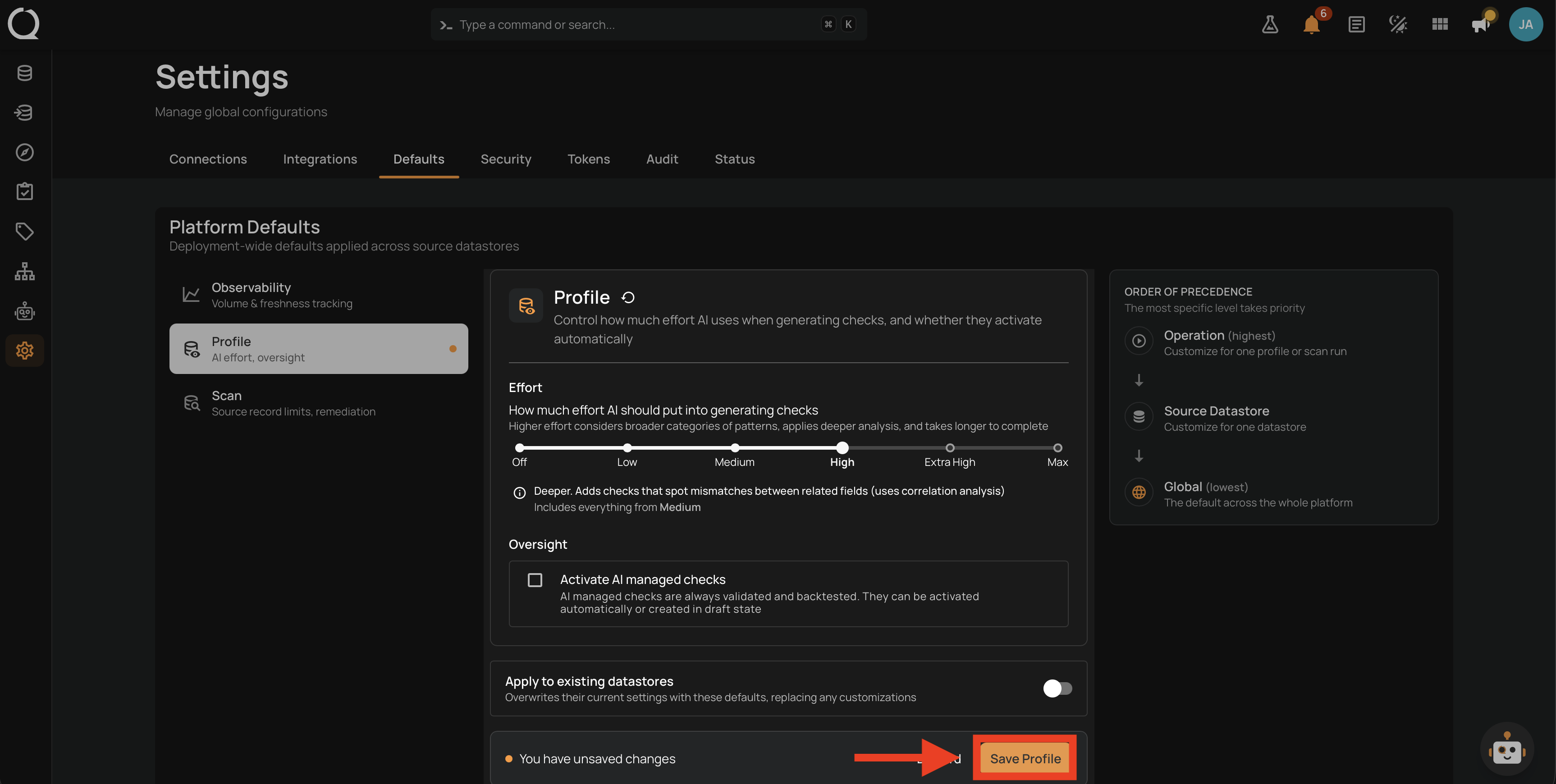
Step 3: Click Save Profile to apply the changes.
Step 4: A confirmation banner appears at the top of the panel. When propagation was on, the banner reports how many datastores were updated. When propagation was off, it confirms that the defaults were saved.
Related
See the How It Works page for the full table of Effort levels and the precedence chain.