Private Routes
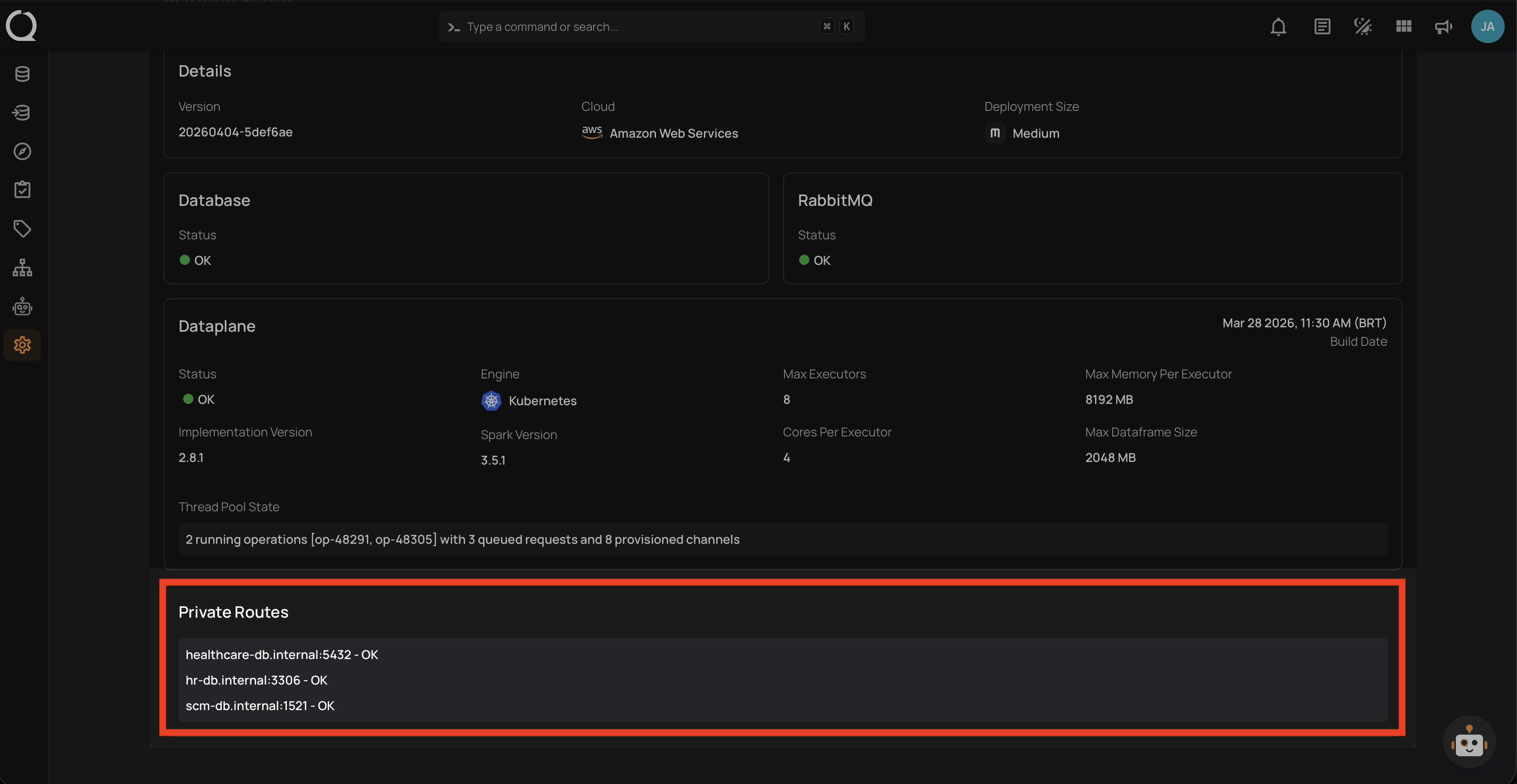
The Private Routes section displays the connectivity status of datastores configured with private network addresses. It verifies that the dataplane can reach each private host and reports the result.
This section is useful when:
- Confirming that private database connections are reachable from the dataplane after deployment or network changes.
- Diagnosing connectivity failures for datastores on internal networks before running operations.
- Verifying that firewall rules and network peering are correctly configured.
Permissions
Users with the Manager or Admin role can view Private Routes. For a full breakdown of status-related permissions, see the Permissions page.
Note
The Private Routes section only appears when your deployment has datastores configured with private network addresses. If no private connections exist, this section is not displayed. See Connection network requirements for how to configure a private datastore connection.
How It Works
When the Status page loads, the controlplane identifies all unique private connections (deduplicated by host:port) configured across your datastores. Each unique endpoint is checked once, even if used by multiple datastores. For each unique host, a reachability check is sent to the dataplane through RabbitMQ. The dataplane attempts a TCP socket connection to the host and port, and reports back the result once the check completes or times out. The reachability check runs when the Status page loads and when you click Refresh.
Each route is displayed as a line with one of two formats:
- Success —
host:port - OK - Failure —
Attempt to reach "host:port" failed with message: "error details"
Fields
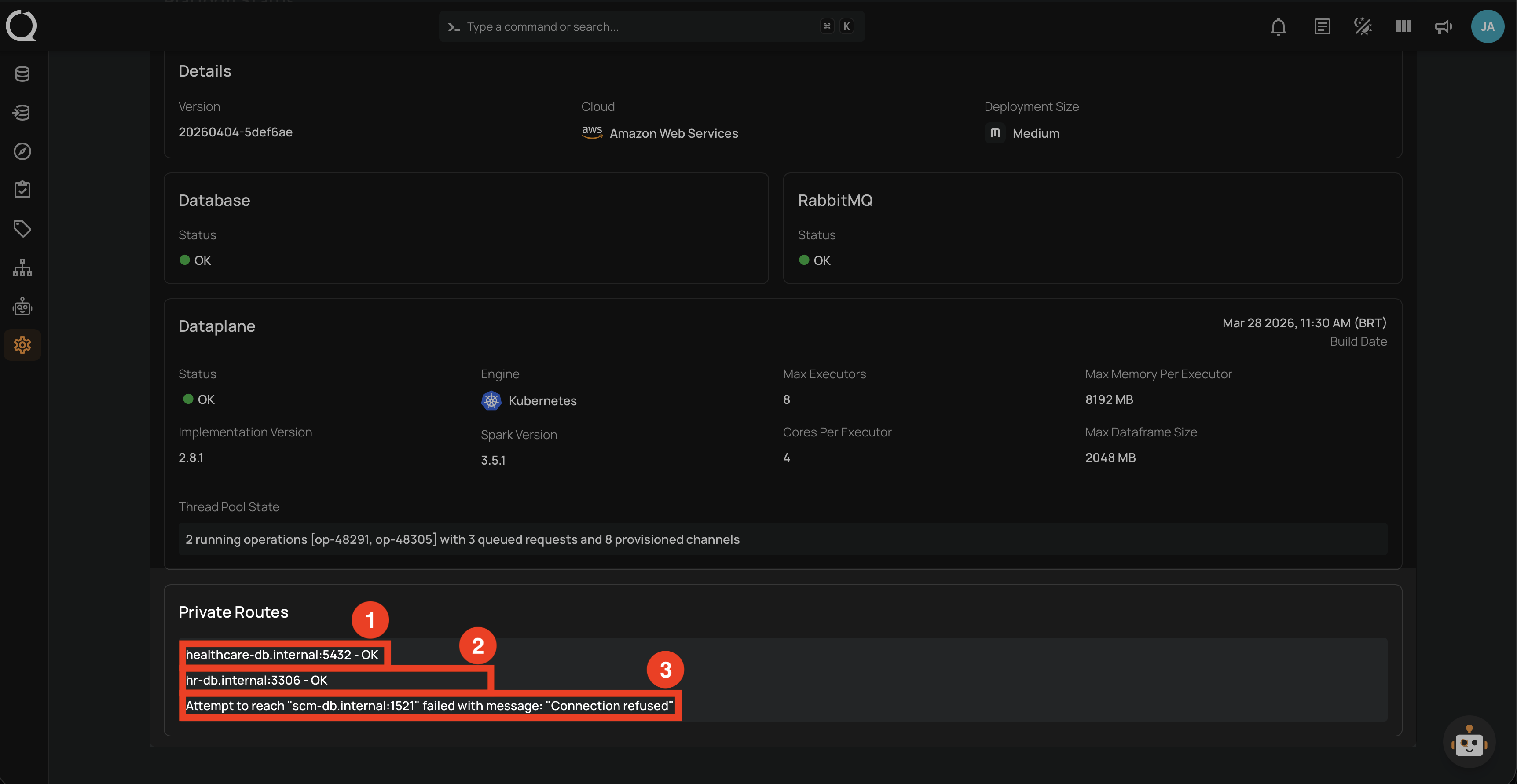
The section lists each private route with its connectivity status.
| REF. | STATUS | DESCRIPTION |
|---|---|---|
| 1 | OK | A reachable private route. The format is host:port - OK (e.g., healthcare-db.internal:5432 - OK). |
| 2 | OK | Multiple routes appear when you have more than one unique private endpoint configured. Each datastore with a distinct host:port shows its own line (e.g., hr-db.internal:3306 - OK). |
| 3 | Failed | An unreachable private route. The error message is shown inline (e.g., Attempt to reach "admin-db.internal:1521" failed with message: "Connection refused"). |
Common Failure Reasons
The most common error messages and their meaning:
| Error Message | Possible Cause |
|---|---|
| No valid address could be found for the host | The hostname cannot be resolved. Verify DNS configuration or use a fully qualified and resolvable domain name. |
| The address and port ... can not be reached from your deployment | No network path to the target. A firewall rule may be blocking the connection, the port may not be listening, or the network route does not exist. Ensure the port is not blocked and that a route exists from your deployment to the host. |
Info
The can not be reached error may include a system-level detail appended to the message (for example, Connection refused or Connection timed out). This detail reflects the underlying network failure reported by the OS or JDBC driver.
Tip
If a private route shows a failure, verify that the target database is running, the port is correct, and that network rules (security groups, firewalls, VPC peering) allow traffic from the dataplane to the target host.