Edit ServiceNow Connection
Edit the ServiceNow integration to update the Instance URL or Credentials — for example, after the service account password has been changed or when you've moved to a different ServiceNow instance.
Permissions
Users with the Manager or Admin role can edit the ServiceNow integration. See the Permissions page for details.
Steps
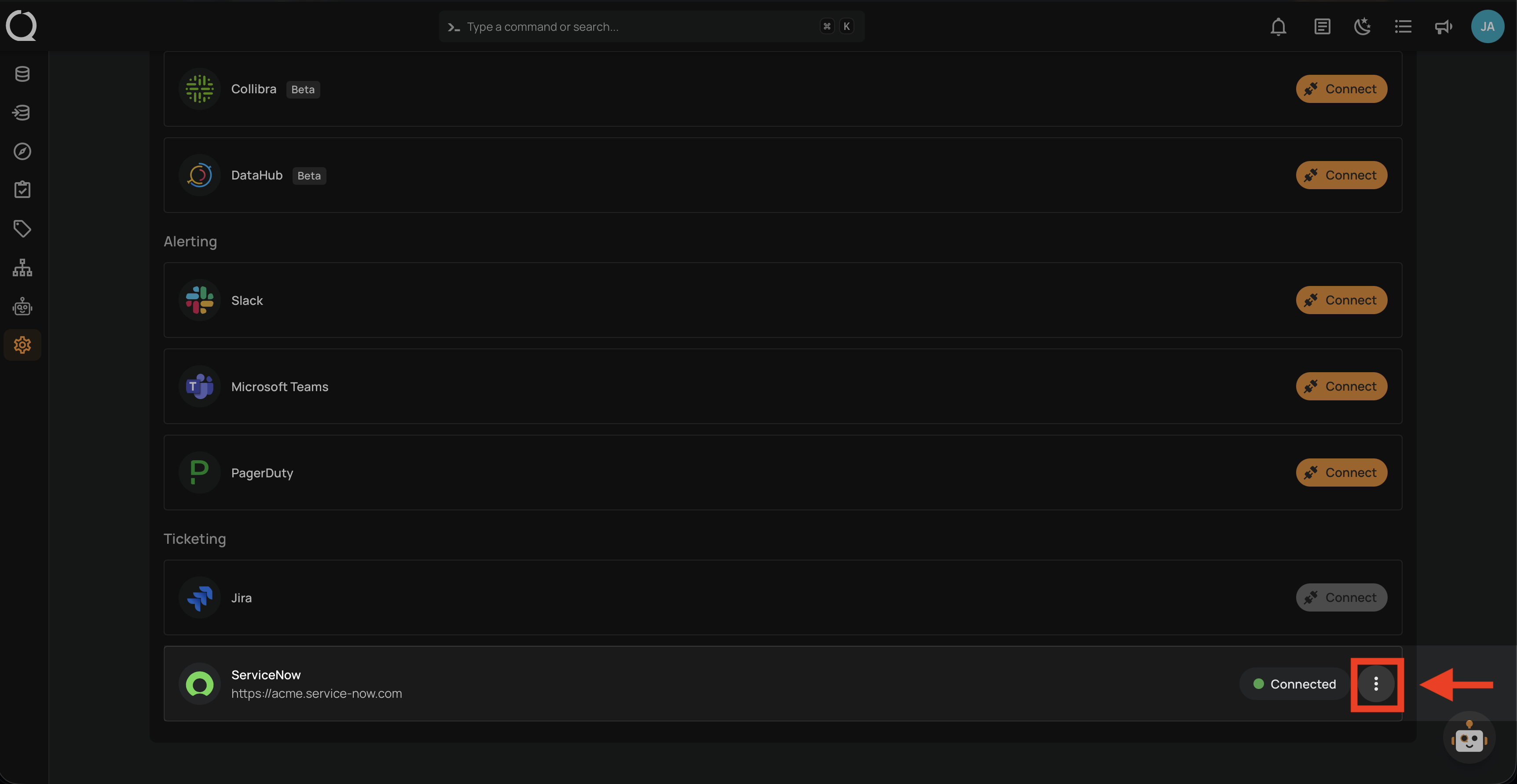
Step 1: Find the ServiceNow integration row (showing Connected) and click the vertical ellipsis next to the status.
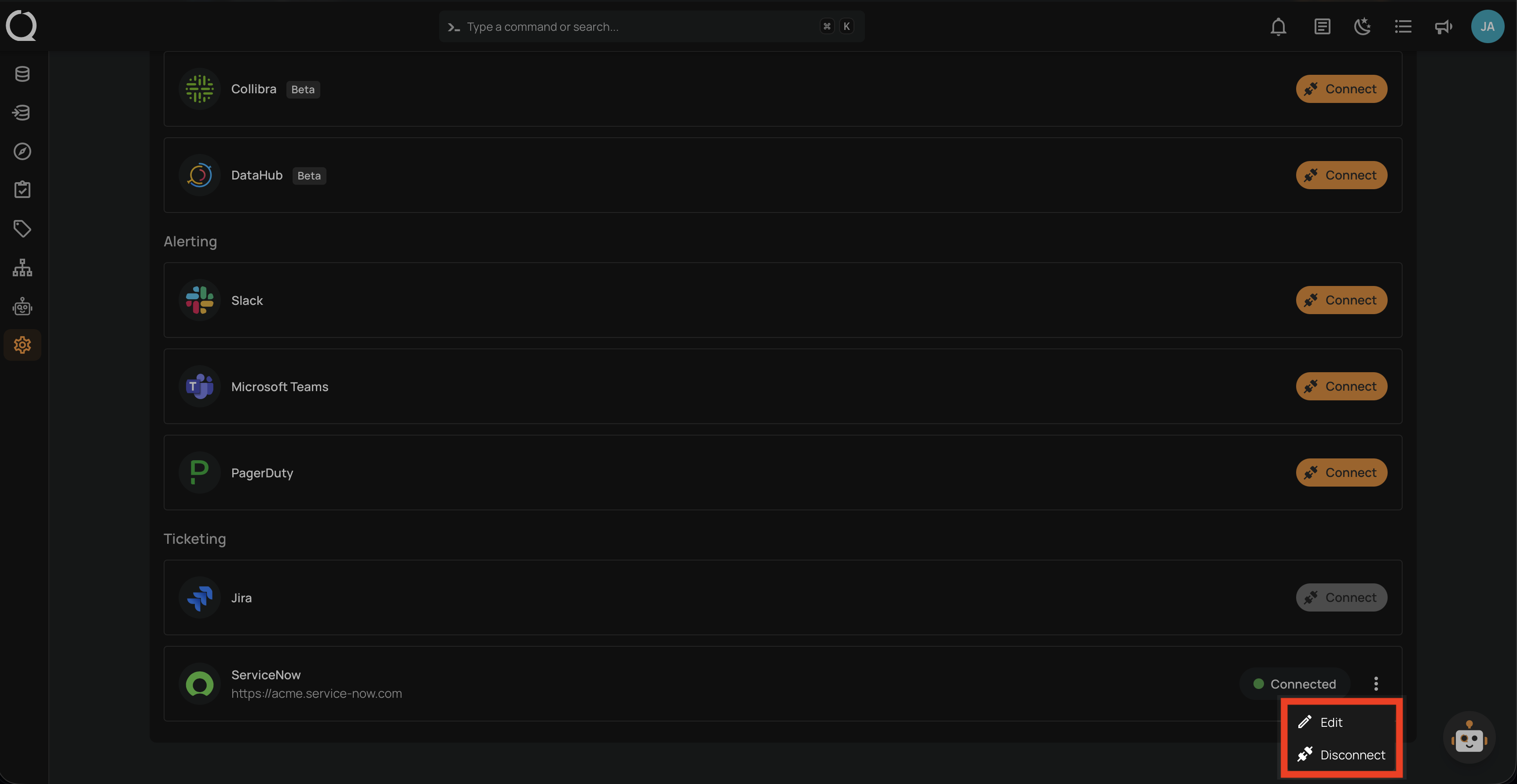
Step 2: A dropdown menu appears with the available actions.
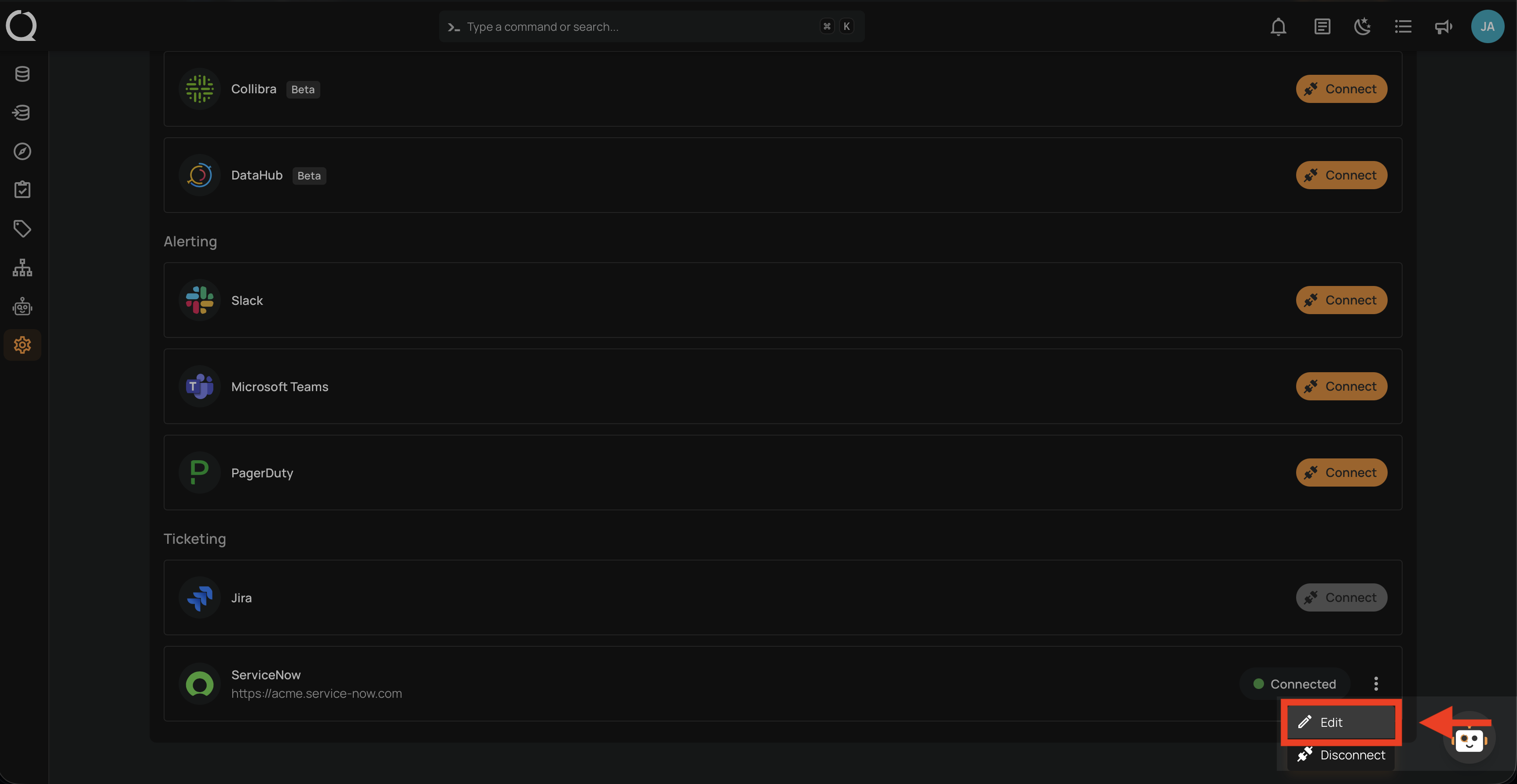
Step 3: Click Edit to open the edit modal.
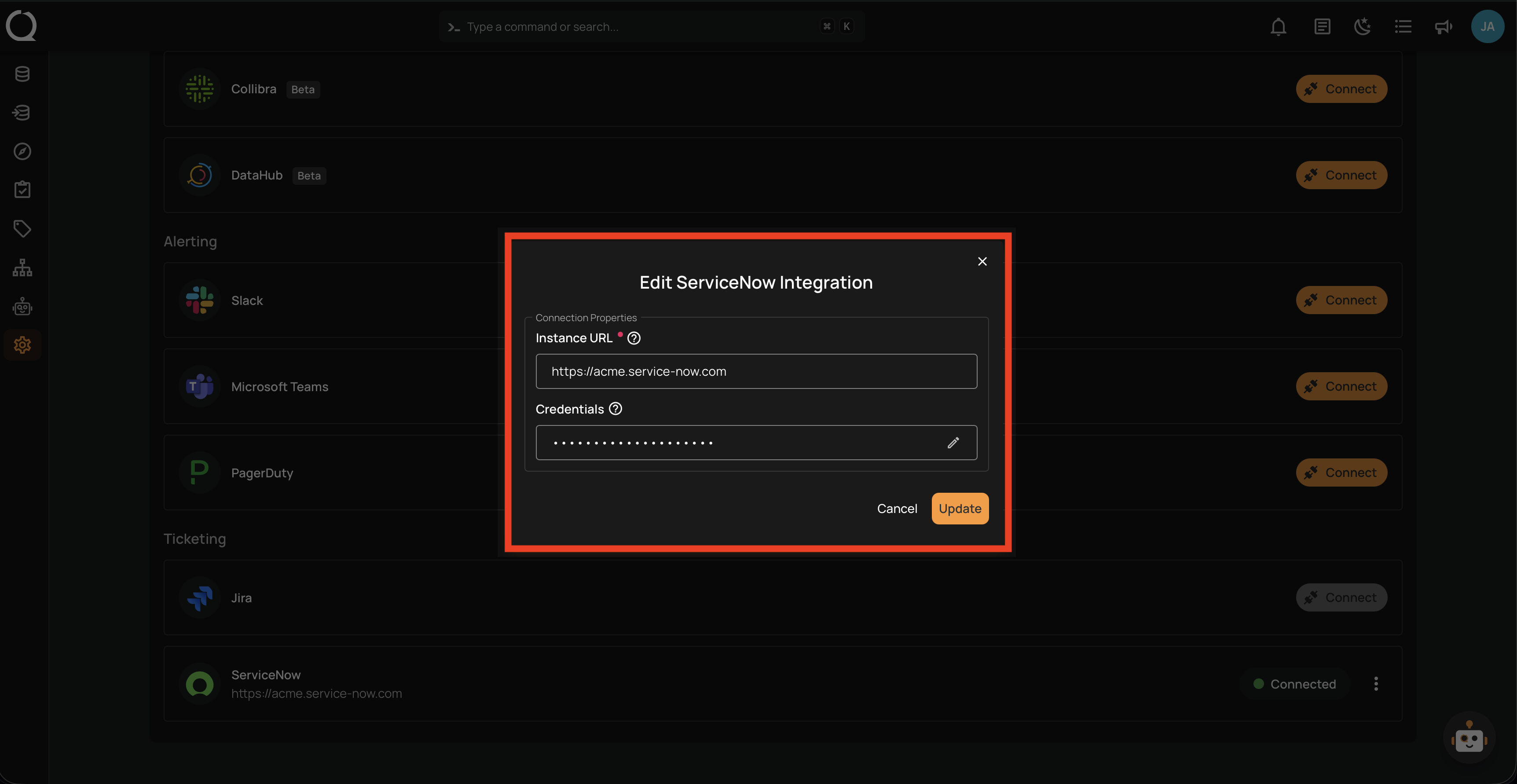
Step 4: The Edit ServiceNow Integration modal opens, already filled in with the current values. Update any of the fields as needed — see the Fields section in Add Connection for field details.
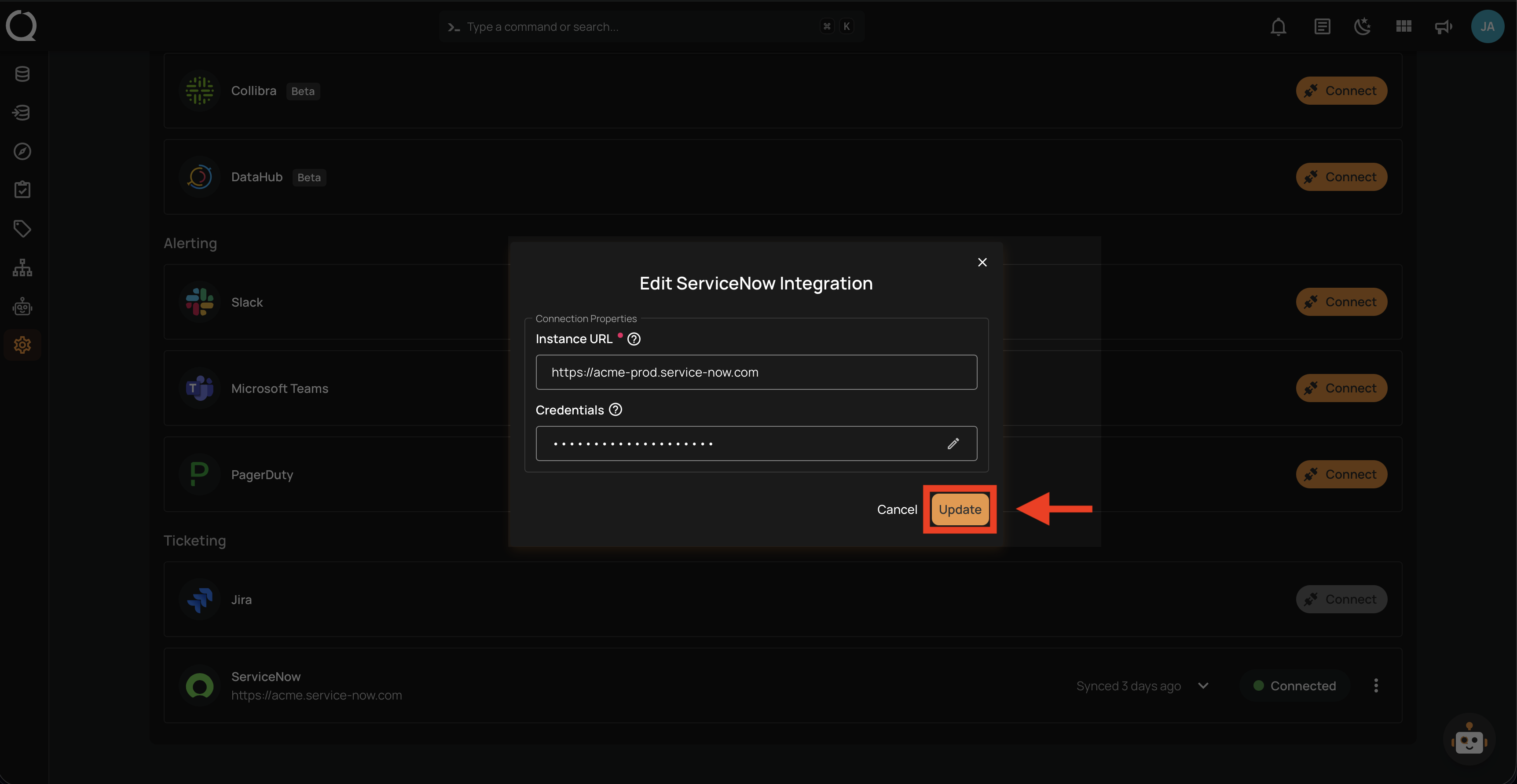
Step 5: Click the Update button to save the changes.
Note
Qualytics validates the updated credentials against the ServiceNow instance before saving. If the credentials or URL are invalid, the update fails with an error and the previous values are preserved.
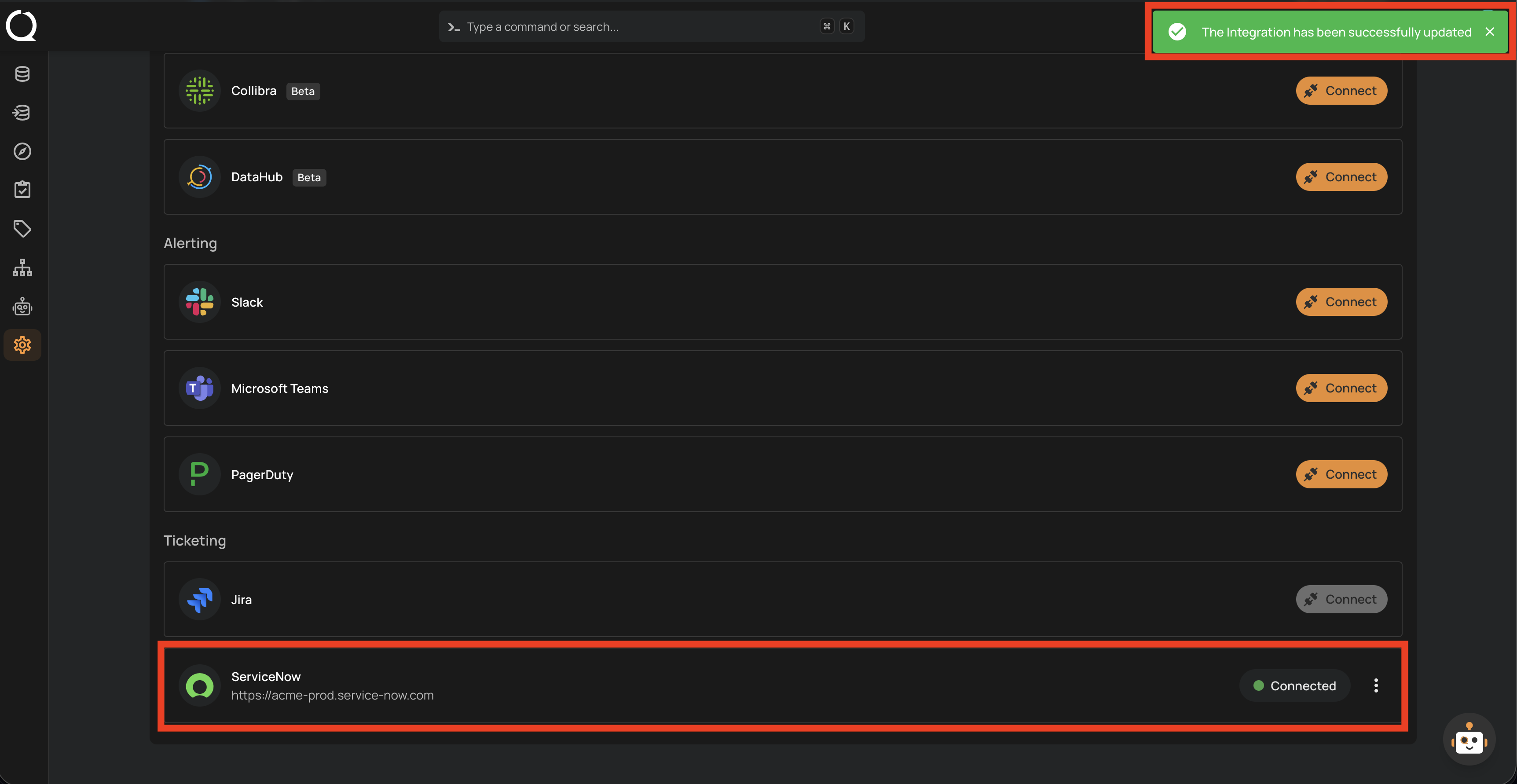
Step 6: A success message appears, and the ServiceNow row shows the new connection details.