Edit a Tag
Related
- Add a Tag to create a new one.
- Apply a Tag to attach an existing tag to an asset.
- Delete a Tag to remove one.
- Concept: Tags Overview for tag types, inheritance, and quality-score impact.
This allows you to keep your tags updated with current information and relevance.
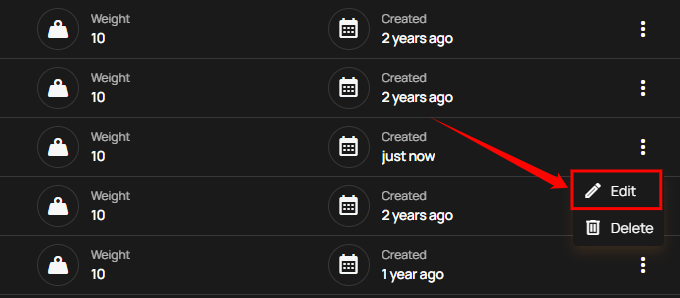
Step 1: Click the vertical ellipsis (⋮) next to the tag that you want to edit, then click on Edit from the dropdown menu.
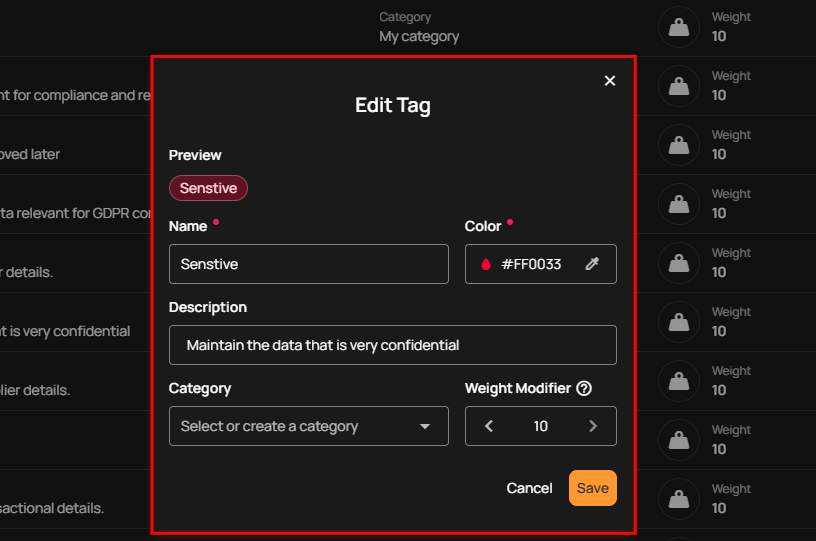
Step 2: Edit the tag's name, color, description, category and weight as needed.
Note
Tag names must be between 2 and 40 characters, include at least one letter, and use only letters, digits, spaces, underscores, hyphens, and periods.
Info
When updating tags through the API, names can be up to 255 characters. The tag form on this page keeps names to 40 characters so they fit inline in the tag list and badges.
Step 3: Click the Save button to apply your changes.
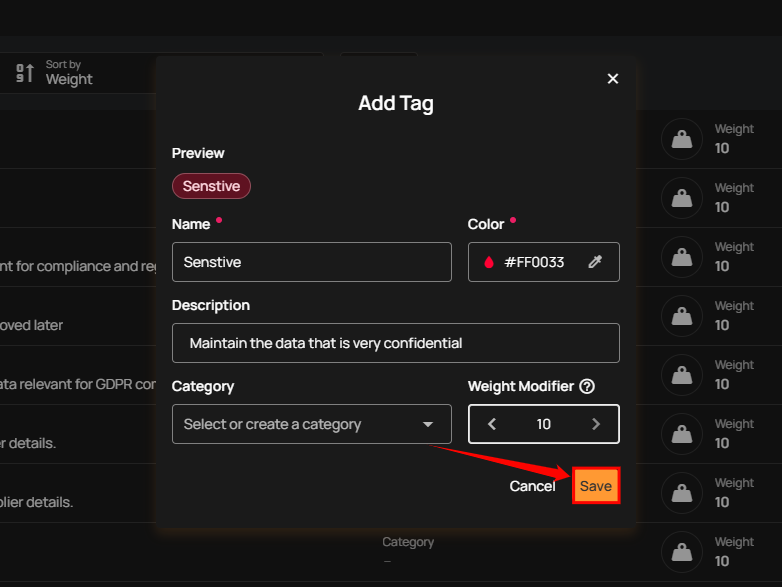
Step 4: After clicking the Save button, a success message will appear.