Quality Score Settings
Configure the decay period and dimension weights that control how quality scores are calculated for your datastore.
Permission Required
You need the Member user role and Editor team permission on the datastore to edit quality score settings. See the Permissions page for details.
Score Impact
Changing the decay period or dimension weights takes effect on new scores only. Already-recorded scores are not affected: they keep the settings that were in effect when they were measured. The next scan, profile, or score event applies the new configuration.
Steps
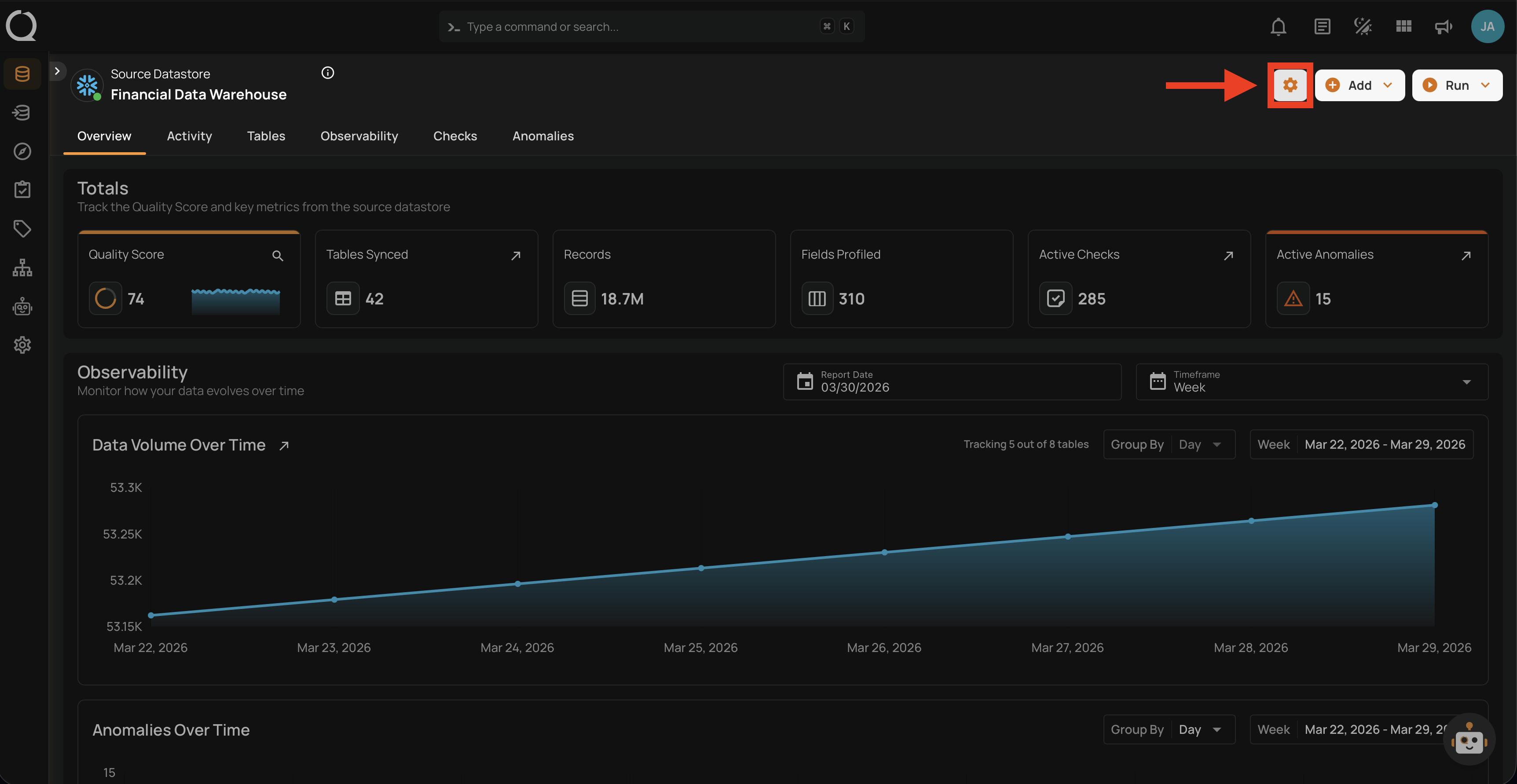
Step 1: Navigate to your datastore overview and click the Settings button located at the top-right corner of the interface.
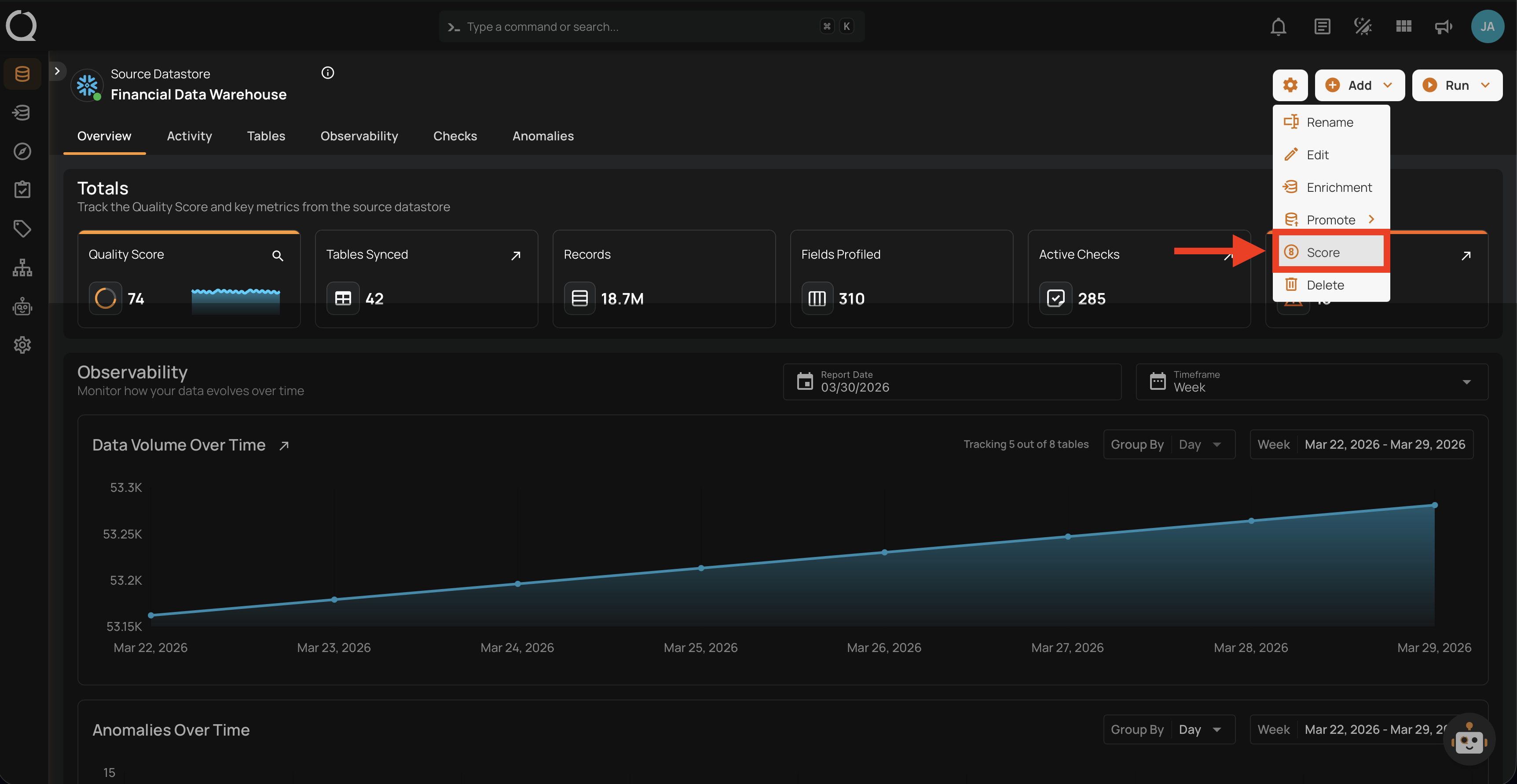
Step 2: A dropdown menu will appear. Click on Score to open the quality score settings.
Step 3: The Quality Score Settings modal will appear with the decay period and dimension weights configuration.
Understanding the Dimensions
For a detailed explanation of each quality dimension (what it measures, examples, and how they combine), see the How Datastore Quality Scores Work page.
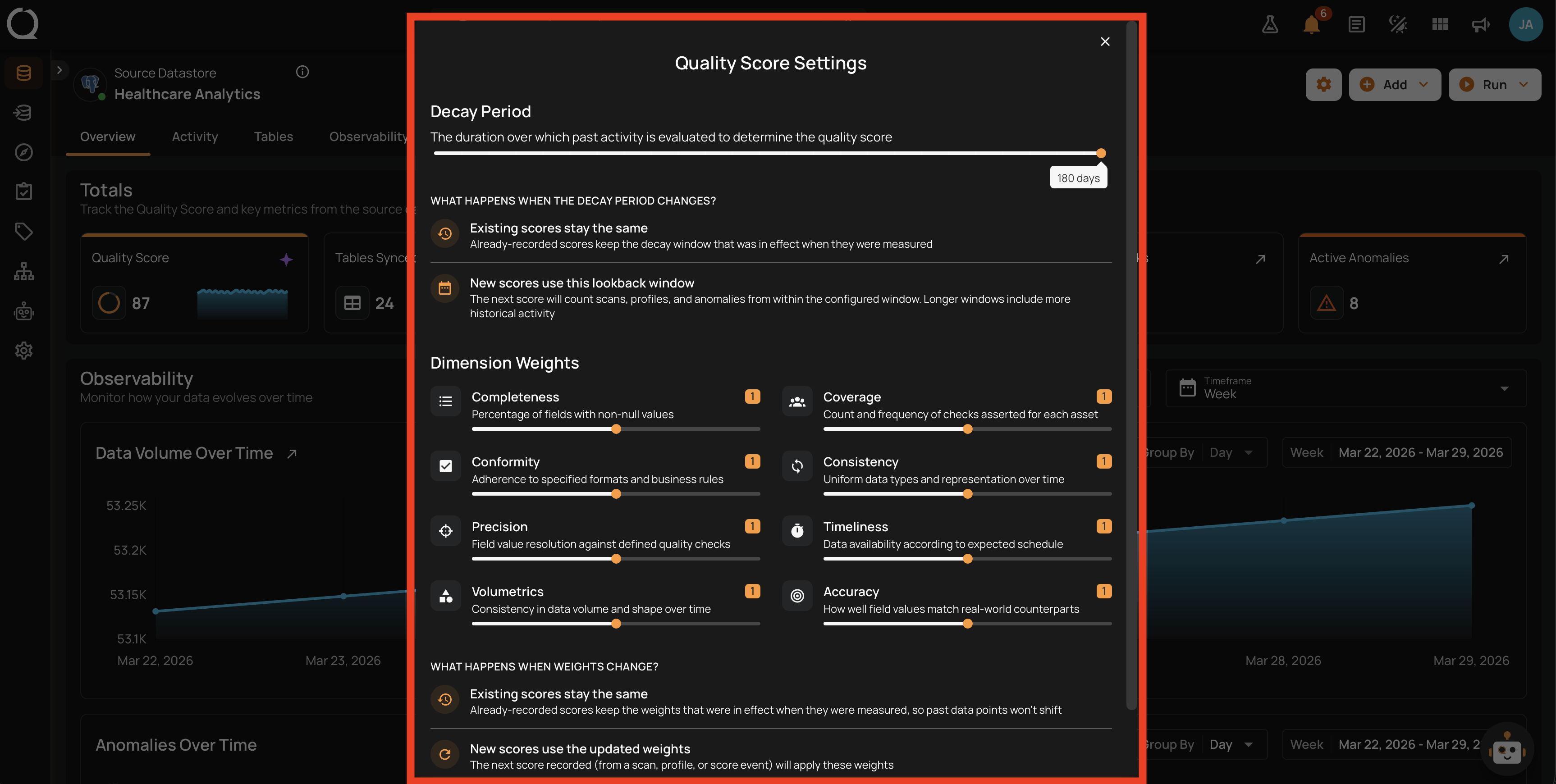
Step 4: Configure the Decay Period, the number of days of historical data used to calculate the quality score.
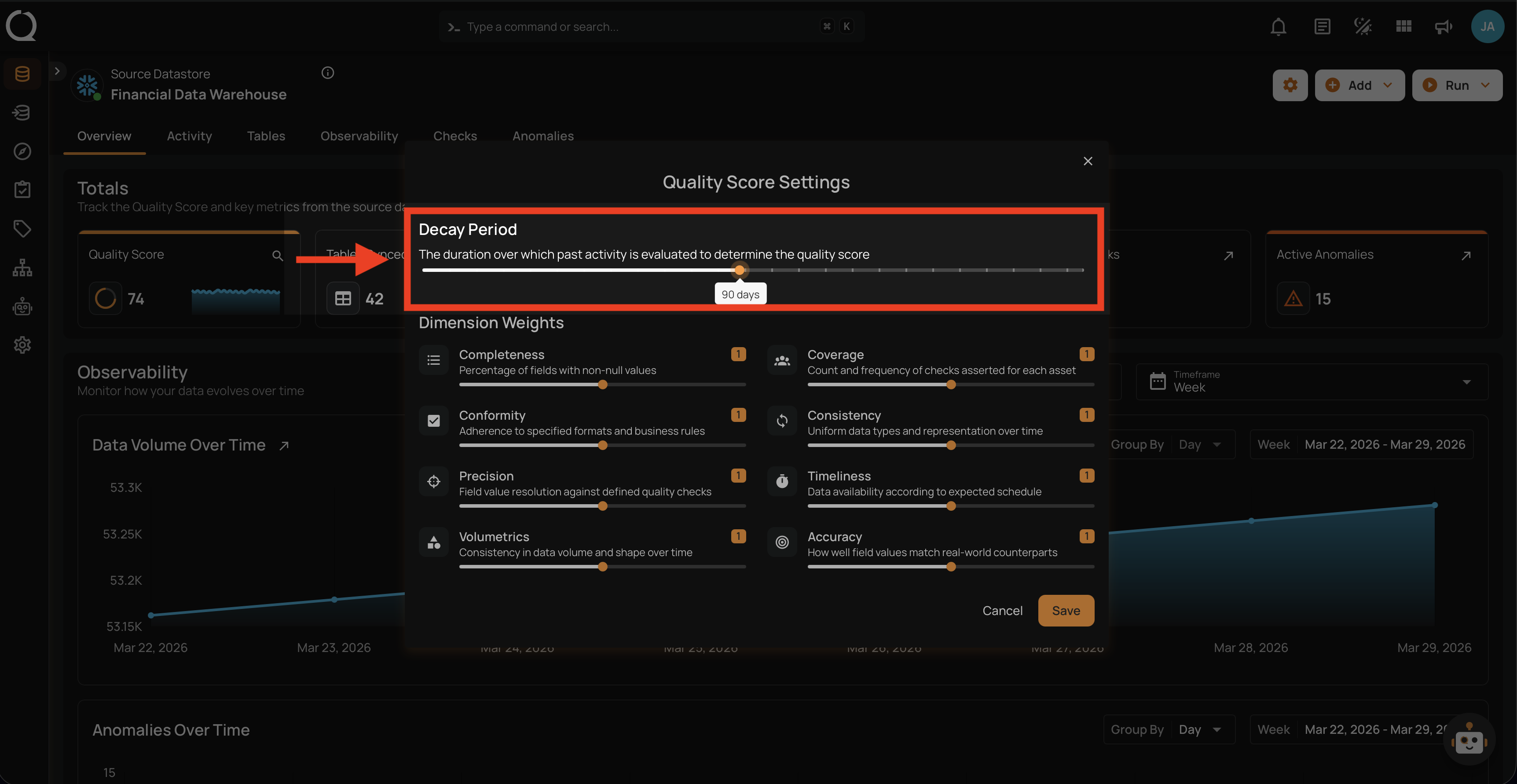
| Setting | Default | Range | Step | Description |
|---|---|---|---|---|
| Decay Period | 180 days | 7-180 days | 1 day | How far back in time Qualytics looks when calculating scores. Shorter periods give a more real-time view; longer periods provide a broader historical perspective. |
What Happens When the Decay Period Changes
Existing recorded scores stay the same. New scores use the updated decay window: the next score counts scans, profiles, and anomalies from within the configured window. Longer windows include more historical activity.
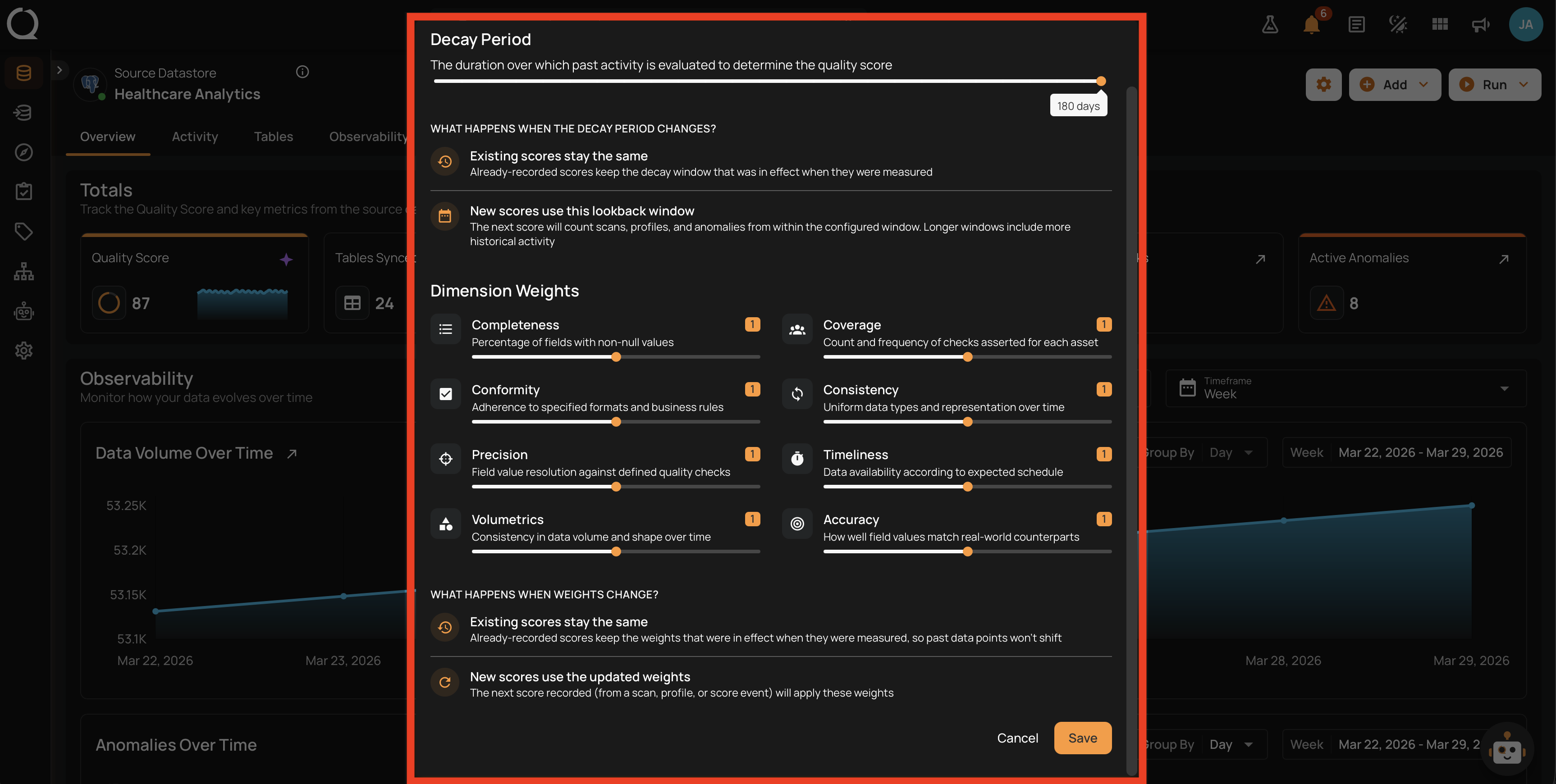
Step 5: Adjust the Dimension Weights to control the importance of each quality factor in the total score. Use the slider to set each dimension's weight.
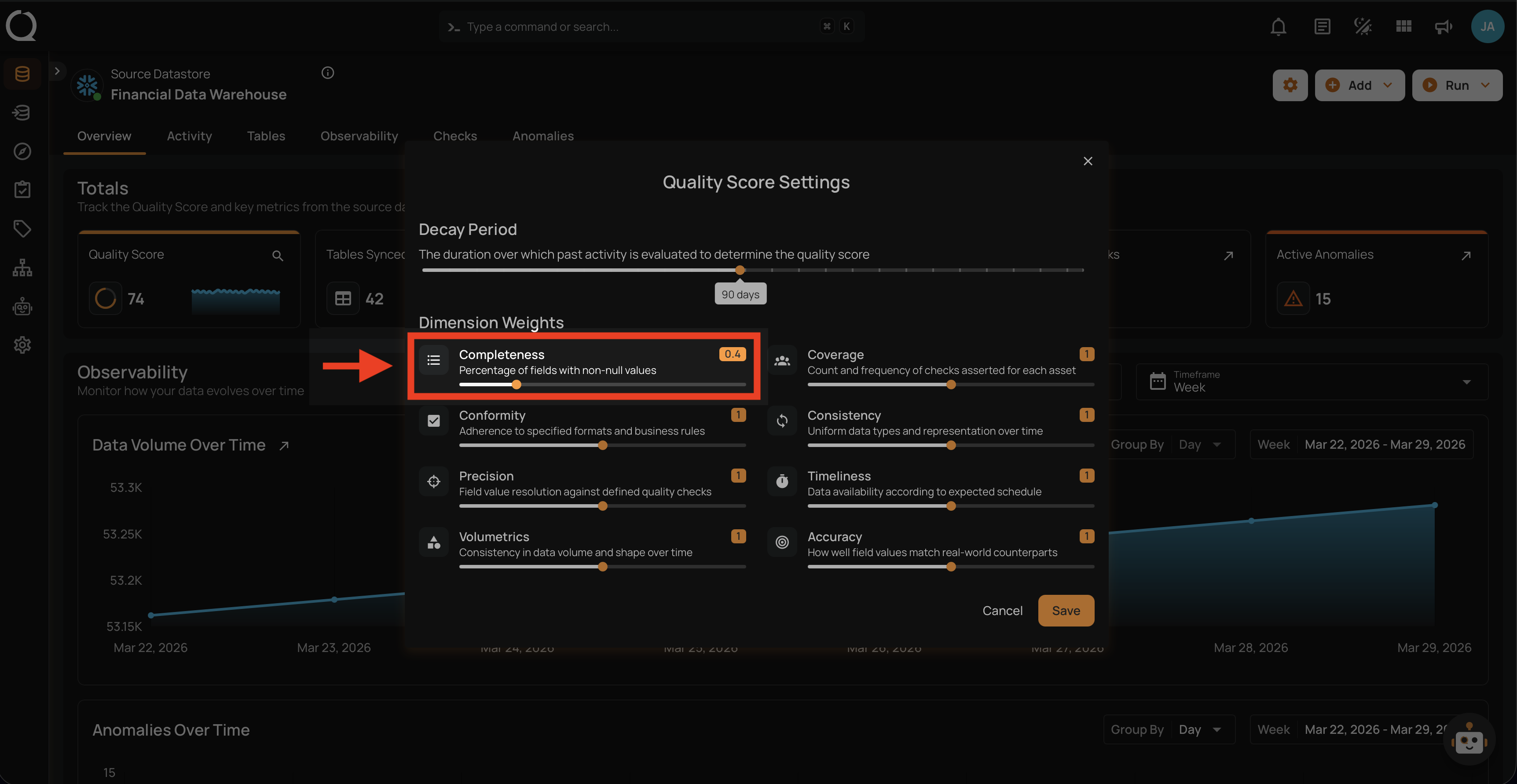
| Setting | Default | Range | Step | Description |
|---|---|---|---|---|
| Dimension Weight | 1.0 | 0-2.0 | 0.1 | Controls how much each dimension impacts the container score. Setting a weight to 0 excludes the dimension: the row is dimmed and the dimension is treated as fully healthy, so it cannot pull the score down. Setting it to 2.0 doubles its influence. |
What Happens When Weights Change
Existing recorded scores stay the same. New scores use the updated weights: the next recorded scan (or profile, or score event) applies the new weighting.
Step 6: Click the Save button to apply the quality score settings.
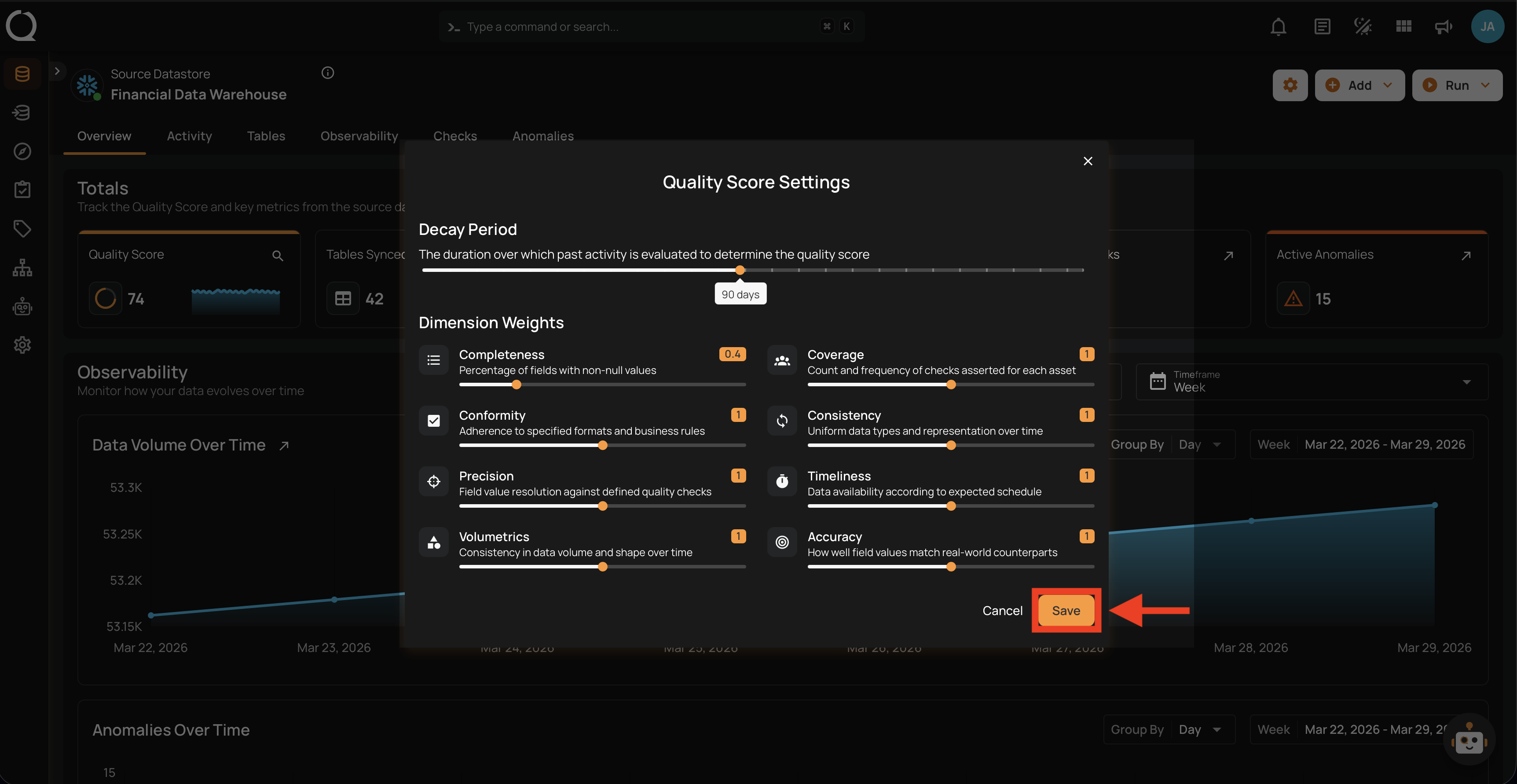
After clicking Save, a success notification confirms that the settings have been applied. From that point on, new scores recorded via scans, profiles, and score events use the updated configuration; existing scores stay as they were.
Datastore vs. Container Settings
Container settings configured here override the datastore's decay period and dimension weights for this container only; the datastore and other containers are unaffected. A container without its own settings continues to inherit from the datastore. See the Settings Inheritance and Overrides section for details on how this works.