Generate Token for Service User
Use the Generate Token action to create a new Service Token for an existing Service User directly from the Security settings.
Permissions
Only users with the Admin role can generate tokens for Service Users. See the Permissions page for details.
Warning
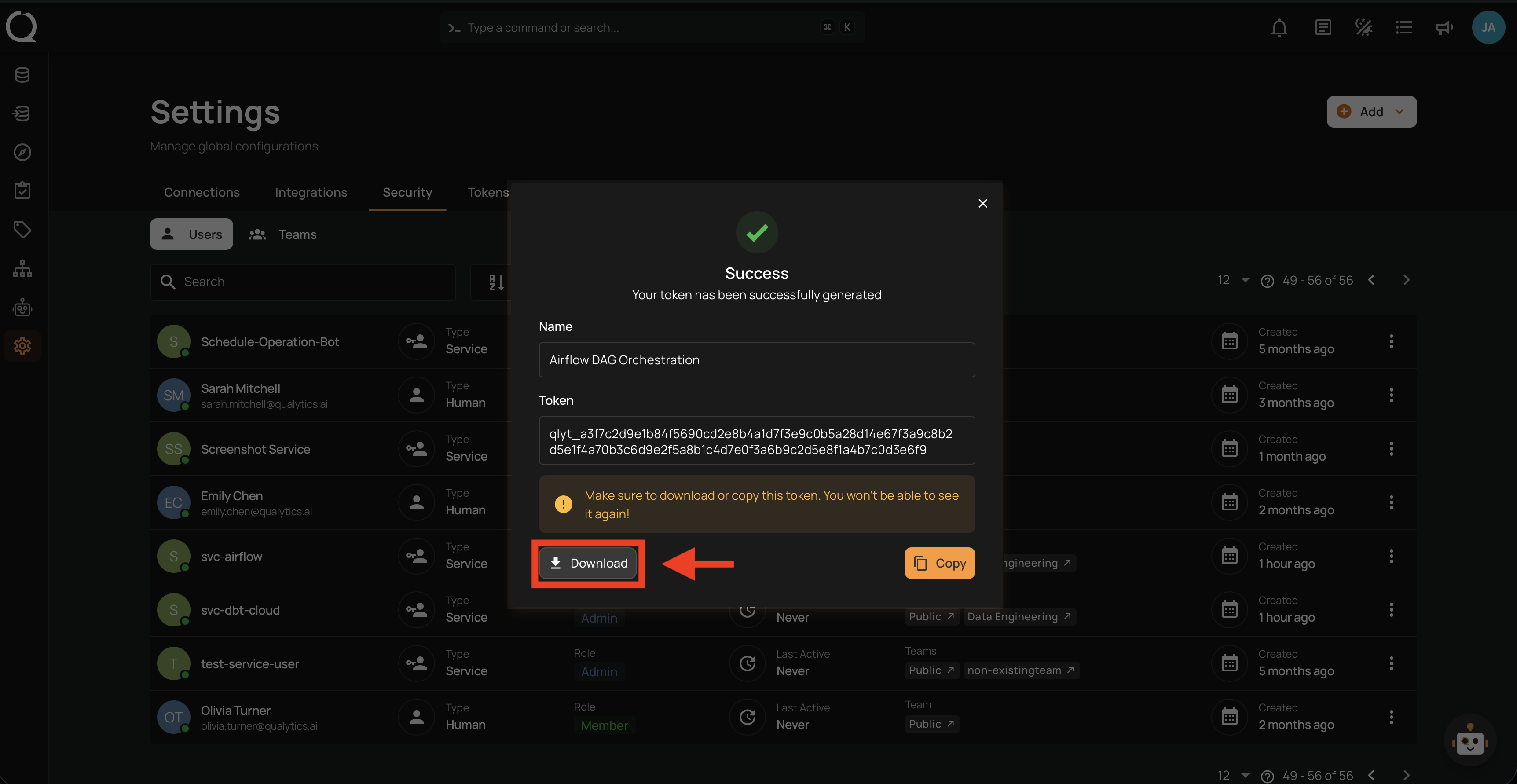
Tokens are shown only once at creation time. Make sure to copy or download the token before closing the modal — it cannot be retrieved later.
Steps
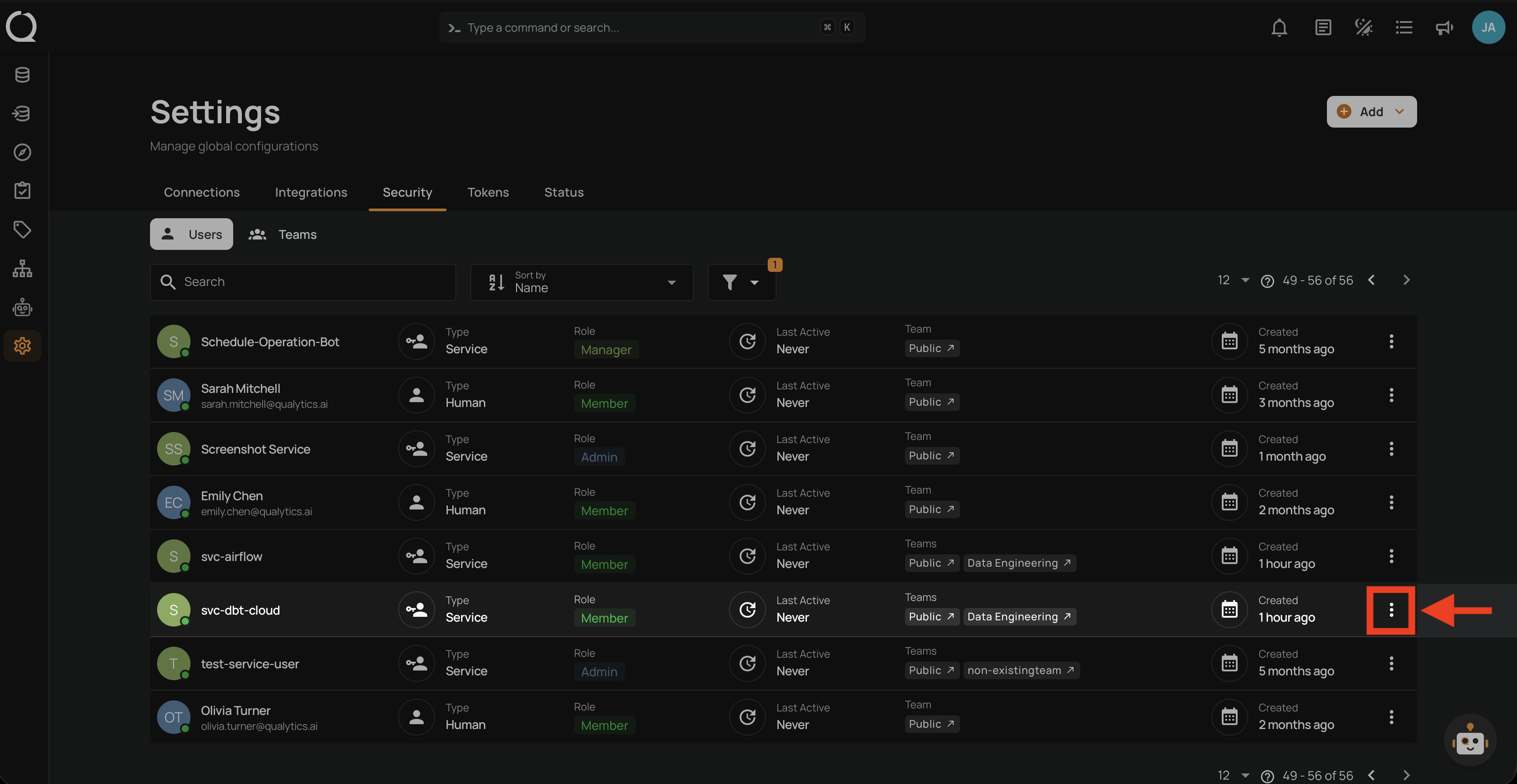
Step 1: Click the vertical ellipsis next to the Service User you want to generate a token for.
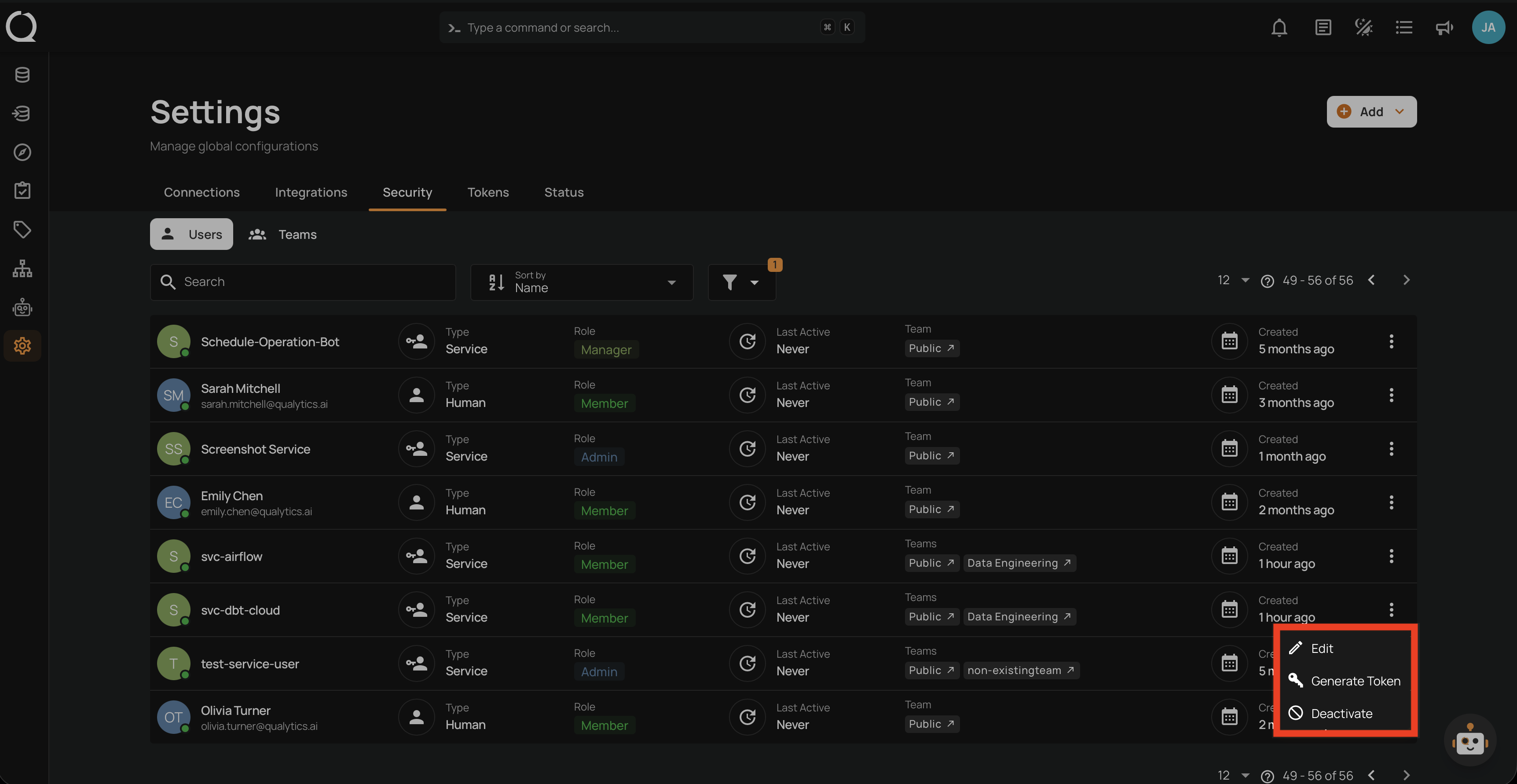
Step 2: A dropdown menu appears with the available actions.
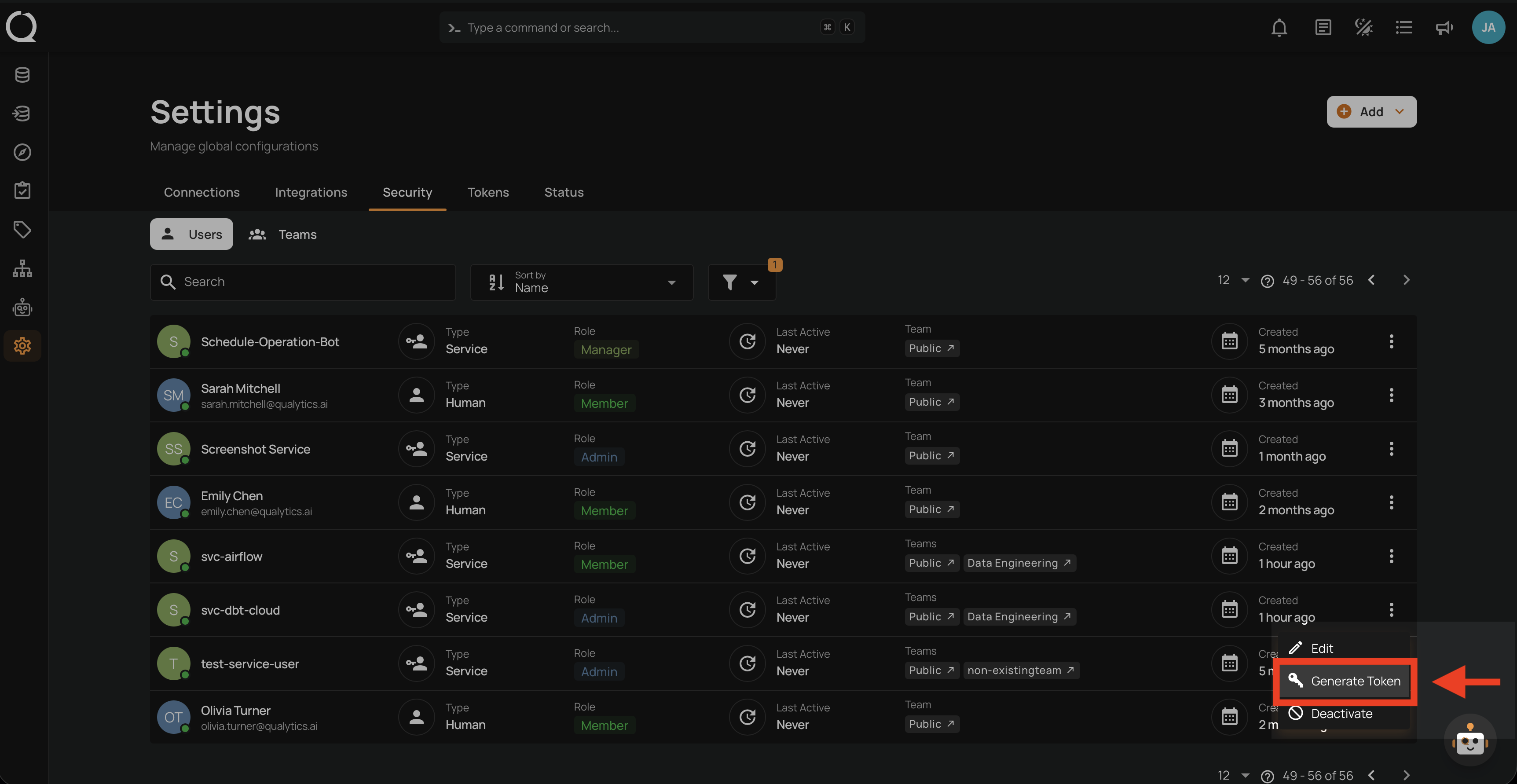
Step 3: Click Generate Token from the dropdown menu.
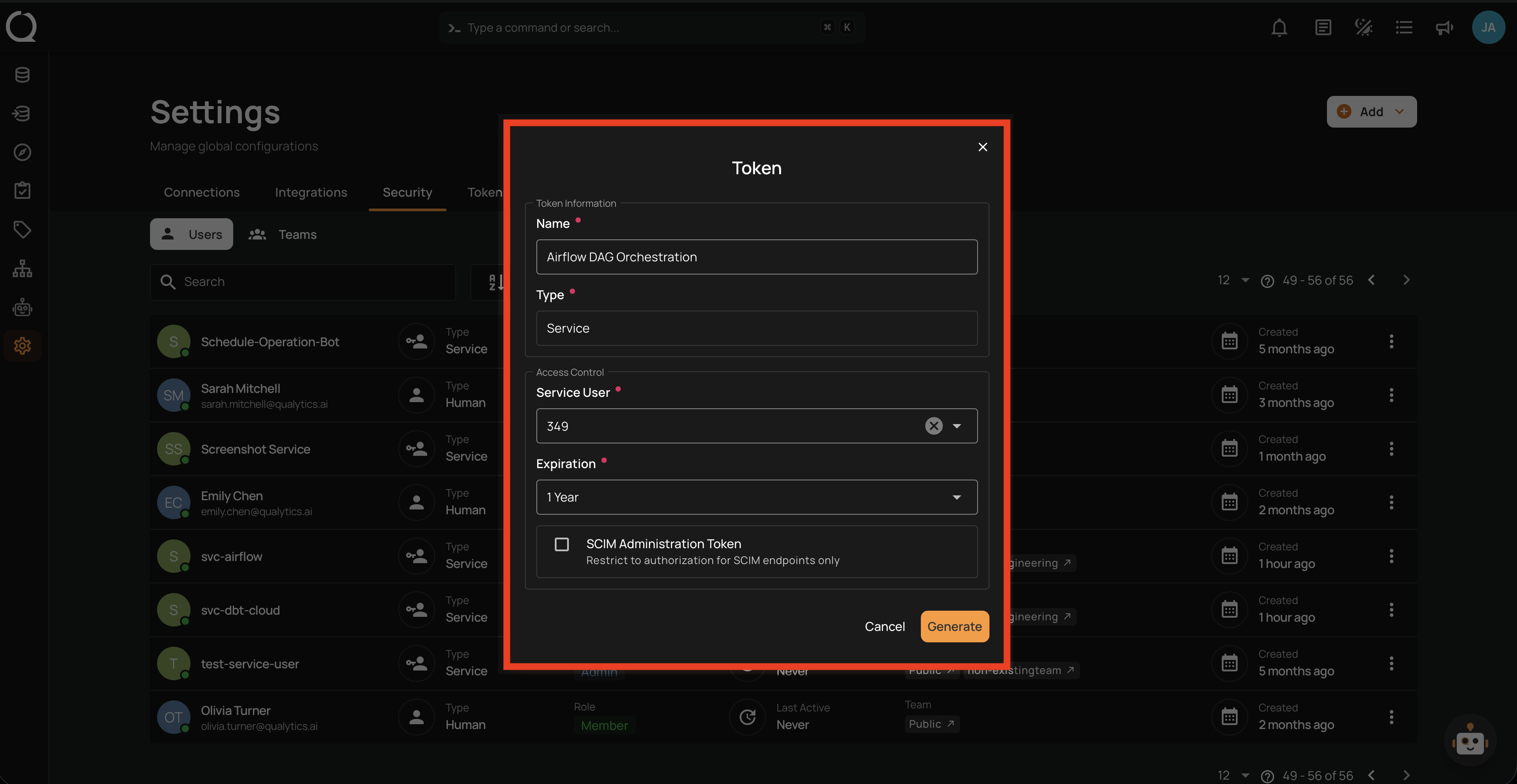
Step 4: Fill in the token name and expiration. The Type and Service User fields are pre-filled and read-only.
Info
For details on token fields, expiration options, and best practices, see the Service Token documentation.
Step 5: Click the Generate button. Save the token using Copy or Download.
Click the Copy button to copy the token to your clipboard.
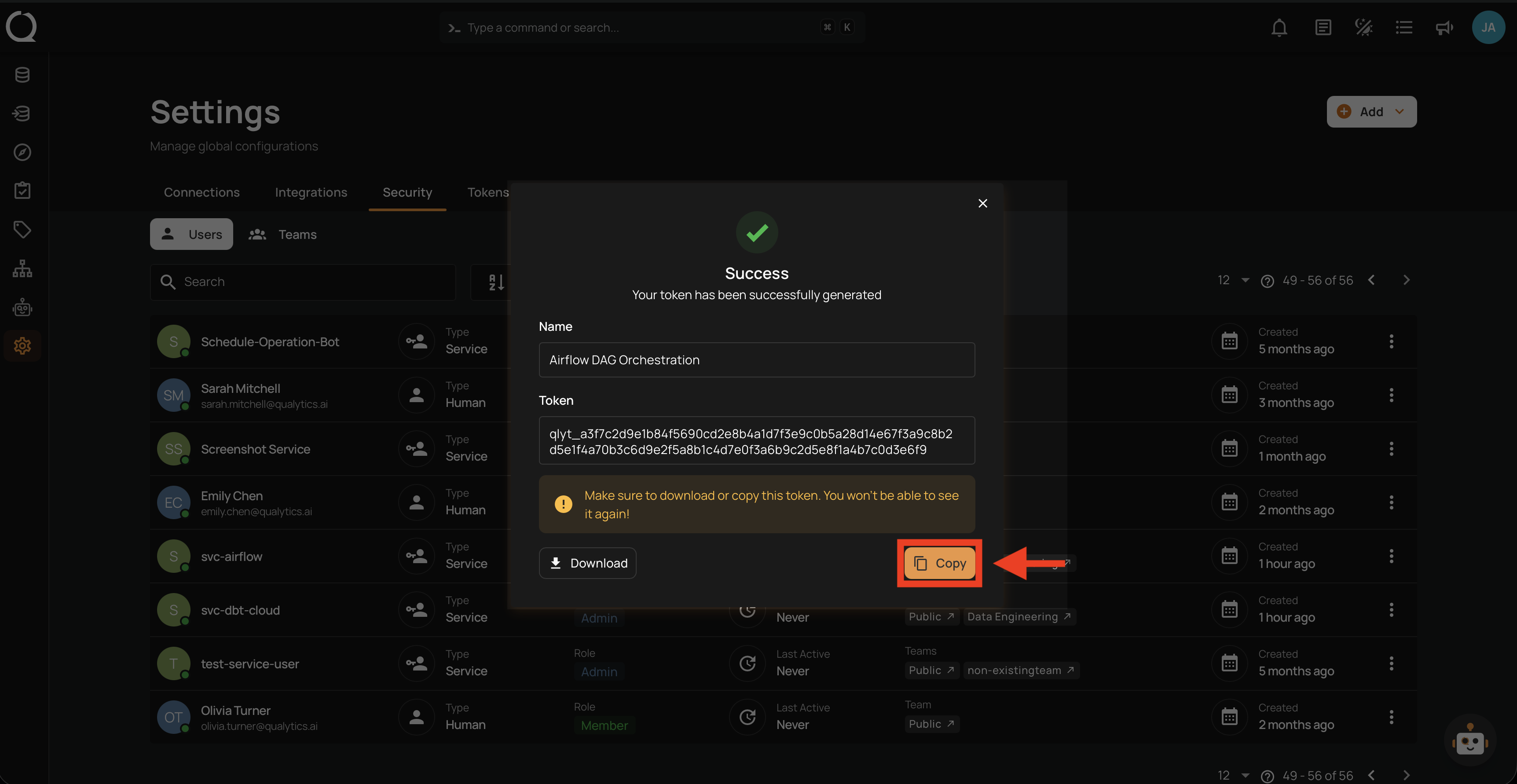
Click the Download button to save the token as a .txt file.