Deactivate a Service User
Use the Deactivate action to soft-delete a Service User. Deactivating disables the account without permanently removing it — the account can be reactivated later if needed.
Permissions
Only users with the Admin role can deactivate Service Users. See the Permissions page for details.
Active Tokens Must Be Revoked First
A Service User cannot be deactivated while it has active tokens. The system returns a 400 Bad Request error if you try. Revoke all active tokens before deactivating the account.
Steps
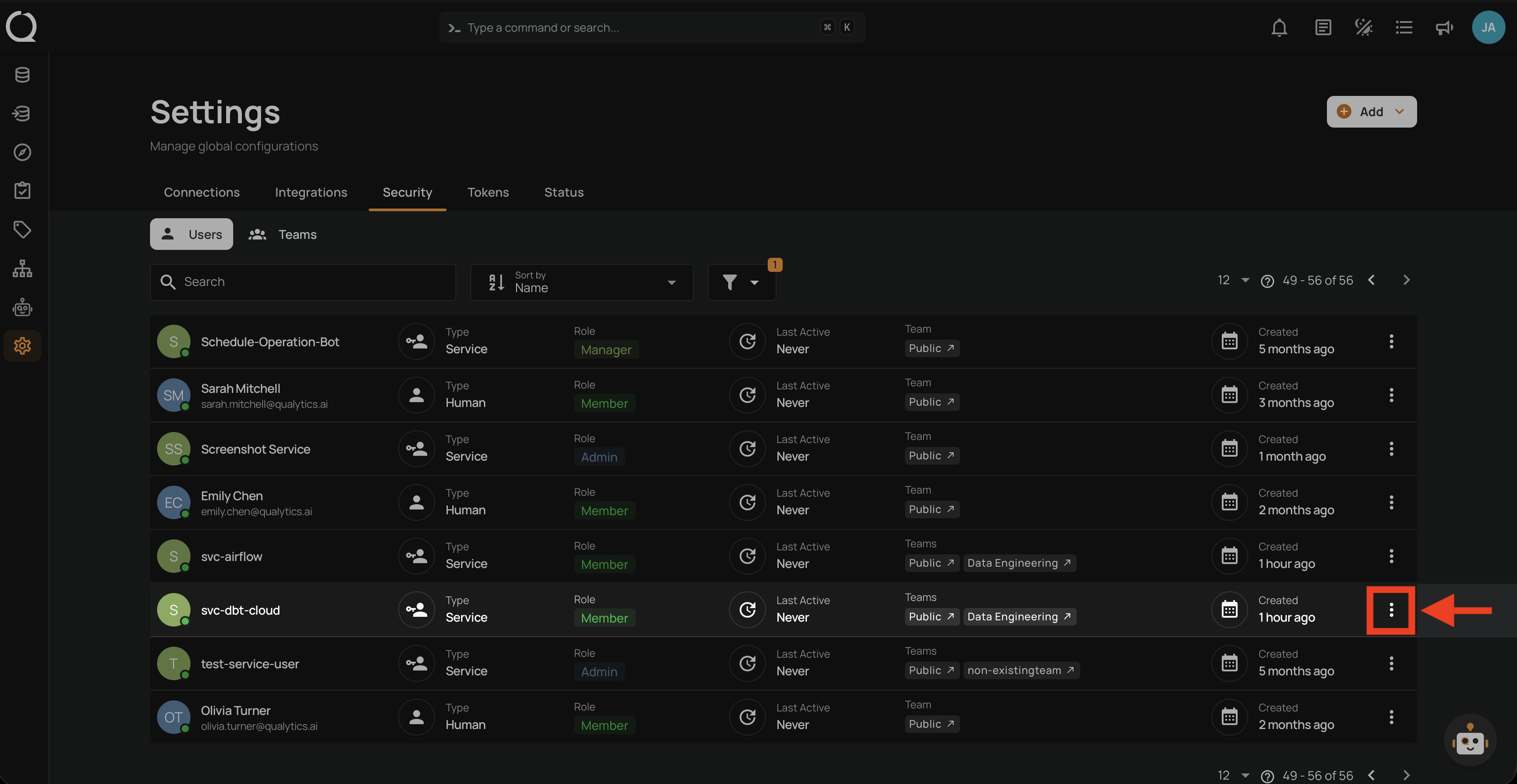
Step 1: Click the vertical ellipsis next to the Service User you want to deactivate.
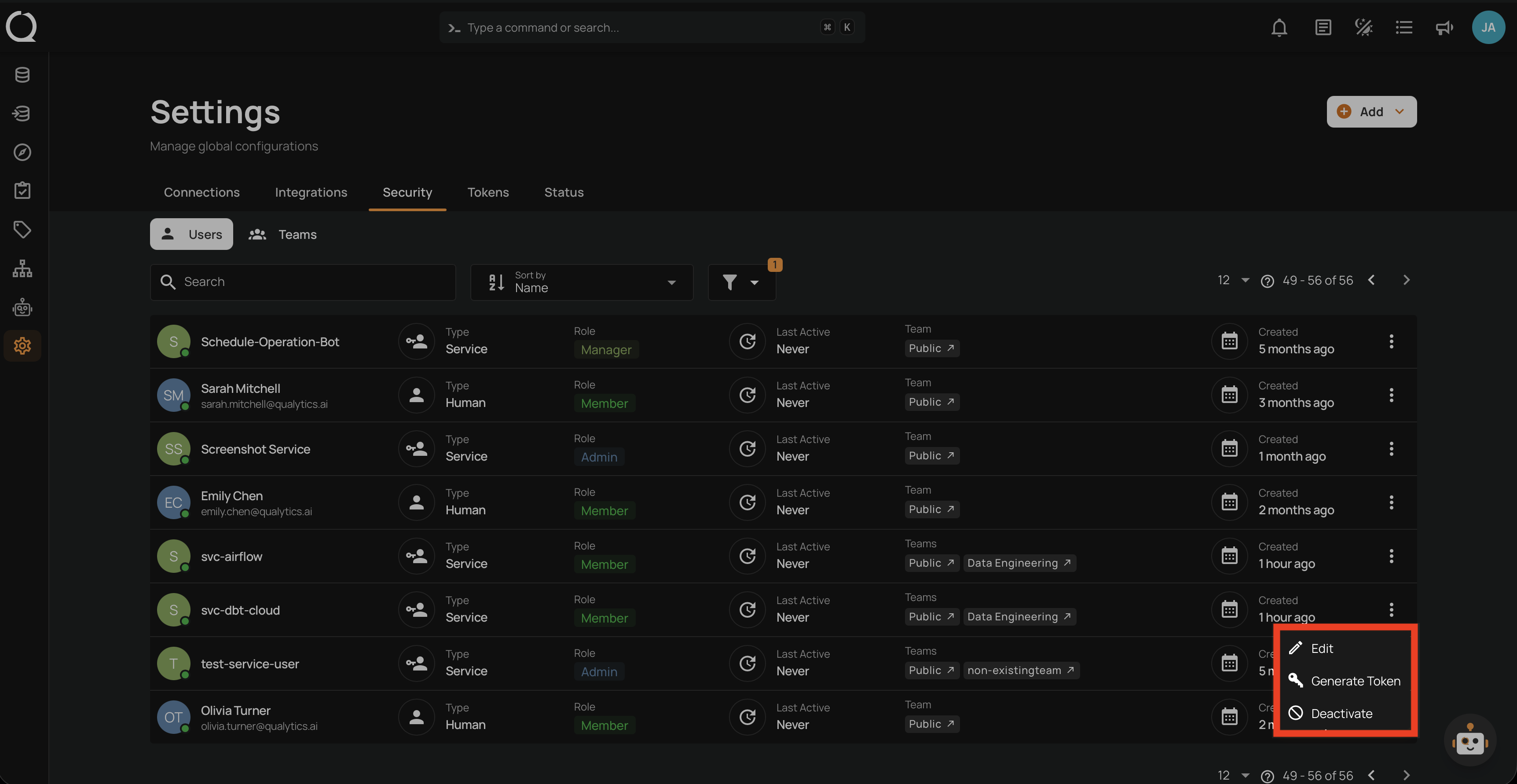
Step 2: A dropdown menu appears with the available actions.
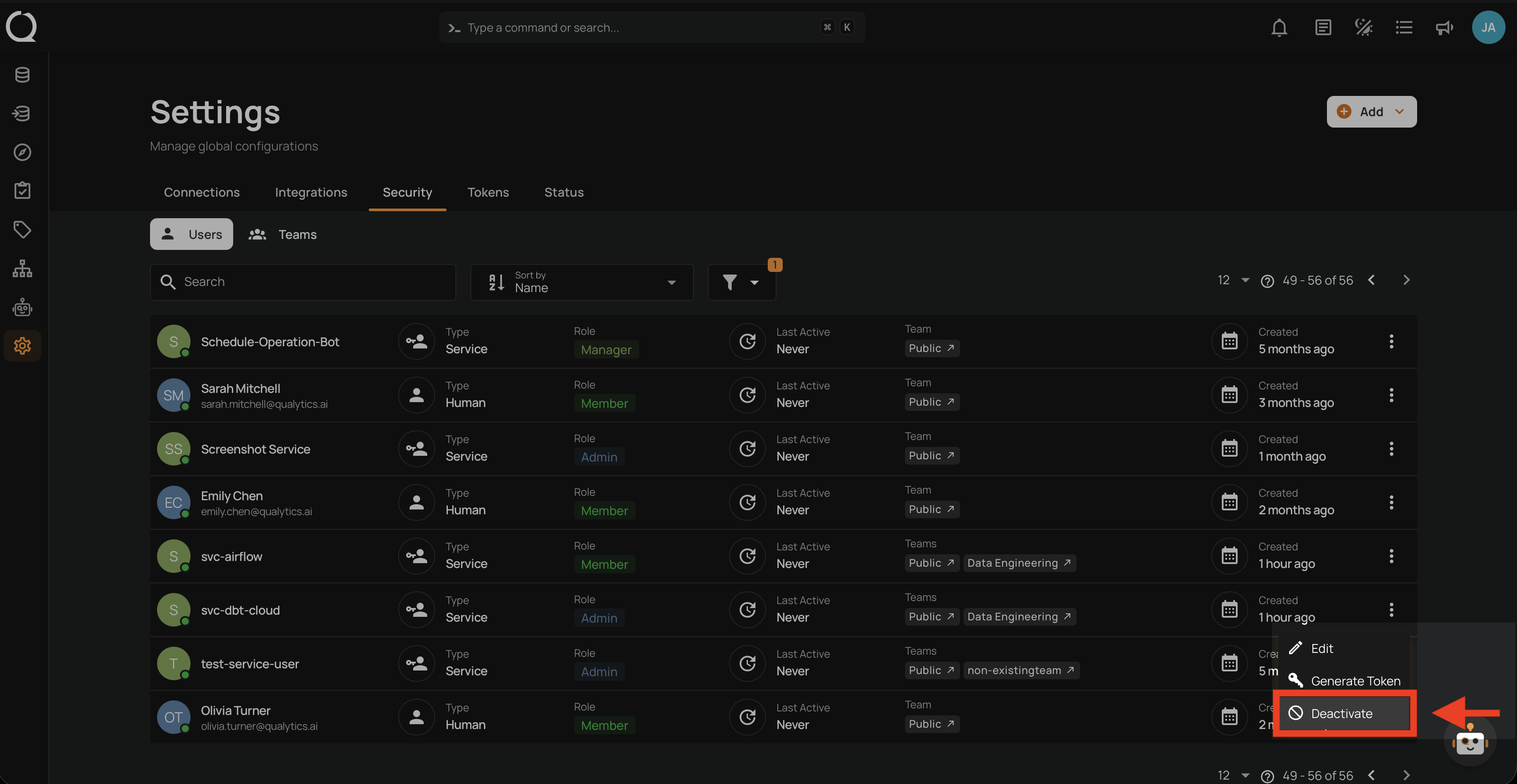
Step 3: Click Deactivate from the dropdown menu.
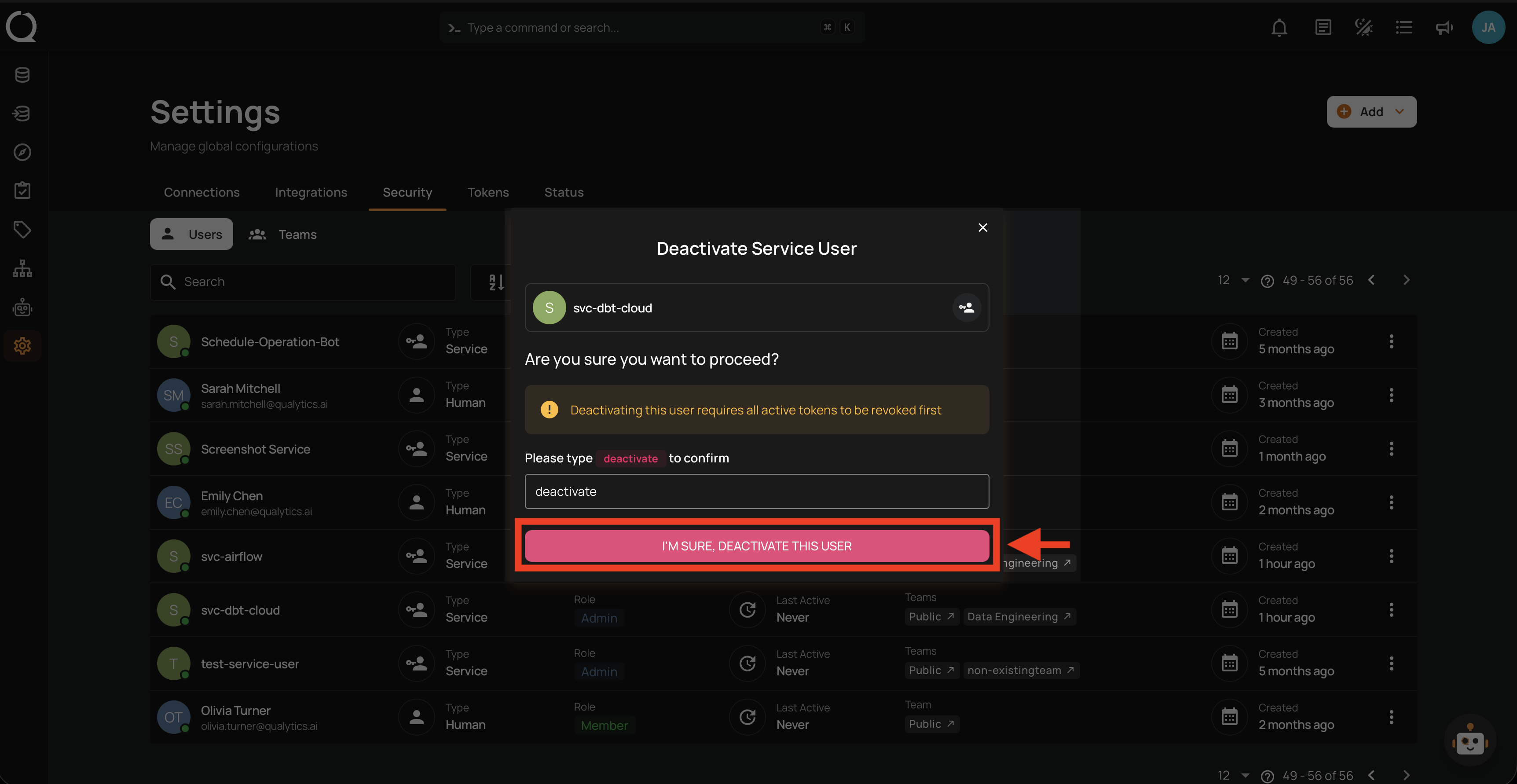
Step 4: A confirmation modal appears. Type deactivate in the confirmation field.
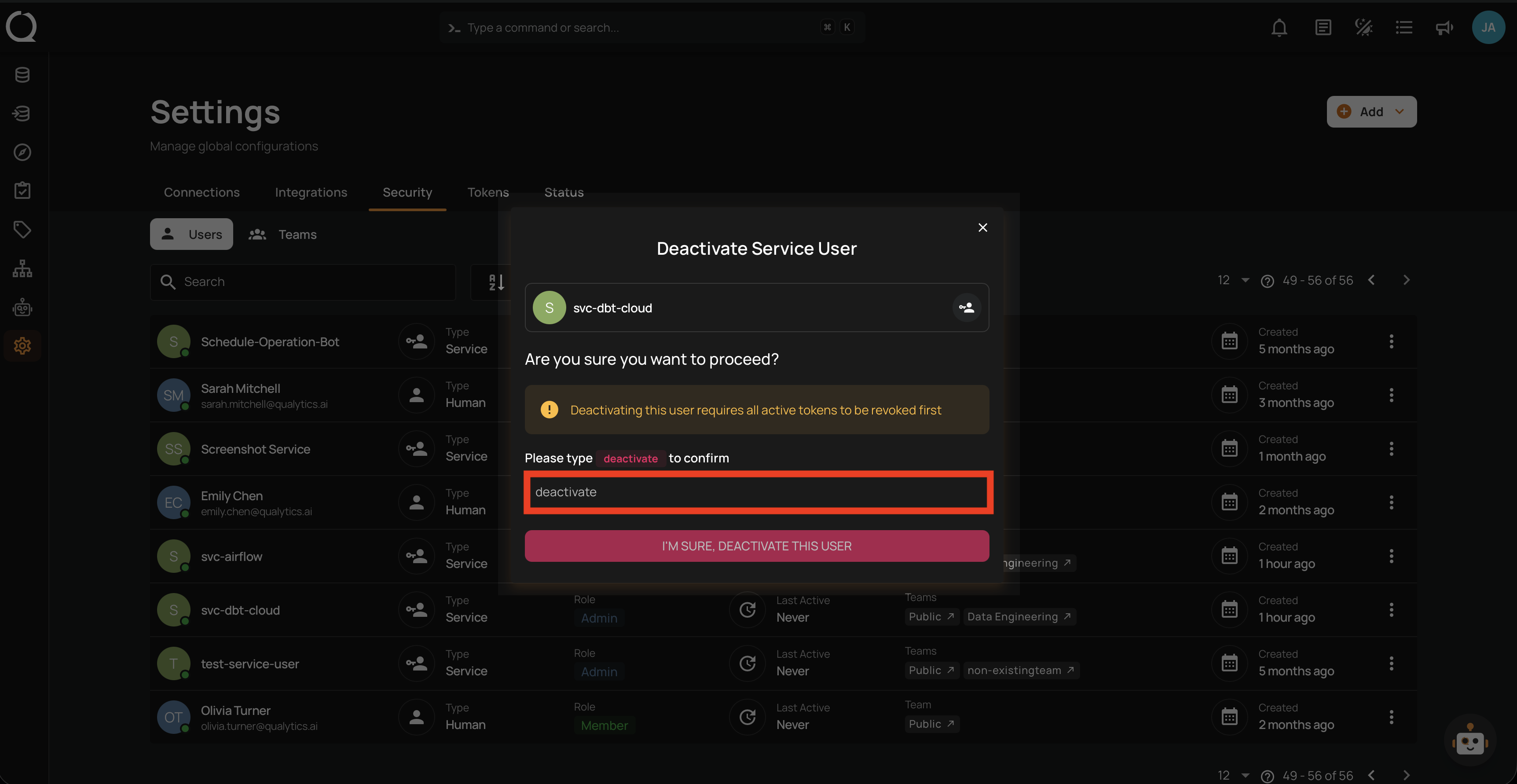
Step 5: Click the I'm sure, deactivate this user button to confirm.
Tip
To view deactivated Service Users, enable the Show Deactivated filter in the users list. Deactivated accounts can be reactivated at any time.