Export Check Templates
You can export check templates to easily share or reuse your quality check settings across different systems or projects. This saves time by eliminating the need to recreate the same checks repeatedly and ensures that your quality standards are consistently applied. Exporting templates helps maintain accuracy and efficiency in managing data quality across various environments.
Permissions
Users with the Manager or Admin role can export check templates. The destination must be an enrichment datastore.
Let’s get started 🚀
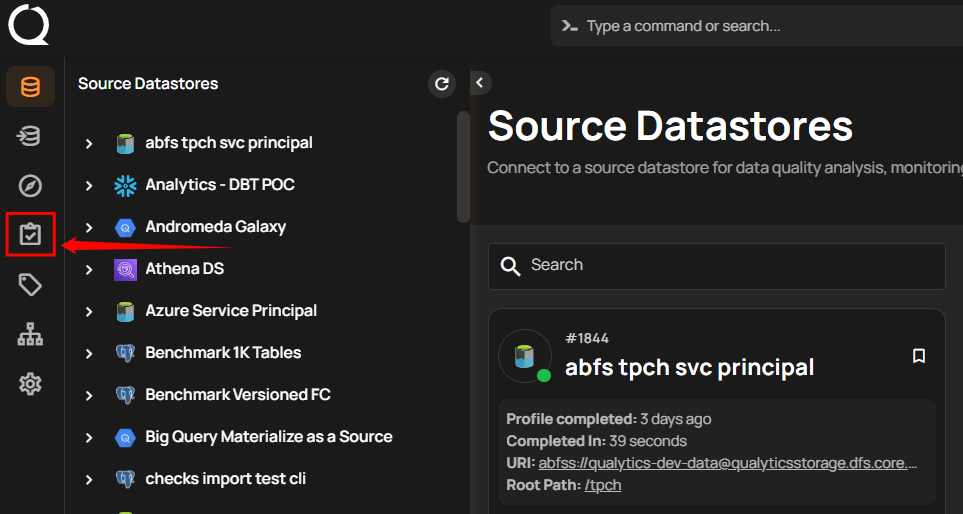
Step 1: Log in to your Qualytics account and click the “Library” button on the left side panel of the interface.
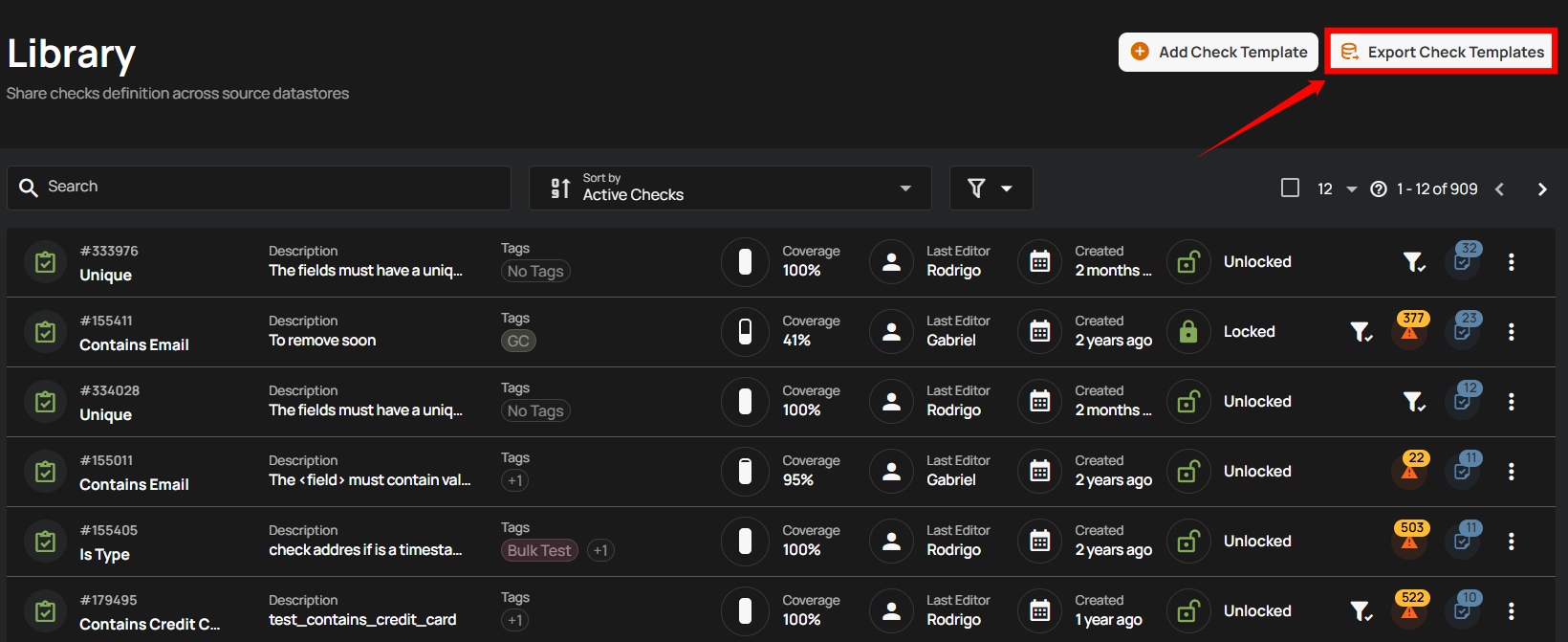
Step 2: Click on the “Export Check Template” button located in the top right corner.
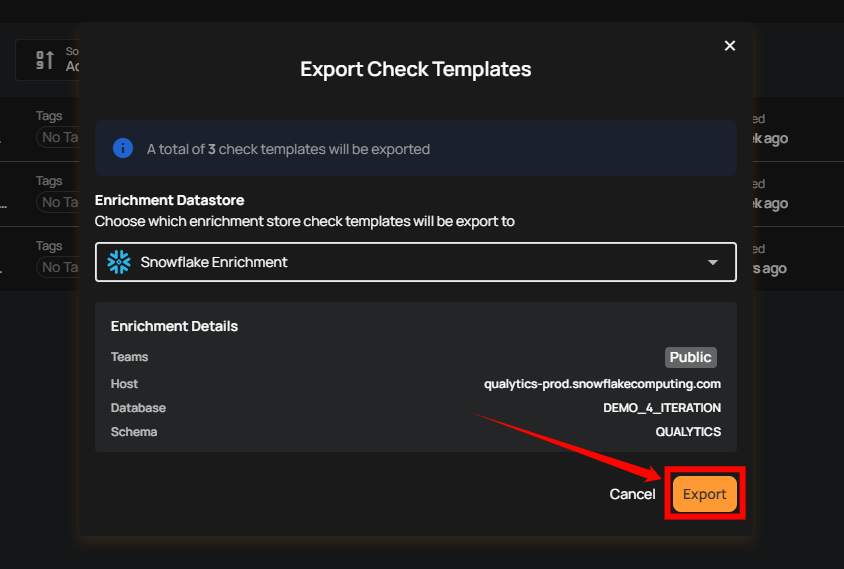
Step 3: The Export Check Templates dialog appears. Select the enrichment datastore that will receive the exported templates.
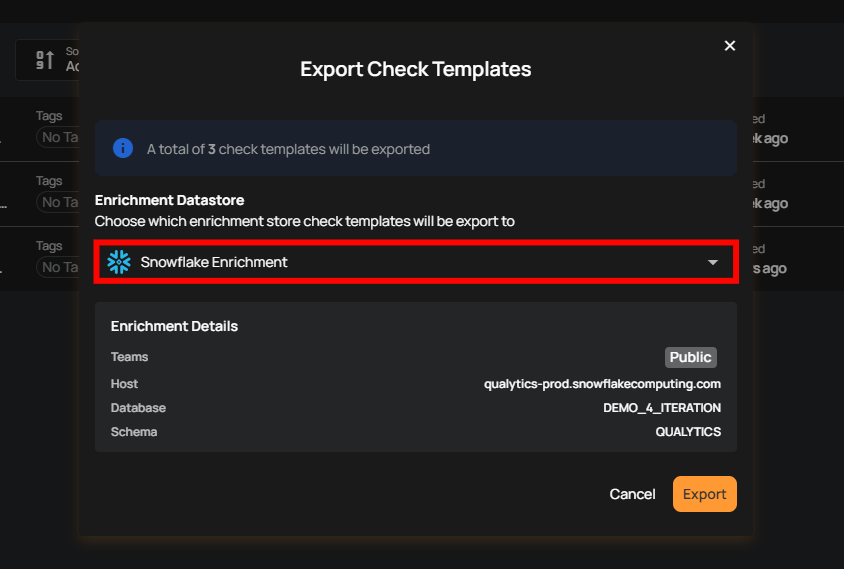
Step 4: Once you have selected the enrichment datastore, click Export.
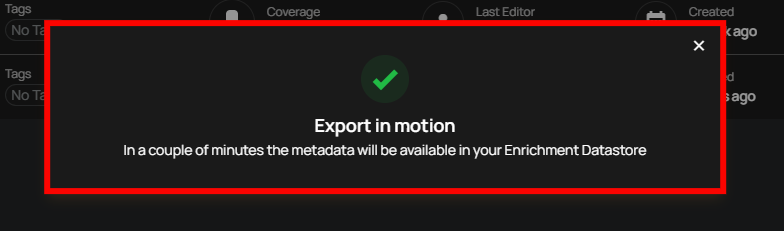
After clicking “Export,” the process starts, and a message will confirm that the metadata will be available in the enrichment datastore you selected shortly.
Track the Export
The export runs as a Global Export operation in the enrichment datastore you selected. Open that datastore's Activity tab to follow its progress and see whether it succeeded. From the run you can Abort an export in progress, or Rerun a finished one to export the templates again into the same datastore. See Runs Available Actions.
Acting on a Global Export run follows the same rule as starting one: users with the Manager or Admin role can abort, rerun, or delete a check template export, whatever their team permission on the enrichment datastore.
Export on a schedule
To export the templates automatically, for example every night, add a Global Export action with Check Templates to a Flow with a Schedule trigger. The action can export every template or only the ones you pick.
Empty exports do not refresh the snapshot
If there are no check templates to export, the run ends with Failure and leaves any previous export in place. Its message confirms that the snapshot was not refreshed. A Flow running this export also fails and skips its downstream actions.
Review Exported Check Templates
No Sync needed
_export_check_templates is added to the selected enrichment datastore as a container as soon as the export finishes, and Qualytics profiles it so its fields and records can be inspected. From the export's run in the Activity tab, View Results opens the datastore's list already narrowed to it.
Step 1: Open the enrichment datastore you selected. In the datastore tree, the Enrichment filter chip narrows the list to enrichment datastores.
Step 2: Open the Tables or Files tab, depending on whether it is a JDBC or a DFS datastore, and filter by Purpose set to Export. The exported templates are in the container named _export_check_templates, shown with the Export badge. It has no writing datastore, since check templates belong to the whole organization rather than to any one datastore.
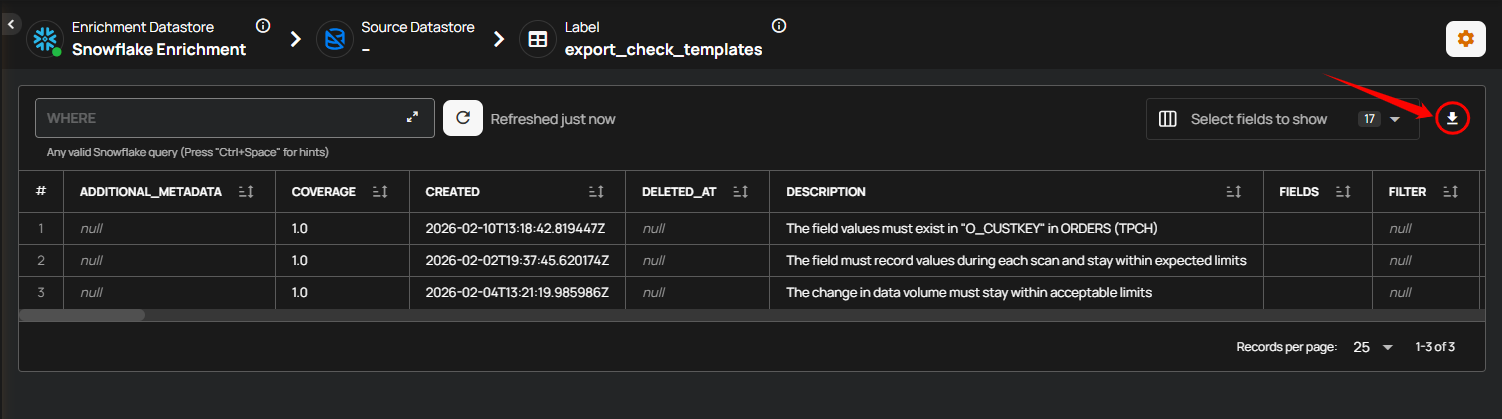
The exported table keeps a copy of your template definitions in the enrichment datastore, where you can query it for reporting, share it with teams, or keep it as a backup. Qualytics does not read the table back in, so there is no import step. To reuse a template on another datastore, add a check from it in Library > Check Templates instead.
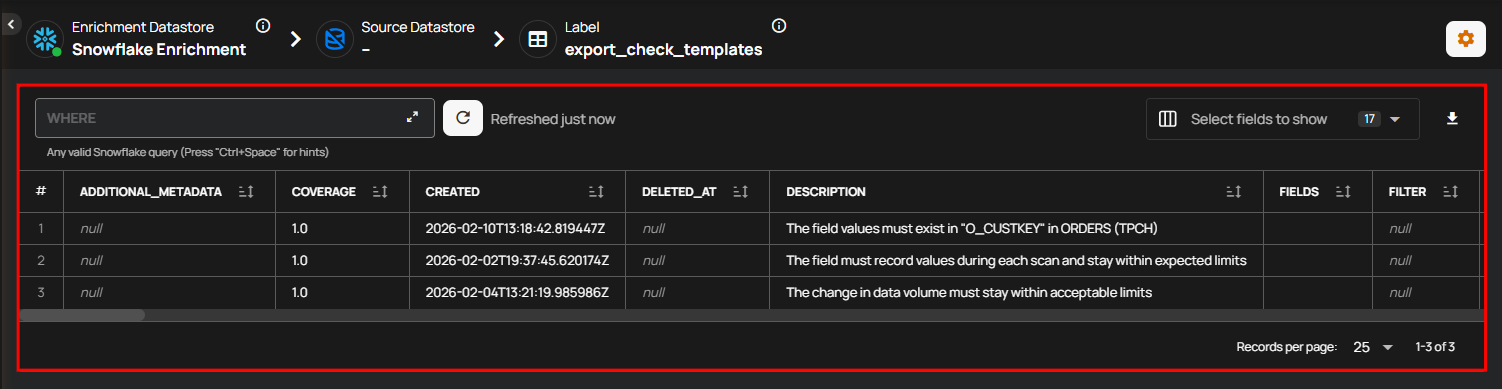
You can also download the rows as a CSV file from the container's Data Preview tab. The preview shows up to 100 rows, so the file holds at most 100 rows of the export. For a complete copy, query _export_check_templates in the enrichment datastore directly.