Delete a Team
Use the Delete action to permanently remove a team from the system.
Permissions
Only users with the Admin role can delete teams. See the Permissions page for details.
Note
The Public team cannot be deleted.
Side Effects
Deleting a team immediately removes all access for its members to the datastores assigned to that team. Make sure team members have been reassigned to other teams if they still need access.
Steps
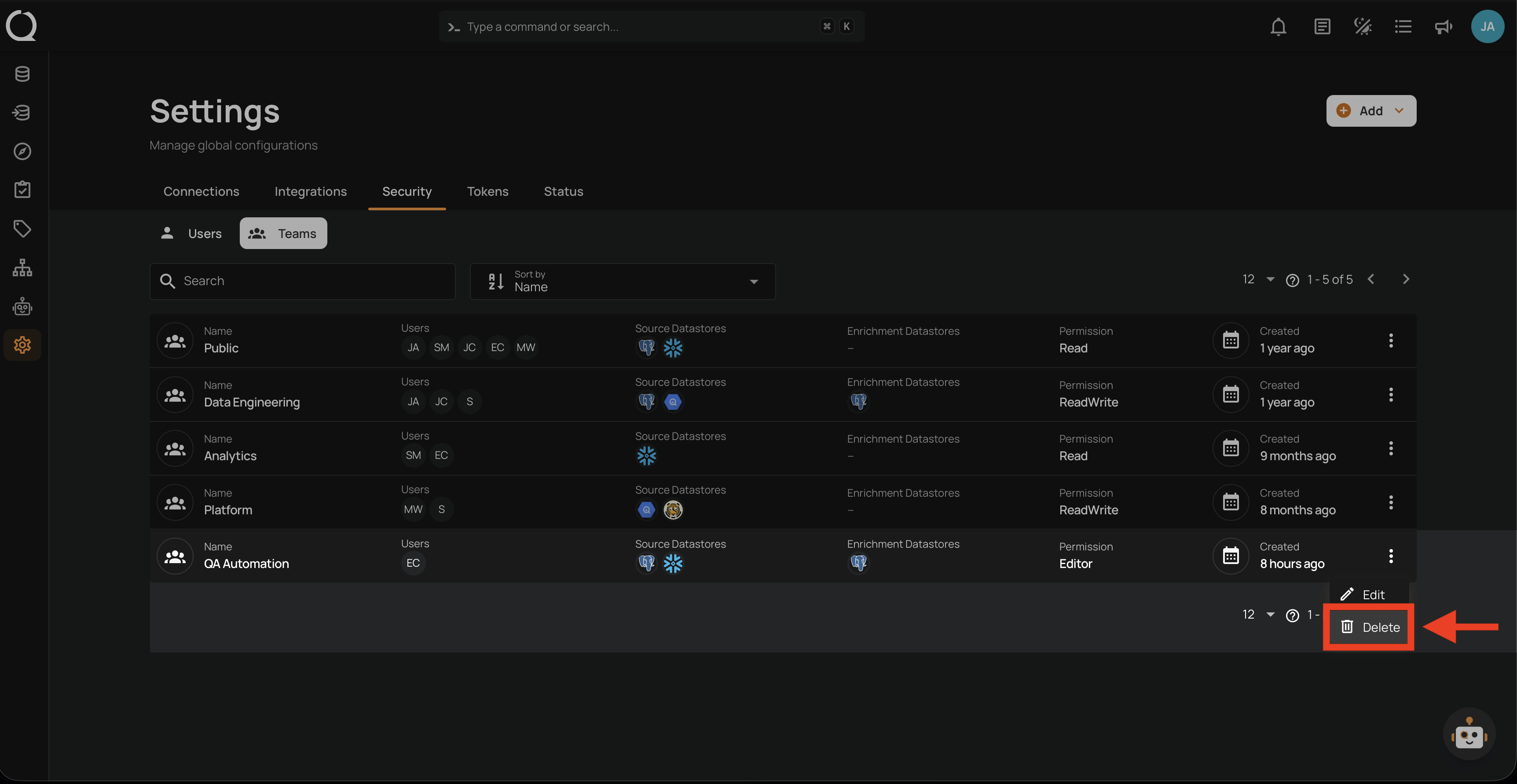
Step 1: Click the vertical ellipsis next to the team you want to delete, then click Delete from the dropdown menu.
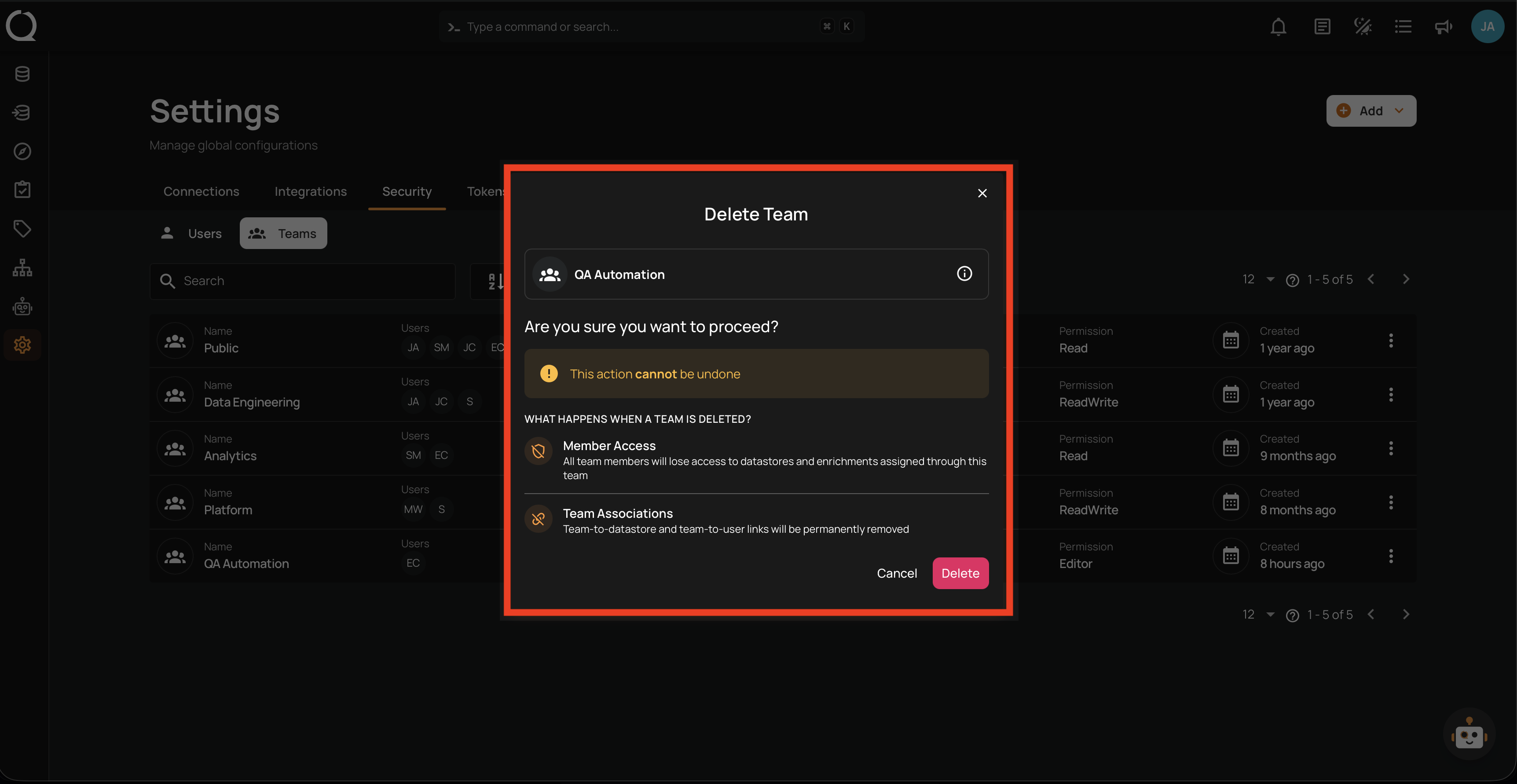
Step 2: A confirmation modal Delete Team appears showing the team name and the impact of deletion.
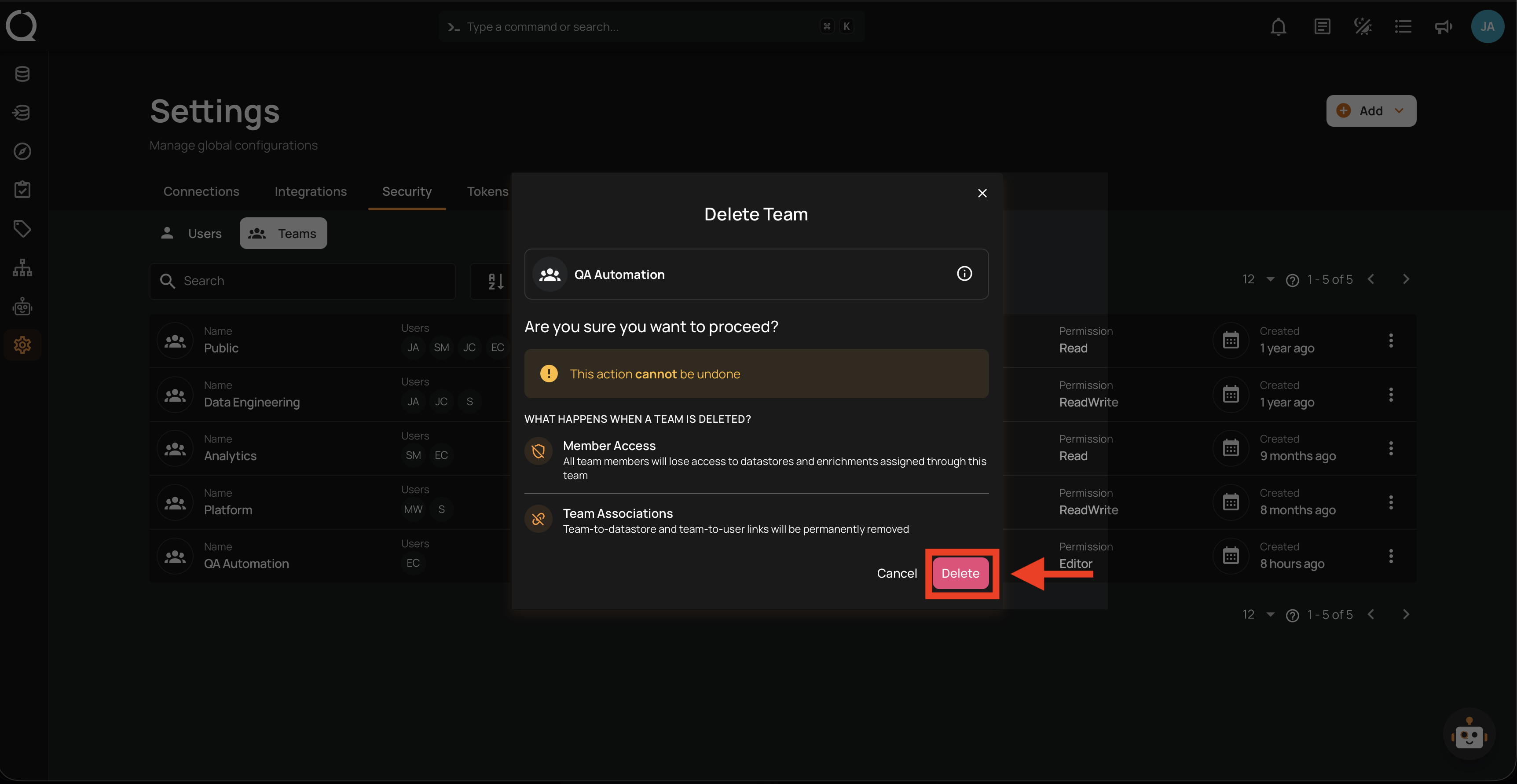
Step 3: Click the Delete button to confirm.
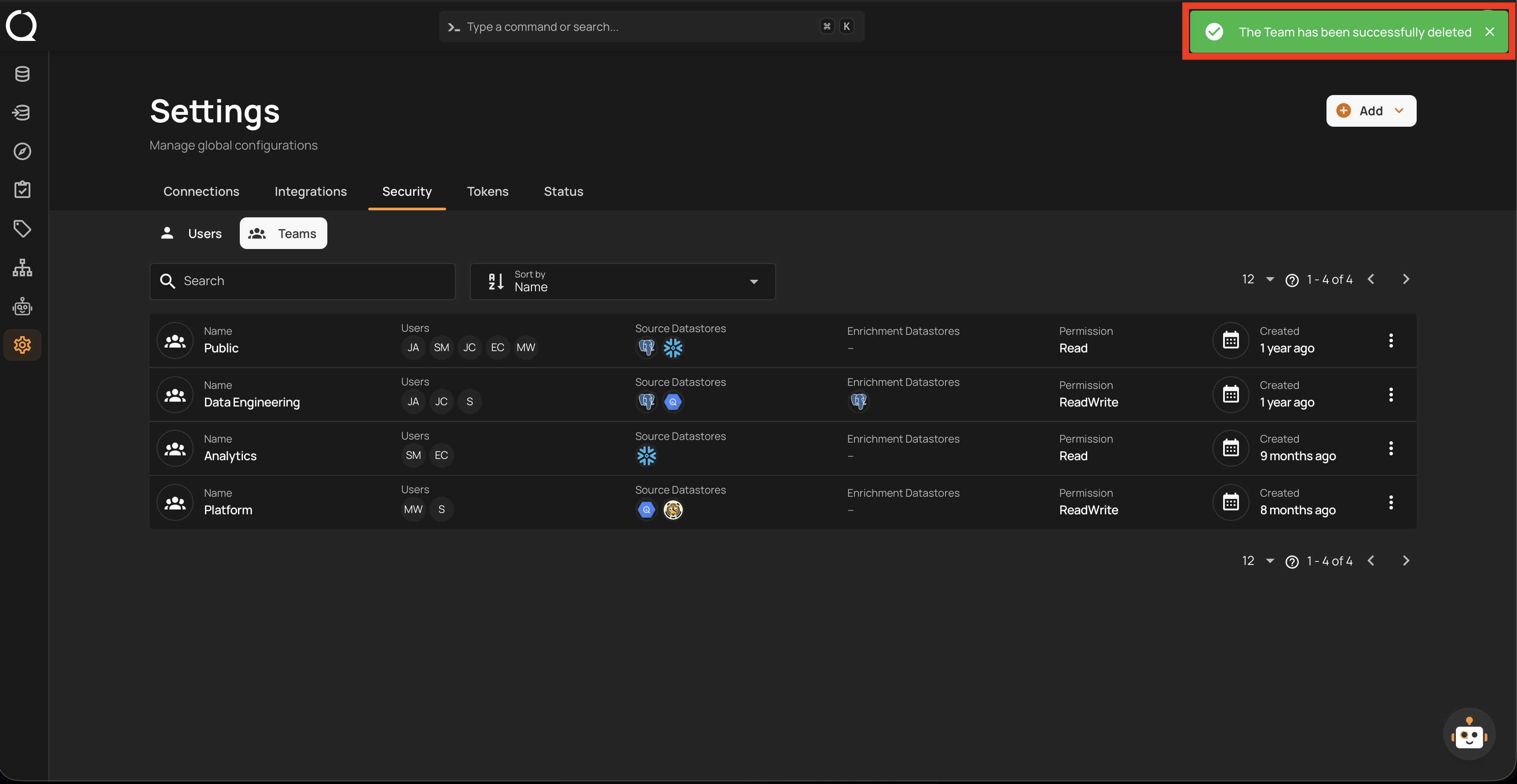
Step 4: A success notification confirms the team has been deleted. The team is removed from the list.