Edit a Service User
Use the Edit action to update a Service User's role or team membership. This is useful when an integration's access requirements change or when a Service User needs to be scoped to different teams.
Permissions
Only users with the Admin role can edit Service Users. See the Permissions page for details.
Side Effects
Changing a Service User's role or team membership takes effect immediately. Any active integrations using this Service User will inherit the updated permissions on their next API call.
Steps
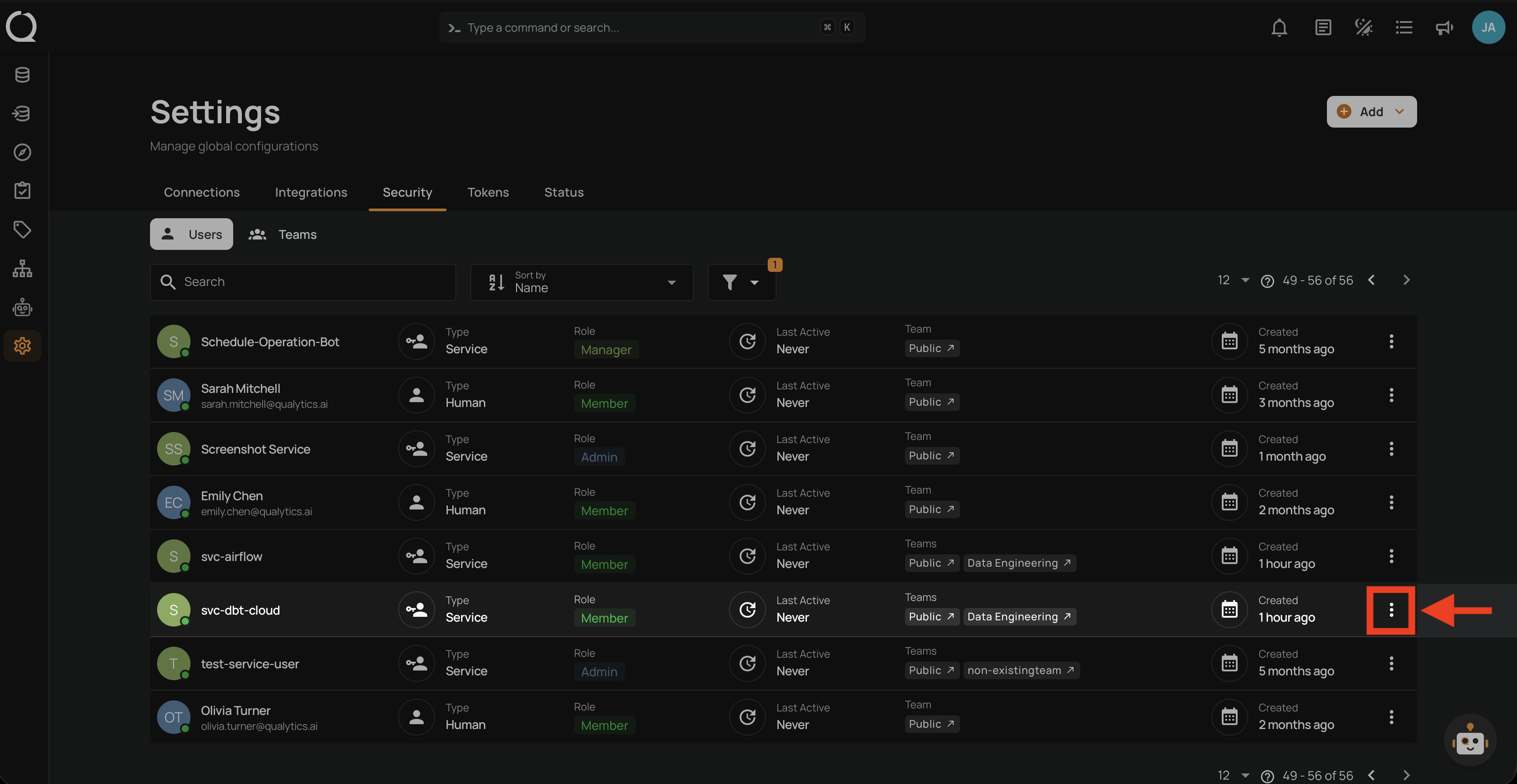
Step 1: Click the vertical ellipsis next to the Service User you want to edit.
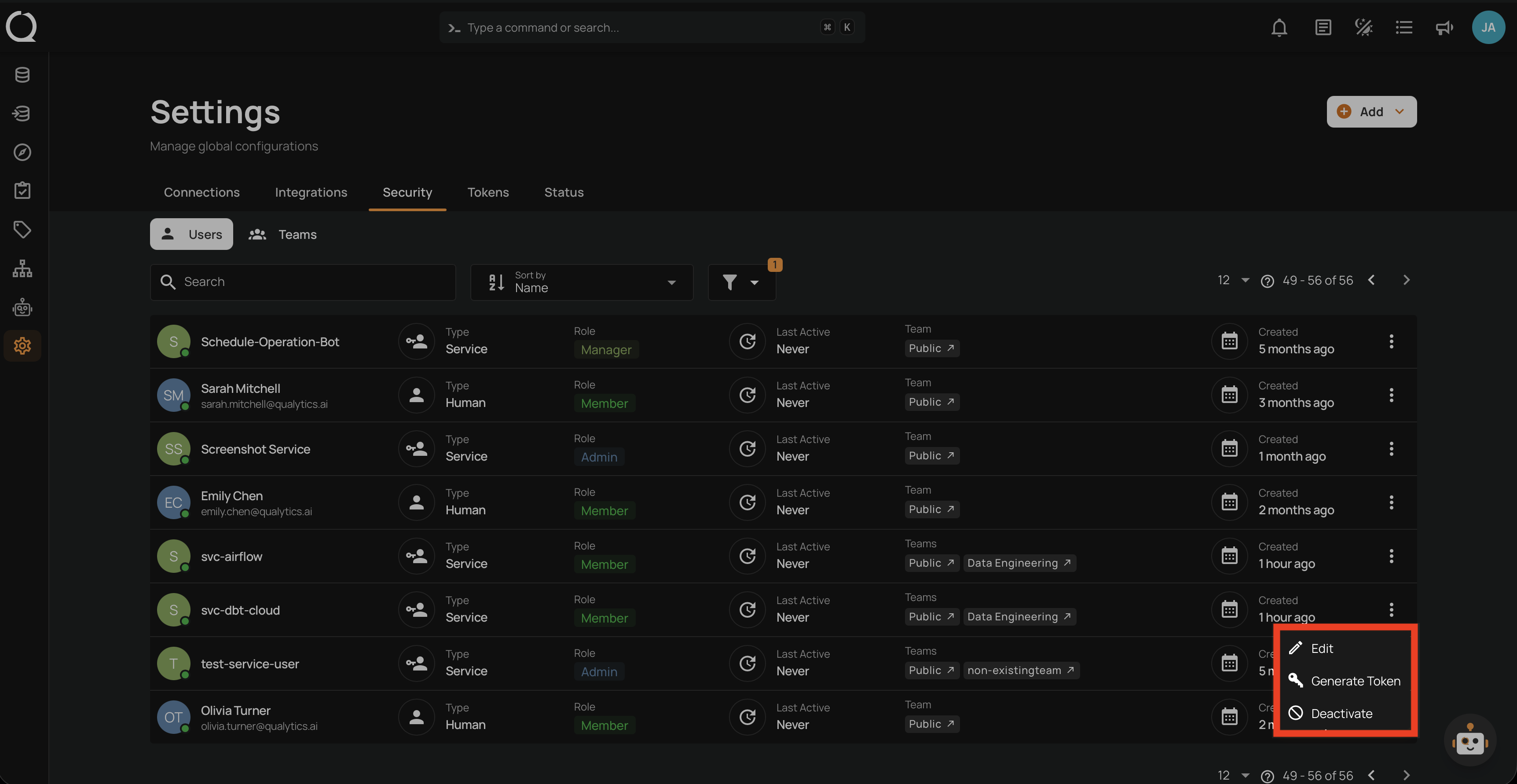
Step 2: A dropdown menu appears with the available actions.
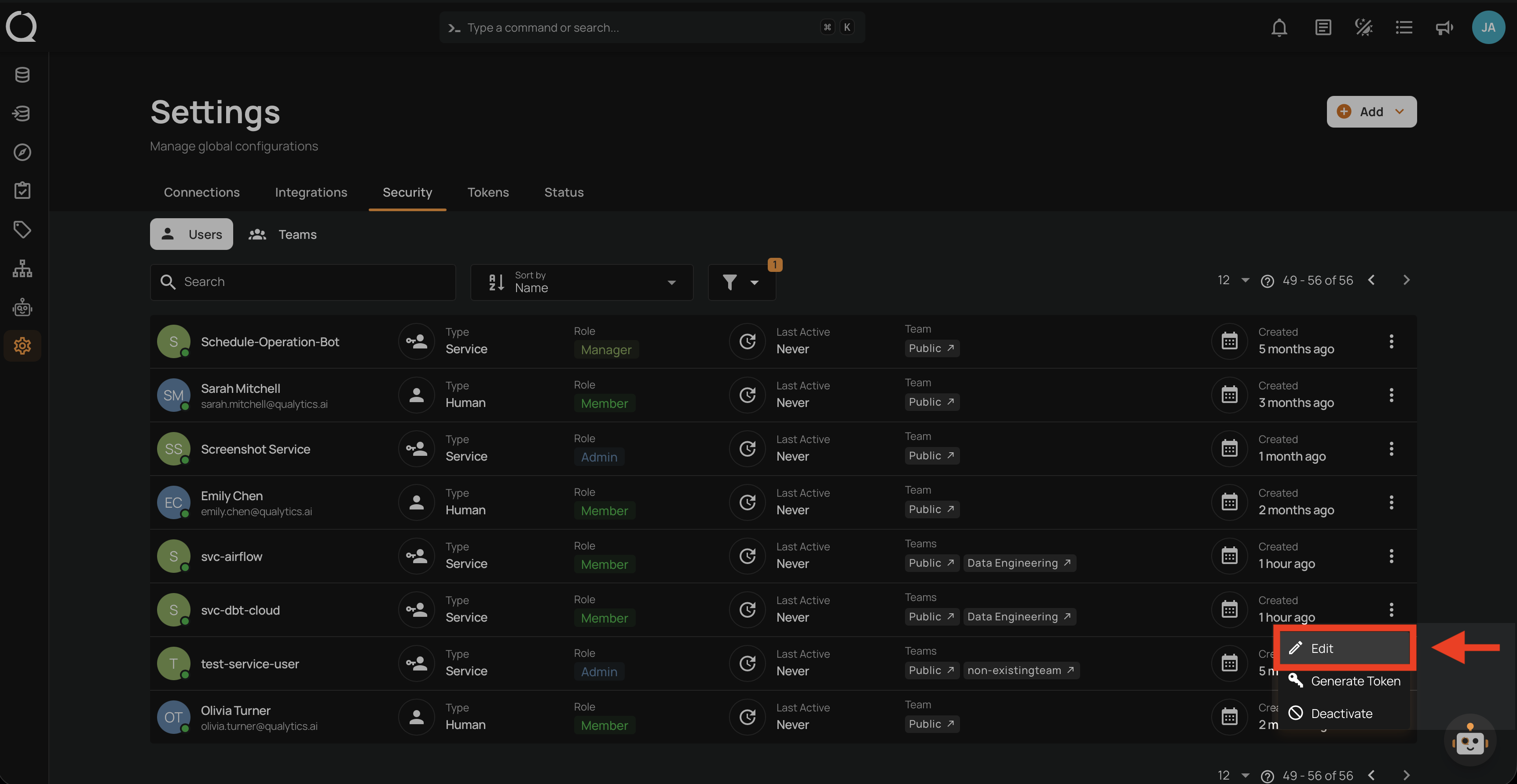
Step 3: Click Edit from the dropdown menu.
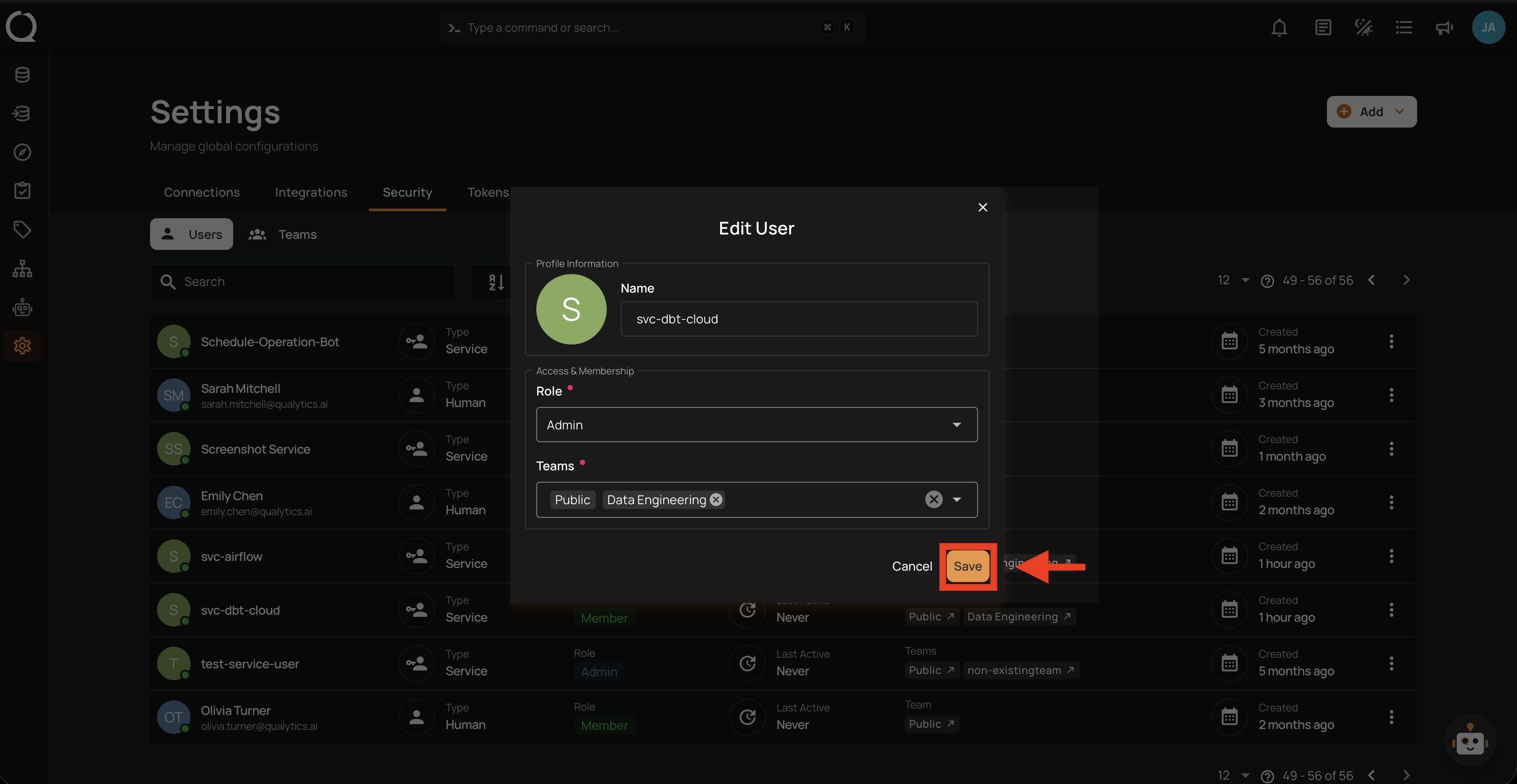
Step 4: Update the role or team membership as needed.
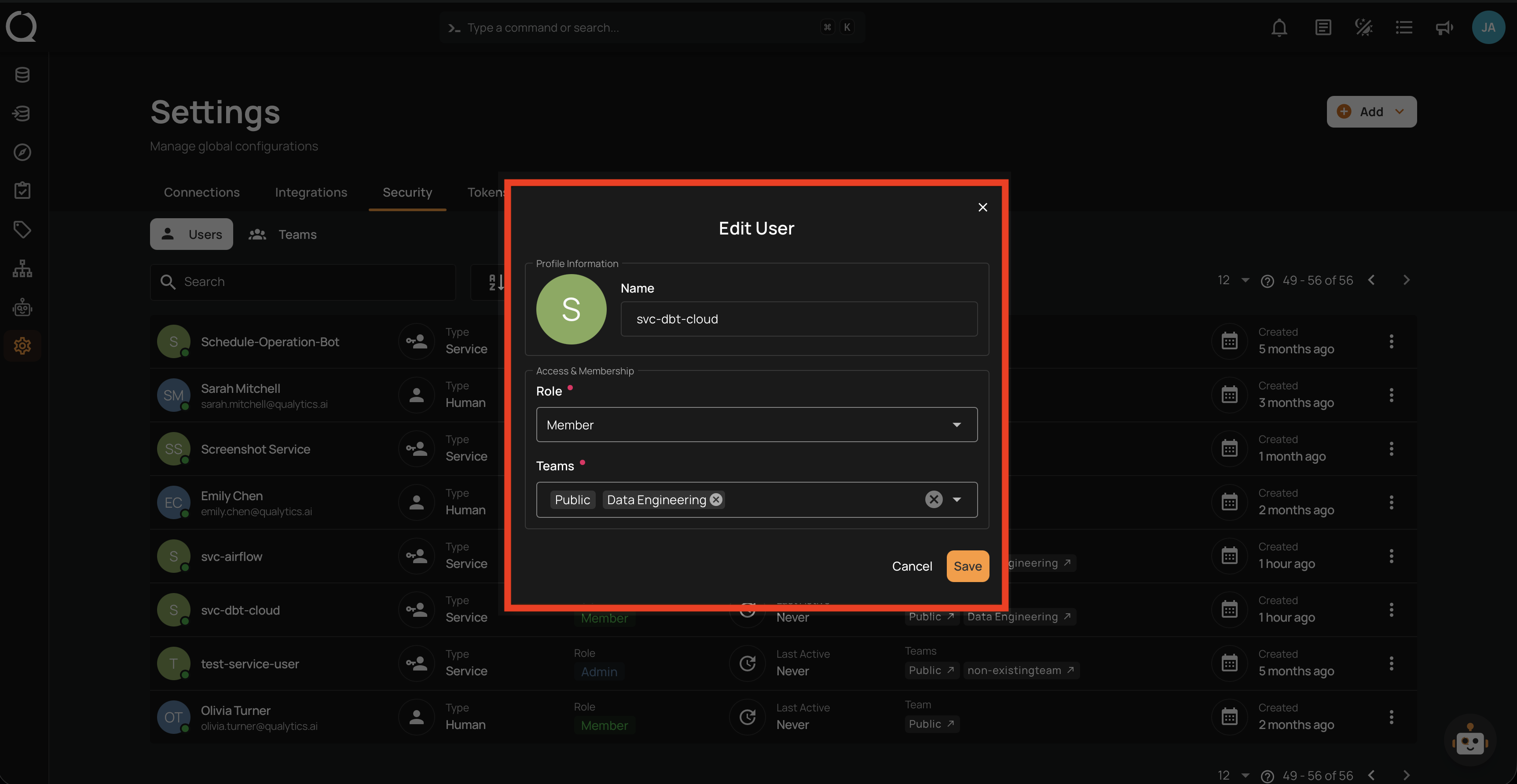
Step 5: Click the Save button to apply the changes.
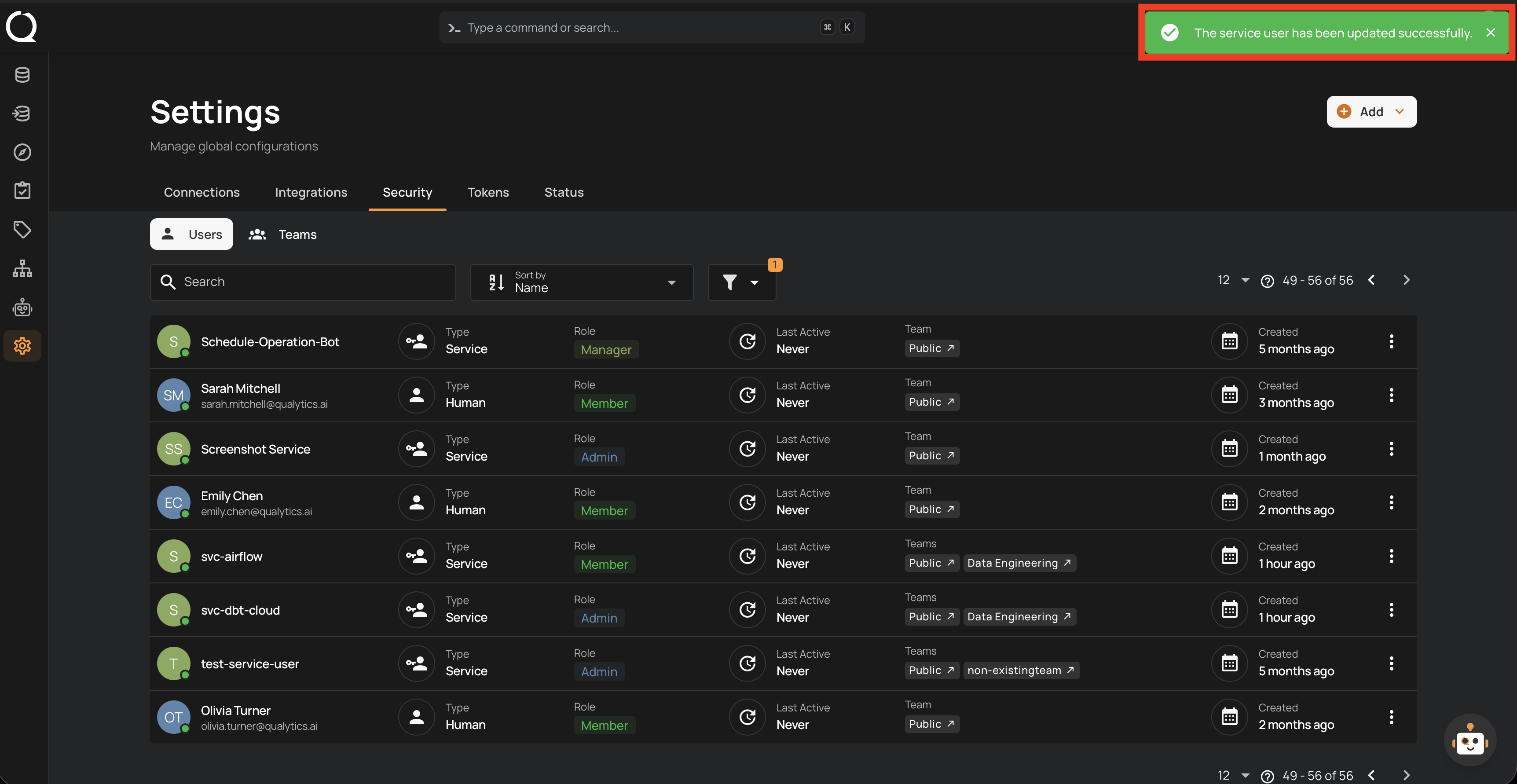
Step 6: A success notification confirms the Service User has been updated.
Tip
Before changing a Service User's role, review which integrations depend on it to avoid breaking automated workflows. If the Service User is used in production pipelines, coordinate the change with your team.