Archive Anomaly Action
Use the Archive action to automatically move anomalies into an archived state when they’ve been inactive for a set amount of time. This is ideal for organizations that prefer to keep a historical record but don’t need old anomalies cluttering the active view.
Why archive instead of delete?
Archiving lets you clean up the active queue without losing historical context. Need to remove anomalies completely? Use Delete instead.
How It Works
When the parent Flow runs, Archive looks at the anomalies in scope. Any anomaly that has gone the full Inactivity Period with no updates or comments is archived with the reason you chose. Filter conditions, when set, narrow the list of candidates.
The action fires whenever the Flow's trigger fires. In most setups that means on a schedule defined in the Trigger Node.
Archive Settings
The Archive Settings panel is split into two sections: Configuration and Filter Conditions.
Configuration
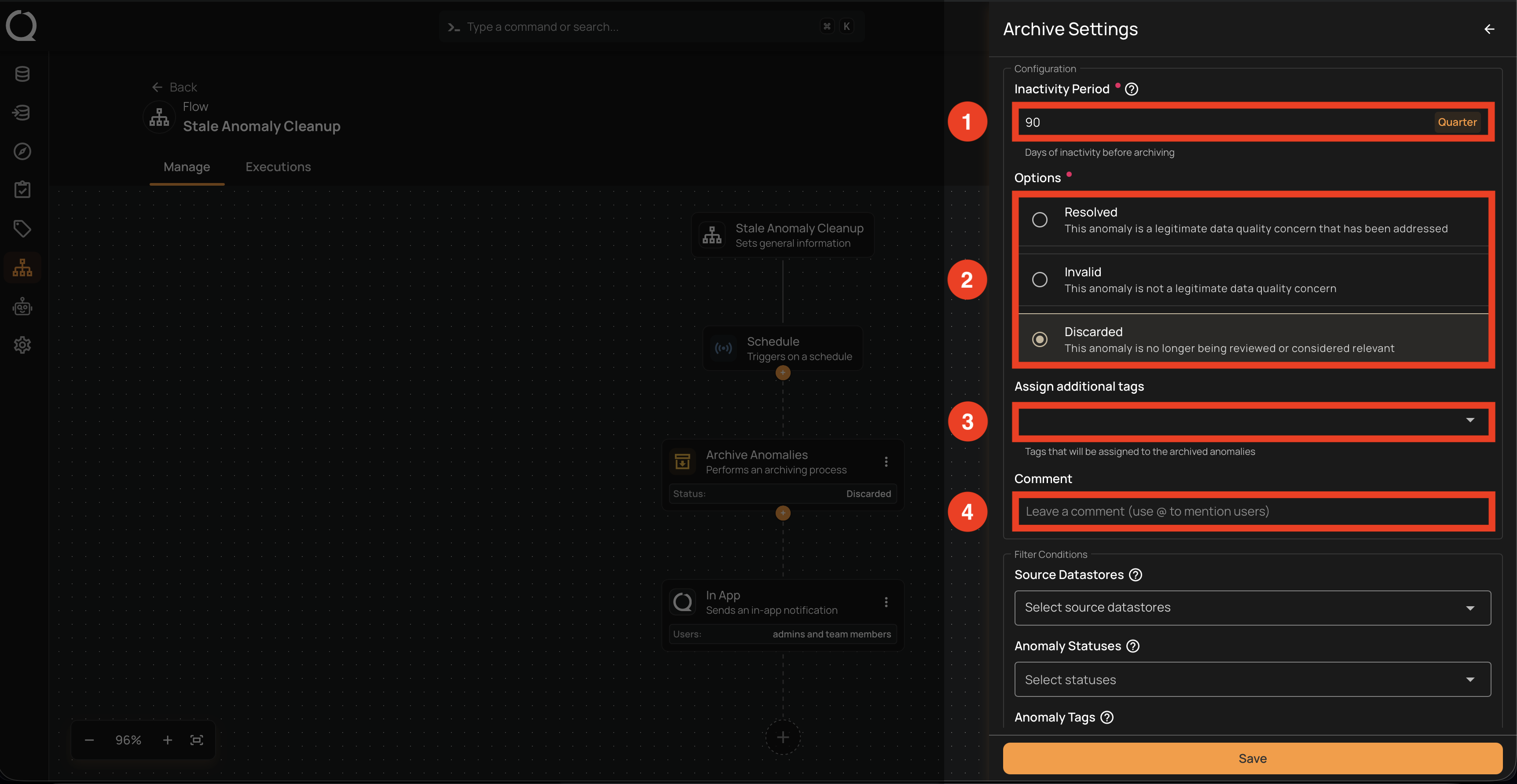
Set how long anomalies must stay untouched, the reason recorded on archive, any tags to add, and an optional comment.
| REF. | Field | Description |
|---|---|---|
| 1 | Inactivity Period (Required) | How long an anomaly must remain untouched (no updates or comments) before it’s archived. Enter a numeric value and pick a unit from the dropdown. |
| 2 | Options (Required) | The archive reason recorded on the anomaly. Pick one of the available reasons in the dropdown. Duplicate is not offered here because it requires manually linking a primary anomaly. |
| 3 | Assign additional tags | Tags applied automatically to every anomaly archived through this flow. Useful for labeling cleanup runs (e.g., auto-archive-q4). |
| 4 | Comment | A free-text note added to every archived anomaly. Use @mentions to notify specific users. Helpful for giving future reviewers context. |
Filter Conditions
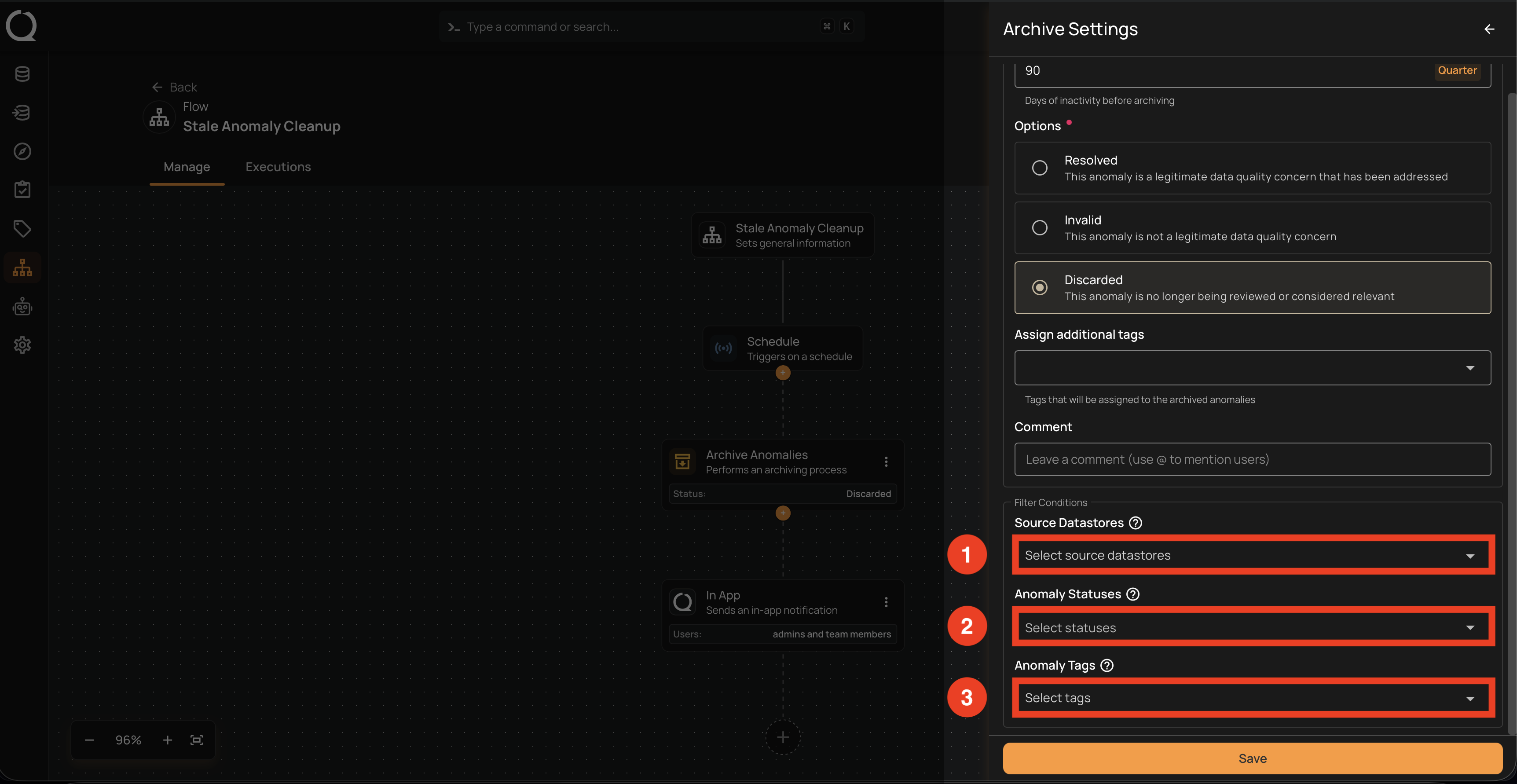
Narrow down which anomalies are eligible for archiving. All filters must match (AND logic). An anomaly is archived only if it meets every filter you fill in.
| REF. | Field | Description |
|---|---|---|
| 1 | Source Datastores | Archive only anomalies from the selected datastores. Leave empty to consider all datastores. |
| 2 | Anomaly Statuses | Restrict archiving to specific open statuses. Only open statuses appear in the dropdown; already-archived ones are excluded from the action's candidates by default. Leave empty to target every open status. |
| 3 | Anomaly Tags | Archive only anomalies labeled with the selected tags. |
Note
Filter conditions add on top of the Inactivity Period and Options above, not in place of them.