Activate Archived Checks
You can activate archived checks individually or in bulk. Activating an archived check restores it and makes it active again in a single step, so you do not need to restore it as a draft first.
Method I: Activate Specific Check
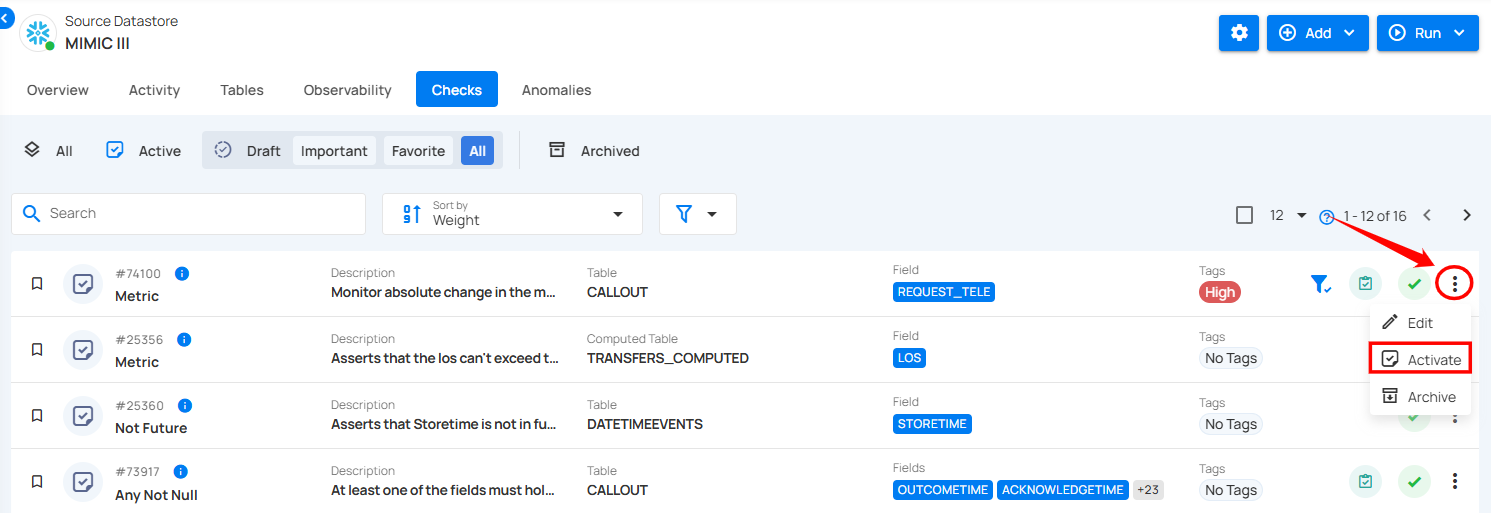
Step 1: Navigate to the Archived checks section and click the vertical ellipsis (⋮) next to the archived check you want to activate, and select "Activate" from the dropdown menu.
For demonstration purposes, we have selected the "Metric" check.
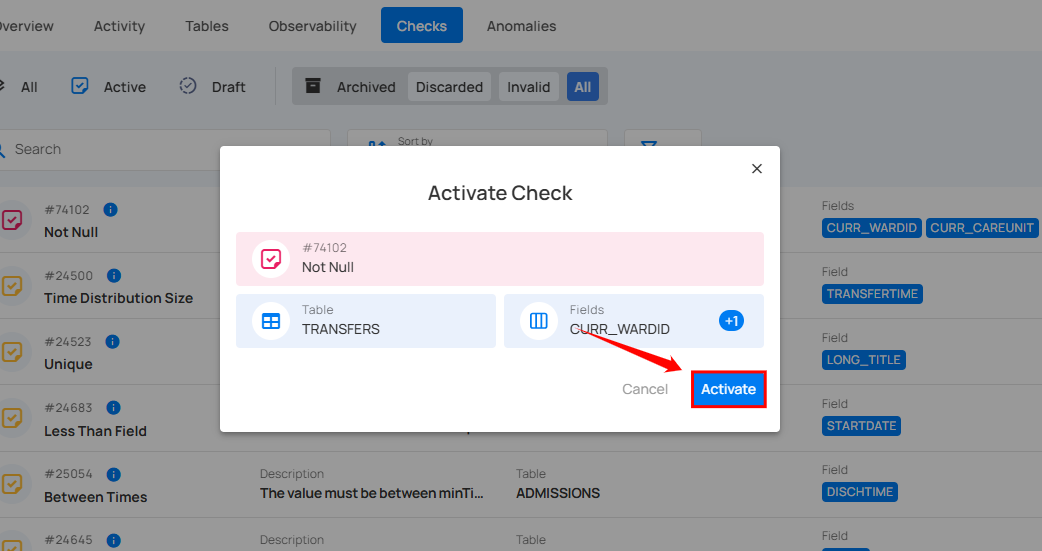
Step 2: A confirmation modal window “Activate Check” will appear. Click the “Activate” button to activate the archived check.
Step 3: After clicking the Activate button, your check has been successfully moved to active checks, and a success message will appear on the screen.
Note
If the check cannot be activated, it stays archived and the modal window shows the specific reason. For example, when an identical active check already exists, the result points to the conflicting check, and you can open it in a side panel to review it.
Method II: Activate Archived Checks in Bulk
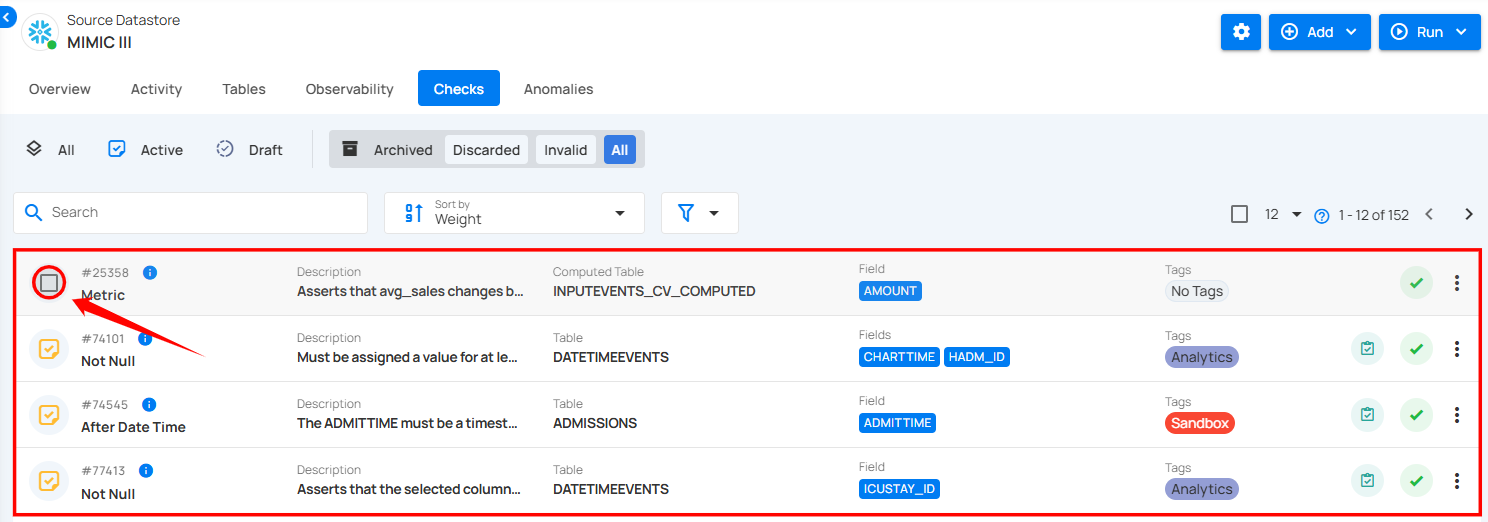
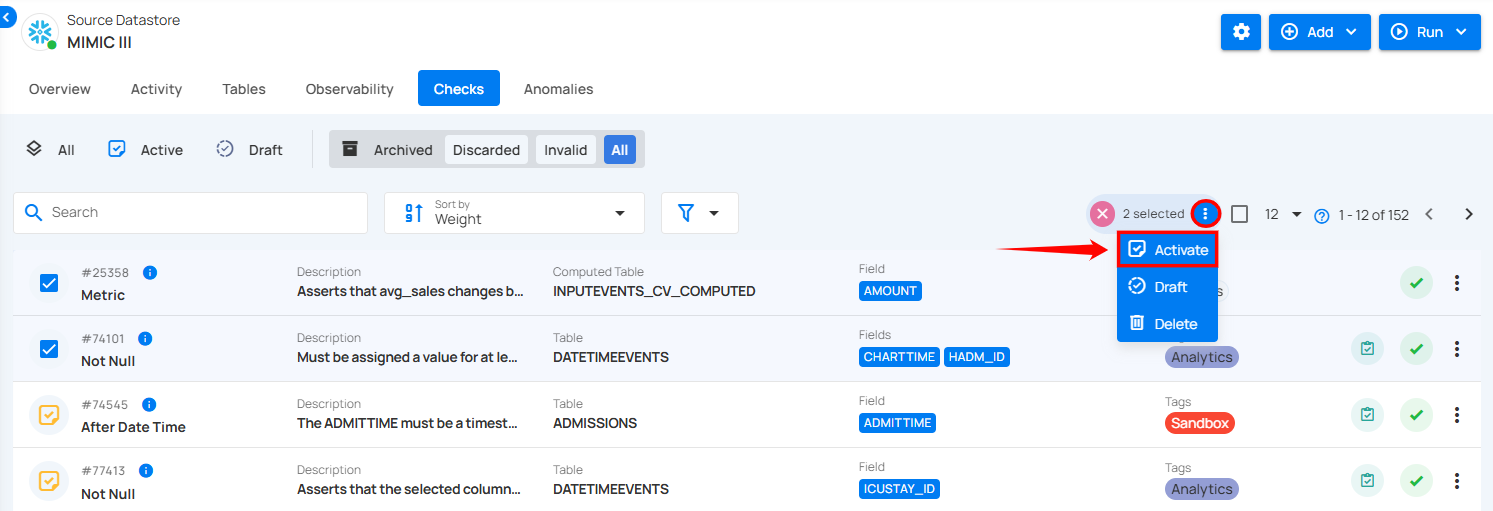
Step 1: Hover over the archived checks and click the checkbox to select multiple checks in bulk.
When multiple checks are selected, an action toolbar appears, displaying the total number of checks chosen along with a vertical ellipsis for additional bulk action options.
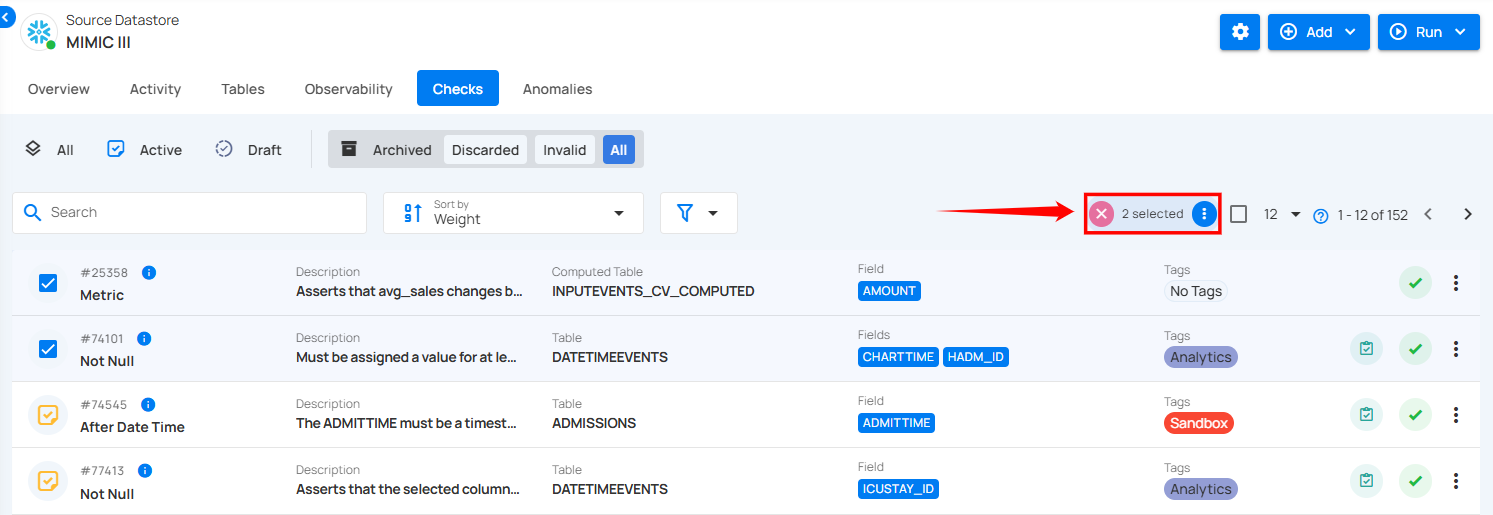
Step 2: Click the vertical ellipsis (⋮) and choose "Activate" from the dropdown menu to activate the selected checks.
Step 3: A confirmation modal window “Bulk Activate Checks” will appear. Click the “Activate” button to activate the archived checks.
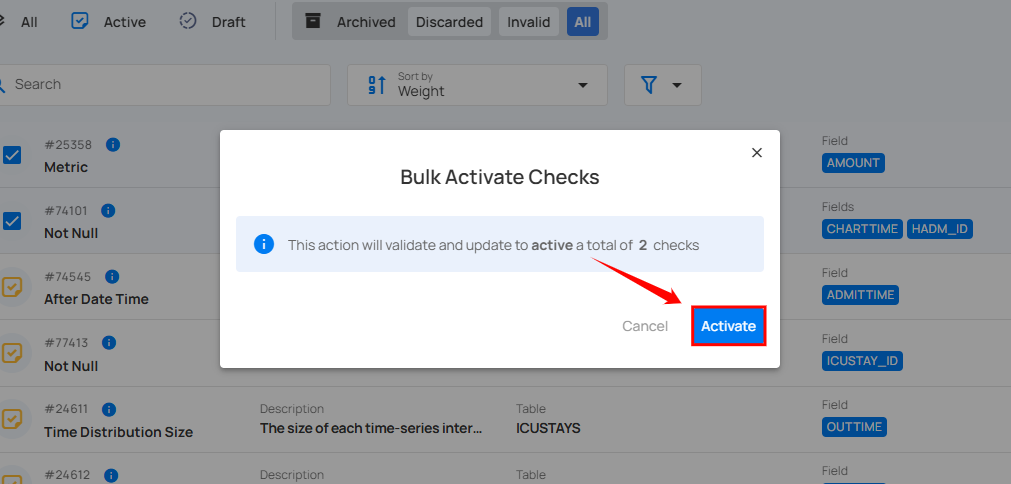
After clicking the Activate button, your archived checks will be activated, and a success message will appear on the screen.
If some checks could not be activated, the modal window lists the activated checks and the checks that were not activated, each with the specific reason. A check that conflicts with an existing active check shows a link to the conflicting check, which you can open in a side panel. Checks that could not be activated remain archived.