Promote Computed Tables
Computed table promotion copies computed table definitions from a source JDBC datastore to a destination JDBC datastore in bulk. The promotion copies each definition to the destination, including the query, incremental identifier, group-by fields, and tracking settings (volumetric and freshness), runs a profile on each created or updated table, and records the source-to-destination link so subsequent promotions update the same destination instead of creating duplicates. This page documents the bulk workflow triggered from the source datastore's Settings > Promote > Computed Tables menu.
Prerequisites
- The user has Editor team permission on both the source and the destination datastore.
- The source datastore has at least one computed table.
- The destination is a JDBC datastore (DFS datastores are not eligible).
Where to Trigger
The flow described on this page starts from the source datastore and operates in bulk. You can also promote a single computed table straight from its card or list item menu on the datastore's containers list, or from the table's own page. Those shortcuts skip the selection step and open the modal on the destination settings with the table already chosen. To promote a hand-picked group, tick the tables on the list and use Promote in the selection bar. See Where You Can Start a Promote.
What Happens During Promotion
- Matching. For each source computed table, the platform first looks for a previous successful promotion to the same destination datastore (see Entity Matching). If no previous promotion is found, it falls back to name matching on the destination, including soft-deleted containers.
- Definition replication. The query, incremental identifier, group-by fields, and tracking settings (volumetric, freshness) are copied from the source to the destination.
- Comparison. If a match is found, the platform compares the source and destination definitions and either skips (identical), updates (different), or creates (no match).
- Soft-delete reactivation. If a soft-deleted destination container with the same name is found, it is reactivated and updated rather than recreated.
- Type-mismatch failure. If a regular (non-computed) table already exists on the destination with the same name, the promotion fails for that entity with a type-mismatch message.
- Tag inheritance. New tables receive the destination datastore's global tags (excluding any with
type=external) plus any additional tags specified on the request. Source tags are not carried over. - Result recording. A promote result is recorded linking the source container to the destination container, so future re-promotions can find this destination directly.
- Profile operation. A full profile runs on each created or updated computed table at the destination.
After Promotion
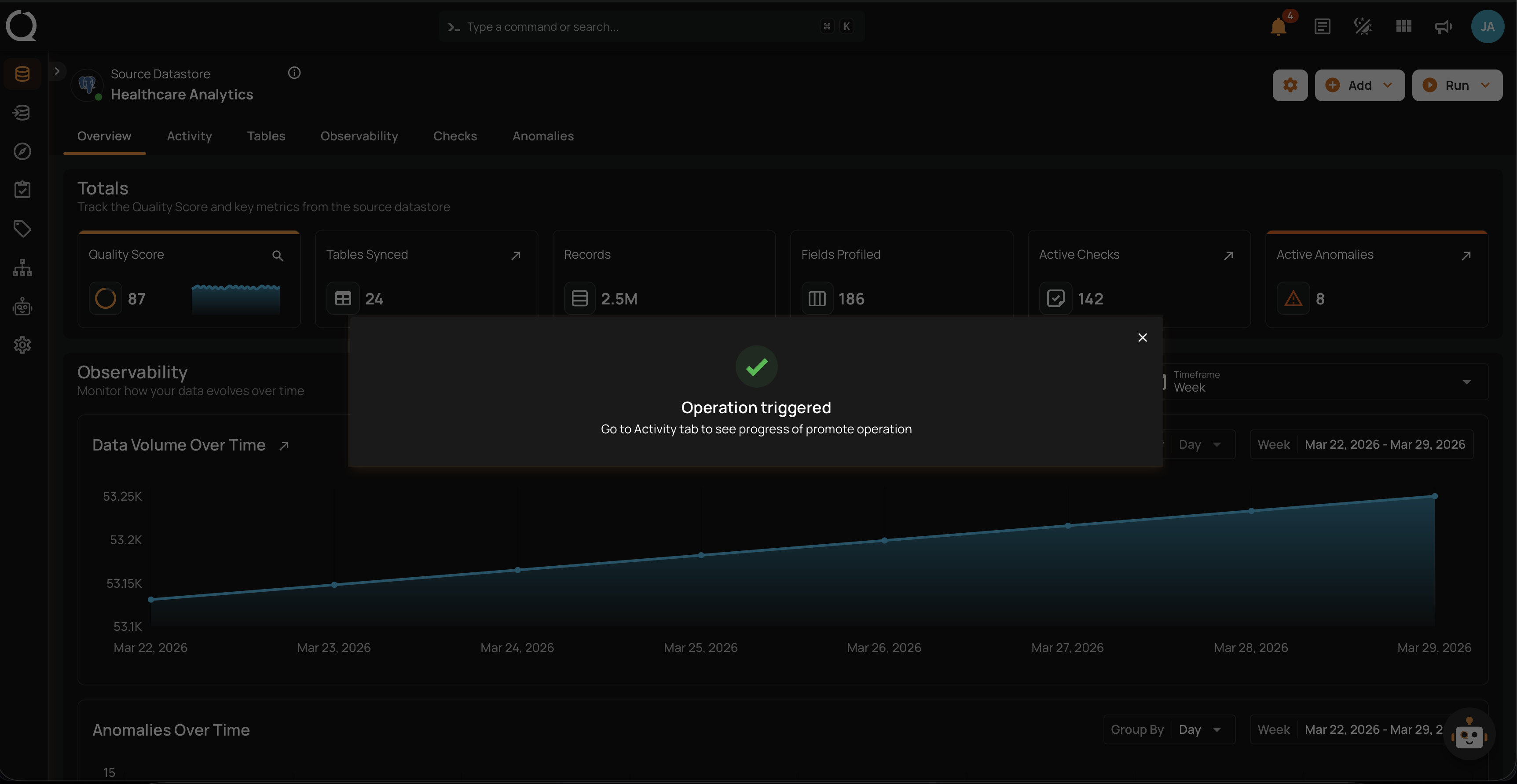
- The operation runs in the background, and the platform takes you to its page as soon as you close the confirmation, so you can follow the progress right away. You can also return to it later from the Activity page.
- Review per-table results to verify each table's outcome: created, updated, skipped, or failed.
- Profile operations run automatically on created or updated tables, so no manual action is needed.
Fields
Select Computed Tables
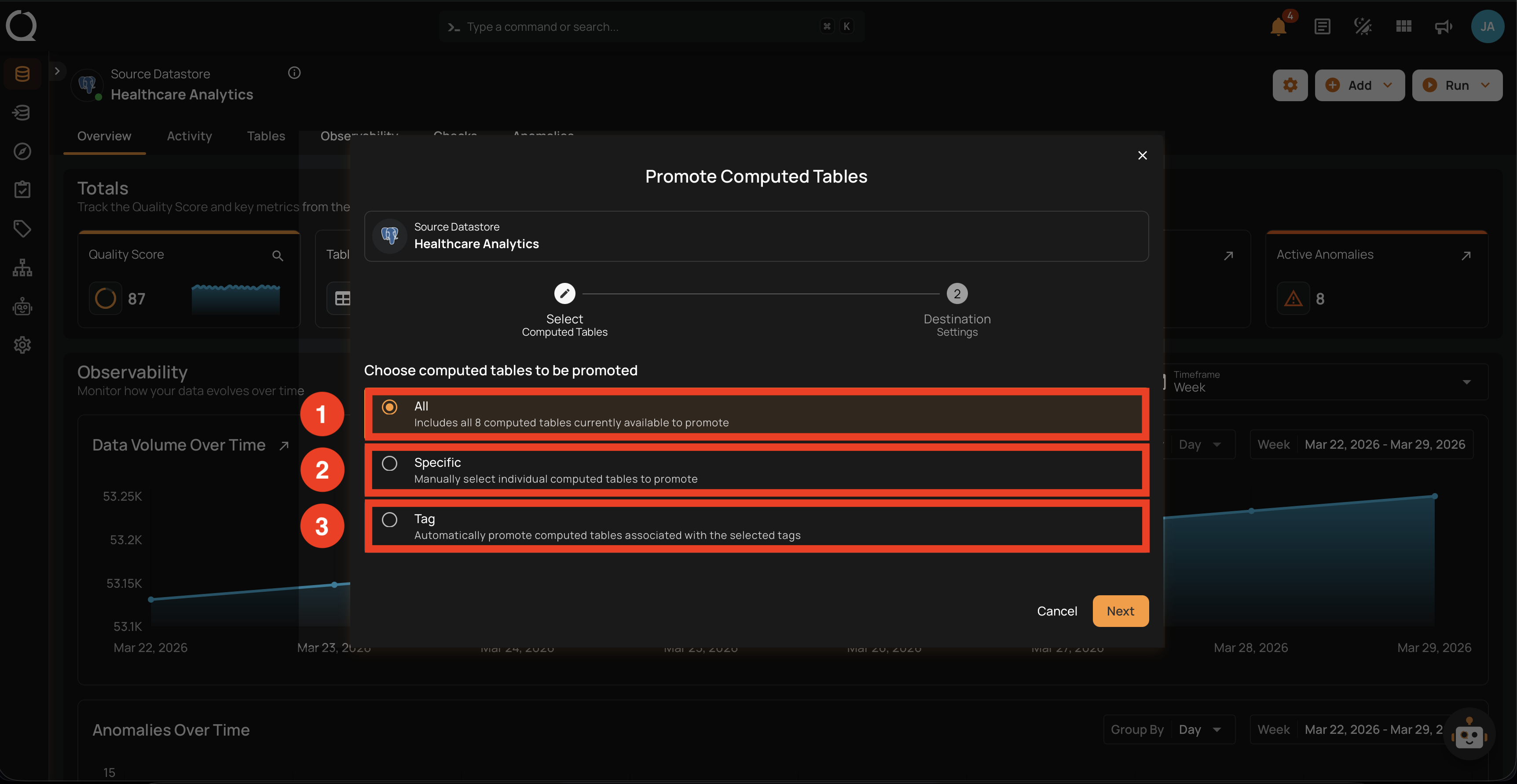
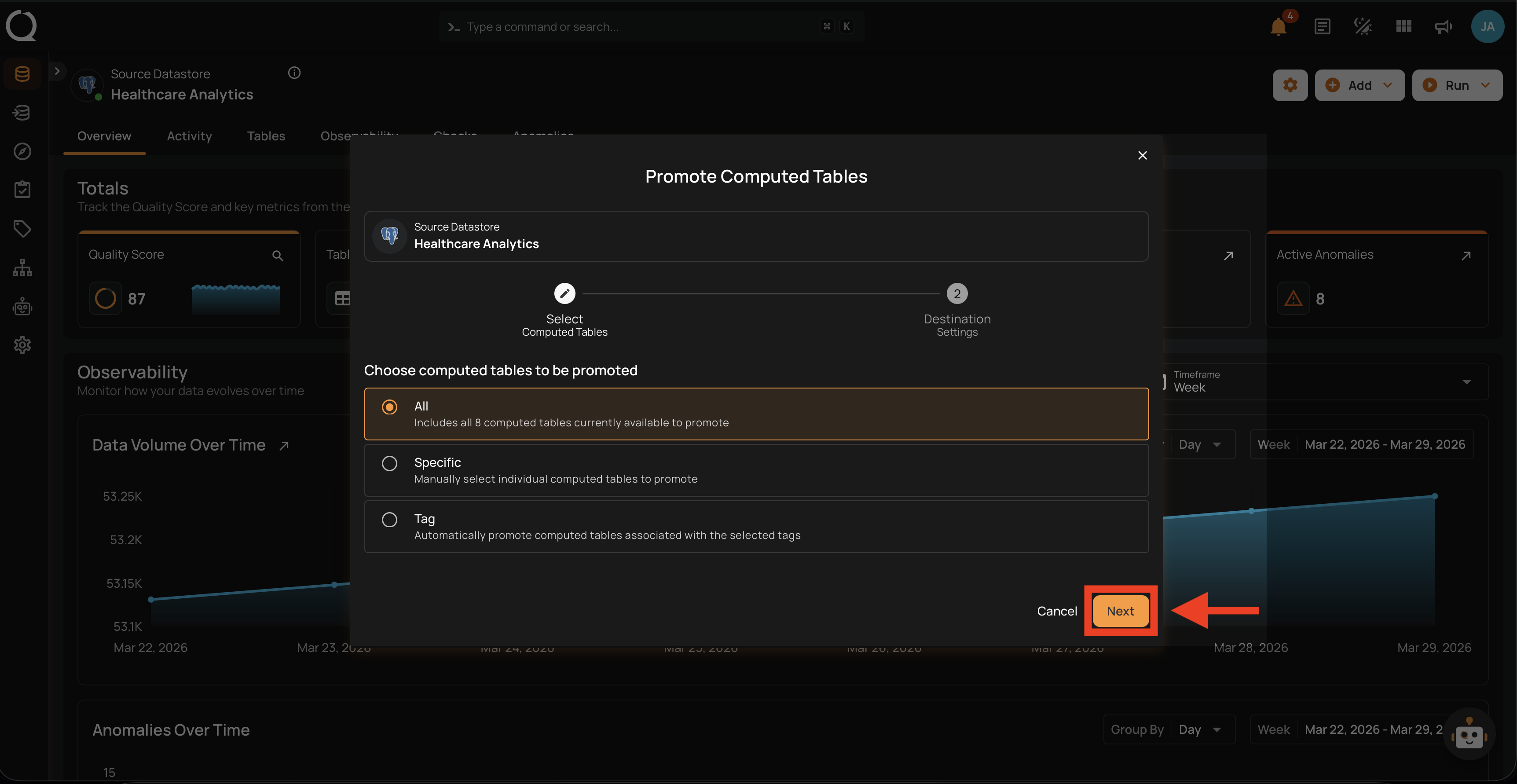
The first step of the modal: choose how to pick which computed tables to promote.
| REF. | FIELD | DESCRIPTION |
|---|---|---|
| 1 | All | Includes every computed table currently available on the source datastore. |
| 2 | Specific | Manually pick individual computed tables from a paginated, searchable list. |
| 3 | Tag | Automatically include every computed table associated with one or more selected tags. |
Destination Setup
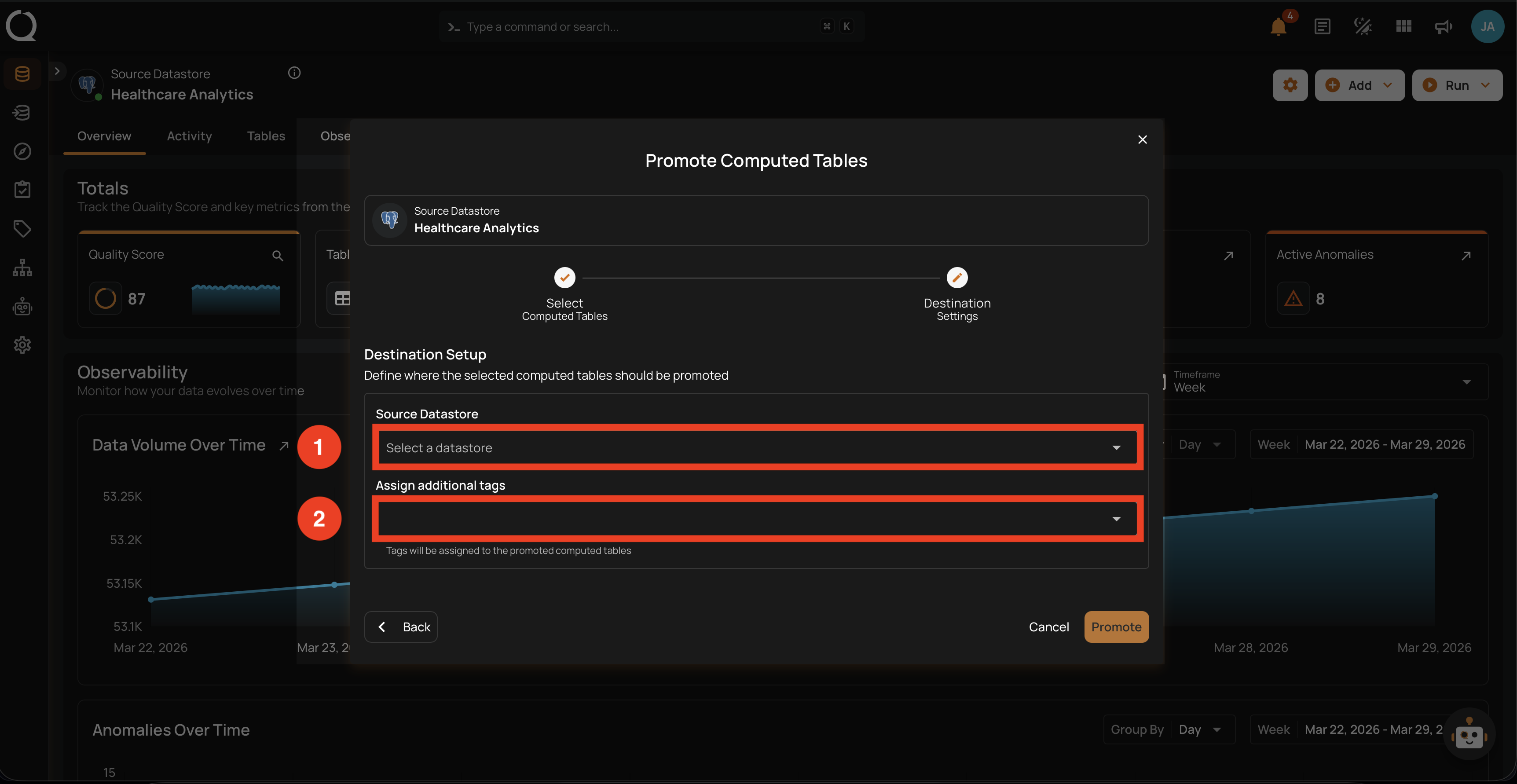
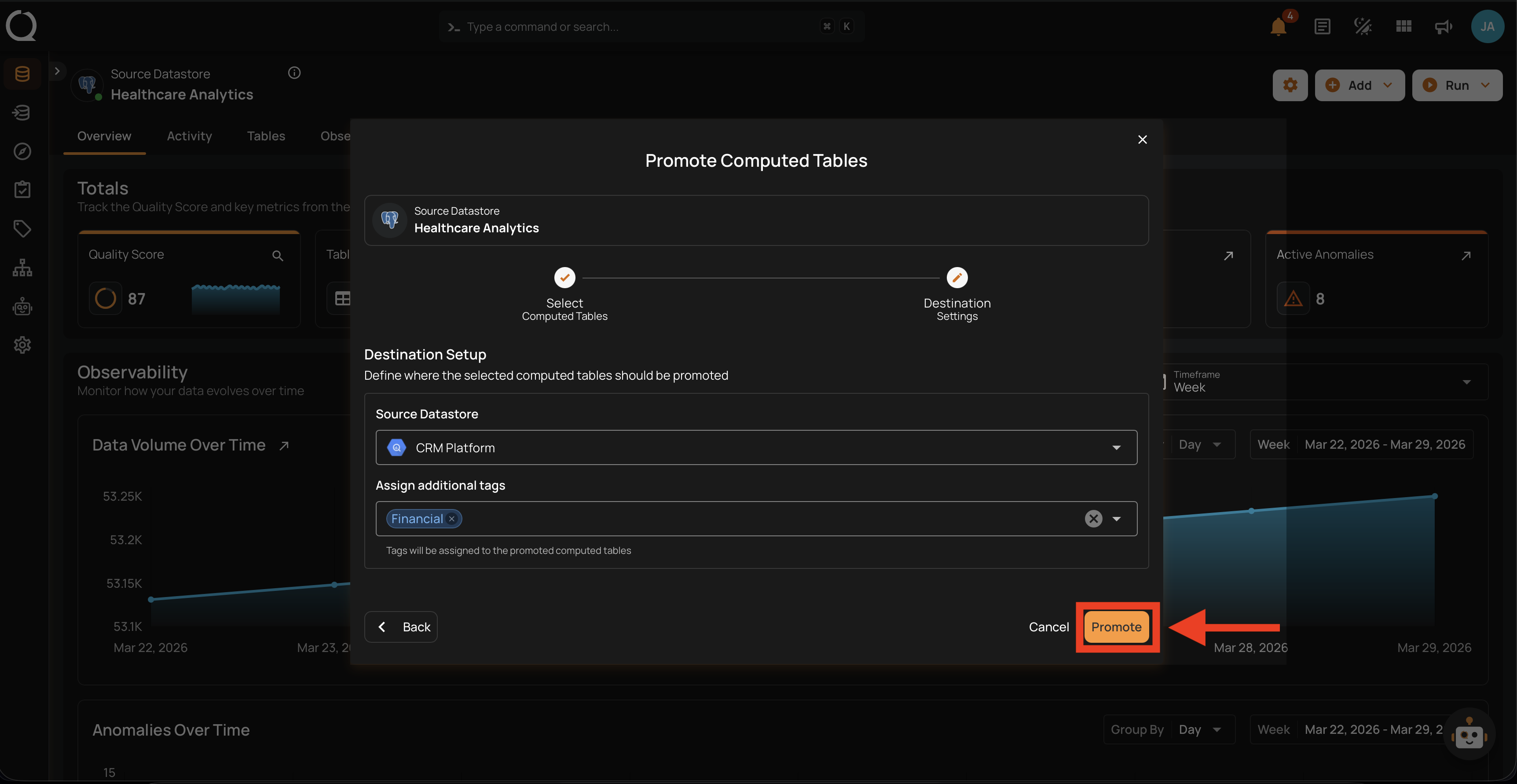
The second step of the modal: configure where the selected tables should land.
| REF. | FIELD | DESCRIPTION |
|---|---|---|
| 1 | Destination Datastore | The JDBC datastore where the computed tables will be created or updated. Only JDBC datastores are listed. |
| 2 | Assign additional tags | Optional tags applied to the promoted tables at the destination. These are merged with the destination datastore's default tags (external tags are excluded). Source tags are not carried over. |
Steps
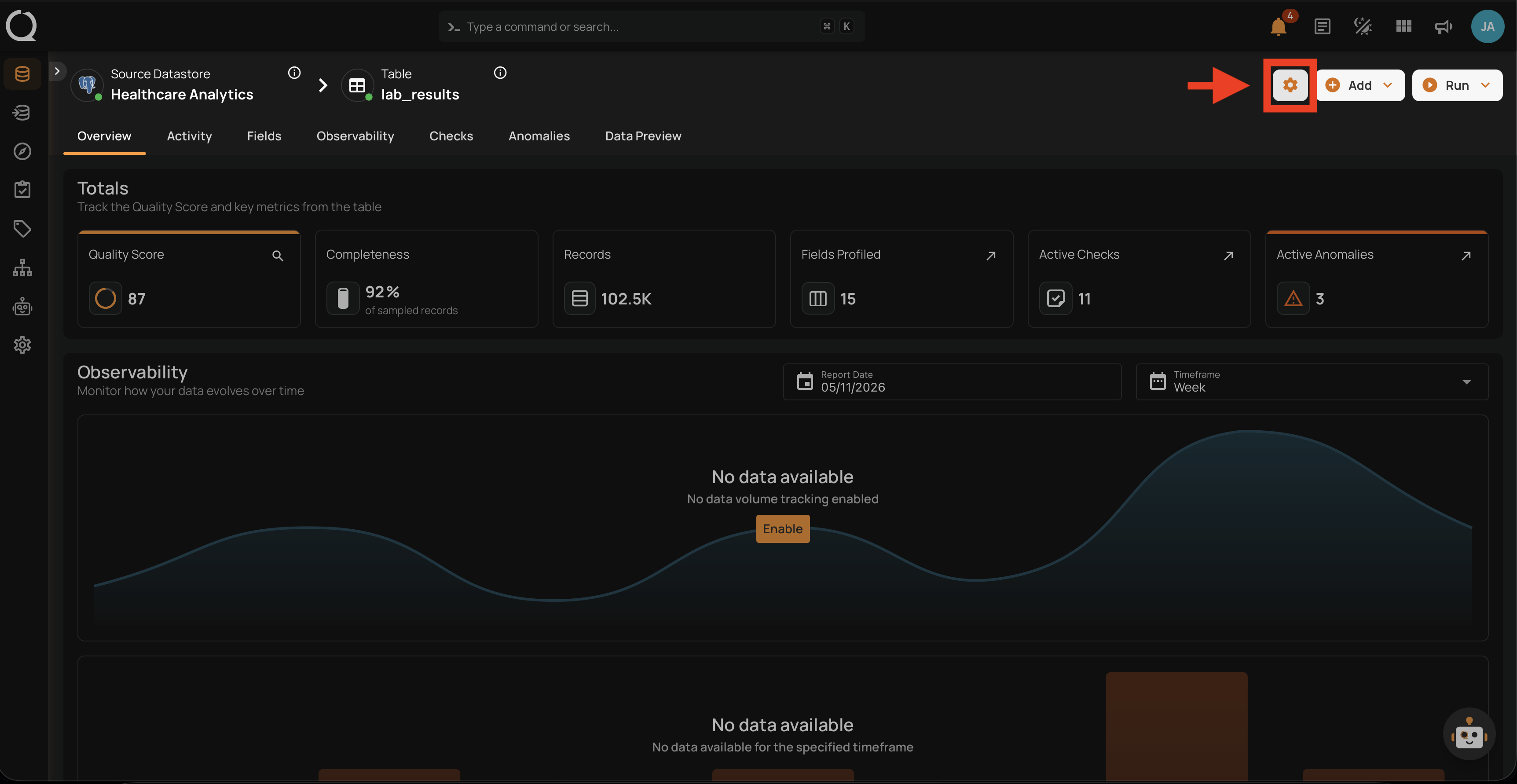
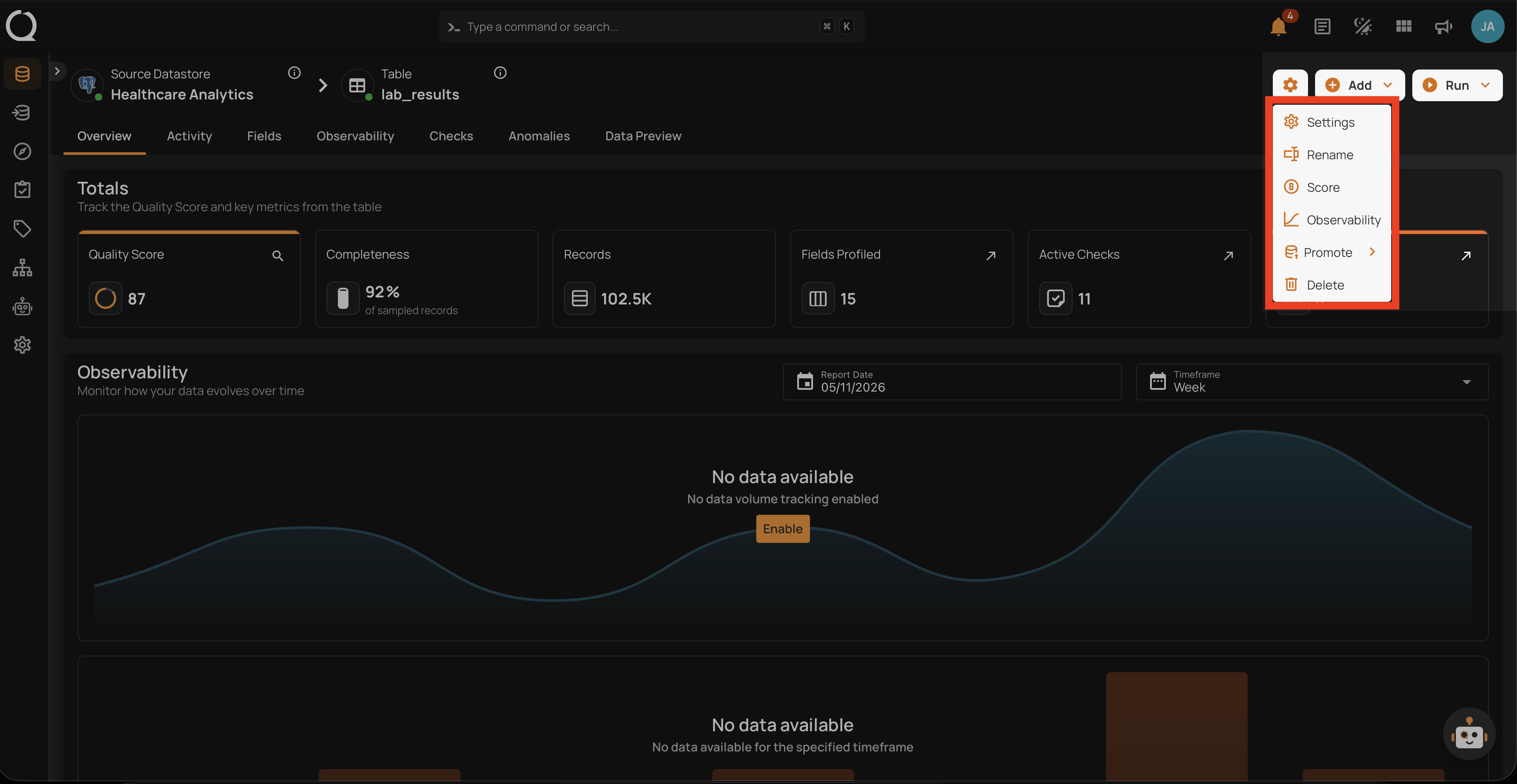
Step 1: Open the source datastore overview and click the Settings gear icon in the top-right corner.
Step 2: The settings menu opens, listing the available actions for the datastore.
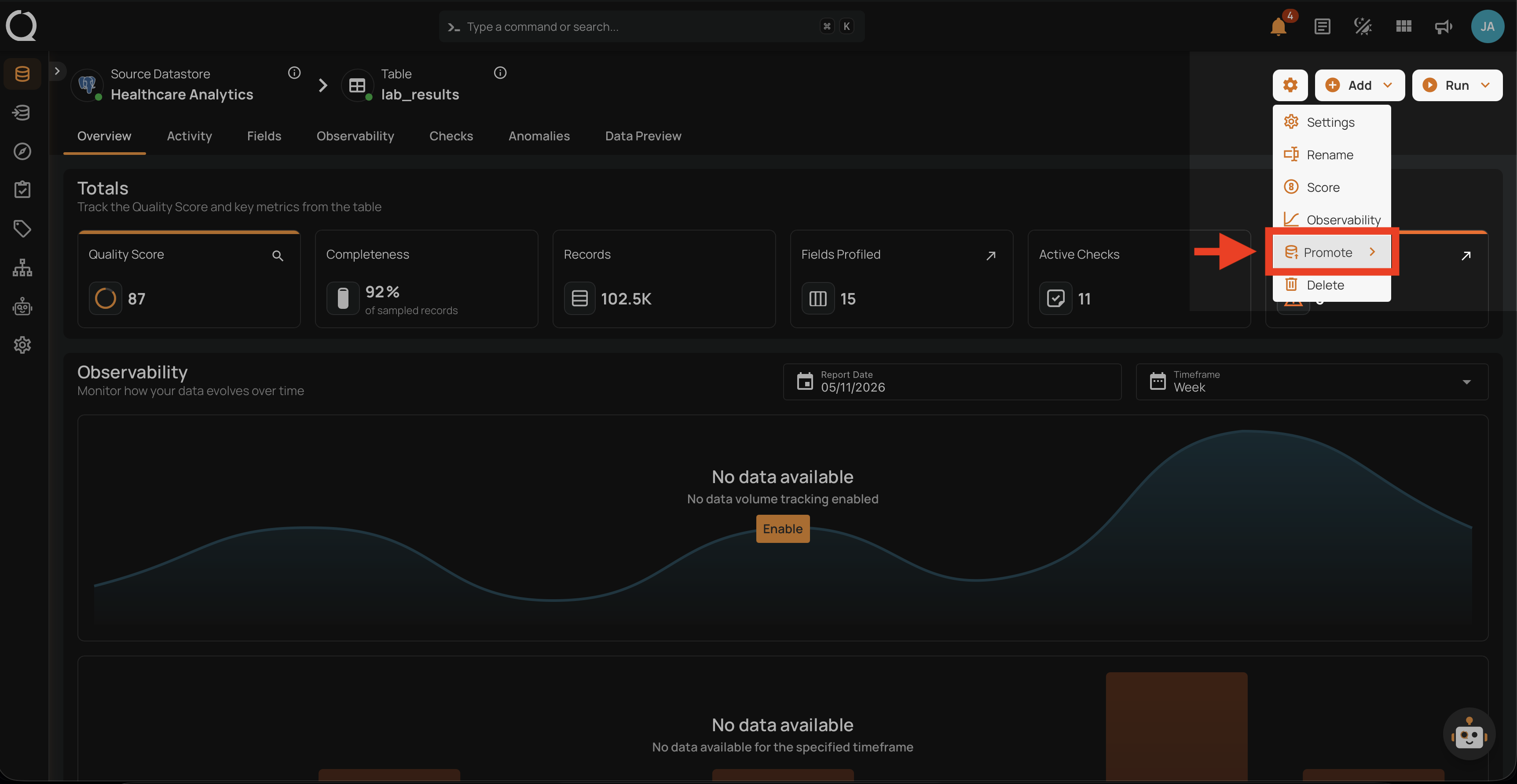
Step 3: Click Promote to reveal the submenu.
Step 4: The Promote submenu opens, showing the entity types available for promotion.
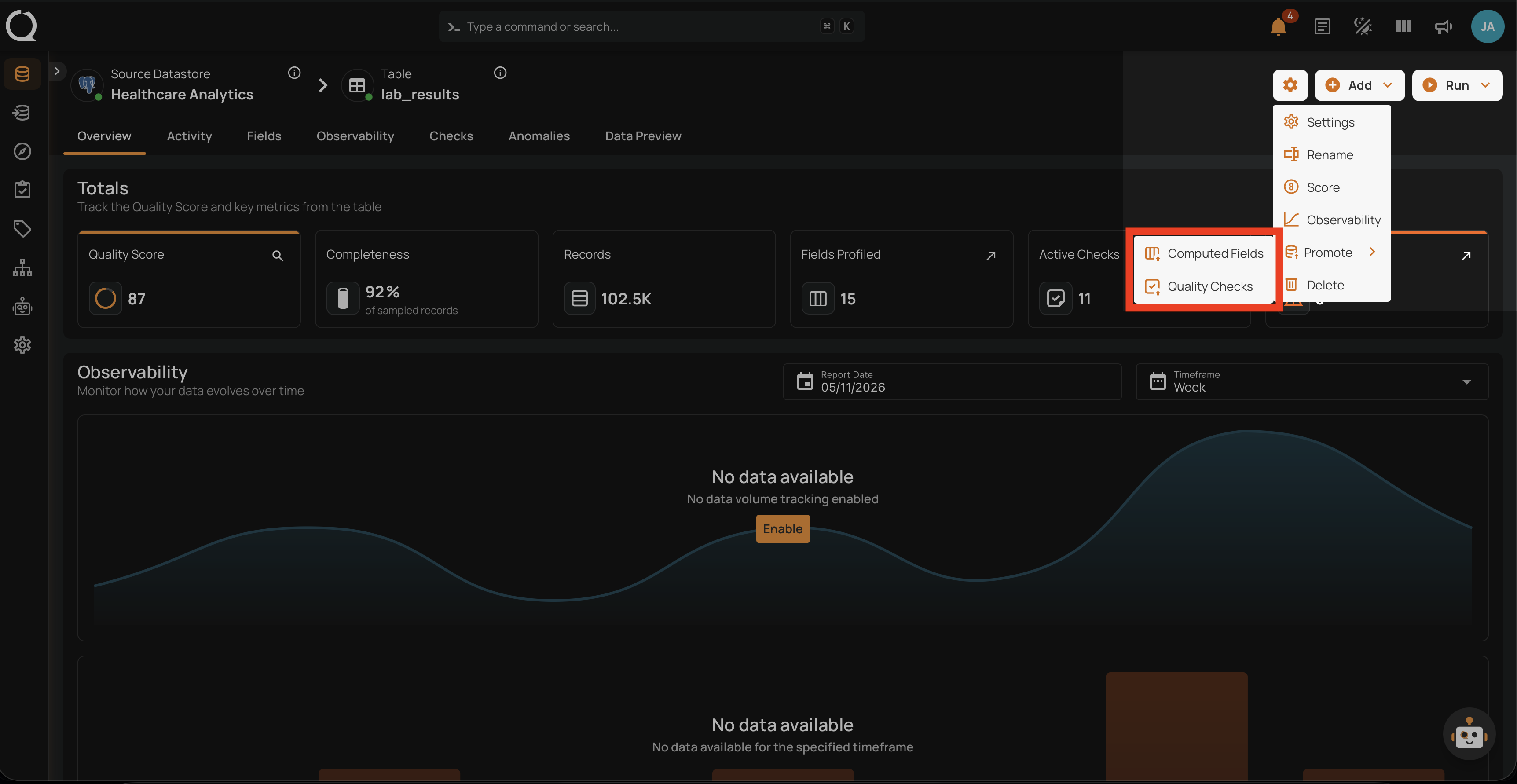
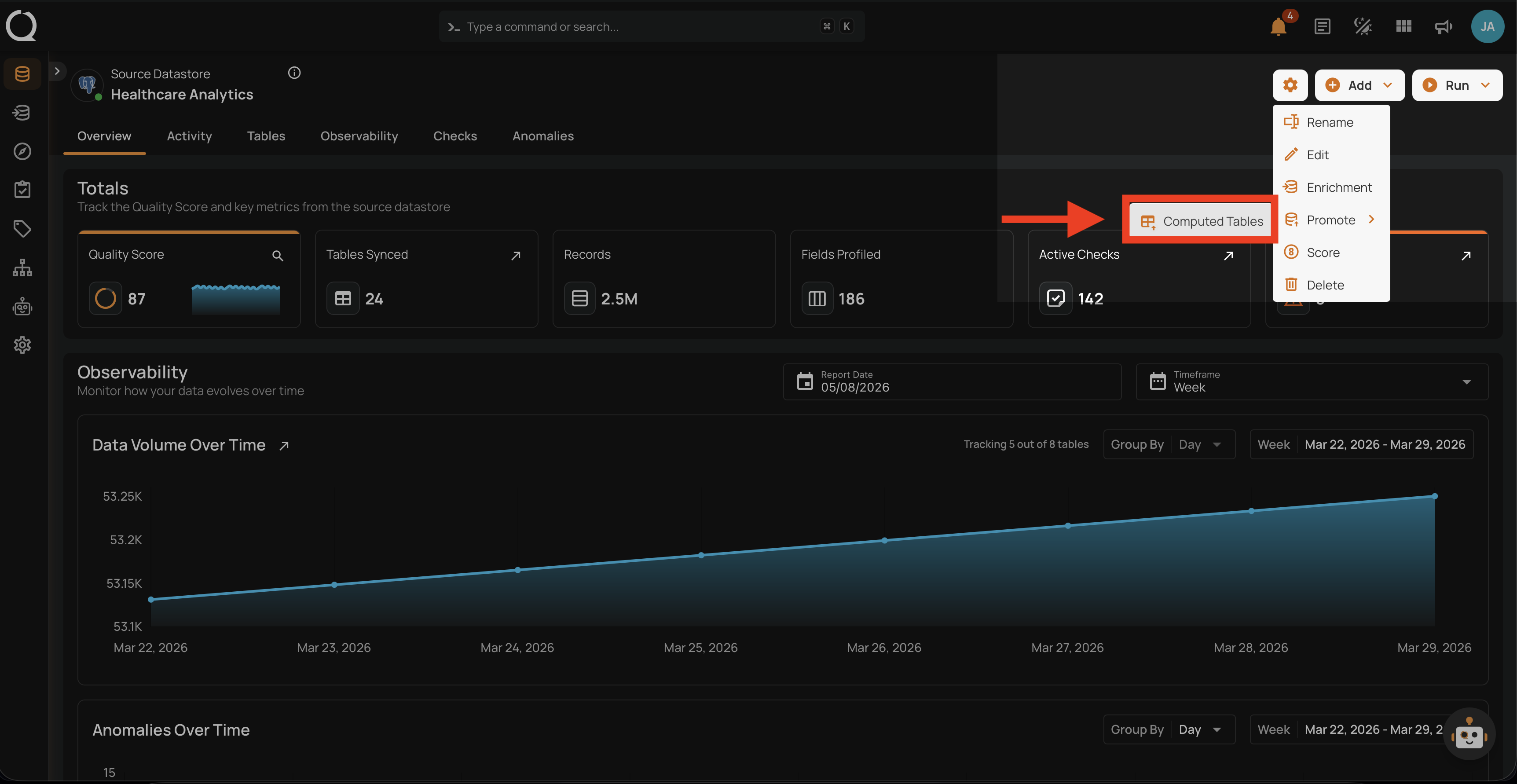
Step 5: Click Computed Tables to open the promotion modal.
Step 6: The Promote Computed Tables modal opens at the Select Computed Tables step.
Step 7: Choose All, Specific, or Tag (see Select Computed Tables for the field reference), then click Next to proceed.
Step 8: On the Destination Settings step, choose the destination JDBC datastore and optionally add tags (see Destination Setup for the field reference). Click Promote to start the operation.
Step 9: A confirmation appears telling you the operation was triggered and that you will be taken to its page. Close the confirmation and the platform opens the promote operation, where you can watch it run and review per-table results once it completes.