Unassign a Tag from a Datastore
Removing a tag from a datastore is useful when a datastore no longer belongs to a particular category, compliance scope, or environment. When you unassign a tag, it is automatically removed from the containers, fields, and checks within the datastore. Anomalies that already exist keep the tag.
Permission Required
You need the Editor team permission or above in at least one of the datastore's teams to unassign tags. See the Permissions page for details.
Side Effects
When you unassign a tag from a datastore, the tag is automatically removed from all containers, fields, and checks within the datastore. Existing anomalies keep the tag. If the tag has a weight modifier configured, quality scores for all containers in the datastore will be recalculated to reflect the new weighting.
Note
Unassigning a tag from a datastore does not delete the tag itself - it only removes the association. The tag remains available for use on other datastores.
Steps
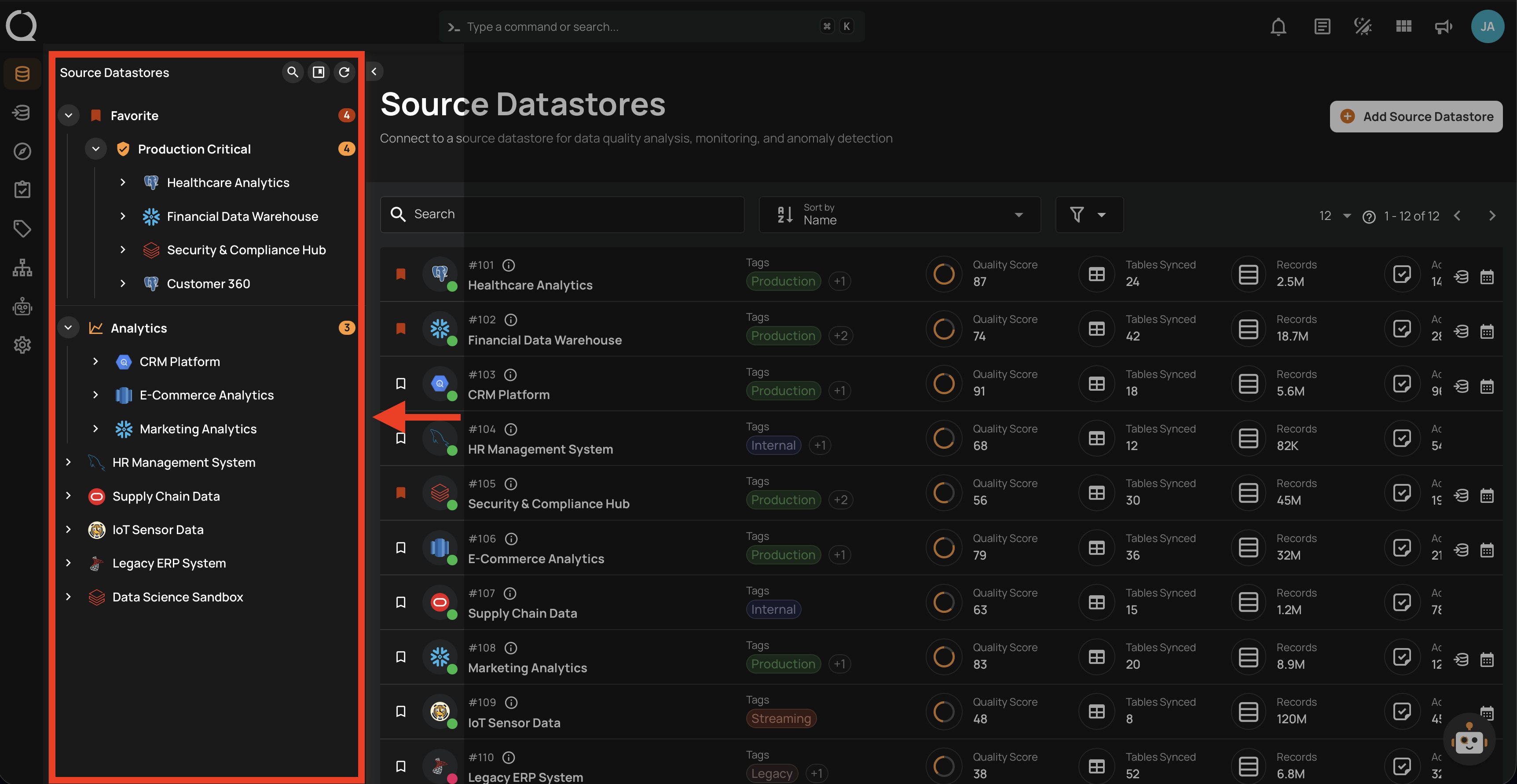
Step 1: Select a source datastore from the tree view to open its detail page.
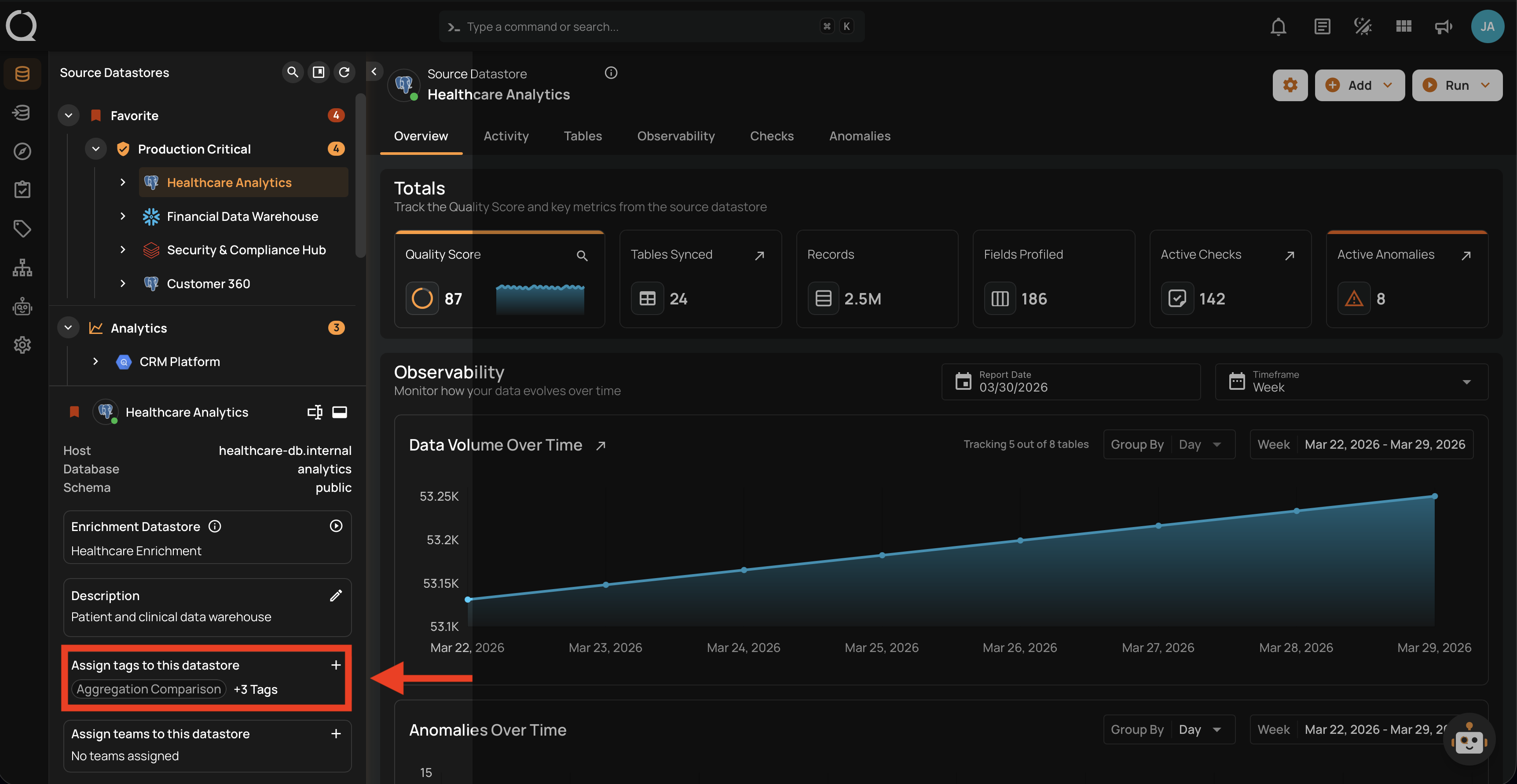
Step 2: In the datastore details panel below the tree view, locate the Assign tags to this datastore section and click the button to open the tag selector.
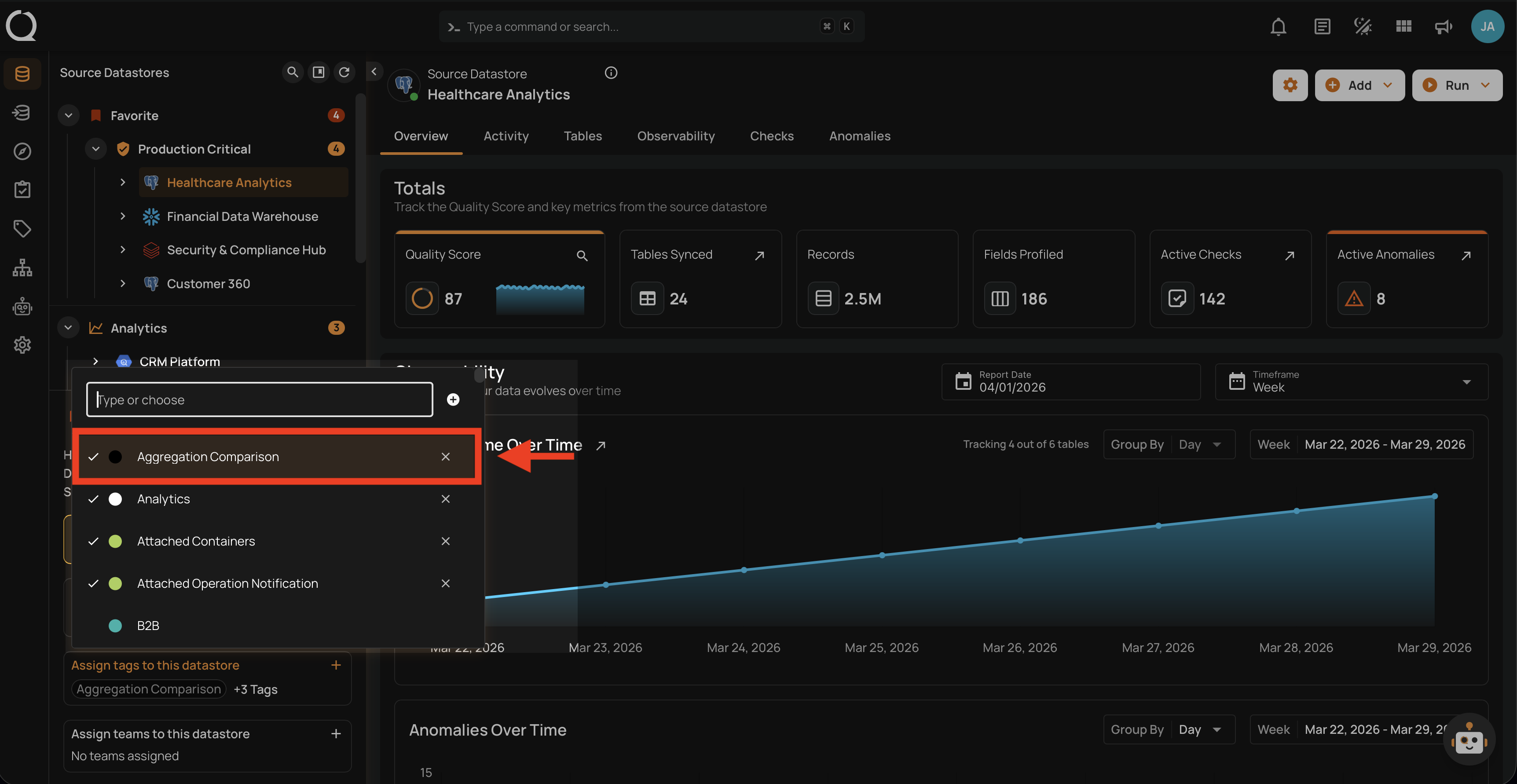
Step 3: A menu will appear showing all available tags. Currently assigned tags are marked as selected. Use the search field to filter tags by name, then click on a selected tag to deselect it. The tag is removed immediately - no confirmation is required.
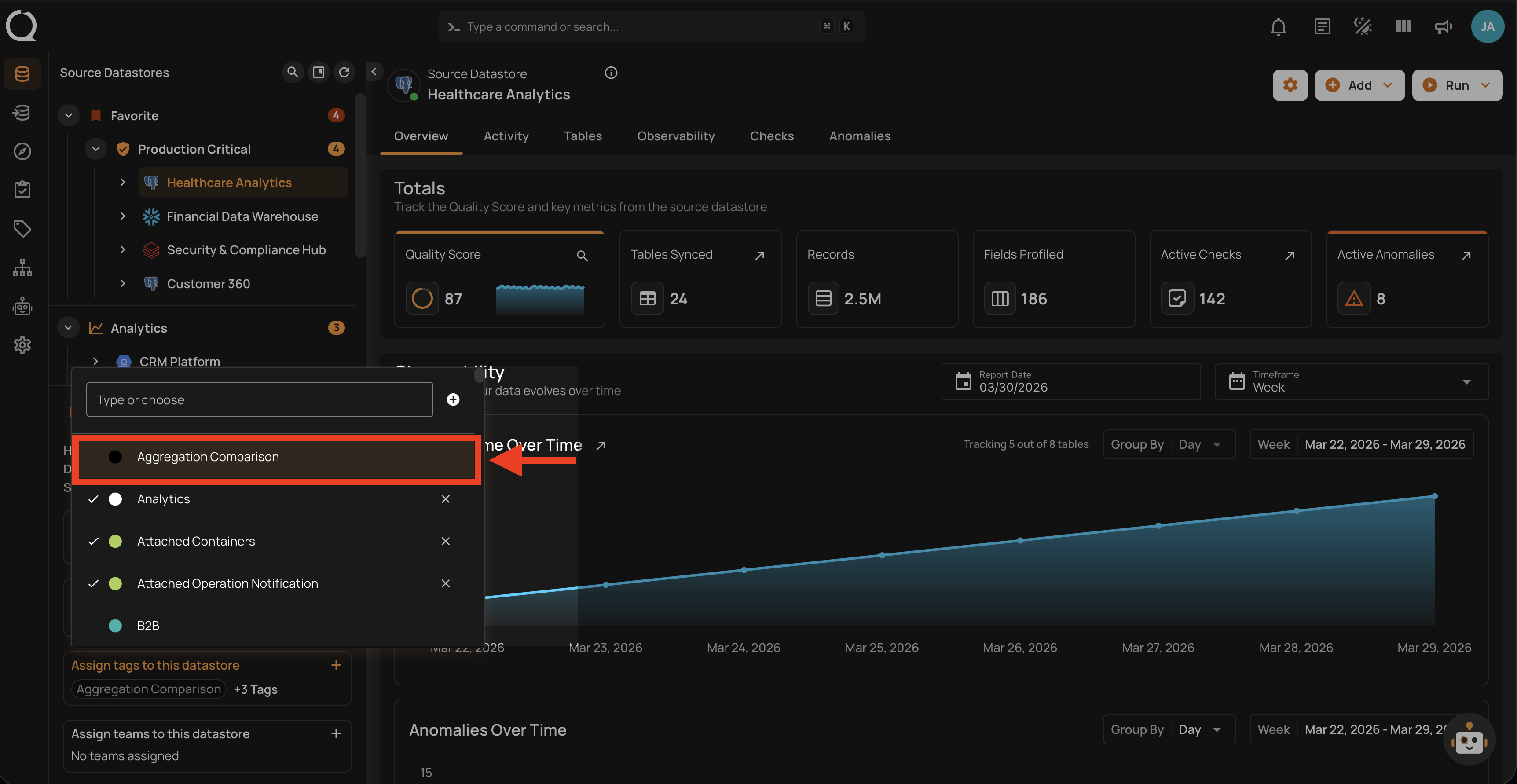
Step 4: The tag is instantly removed from the datastore, and its containers, fields, and checks are updated. Existing anomalies keep the tag.
Assign a Tag
To learn how to assign a tag to a datastore, see the Assign a Tag documentation.