Delete Service Token
Use the Delete action to permanently remove a Service Token. Once deleted, the token cannot be recovered.
Permissions
Only users with the Admin role can delete Service Tokens. See the Permissions page for details.
Note
You can only delete revoked or expired tokens. Active tokens must be revoked first before they can be deleted. Expired tokens can be deleted right away, without revoking them first.
Side Effects
Deletion is permanent: the token is removed and cannot be recovered. If you only want to disable API access temporarily, use Revoke instead.
Steps
Step 1: On the Service tab, find the revoked or expired Service Token that you want to delete and click the vertical ellipsis at the right end of its row, after the status badge.
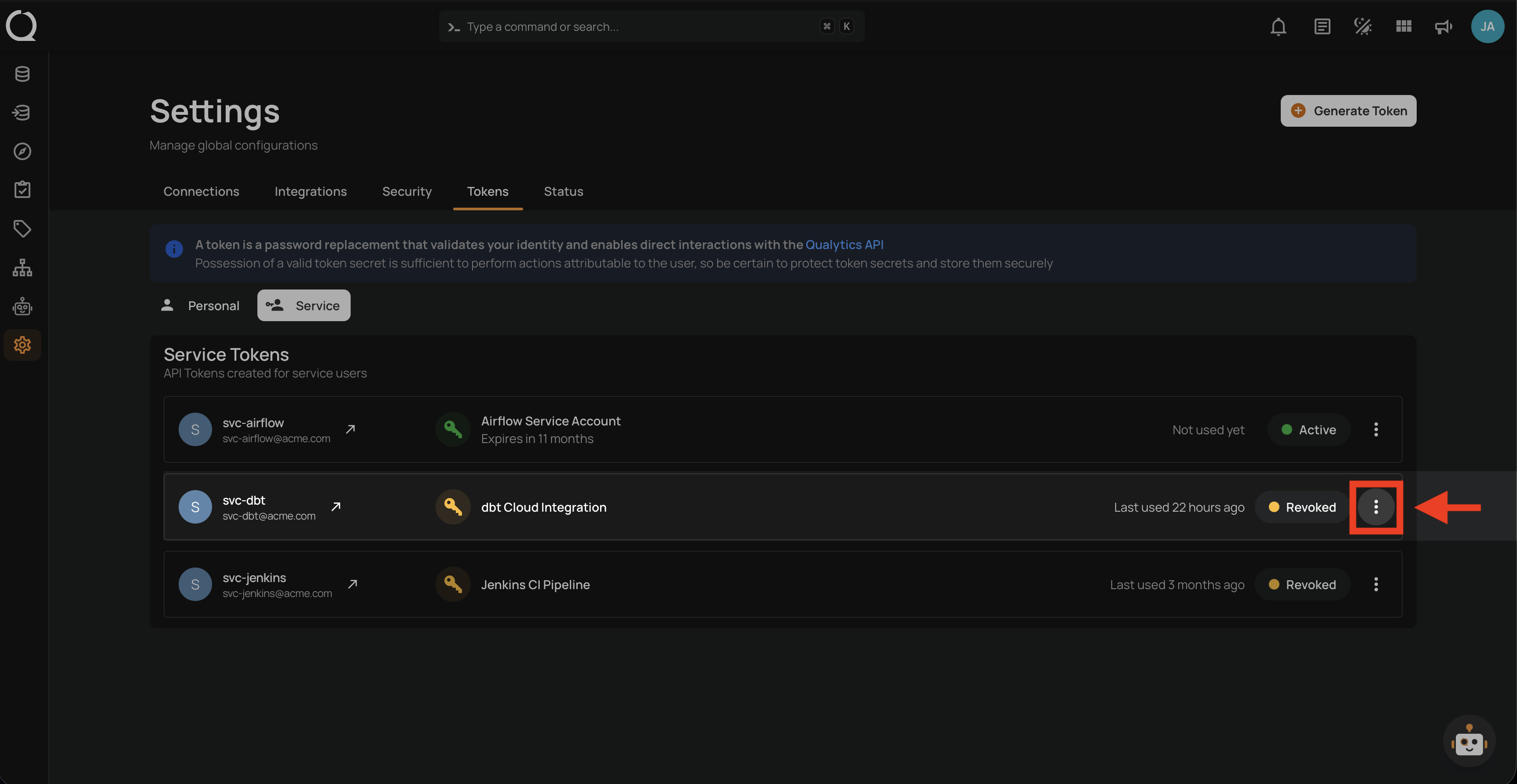
Step 2: A dropdown menu opens. Its options depend on the token's status: a Revoked token offers Restore and Delete , and an Expired token offers only Delete . An Active token offers only Revoke , so it has no Delete option until you revoke it.
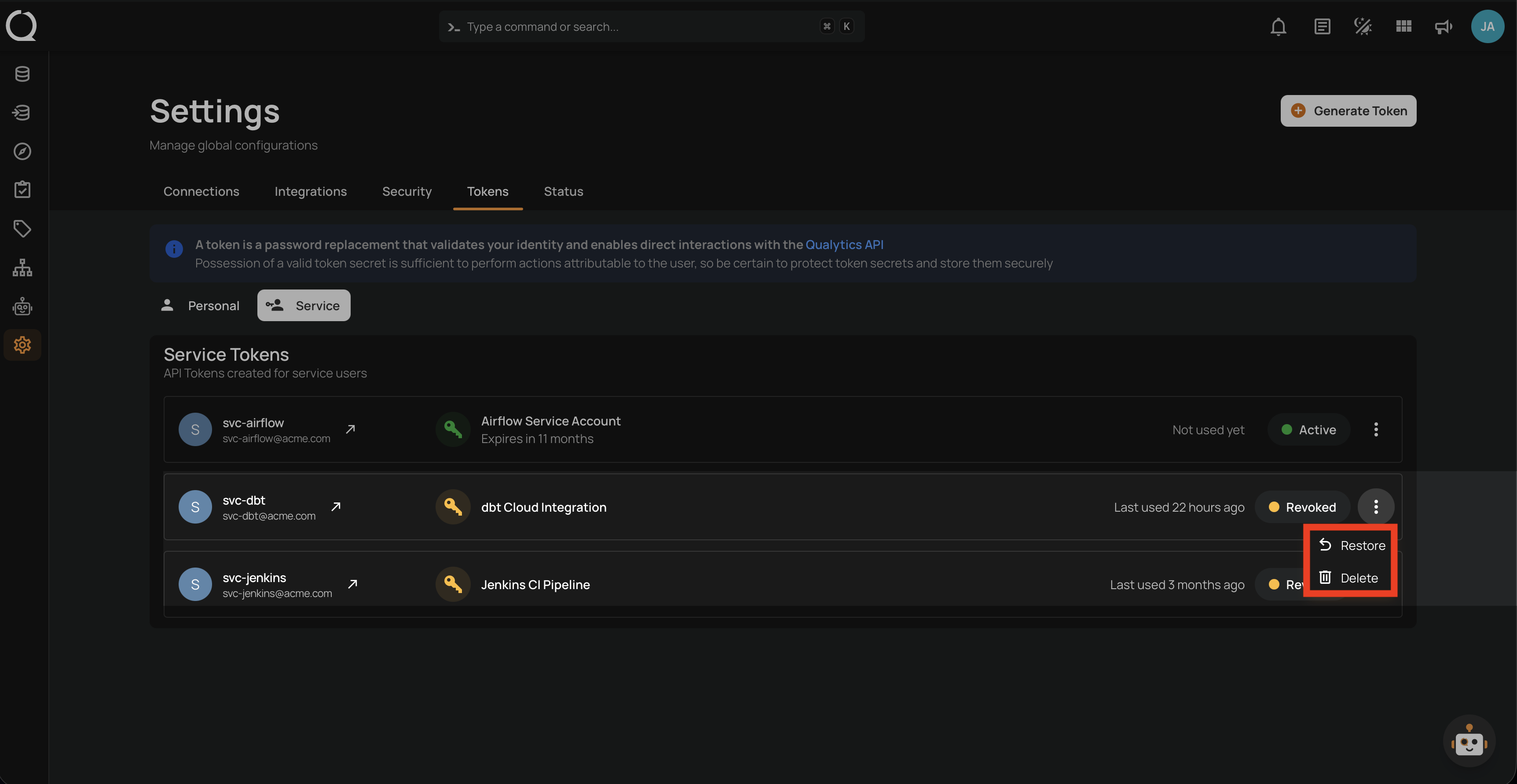
Step 3: Click Delete from the dropdown menu.

Step 4: The Delete Token dialog opens. It shows the token name with its expiration line (Expired on and the date, Expires on and the date, or This token never expires), asks Are you sure you want to proceed?, and warns that any external system or webhook using this token stops working immediately and that the action cannot be undone. Click Delete in the bottom right corner of the dialog to confirm, or Cancel to keep the token.

Step 5: The dialog closes and a success notification confirms "The User token has been successfully deleted". The token is removed from the list.
