Getting Started with Computed Fields
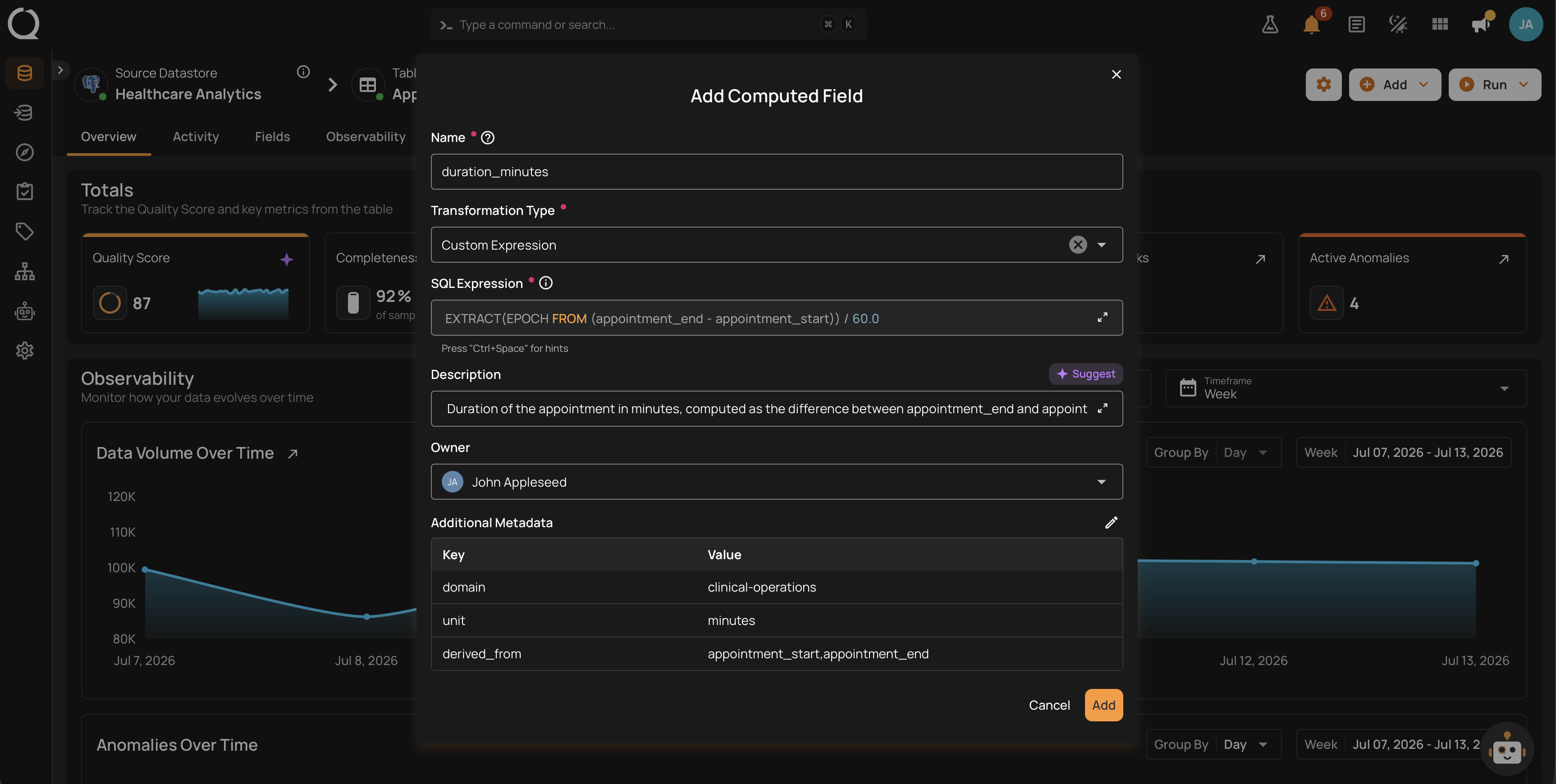
A Computed Field is a derived field attached to a container. You declare a transformation and the source fields it reads; Qualytics stores the definition on the container and evaluates it when the container is profiled or scanned. The derived value appears alongside the container's native fields and can be profiled, referenced by quality checks, and monitored the same way.
Four transformation types cover the common shapes: Cast for data-type conversion, Cleaned Entity Name for stripping business signifiers, Convert Formatted Numeric for formatted-string amounts, and Custom Expression for any valid Spark SQL expression across one or more source fields.
Permissions
You need the Member user role and one of the following on the parent datastore to add, edit, or delete a Computed Field: the Editor team permission, or the Author team permission when you are (or will be) the owner of the Computed Field. Viewing one requires the Reporter team permission (or above) on the datastore. See the Permissions page for the full matrix.
Deep Dive
-
Introduction
What a Computed Field is, when to reach for one, and how it differs from a regular field.
-
How It Works
Execution model, when values are computed, and how Computed Fields interact with Sync and Profile.
-
Transformation Types
Reference for every transformation type available: Cast, Cleaned Entity Name, Convert Formatted Numeric, and Custom Expression.
-
Computed Field vs Computed Container
Side-by-side with Computed Tables, Files, and Joins. When to pick per-field derivation over a whole computed container.
-
Cost and Performance
Where the cost of a Computed Field lives and how transformation choice affects Profile and Scan runtime.
-
Examples
Production Computed Field scenarios with the transformation choice for each.
-
Best Practices
Naming, transformation choice, metadata, and coping with source-field drift.
-
Permissions
Who can view, create, edit, and delete a Computed Field, plus the Author-and-owner hybrid gate.
How-tos
-
Add a Computed Field
Walk through the Add Computed Field modal from container selection to Save.
-
Edit a Computed Field
Change the transformation, description, or metadata of an existing Computed Field.
-
Delete a Computed Field
Permanently remove a Computed Field and understand the impact on quality checks and anomalies.