 Redshift Connector
Amazon Redshift is AWS's fully managed cloud data warehouse. It is columnar, PostgreSQL-compatible, and built for OLAP workloads, so analytics teams use it to power dashboards, reporting layers, and large aggregate queries across data that is loaded from S3, streaming sources, and operational systems.
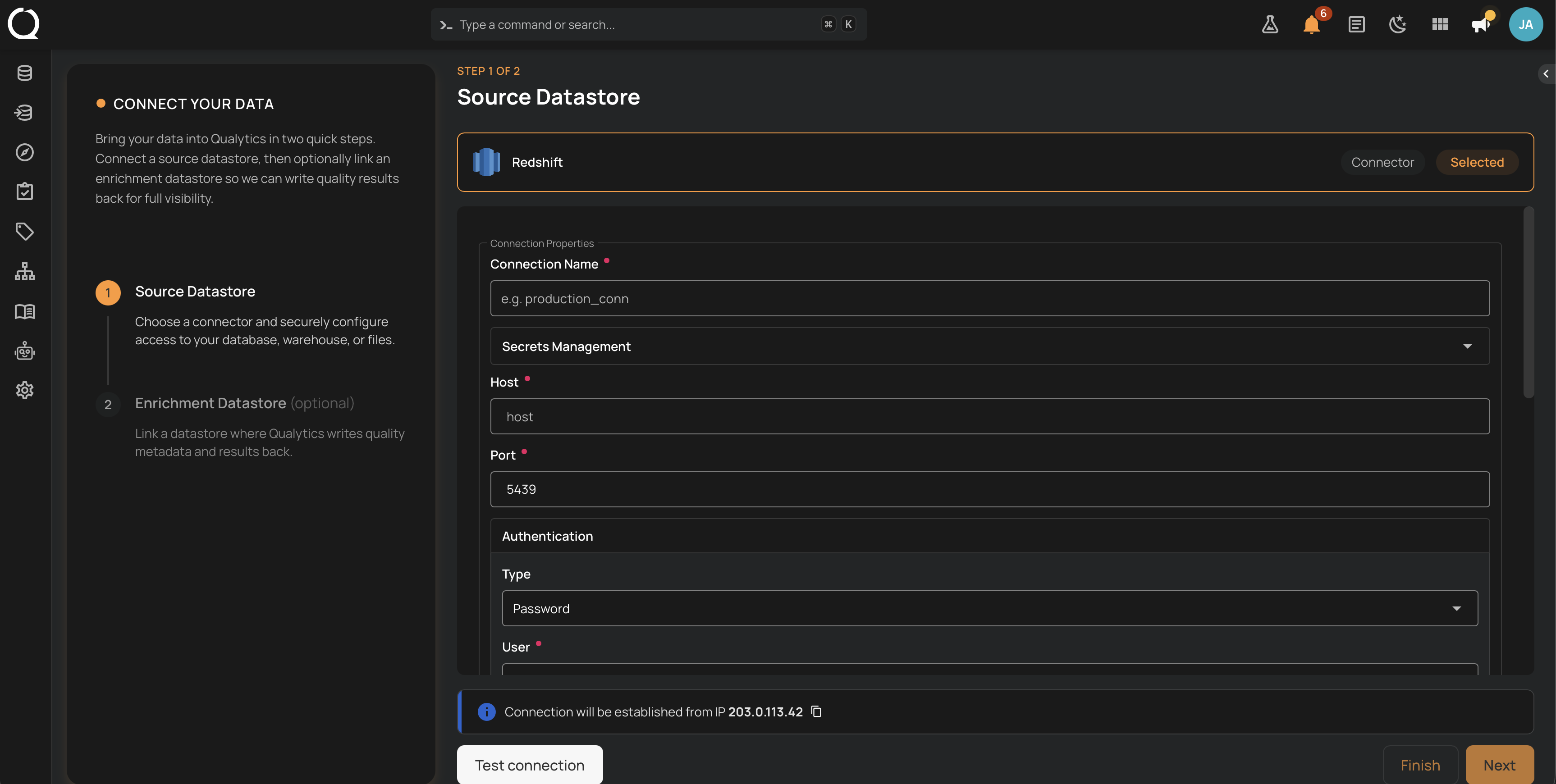
The Qualytics Redshift connector points at a cluster's host, port, database, and schema, and you choose between Password and IAM Role authentication. Qualytics then discovers schemas, tables, and columns, profiles them, runs scheduled scans, and surfaces record- and schema-level anomalies alongside your other governed sources. Redshift Serverless is auto-detected from the hostname, and the same connector configuration works for both source and enrichment datastores.
Deep Dive
-
Permissions
Minimum Redshift privileges the connection user (or assumed role) needs to discover schemas, read metadata, and run profile and scan queries.
-
Authentication
Choose between Password (database user and password) and IAM Role (assumed role with External ID) for Redshift connections.
-
Troubleshooting
Common Redshift connection errors and how to resolve them: credentials, IAM trust policy, network reachability, and schema visibility.
How-tos
-
Add Source Datastore
Step-by-step UI walkthrough for adding Redshift as a source datastore, using either a new or existing connection.
-
Create via API
REST and CLI payload examples for creating Redshift source datastores, with both Password and IAM Role authentication.
Notes
Supported deployments
The connector works with provisioned Redshift clusters and with Redshift Serverless workgroups. Serverless endpoints are auto-detected from the hostname pattern *.redshift-serverless.amazonaws.com, so no separate connector type or extra configuration is required.
Default port
Redshift listens on port 5439 by default, and Qualytics auto-populates that value when you add a connection. Change it only if your cluster or workgroup is configured to listen on a non-default port.
SSL is enforced
The JDBC URL Qualytics builds always includes ssl=true, so every connection from your Qualytics deployment to your Redshift endpoint is encrypted in transit. You do not configure SSL or rewrite the JDBC URL in the connection form.
System schemas filtered
Redshift exposes several system schemas (pg_catalog, pg_toast, pg_internal, and information_schema) that hold internal catalog and runtime metadata. Qualytics filters those out of the schema picker automatically so you only see user-owned schemas when configuring a datastore.