Review Exported Data
Screenshots pending refresh
Screenshots on this page were captured against the previous Export Operation UI. They will be refreshed once the new UI lands.
After a confirmed write, Qualytics adds the written output to the destination. It also profiles it when Profile written tables in the enrichment destination is enabled on the source, as it is by default. Otherwise, run a Profile on the destination before reviewing the new output, so its fields have types.
Step 1: Open the enrichment destination. In the datastore tree, the Enrichment filter chip narrows the list to enrichment datastores.
Step 2: Open the Tables or Files tab, depending on the destination, and filter by Purpose set to Export. Each exported container carries the Export badge and a display name built from what it holds and the datastore it came from, such as Field Profiles (COVID-19 Data), with the physical name beside it.
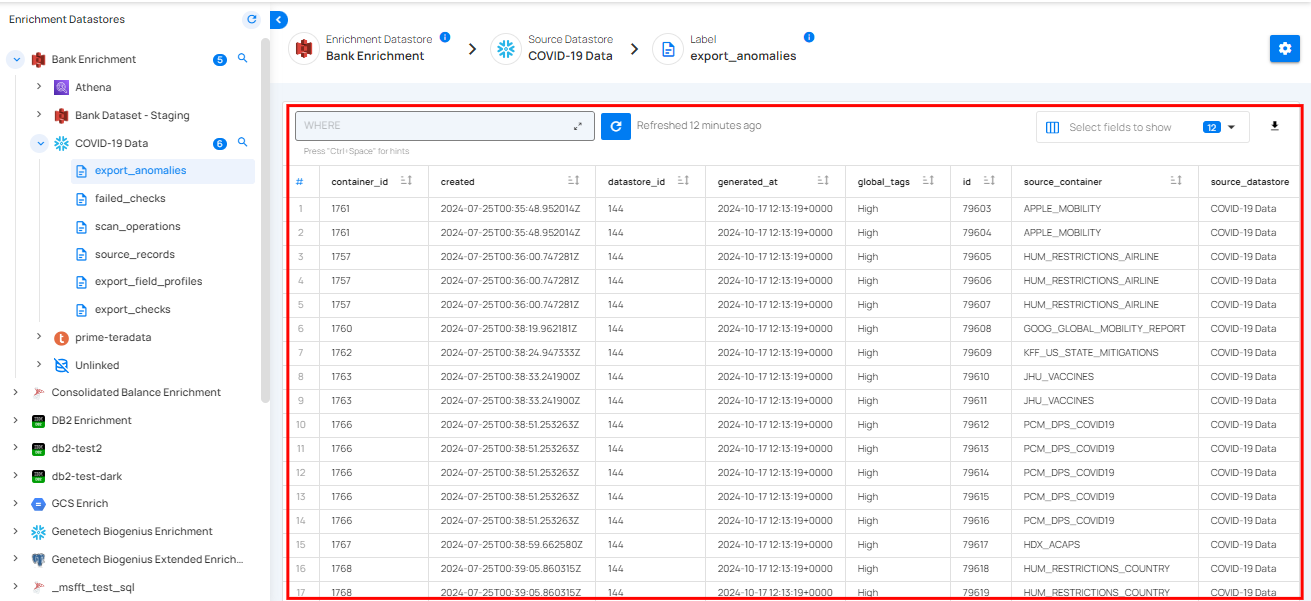
Step 3: Click an exported container to view the metadata. For demonstration purposes, we have selected the exported field profiles.
The exported metadata is displayed in a table format, showing key details about the field profiles from the datastore. It typically includes columns that indicate the uniqueness of data, the completeness of the fields, and the data structure. You can use this metadata to check data quality, prepare for analysis, ensure compliance, and manage your data.