Copy Status Summary
The Copy Status Summary action copies the full platform status data to your clipboard as a JSON object. This is useful for sharing with support teams or saving for troubleshooting.
The copied data includes the platform version, engine, cloud provider, deployment size, database connection status, RabbitMQ connection status, dataplane health check details, and private routes reachability.
Permissions
Users with the Manager or Admin role can copy the status summary. For a full breakdown of status-related permissions, see the Permissions page.
Steps
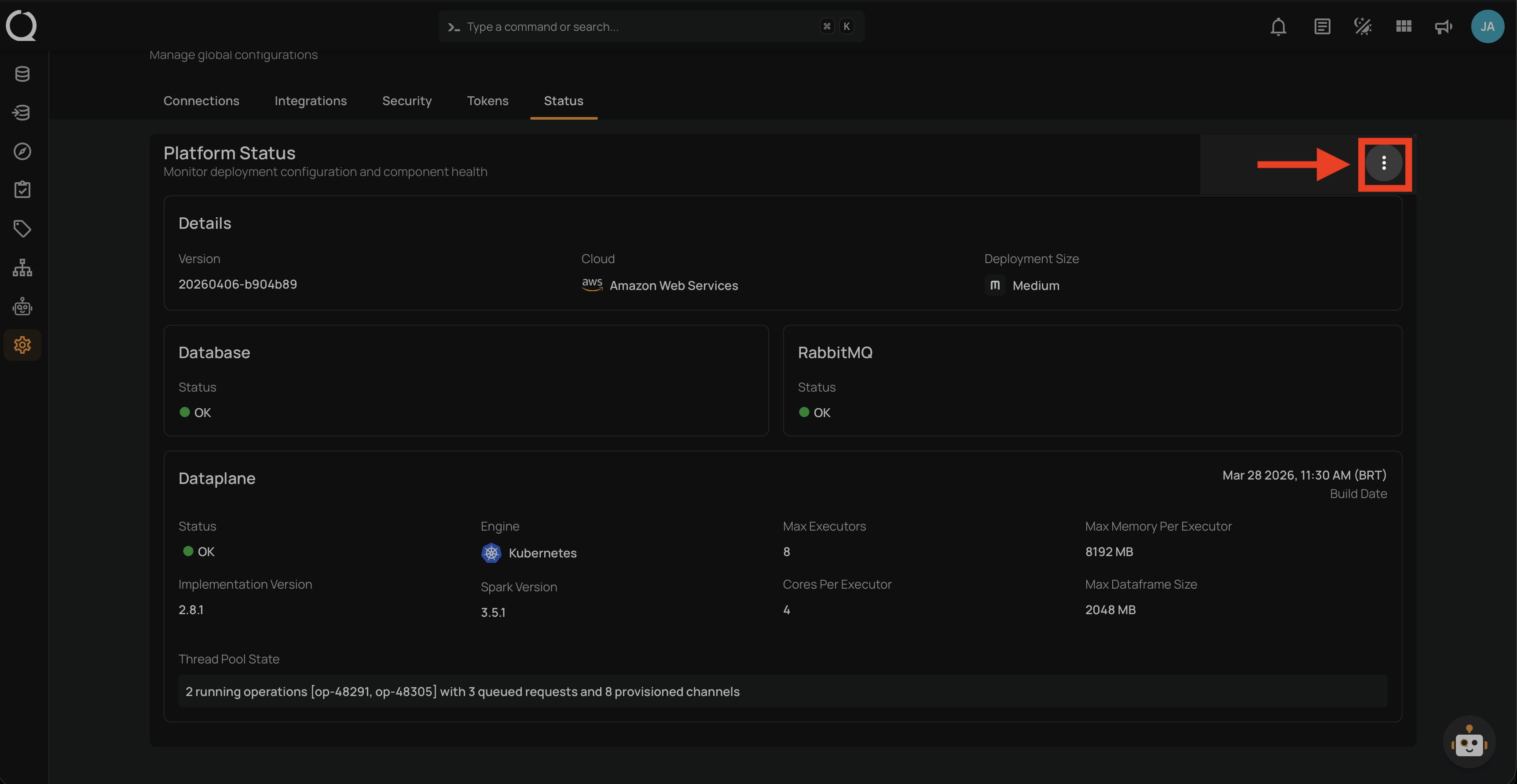
Step 1: Click the vertical ellipsis button at the top-right corner of the Platform Status section.
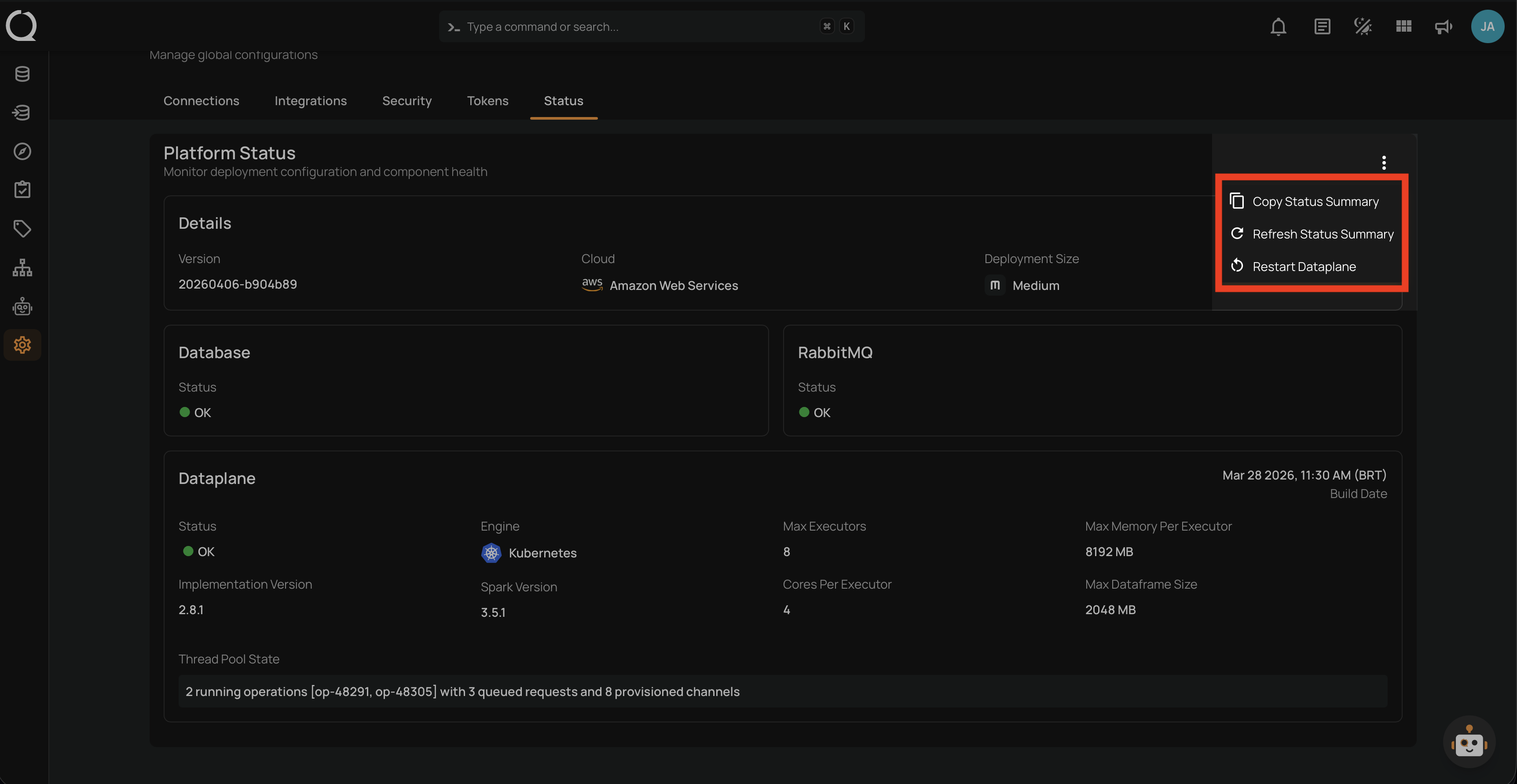
Step 2: A dropdown menu appears with the available actions.
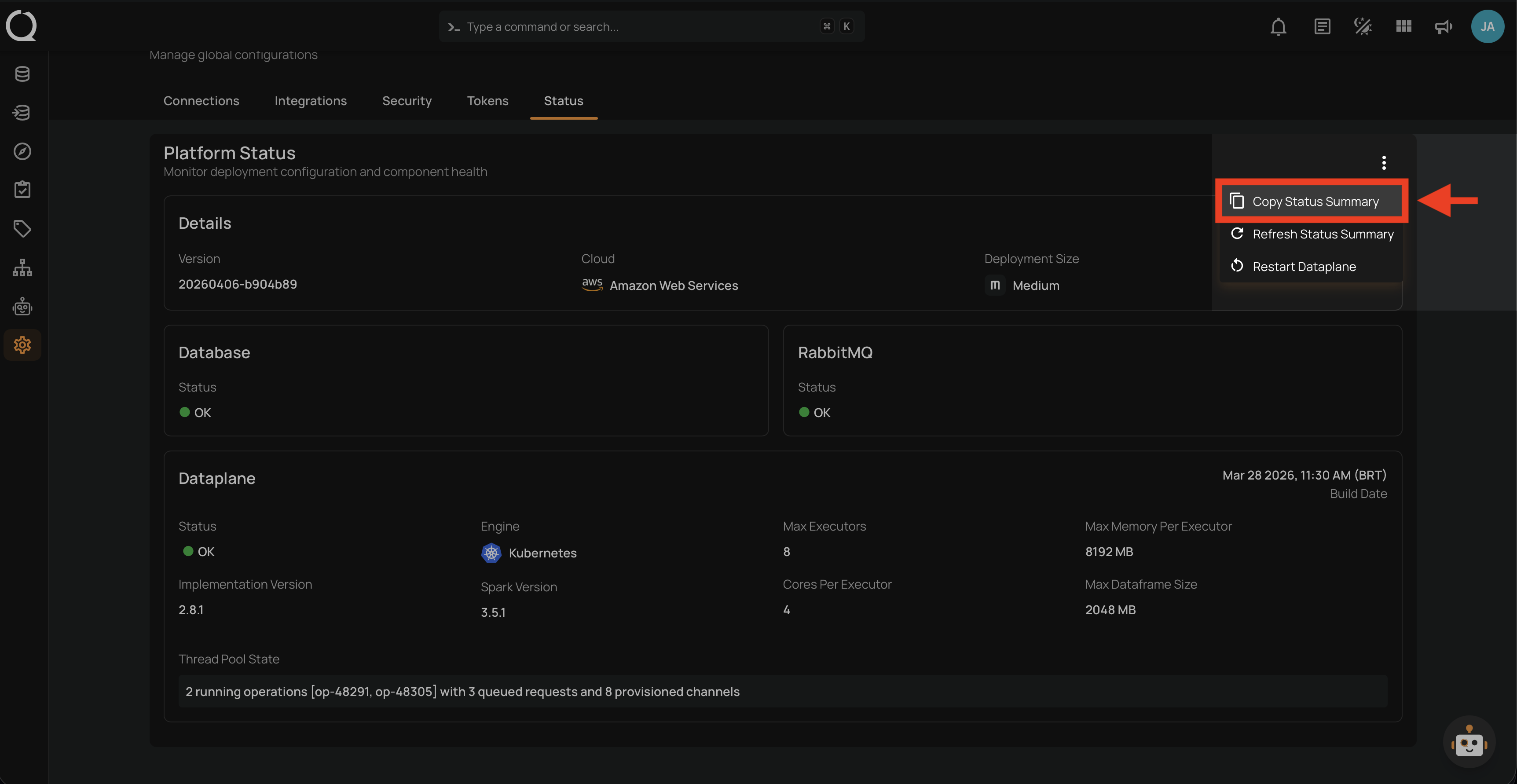
Step 3: Select Copy Status Summary from the dropdown menu.
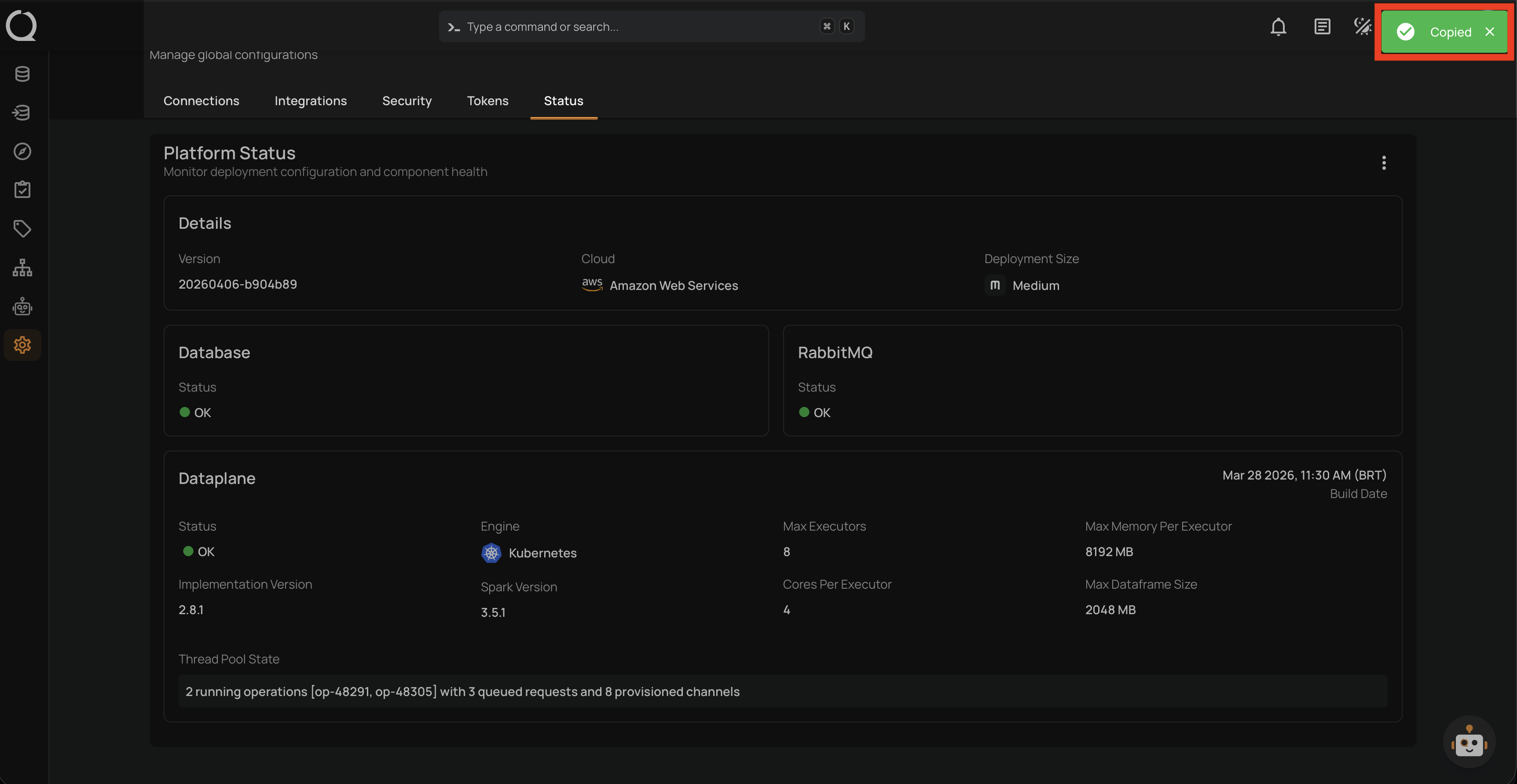
Step 4: A success notification appears confirming "Copied". The full status data is now in your clipboard and can be pasted into an email, support ticket, or text file.
Example of copied JSON
The copied data is the GET /api/status response merged with four display fields from the root endpoint (version, engine, cloud_platform, deployment_size). The engine, cloud_platform, and deployment_size values are the user-facing labels shown in the UI, not the raw API enum values.
{
  "version": "20260404-5def6ae",
  "engine": "Kubernetes",
  "cloud_platform": "Amazon Web Services",
  "deployment_size": "Medium",
  "database_connection": "OK",
  "rabbitmq_connection": "OK",
  "dataplane_healthcheck": {
    "build_date": "2026-03-28",
    "implementation_version": "2.8.1",
    "git_hash": "60de4a5",
    "spark_version": "3.5.1",
    "driver_free_memory_mb": 4096,
    "max_executors": 8,
    "max_memory_per_executor_mb": 8192,
    "cores_per_executor": 4,
    "max_dataframe_size_mb": 2048,
    "thread_pool_parallelism": 16,
    "thread_pool_state": "2 running operations [op-48291, op-48305] with 3 queued requests and 8 provisioned channels"
  },
  "private_routes": {
    "healthcare-db.internal:5432": "OK",
    "hr-db.internal:3306": "OK"
  }
}
Note
The private_routes field is included only when your deployment has private datastore connections configured. Without private connections, this field is omitted from the JSON.
Warning
The copied JSON may contain internal hostnames, private IP addresses, software versions, and resource allocation details. Review the content before sharing externally.