Revoke an Invitation
Use the Revoke action to cancel a pending invitation before it is used. The invitation link stops working immediately.
See Invite a User for enrollment and the Invitations API for programmatic management.
Permissions
Only users with the Admin role can revoke invitations. See the Permissions page for details.
Before You Revoke
Revocation applies to one pending invitation:
| Item | Effect |
|---|---|
| Invitation link | Stops working immediately. |
| Invitations list | The revoked invitation disappears from the default list. |
| Existing account and sessions | Unchanged. Revoking an invitation does not deactivate an account. |
| Other invitations to the same email | Remain valid unless separately revoked or expired. |
Revocation cannot be undone. You can send a new invitation if the person still needs access.
Steps
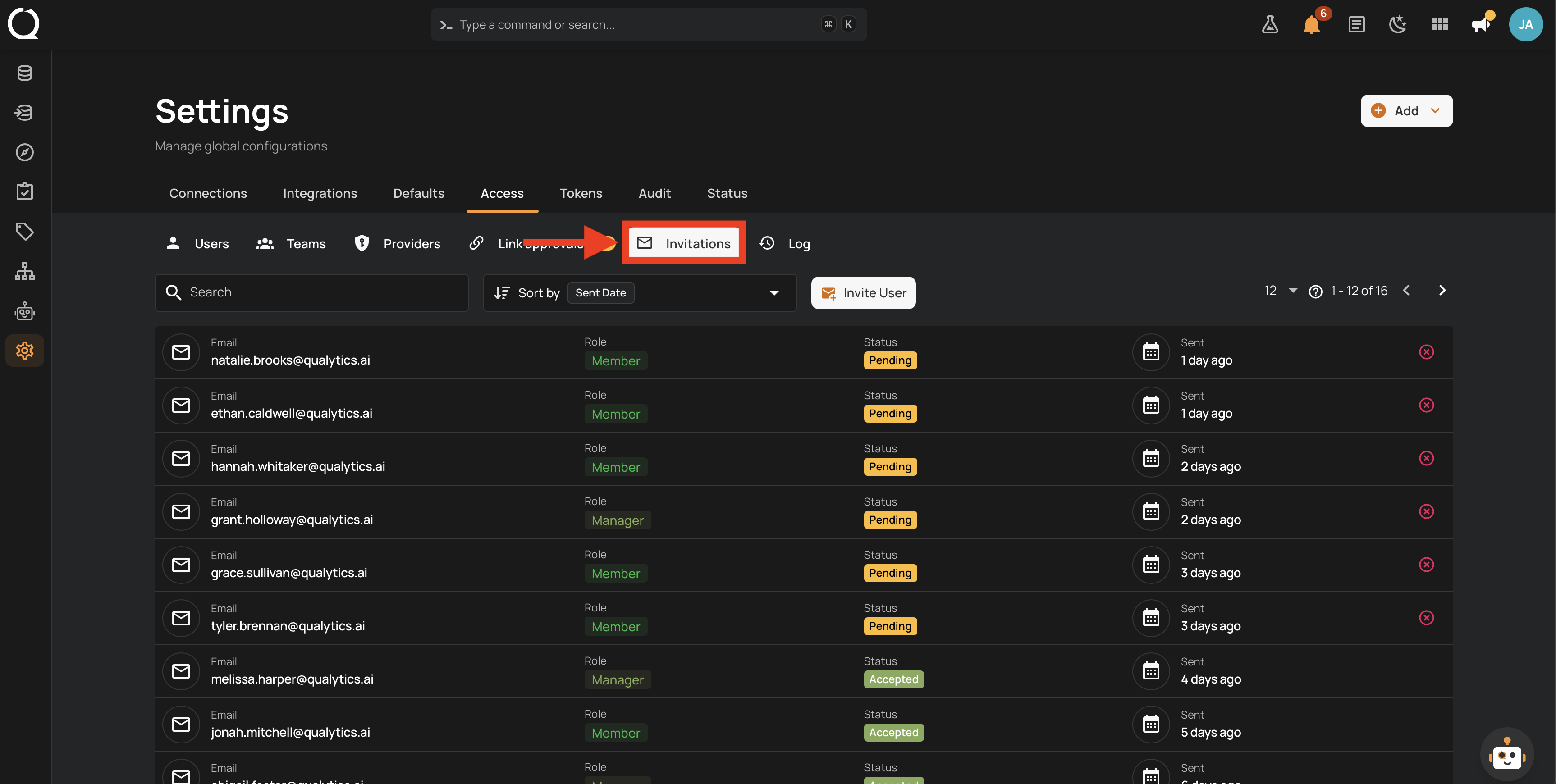
Step 1: Open the Invitations tab on the Access settings page.
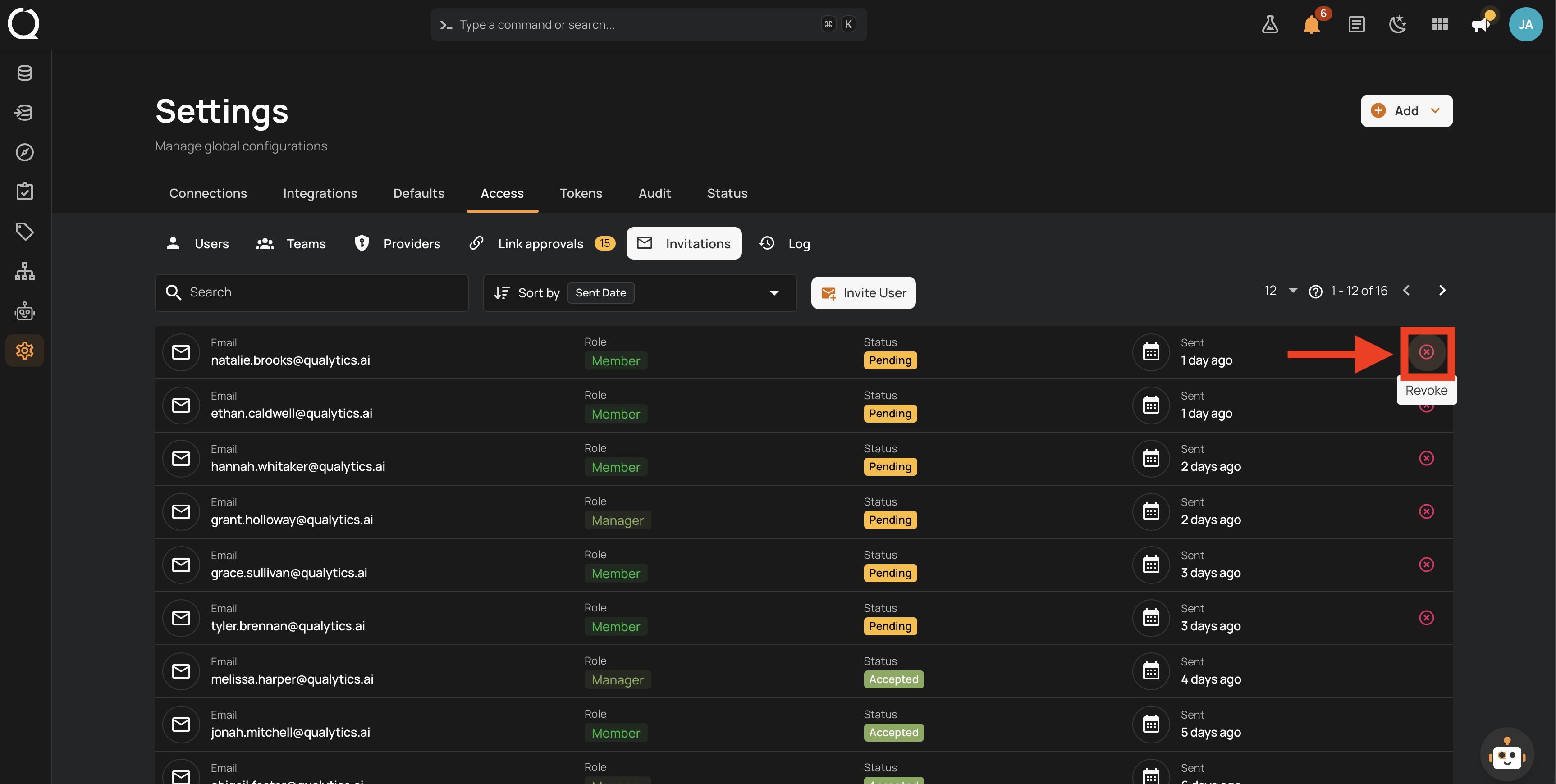
Step 2: Click the Revoke button on the pending invitation you want to cancel.
Step 3: A confirmation modal appears showing the invitation's email and role. Revoking cannot be undone.
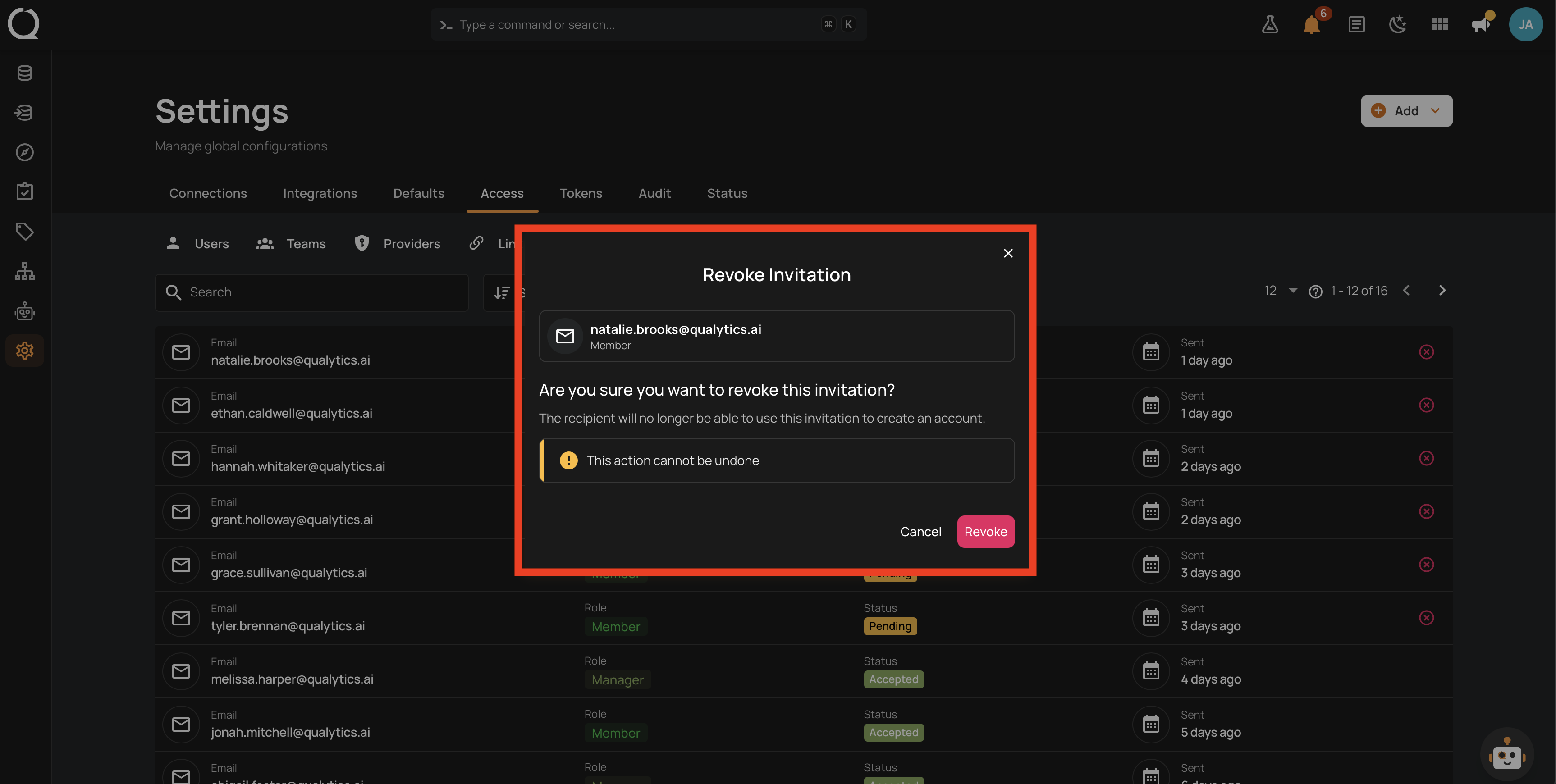
Step 4: Click the Revoke button to confirm.
Step 5: A success message appears and the invitation leaves the list. Its link stops working immediately.
Note
Only Pending invitations can be revoked. Revoking is permanent for that invitation, but you can always send a new invitation to the same email address.