Getting Started with Actions
An action is a node you chain after a Flow's trigger to define what the Flow does, such as running an operation, cleaning up anomalies, alerting a channel, calling an external system, or opening a ticket. This hub gathers everything about working with actions.
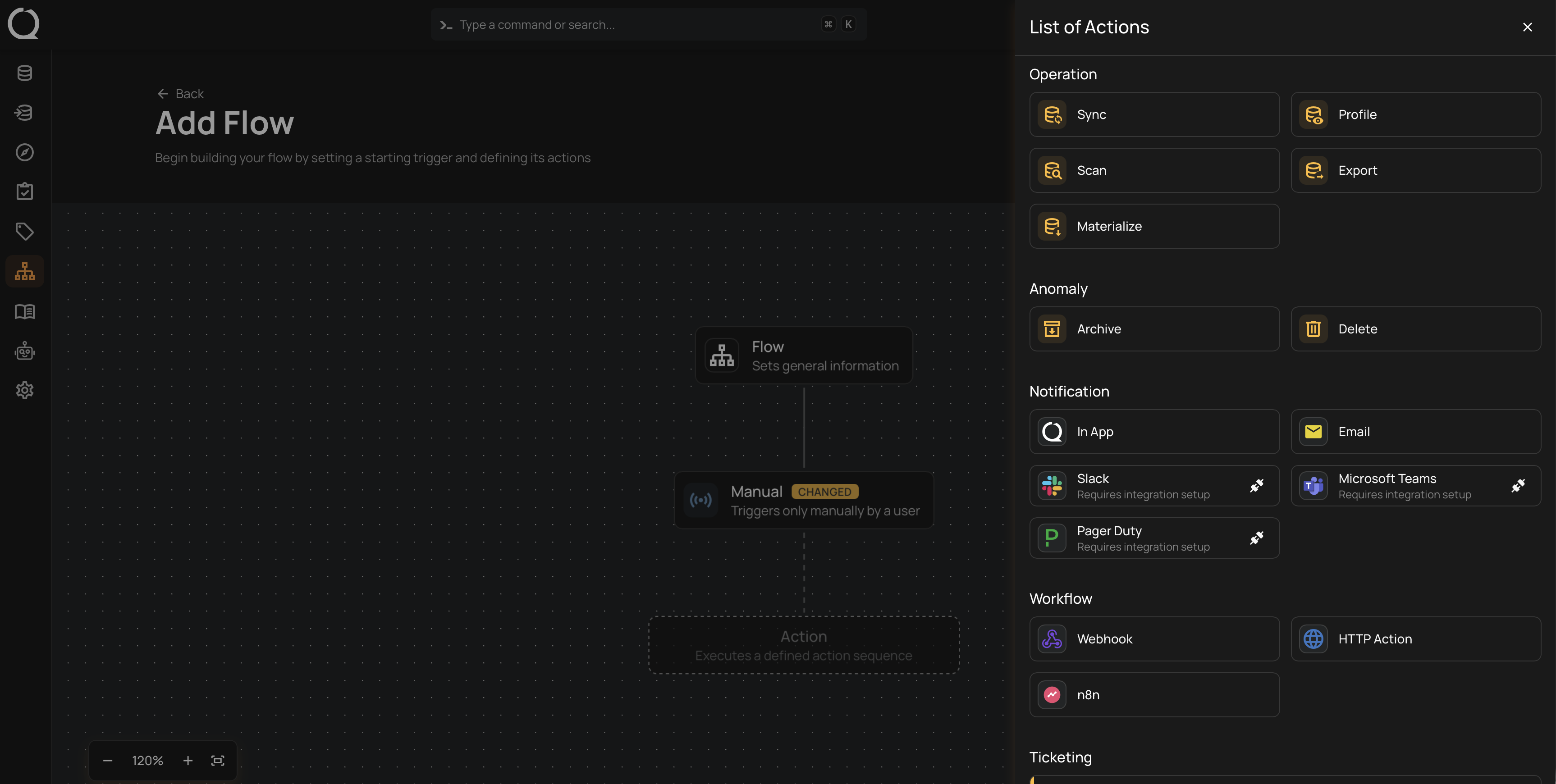
The Deep Dive opens with an introduction to actions and holds one hub per category (Operation, Anomaly, Notifications, Workflow, and Ticketing), each with its concept pages. The How-tos walk through configuring each action type. Editing, moving, cloning, and deleting any action on the canvas is covered in Navigate the Canvas. The API and FAQ pages cover every category in one place.
Deep Dive
-
Introduction
What an action is, how actions run, and the five categories.
-
How It Works
The action node, the five categories in detail, how actions run, and the chaining rules and limits.
-
Operation
Run datastore operations (Sync, Profile, Scan, Export, Materialize) or a Global Export when the trigger activates.
-
Anomaly
Archive or delete inactive anomalies automatically.
-
Notifications
Alert a channel: In App, Email, Slack, Microsoft Teams, or PagerDuty.
-
Message
The notification's body: how to write and format it, and the dynamic tokens per trigger type.
-
Workflow
Hand the event to an external system through a Webhook, an HTTP action, or n8n.
-
Ticketing
Create or update tickets in your issue tracker from anomaly events.
-
Examples
Real scenarios showing what each action category does inside a working Flow.
-
Best Practices
Guidelines per category for actions that do their work quietly and fail loudly.
How-tos
Operation
-
Configure a Sync Action
Refresh a datastore's inventory of tables, views, or files when the Flow runs.
-
Configure a Profile Action
Profile a datastore's tables and let AI infer quality checks.
-
Configure a Scan Action
Run quality checks and record anomalies when the Flow runs.
-
Configure an Export Action
Export anomalies, quality checks, or field profiles to the enrichment destination.
-
Configure a Global Export Action
Export check templates or the Access Report to an enrichment datastore, for example as a weekly access-review snapshot.
-
Configure a Materialize Action
Copy container data from a source datastore to the enrichment destination.
Anomaly
-
Archive Inactive Anomalies
Move anomalies out of the active queue after a period of inactivity.
-
Delete Inactive Anomalies
Permanently remove anomalies after a period of inactivity.
Notifications
-

 Add an In App Notification
Configure the message and save the action.
-
 Add an Email Notification
Set recipients, subject, and message, then test and save.
-
 Add a Slack Notification
Pick a channel, test the message, and manage alerts from Slack.
-
 Add a Microsoft Teams Notification
Pick a channel, customize the message, then test and save.
-
 Add a PagerDuty Notification
Set the message, severity, and routing, then test and save.
Workflow
-
 Configure a Webhook Action
Send the Flow's event to a connected app in real time.
-
 Configure an HTTP Action
Call any HTTP endpoint with a custom method, headers, and body.
-
 Configure an n8n Action
Trigger an n8n workflow from the Flow's event.
Ticketing
-
Create a Ticket
Open a ticket in your issue tracker when an anomaly event activates the trigger.
-
Update Ticket Status
Move linked tickets to a target status when an anomaly changes.
Reference
-
Troubleshooting
What to check when a category is disabled, an action fails or lands as Skipped, or a notification never arrives.
-
API
How every action category appears in the Flow API, with the notification endpoints per channel.
-
FAQ
Common questions about each action category, with the notification channels covered per channel.