Sign-In Providers Introduction
- Managed deployment
- Self-hosted
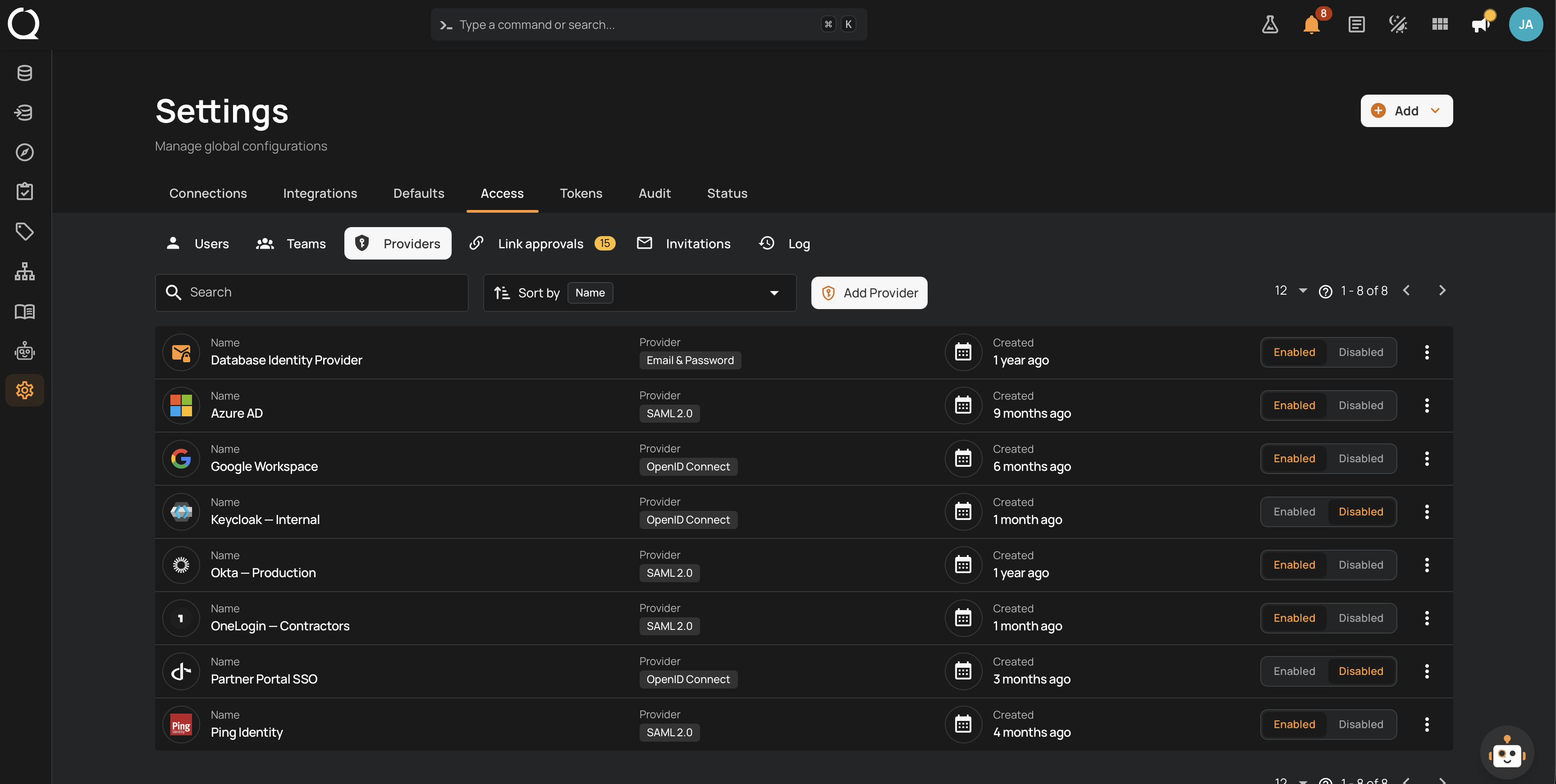
Sign-In Providers let administrators configure how users sign in to Qualytics directly from Settings > Access. The same provider management is available on managed and self-hosted deployments: email and password sign-in, OpenID Connect (OIDC), and SAML 2.0. You can enable several providers together, invite users, review identity-link requests, and audit sign-in activity.
The sign-in page shows one button for each enabled identity provider, so users pick how they authenticate. When email and password sign-in is enabled, the page shows the credentials form instead of a button for it.
Permissions
Only users with the Admin role see the Providers, Link approvals, Invitations, and Log tabs on the Access settings page. See the Permissions page for details.
Getting started
A new deployment offers one-time initial administrator enrollment. Once signed in, configure and test your providers here. Enabling a provider makes it available on the sign-in page, so keep a working Admin sign-in while making changes. See Managed Deployment SSO Setup or Self-Hosted Authentication Setup.
On managed deployments, the Qualytics team access card appears above the customer provider list when staff access is configured. Its Enabled / Disabled control manages support and diagnostics access separately. See Qualytics Team Access.
Set Up Access
- Create the first Admin account, or sign in using the invitation or provider arranged by your administrator.
- Configure email and password sign-in or add an OIDC or SAML provider under Providers. Review account provisioning, linking, and access restrictions before enabling SSO.
- Complete a real sign-in in a separate browser session and confirm the account's role and Team memberships.
- Use Link approvals for existing-account linking requests and Invitations for password account enrollment.
- Review Log for sign-in results and administration changes. Keep at least one tested customer sign-in provider enabled.
Deep Dive
Understand the provider types, the sign-in experience, identity linking, access restrictions, and sessions.
-
How It Works
Provider types, the sign-in experience, provisioning, identity linking, access restrictions, sessions, and the audit trail.
-
Permissions
Roles required to manage providers, approvals, invitations, and the sign-in log.
How-tos
Set up and operate your sign-in providers.
-
Add an OIDC Provider
Connect an OpenID Connect identity provider, including Google Workspace.
-
Add a SAML Provider
Connect a SAML 2.0 identity provider using its metadata URL or file.
-
Configure Email & Password Sign-In
Enable password sign-in with a password policy, lockout rules, and invitations.
-
Invite User
Invite a new user by email to set up their sign-in credentials.
-
Revoke Invitation
Cancel a pending invitation before it is used.
-
Manage Providers
Test, edit, enable, disable, and delete sign-in providers.
-
Review Link Approvals
Approve or reject requests to link a new sign-in identity to an existing account.
-
View the Sign-In Log
Audit sign-in activity and provider configuration changes.
-
Sort and Filter Sign-In Lists
Search and sort the providers and invitations, and filter the sign-in log.
-
Reset Your Password
Recover access to an email and password account using a reset email.
Troubleshooting, API & FAQ
-
Troubleshooting
Find the next step for missing providers, pending links, invitation issues, and sign-in failures.
-
API
Manage sign-in providers programmatically via the Qualytics API.
-
FAQ
Common questions about providers, linking, and the sign-in experience.