View the Sign-In Log
Use the Log tab on the Access settings page to audit sign-in activity and provider configuration changes: who signed in (or was denied), which provider was involved, and what an administrator changed.
See How Sign-In Works, Troubleshooting, and the Sign-In Log API for related guidance.
Permissions
Only users with the Admin role can view the sign-in log. See the Permissions page for details.
What the Log Shows
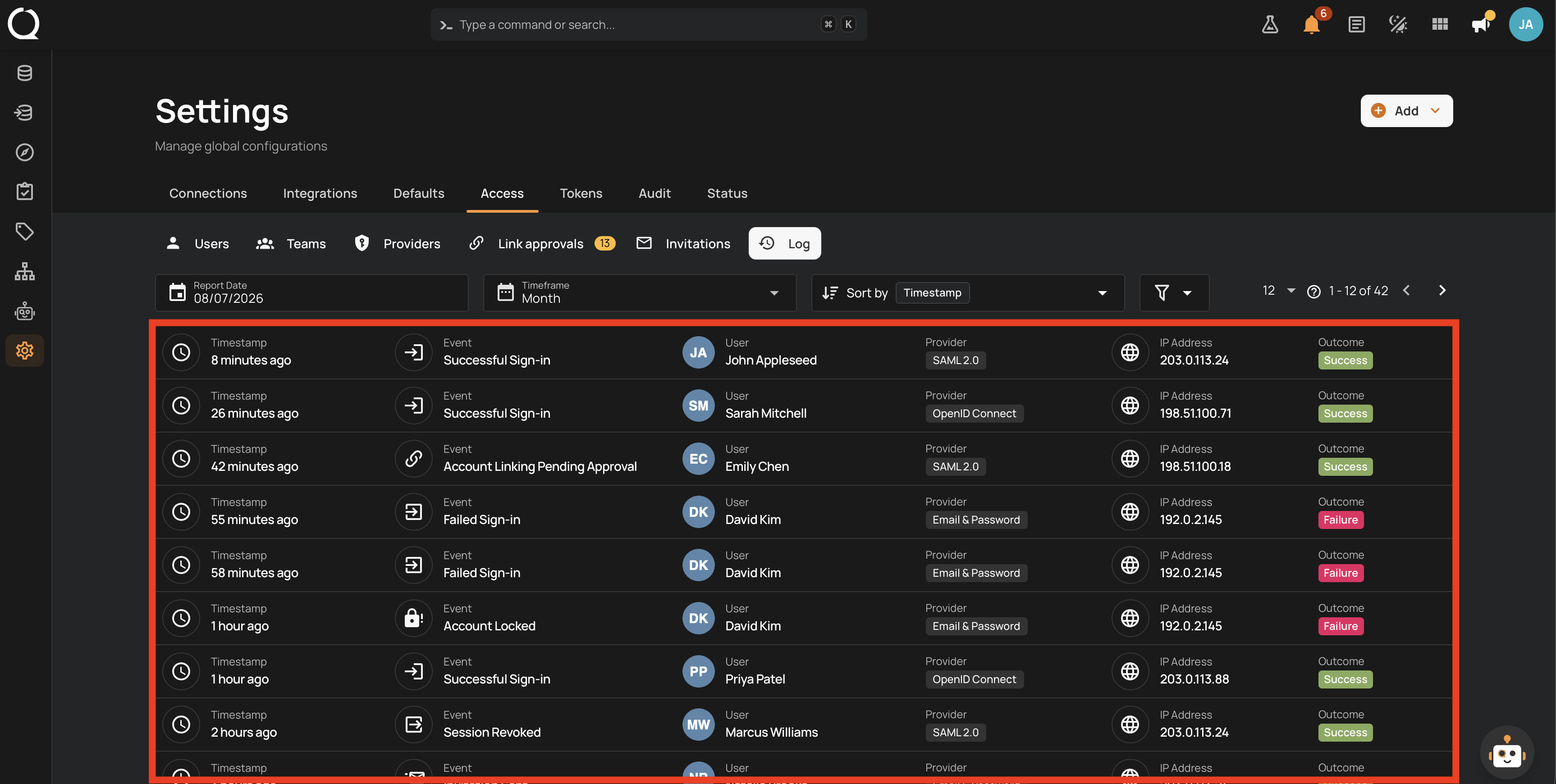
Each event row shows:
| Column | Description |
|---|---|
| Timestamp | When the event happened. Hover to see the full date and time. |
| Event | The event type, such as Successful Sign-in, Account Locked, Invitation Sent, Account Linking Pending Approval, or SSO Verification Failed. |
| User | The account associated with the event. Hover a named user to see their email when available. Events without an associated account show Unknown user, which does not prove the account does not exist. |
| Provider | The type of sign-in provider involved (OpenID Connect, SAML 2.0, or Email & Password). |
| IP Address | Where the request came from. |
| Outcome | Success, Failure, or a more specific result describing what happened. |
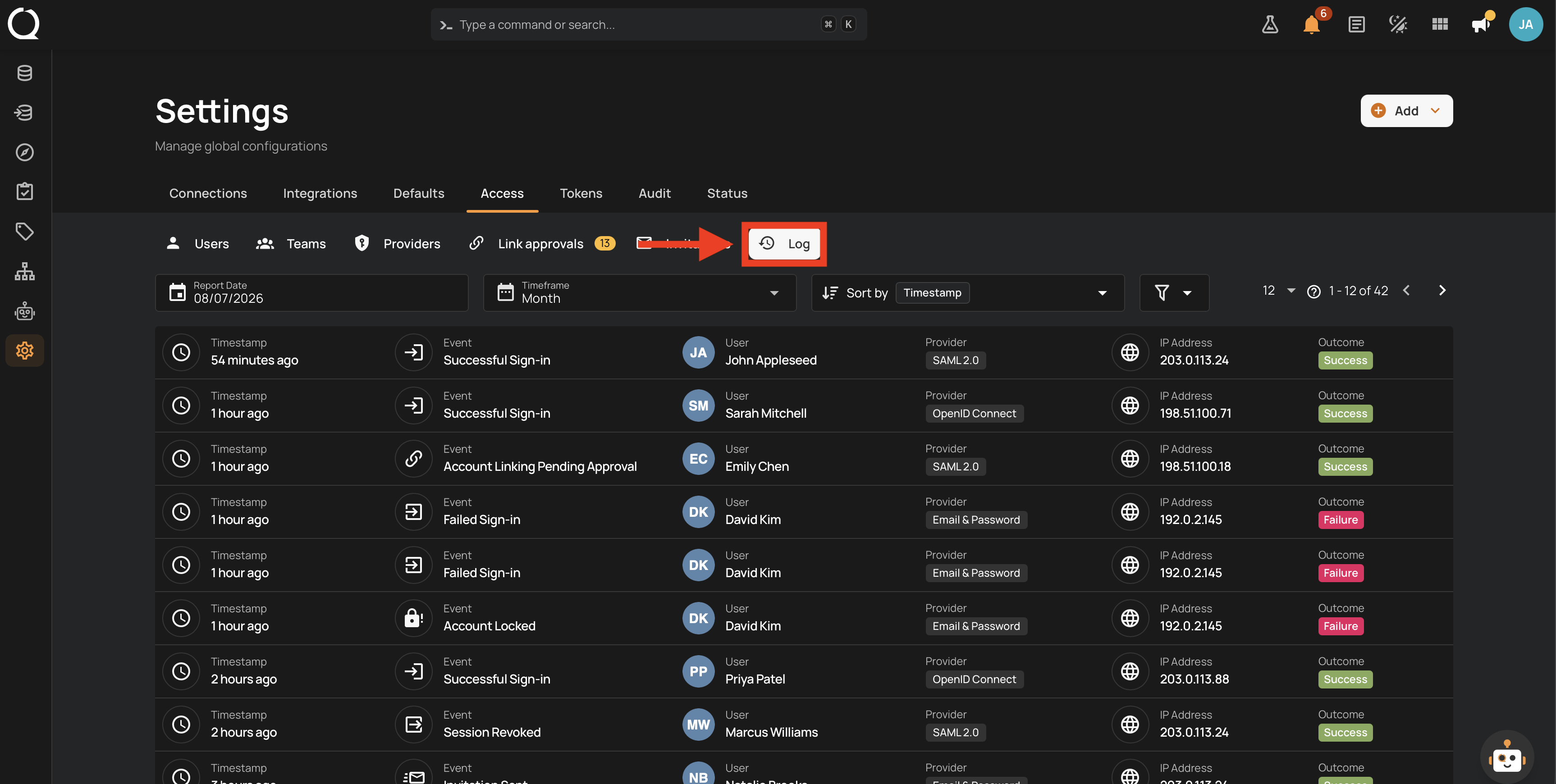
The log covers, among others:
- Sign-in activity: successful and failed sign-ins, account lockouts, and password resets.
- Denied sign-ins with the reason: an email domain not authorized for the provider, a group restriction, a missing email from the identity provider, or a deactivated account.
- Provider configuration changes: provider created, updated, or deleted. The API provides additional event details, including recorded property changes, with sensitive values redacted.
- Identity linking: link requests created, approved, and rejected.
- Invitations: invitations sent and accepted.
The User column depends on the event: it can identify the person signing in or the administrator performing an action. For example, an Invitation Sent event identifies the inviting administrator. The invited email is in the API event details. Invitation events record creation and acceptance, not whether the email reached the recipient's inbox.
Filtering and Sorting
- Report Date is the end of the period. Timeframe looks back from that date by a week, month, quarter, or year. The default view shows the past month through today, newest events first.
- Use the filter menu to narrow the log by Event type or Provider type.
- Sort events by timestamp, event type, or outcome.
For every filter and sort option, see Sort and Filter Sign-In Lists.
Review a Sign-In Problem
- Open Settings > Access > Log.
- Set Report Date and Timeframe to include the reported attempt.
- Filter by the relevant provider type and event, then check the user, timestamp, IP address, and outcome.
- For a linking result, review Link approvals. For a provider configuration failure, open the provider and run Test.
- If you need the full recorded reason or before-and-after changes, use the Sign-In Log API. The list does not open a separate event-details dialog.
Info
The Log tab covers authentication and sign-in configuration. For the platform-wide activity log of datastores, checks, and other assets, see the Platform Audit documentation.