Getting Started with Lineage
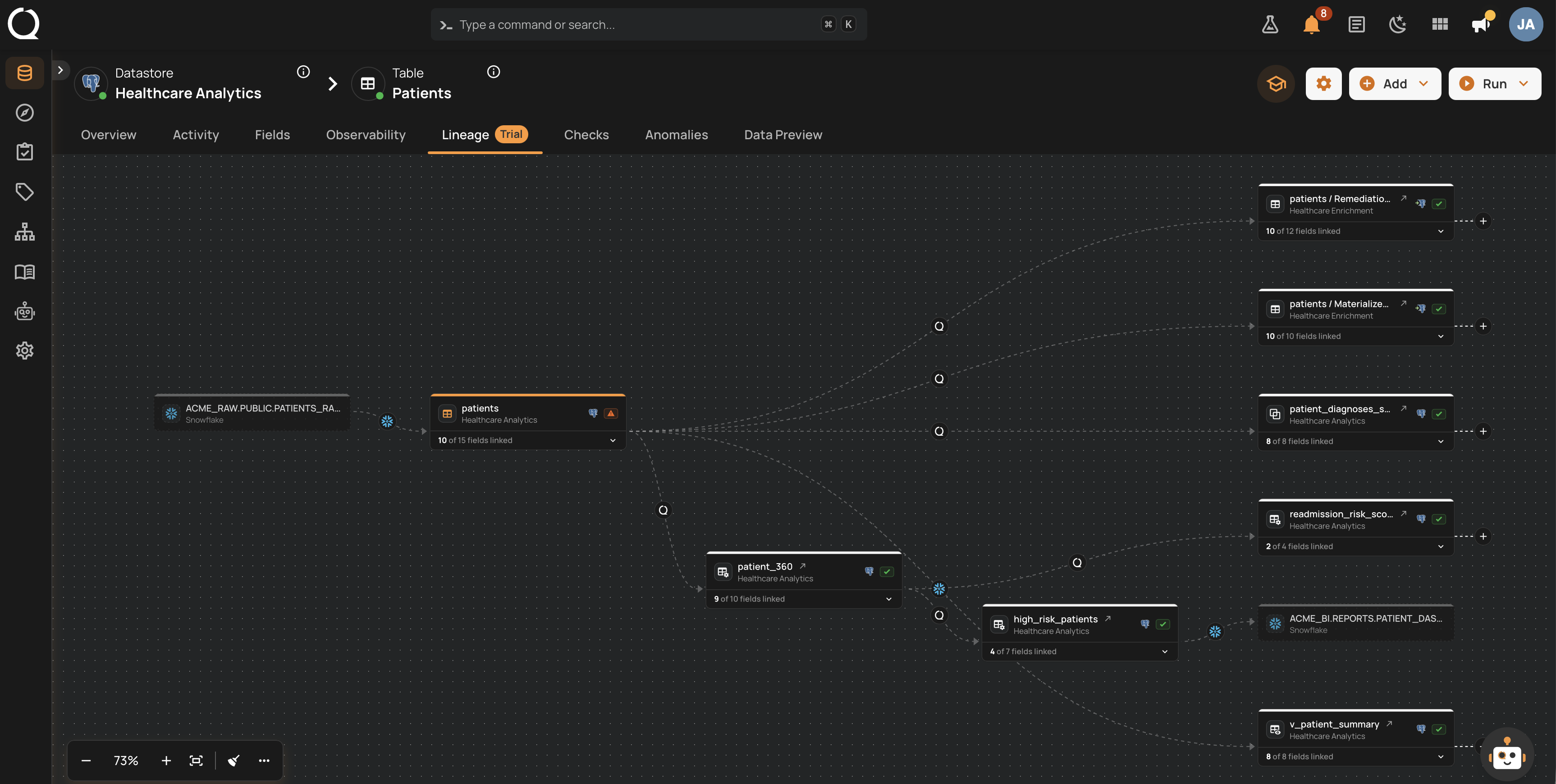
Lineage lets you trace how data flows between containers and fields across your datastores, so you can understand where data quality issues start and where they spread. Every container has a Lineage tab centered on it, and every datastore has one that shows which datastores it exchanges data with and all of its containers that have lineage.
In this section you will learn how lineage works, how connections are created and managed, and how to navigate the graph. Any user with the Manager role can add or remove connections, while Member users can view the graph.
Tip
Lineage is delivered as an add-on. If the Lineage tab is not visible on your containers and datastores, an Admin can enable it from the Add-ons side panel.
Deep Dive
-
Introduction
What lineage is, why it is worth keeping, and what the rest of this deep dive covers.
-
How It Works
The connection model, the two levels of granularity, the rules a connection has to obey, and how to find the containers that have one.
-
Lineage Sources
The four categories a connection can come from, and how each is created, updated, and removed.
-
Reading the Graph
Direction, nodes, assets outside Qualytics, where a connection came from, and expanding the graph.
-
Datastore-level Lineage
The datastore map, the lineage between two datastores, and every container of a datastore that has lineage.
-
Field-level Lineage
Expanding field lists, field metadata (type, status, anomaly counts), and the focal field workflow.
-
Impact Analysis
What a container feeds and what feeds it, ranked across a datastore and exportable as CSV.
-
Examples
Enrolling a warehouse, a medallion pipeline across datastores, a remediation output, and a hop only a person can record.
-
Best Practices
Which source to lean on, how to run collection, and how to keep a graph you can trust.
-
Permissions
The add-on gate, what each role can do, and why a deleted connection can come back.
How-tos
Connections
-
Add an Upstream Connection
Record that another container or field feeds the one you are on, with the field reference for the panel.
-
Add a Downstream Connection
Record that the container you are on feeds another one, with the field reference for the panel.
-
Delete a Connection
Remove a connection, and what that does and does not change.
Navigate the Graph
-
Expand the Graph
Load one more step from a node, or follow a whole side of the graph to its end.
-
Show More Neighbors
Draw the next batch of a container's neighbors, or pick the ones you want by name.
-
Focus on a Container or Field
Dim everything that is not connected to the container or field you picked.
-
View Anomalies from the Graph
Open the Anomalies side panel from a container or field directly on the graph.
Datastore Lineage and Impact
-
View a Datastore's Lineage
Open the datastore map, the lineage between two datastores, or all of a datastore's containers.
-
Run an Impact Analysis
List what a container feeds and what feeds it, or rank a datastore's containers, and export the list.
Reference
-
Tips & Tricks
Every control on the canvas and map toolbars, the More options menu, and how to keep a growing graph readable.
-
Troubleshooting
What to check when the tab is missing, a collection finds nothing, or a connection will not stay deleted.
-
API
API endpoints and examples for managing lineage connections and querying the graph programmatically.
-
FAQ
Common questions about the lineage graph, datastore lineage, impact analysis, connections, permissions, and the API.