Generate License Request
The Generate License Request action creates a license request code that you can send to the Qualytics support team to receive a renewed license key. For more details on how licensing works, see the How Licensing Works page.
Warning
This feature is only available for self-hosted deployments.
Permissions
Only users with the Admin role can generate a license request. See the Permissions page for details.
Steps
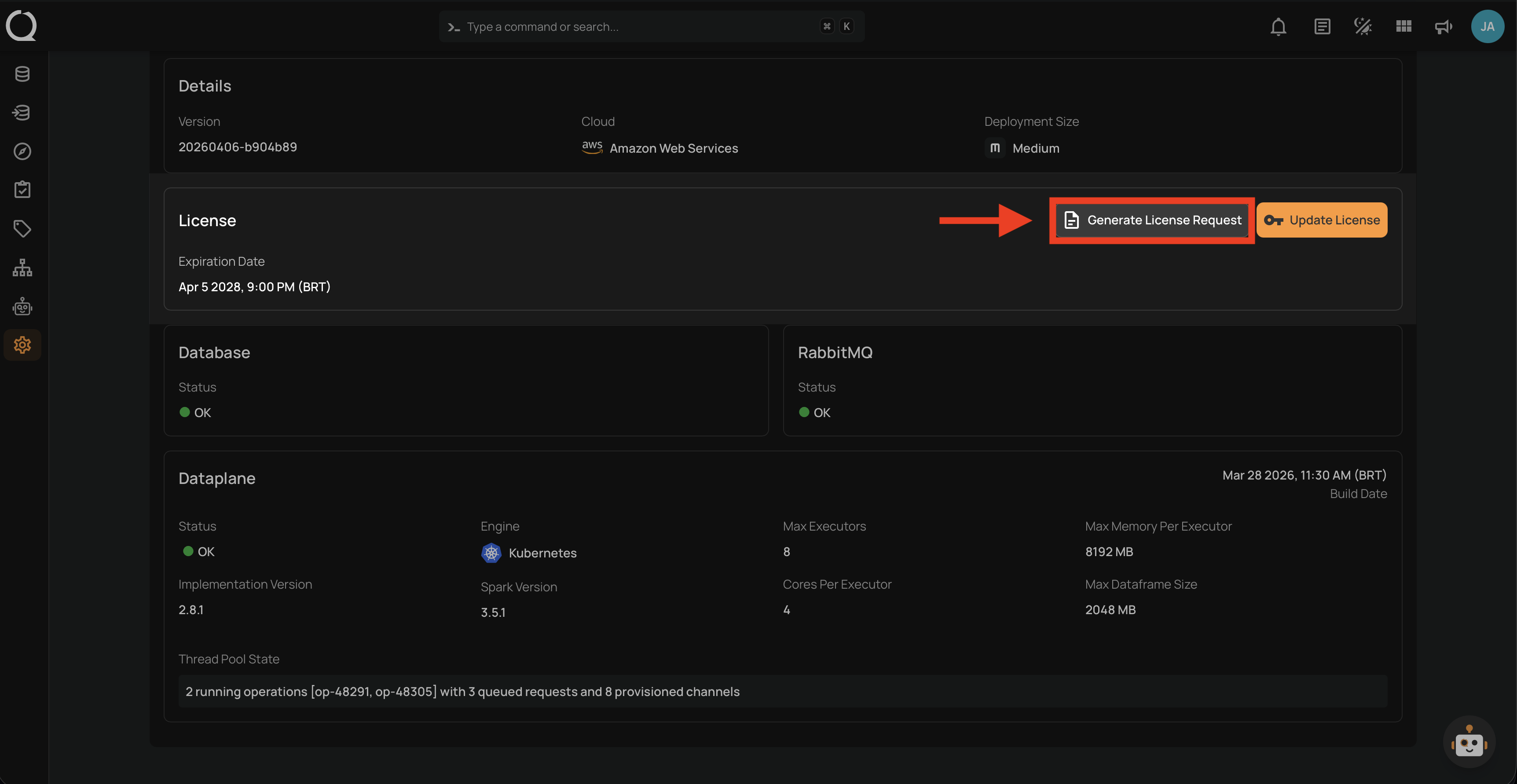
Step 1: In the License section of the Platform Status page, click the Generate License Request button.
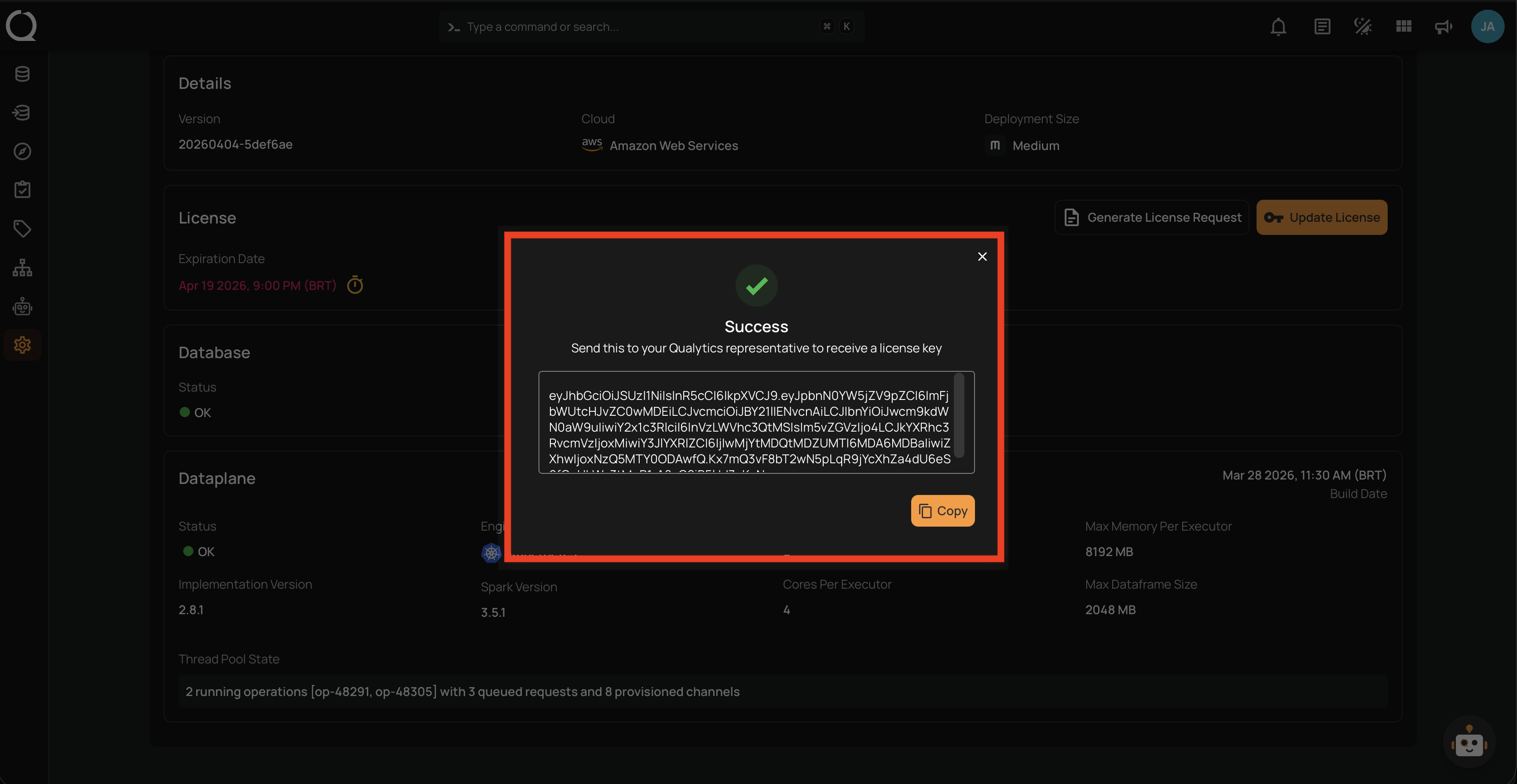
Step 2: A Success modal will appear with the generated license request code displayed in a read-only text area. Click the Copy button to copy the code to your clipboard.
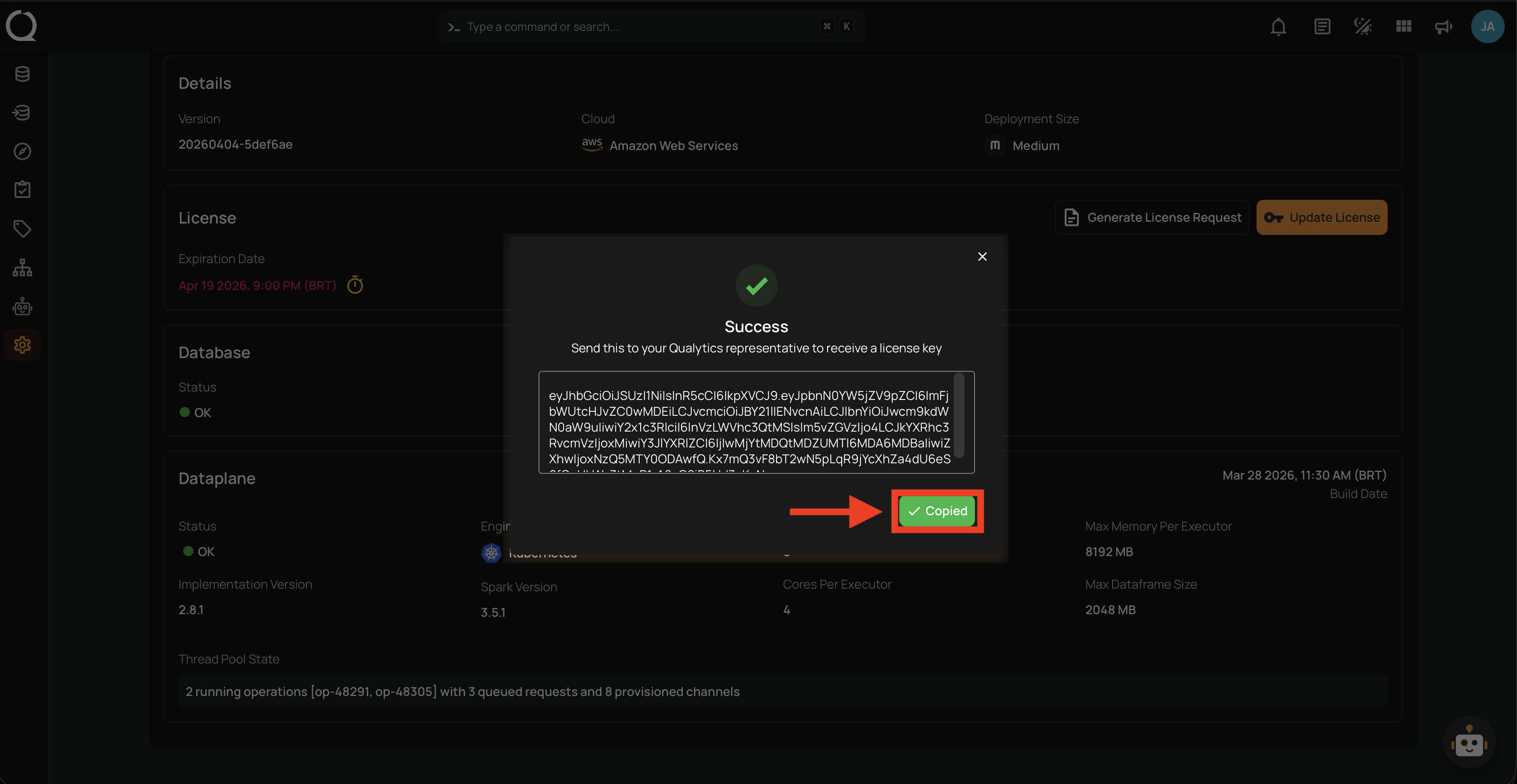
Step 3: After clicking Copy, the button changes to Copied confirming the code has been copied to your clipboard.
Tip
Send the copied license request code to the Qualytics support team to receive a renewed license key. Once you receive the new key, apply it using the Update License action.