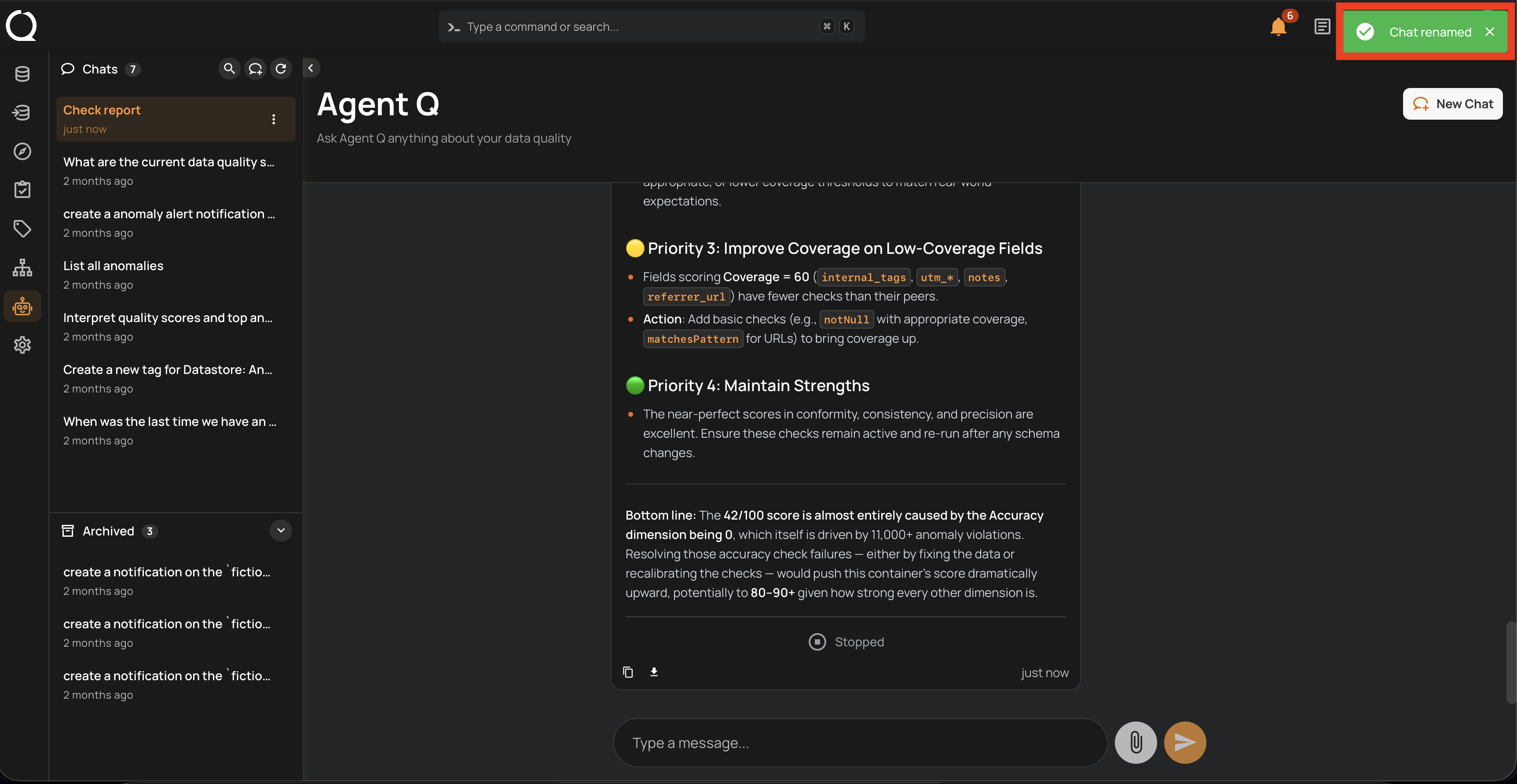
Rename a Conversation
Renaming a conversation gives it a descriptive title to make it easier to find in your history.
Info
Conversation management — including renaming conversations — is only available from the AgentQ full-page view. The floating chat does not support this action.
Steps
Step 1: In the sidebar, hover over the conversation you want to rename and click the More options menu icon that appears next to it.
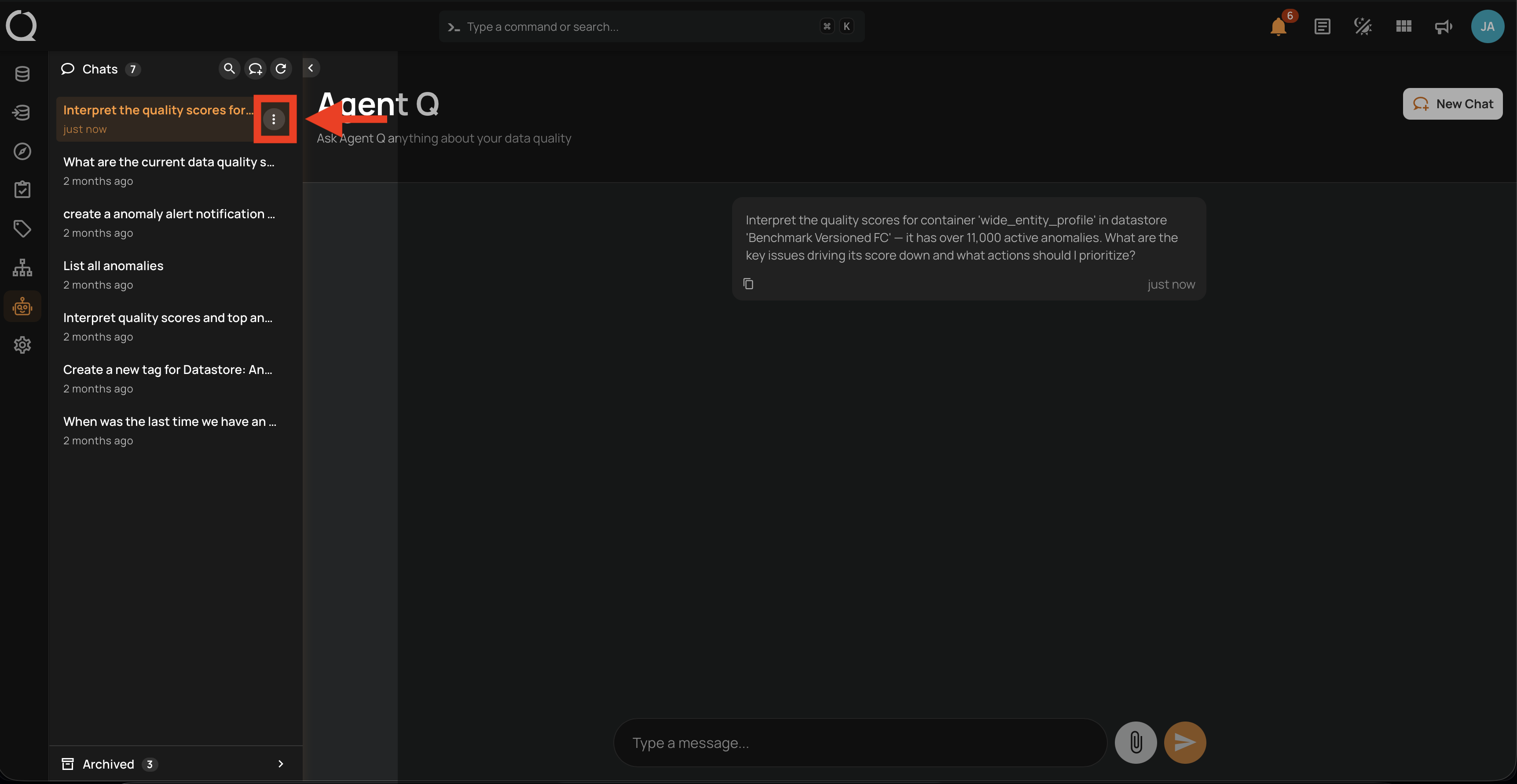
Step 2: A dropdown opens with the available conversation actions.
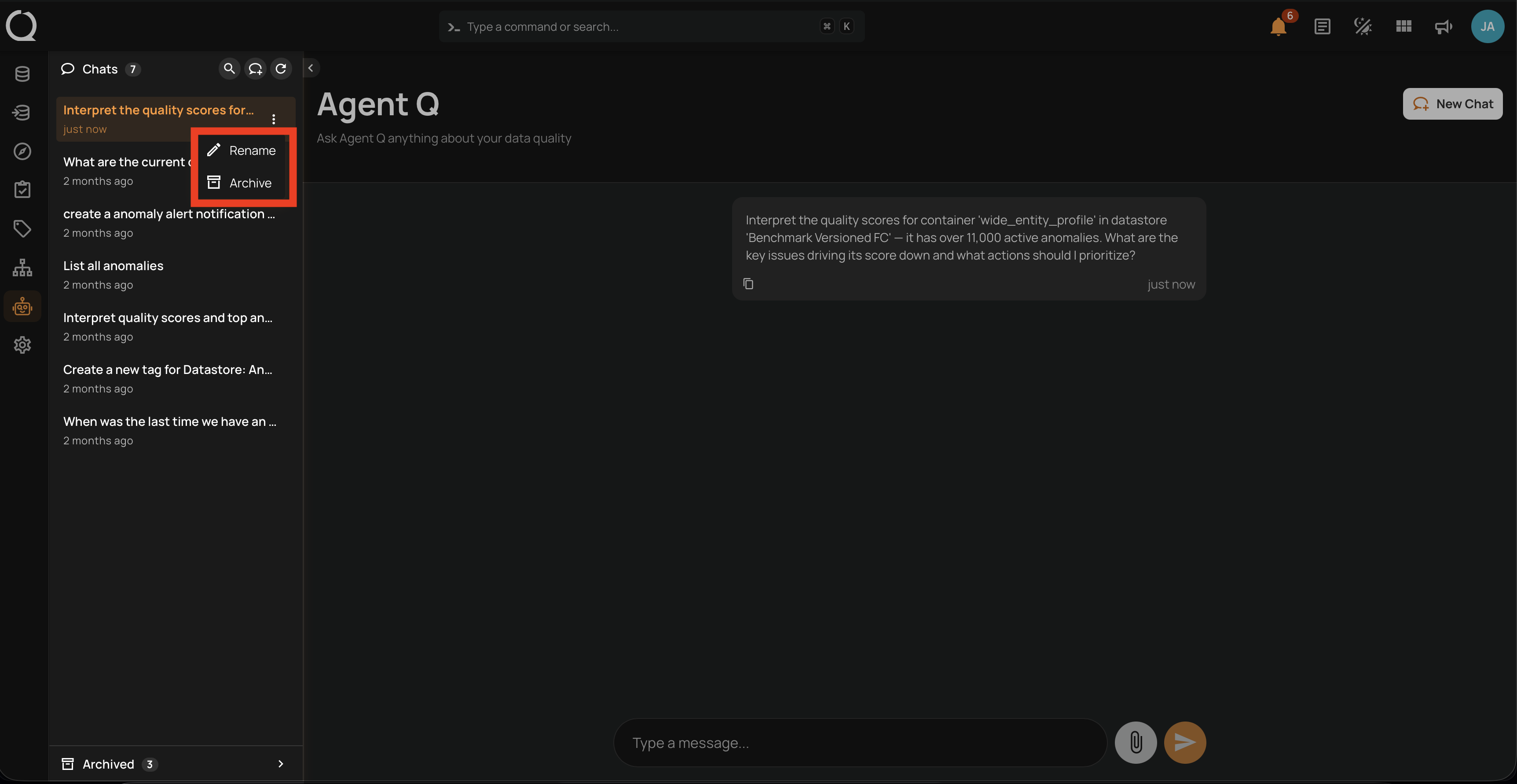
Step 3: Select Rename .
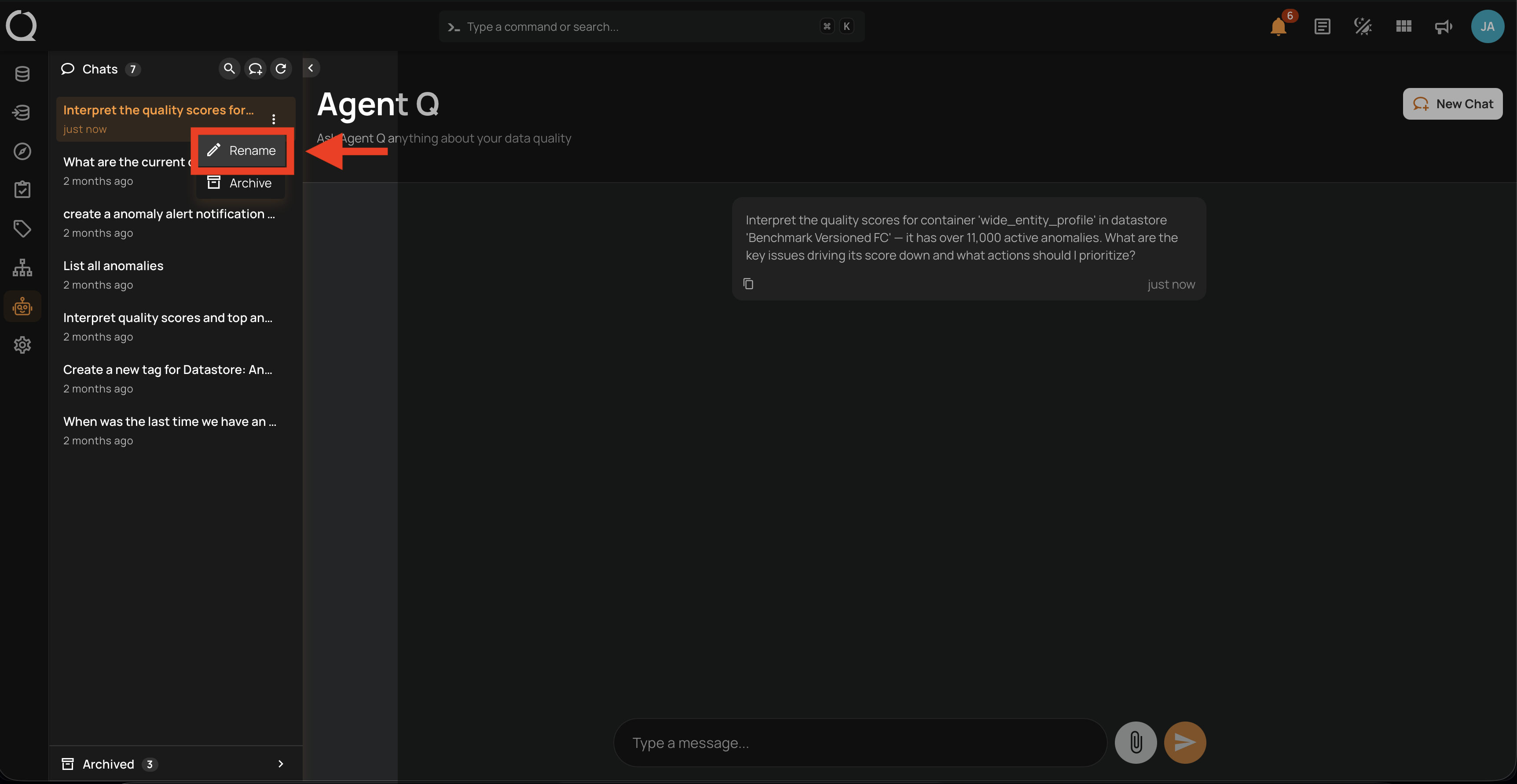
Step 4: An inline input field appears with the current title pre-filled. Type the new name.
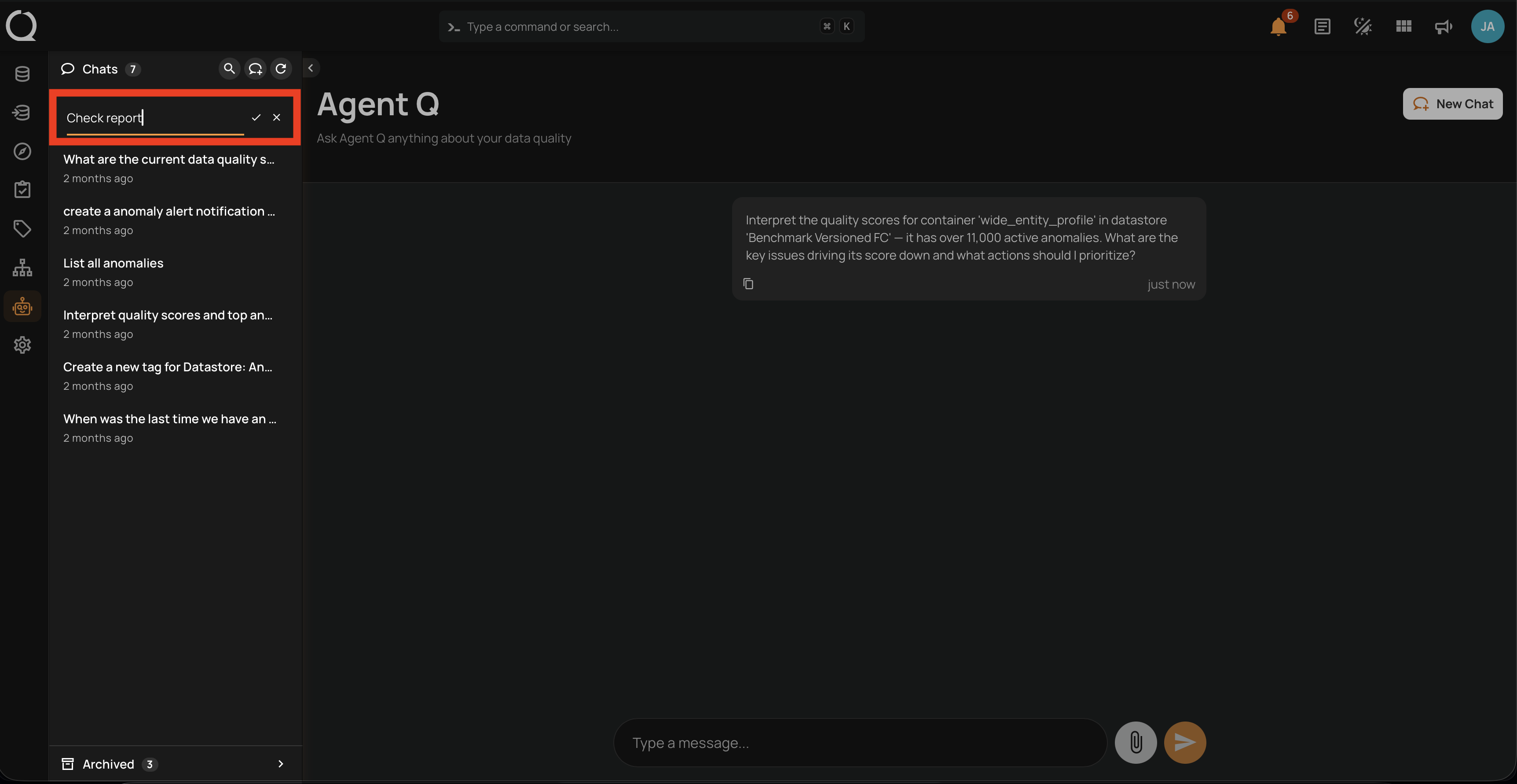
Title constraints
- Maximum 40 characters
- All characters are allowed — no special character restrictions
- Leading and trailing spaces are trimmed automatically
- The title cannot be empty or whitespace-only — saving an empty field cancels the rename
Step 5: Press Enter or click the Save button.
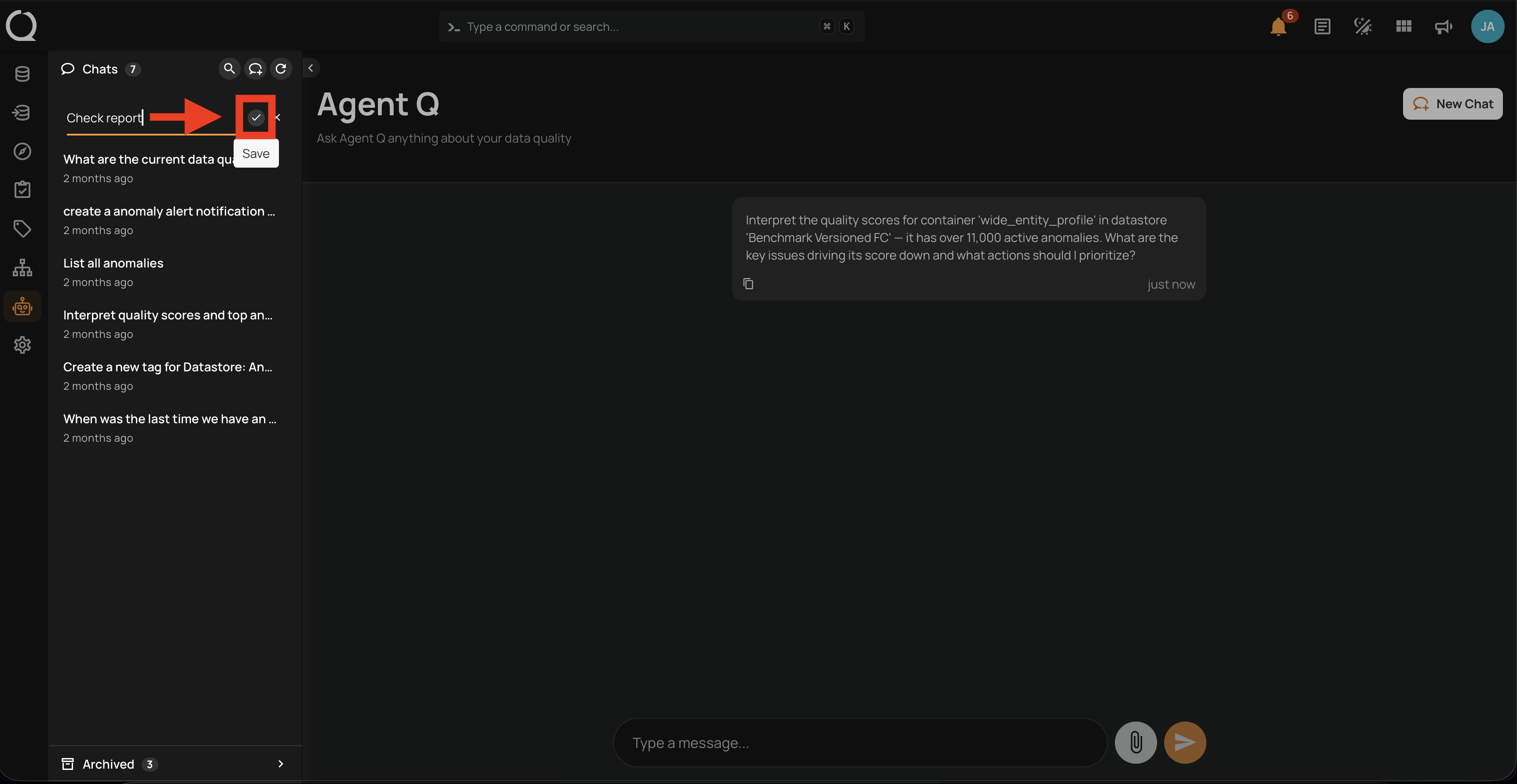
Step 6: A success message appears and the updated title is shown in the sidebar.