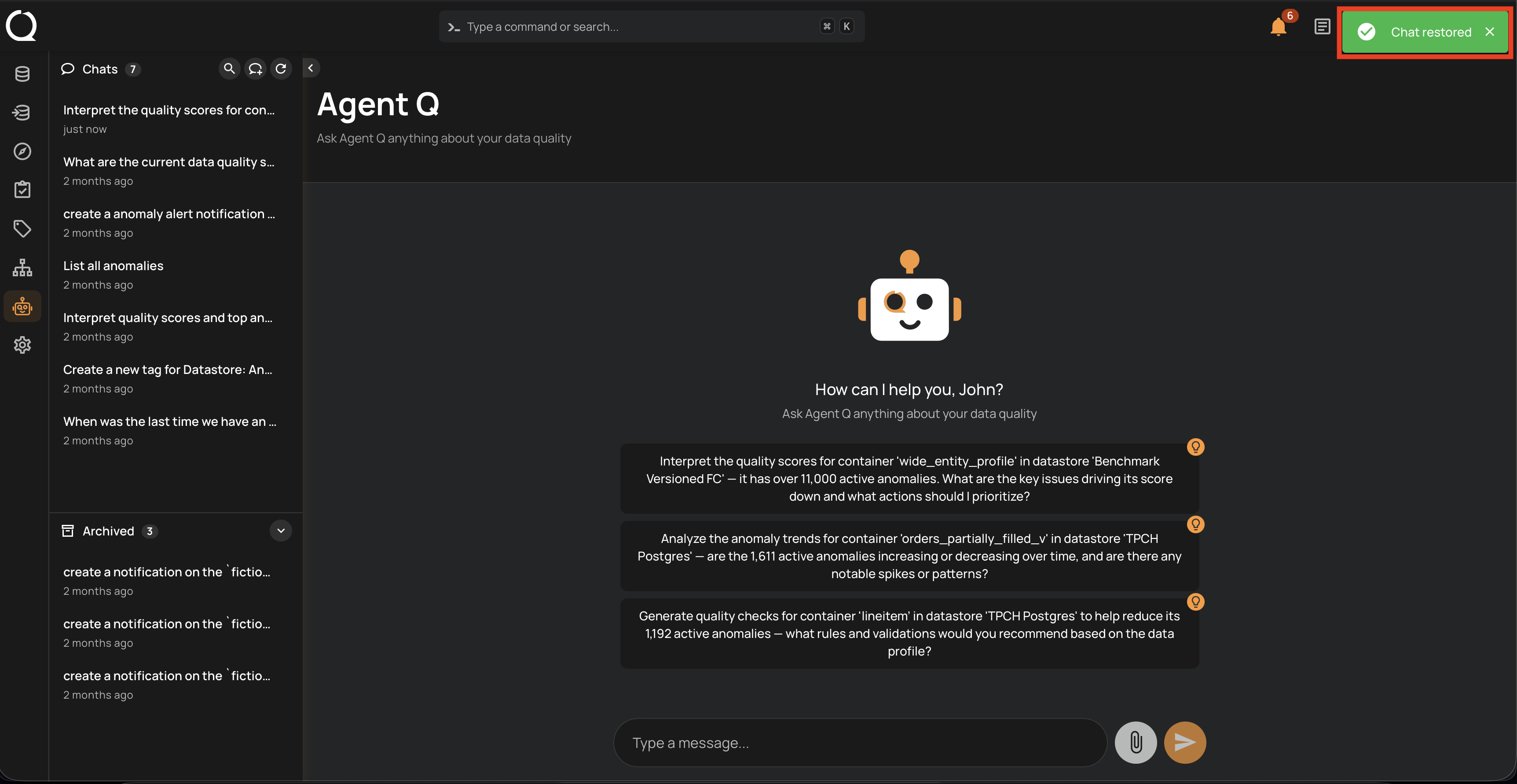
Restore a Conversation
Restoring an archived conversation moves it back to the active Chats list, making it available for new messages again.
Info
Conversation management — including restoring archived conversations — is only available from the AgentQ full-page view. The floating chat does not support this action.
Steps
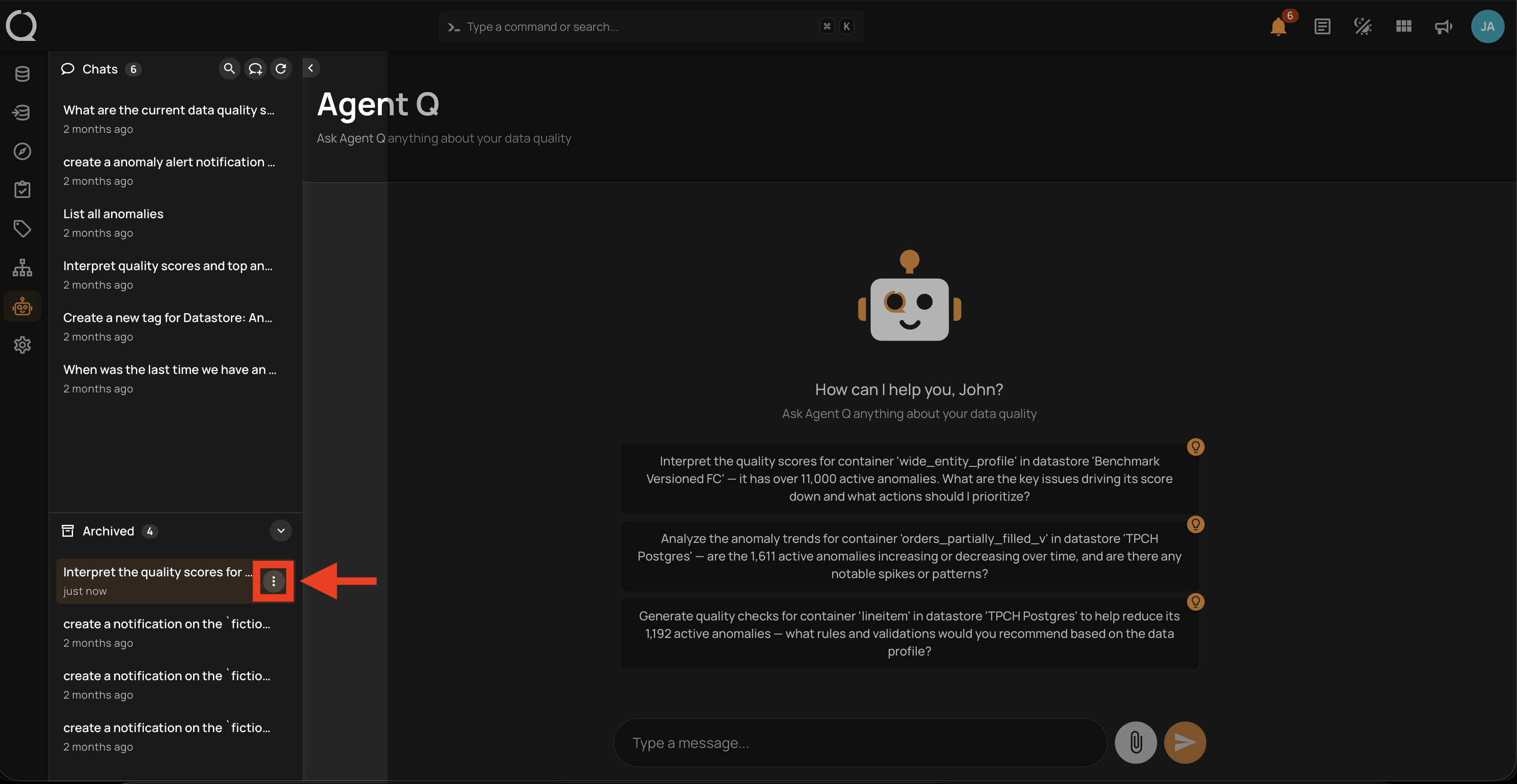
Step 1: Open the Archived section at the bottom of the sidebar, hover over the conversation you want to restore, and click the More options menu icon that appears next to it.
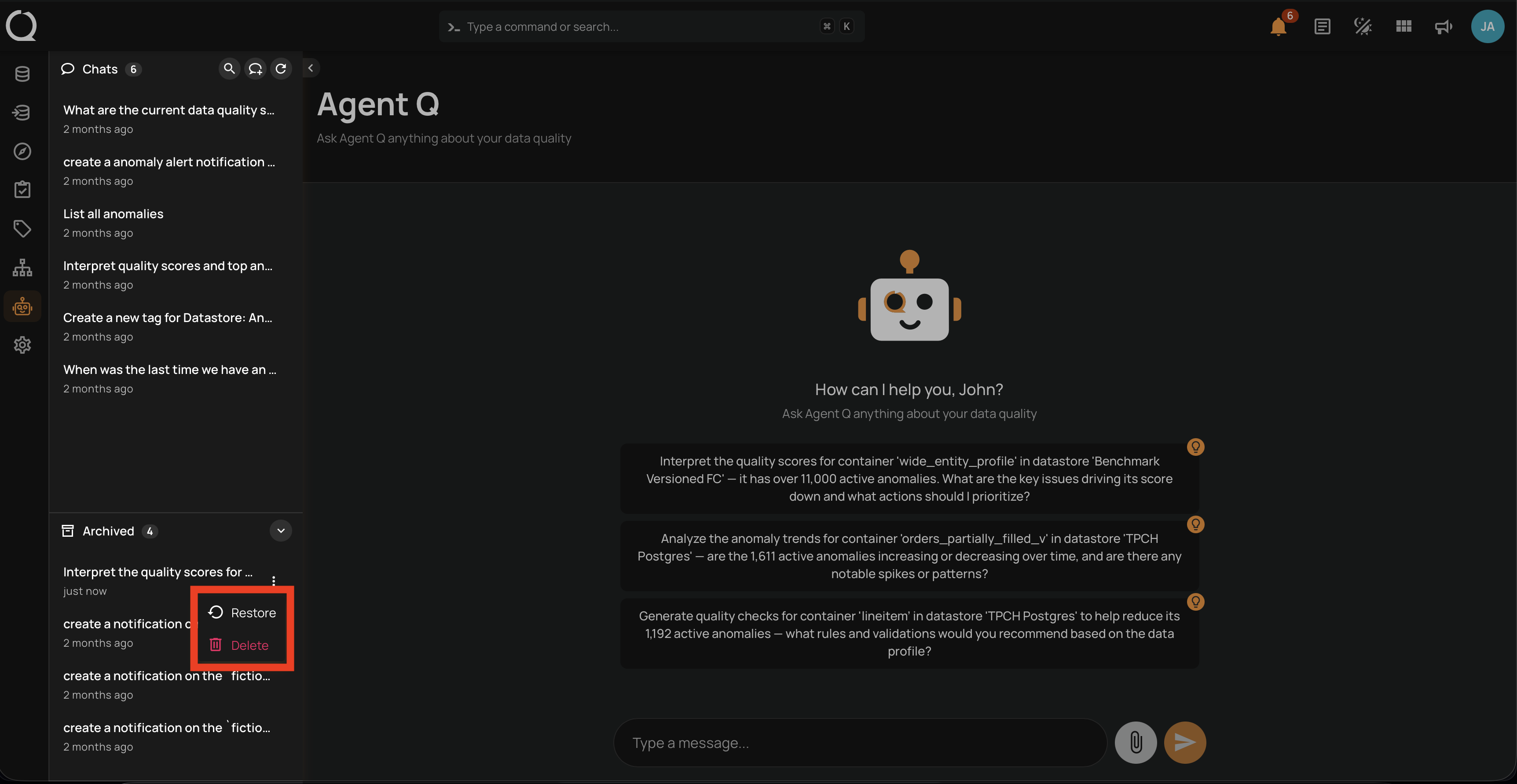
Step 2: A dropdown opens with the available conversation actions.
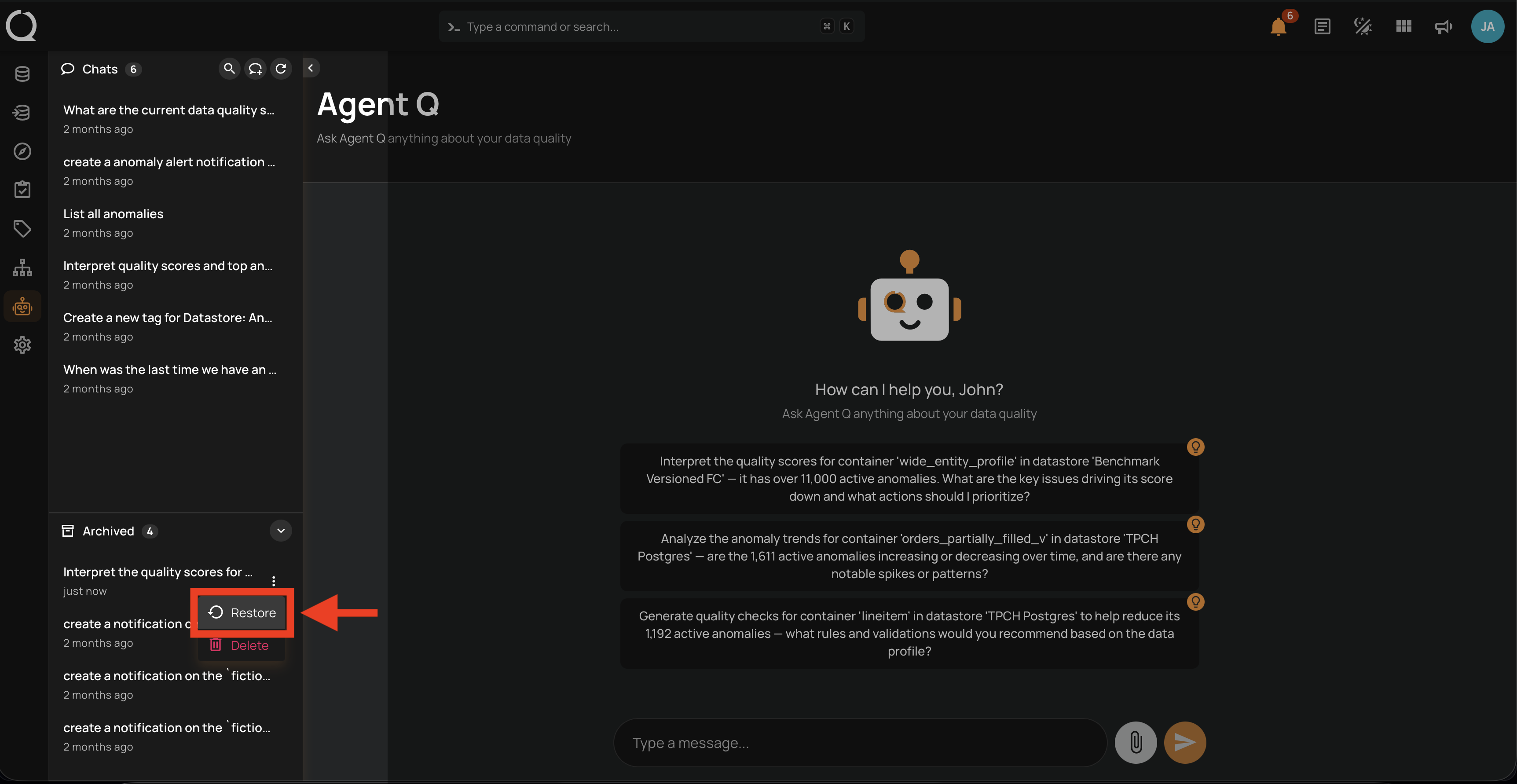
Step 3: Select Restore .
Step 4: A success message appears and the conversation moves to the top of the active Chats list.