Remove AgentQ Integration
Removing the LLM configuration disconnects AgentQ from your LLM provider. AgentQ will no longer be available for any user in the deployment until a new provider is configured. Only a Manager or Admin can perform this action.
Steps
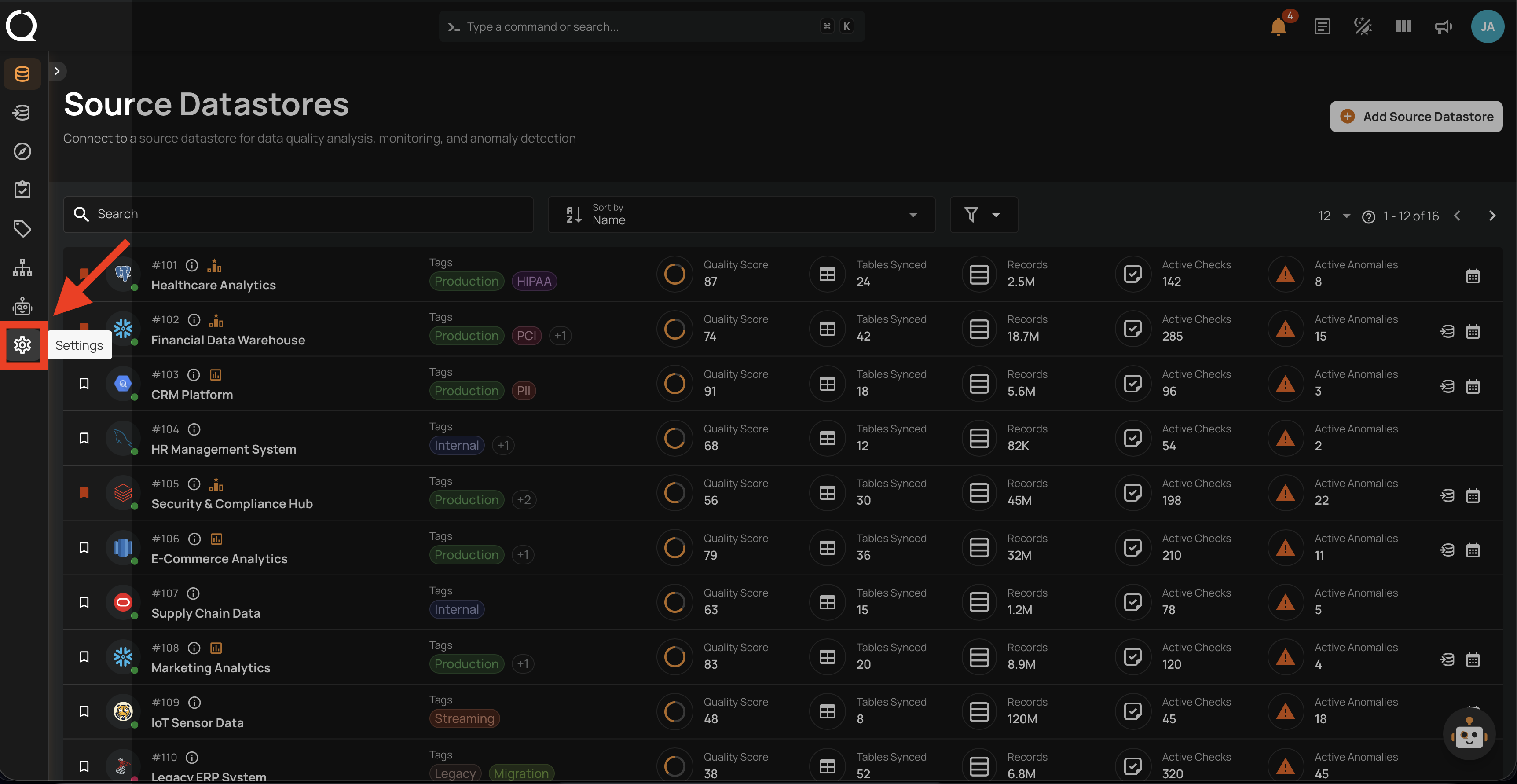
Step 1: After logging in, click the Settings icon in the bottom-left sidebar.
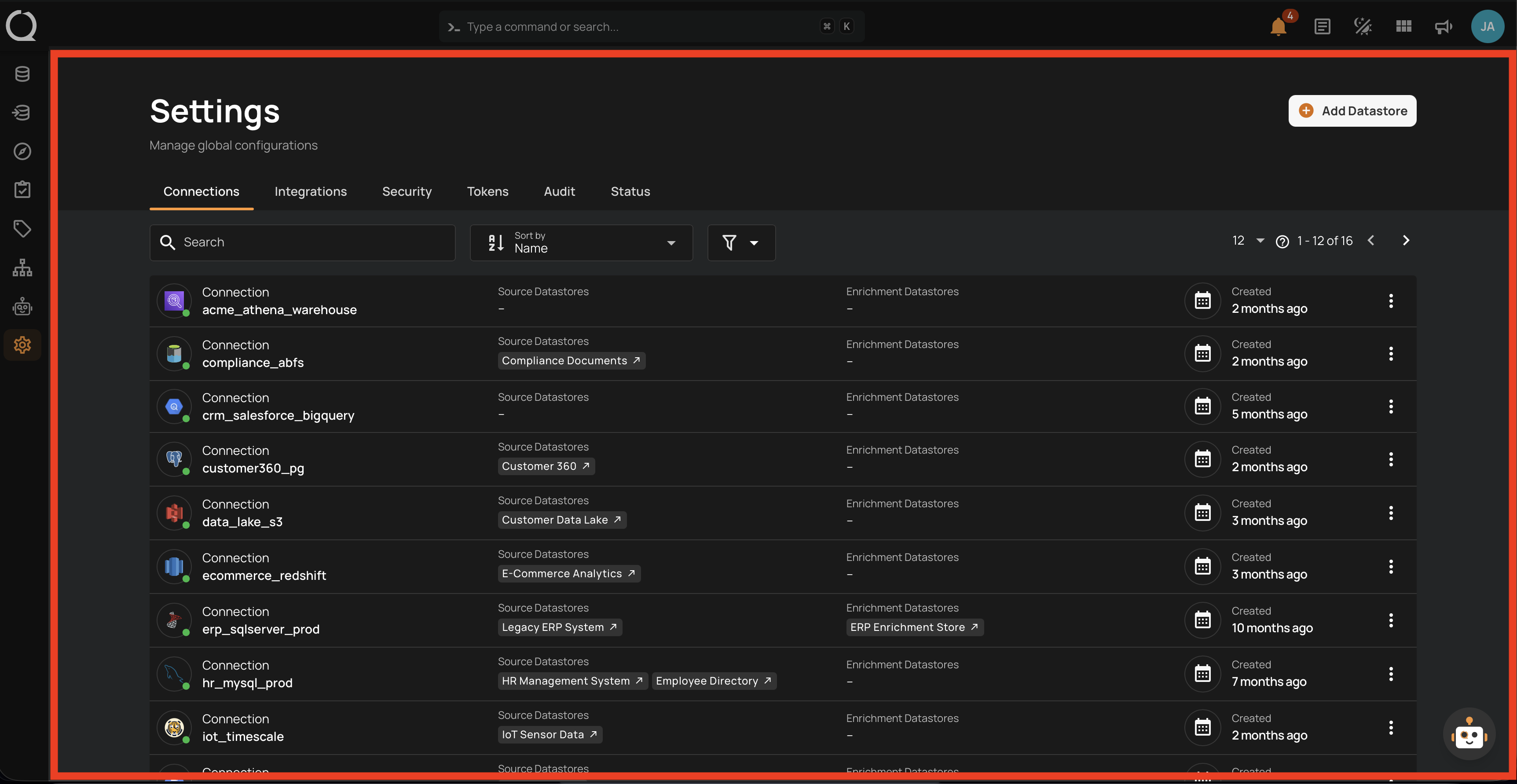
Step 2: The Settings page opens on the Connections tab by default. Click the Integrations tab.
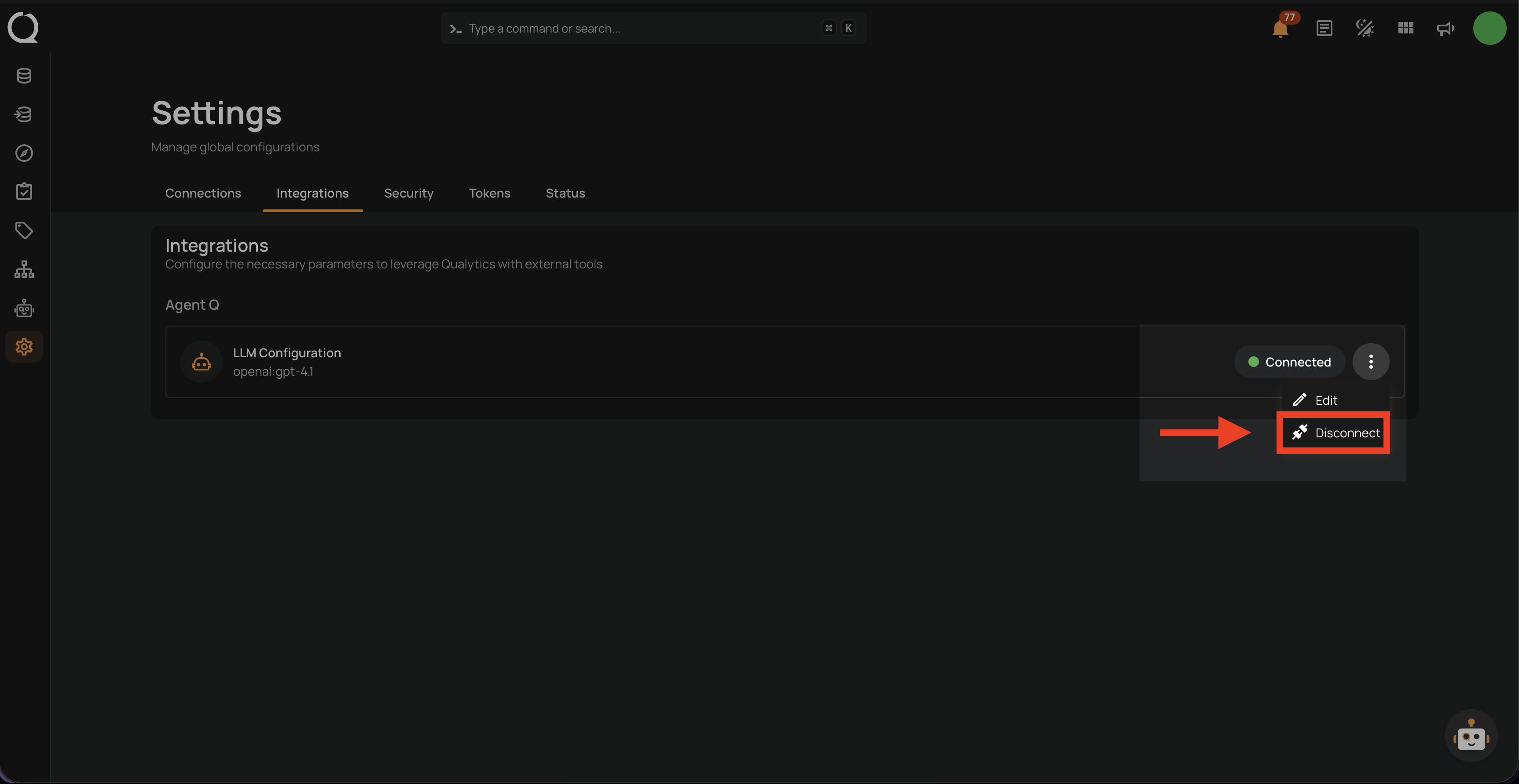
Step 3: Under the AgentQ section, click the More options menu next to LLM Configuration and select Disconnect.
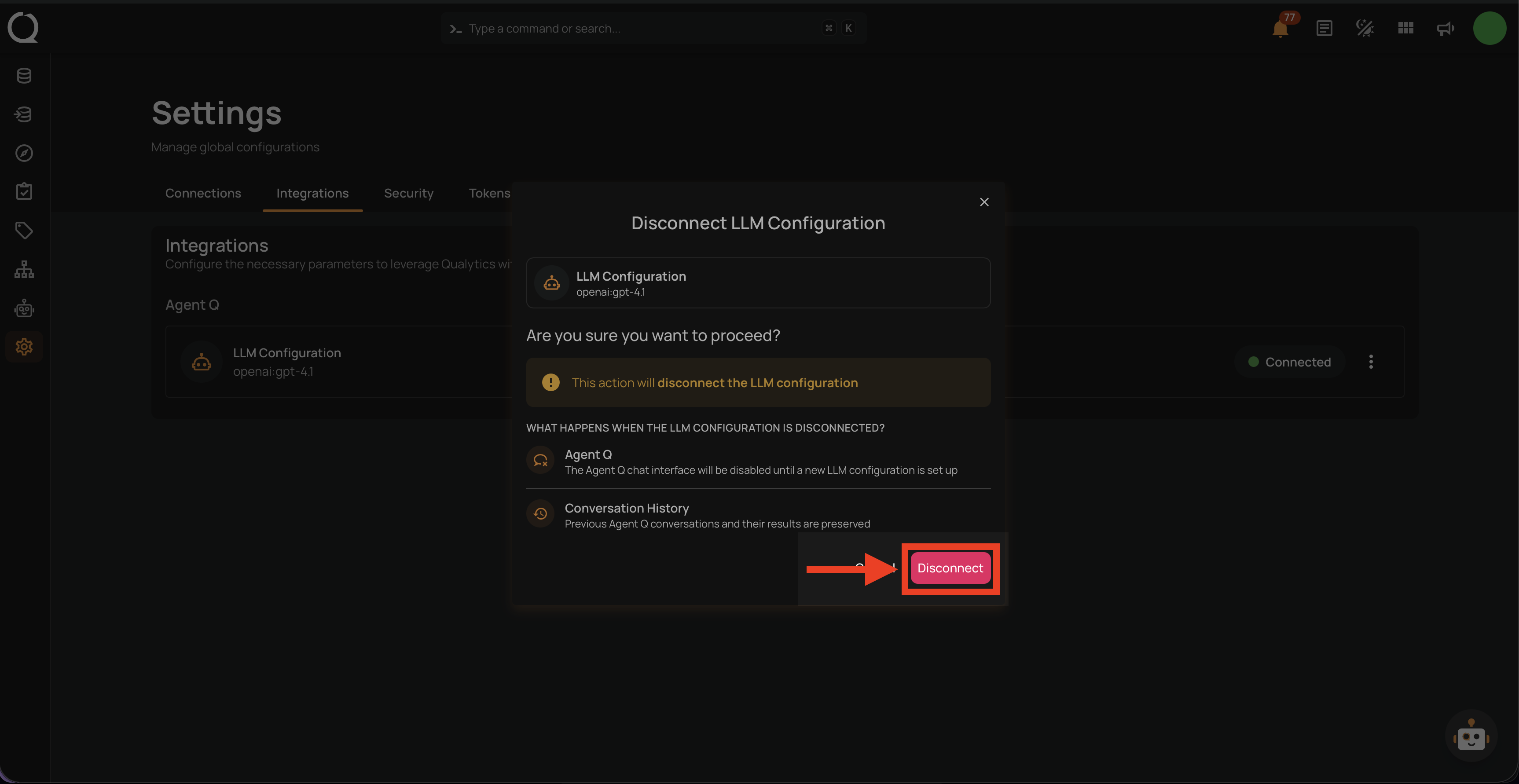
Step 4: A confirmation dialog opens showing what will happen when the LLM configuration is disconnected. Click Disconnect to confirm.
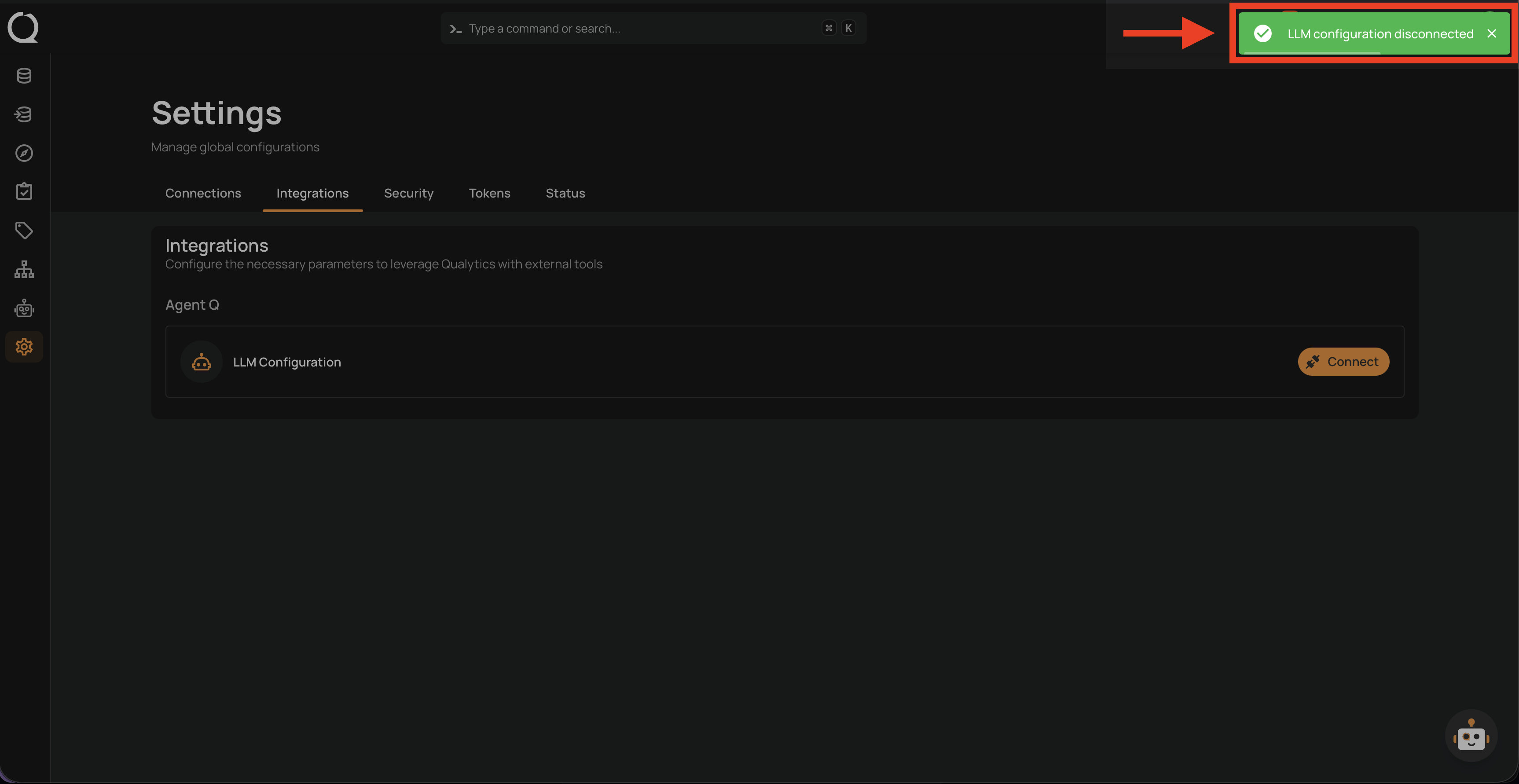
Step 5: A success message appears and the LLM Configuration row returns to the Connect state.
Warning
Disconnecting the LLM provider will immediately disable AgentQ for all users in the deployment. Your conversation history is preserved and will be available again once you add a new integration.