Datastore Right Click Options
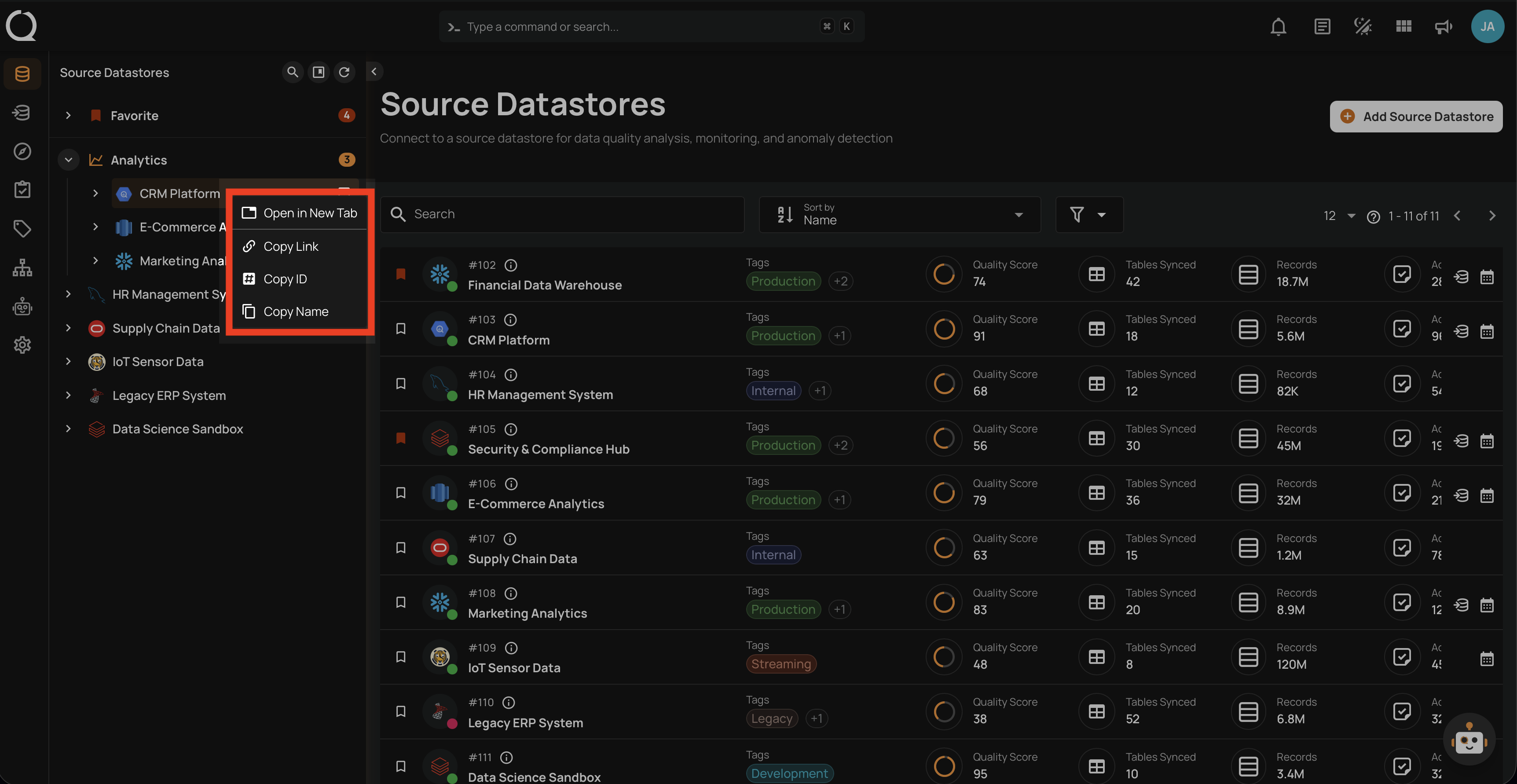
Qualytics provides right-click context menu options on source datastores across the platform. These options give you quick access to navigation and clipboard actions without needing to open a datastore first.
Keyboard Shortcuts
Prefer the keyboard? Many datastore actions are also available via shortcuts. See the Keyboard Shortcuts page.
Available Options
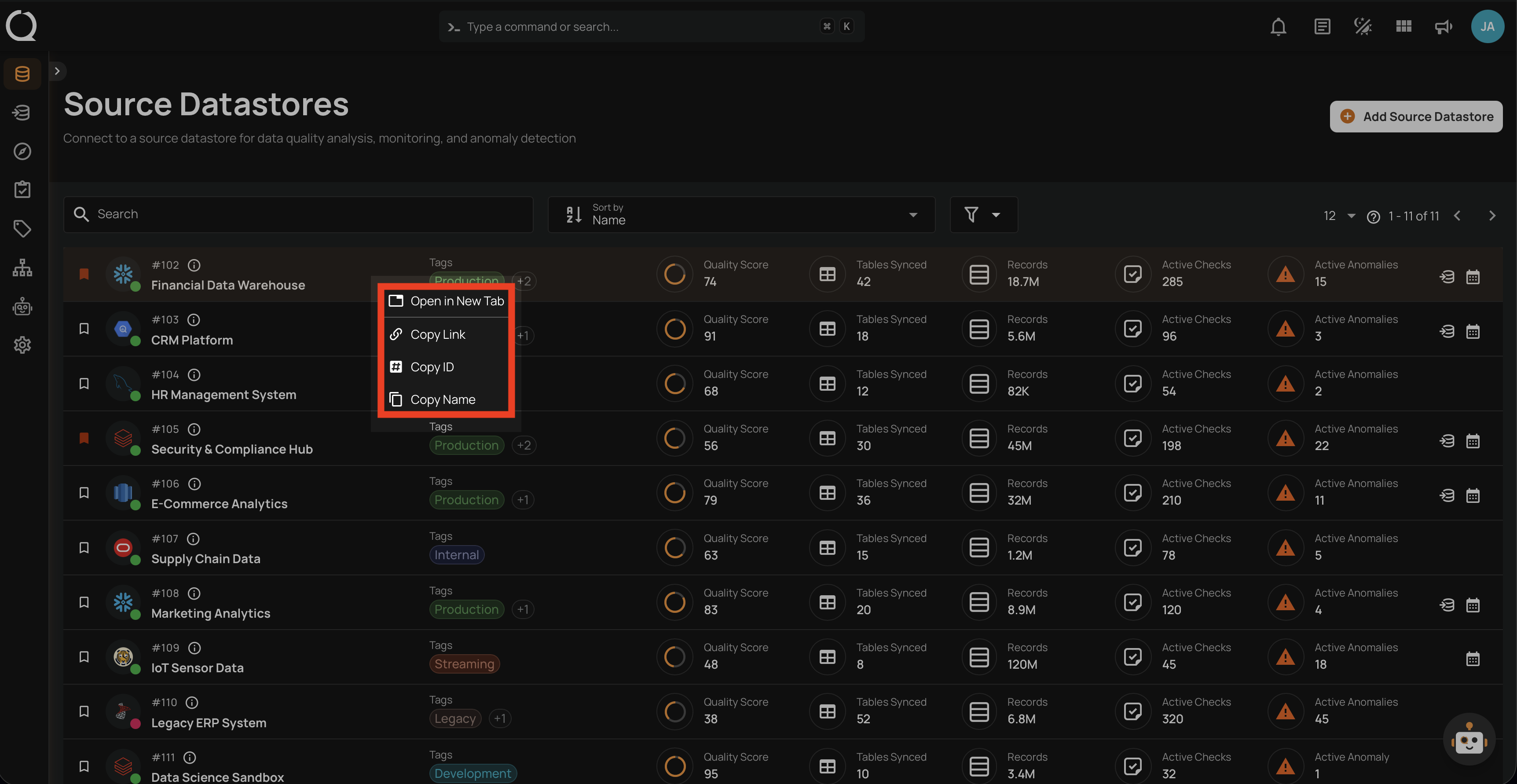
The following options are available when right-clicking on a source datastore:
| Option | Icon | Description | Use Case |
|---|---|---|---|
| Open in New Tab | Opens the datastore in a new browser tab. | Compare two datastores side by side or keep your current page open. | |
| Copy Link | Copies the datastore URL to your clipboard. | Share a direct link with a teammate via Slack, email, or documentation. | |
| Copy ID | Copies the datastore ID to your clipboard. | Use the ID in API calls, automation scripts, or support tickets. | |
| Copy Name | Copies the datastore name to your clipboard. | Reference the datastore name in reports, tickets, or search queries. |
Where It Works
The context menu is available in three locations. The Tree View and Datastore Listing provide all four options, while the Breadcrumb provides a reduced set.
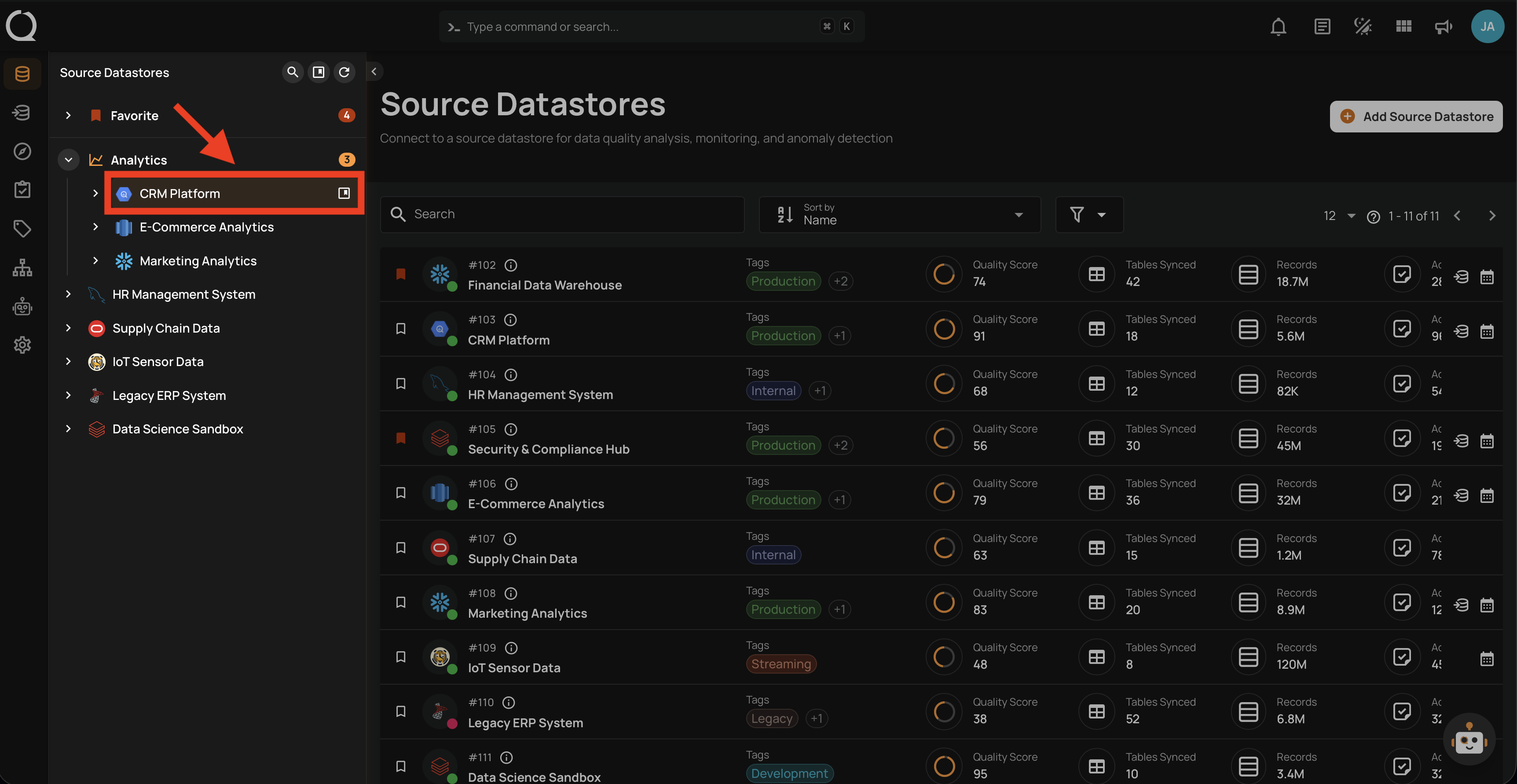
Tree View
Right-click on any source datastore in the left sidebar tree view:
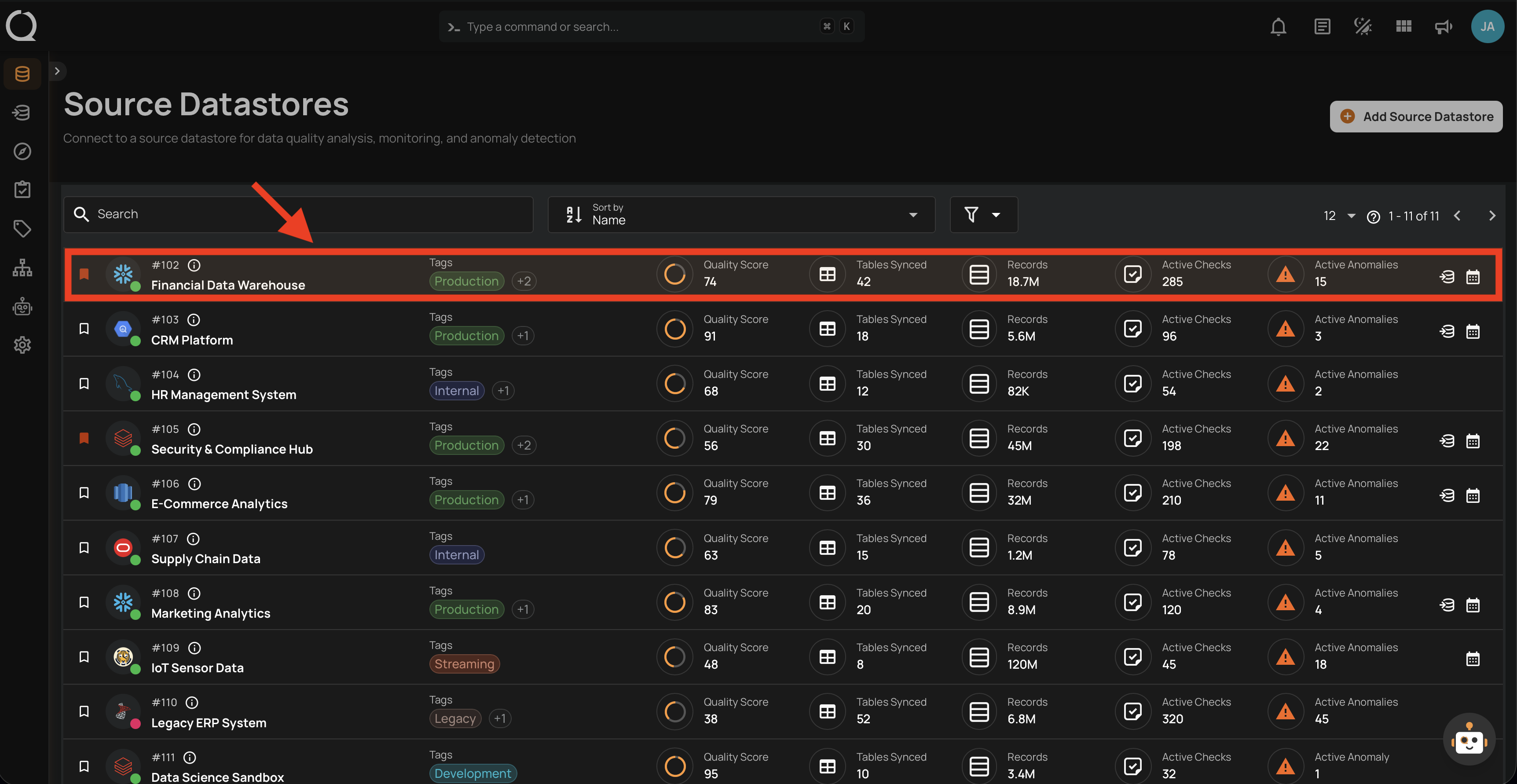
Datastore Listing
Right-click on any datastore row in the Source Datastores listing page:
Breadcrumb
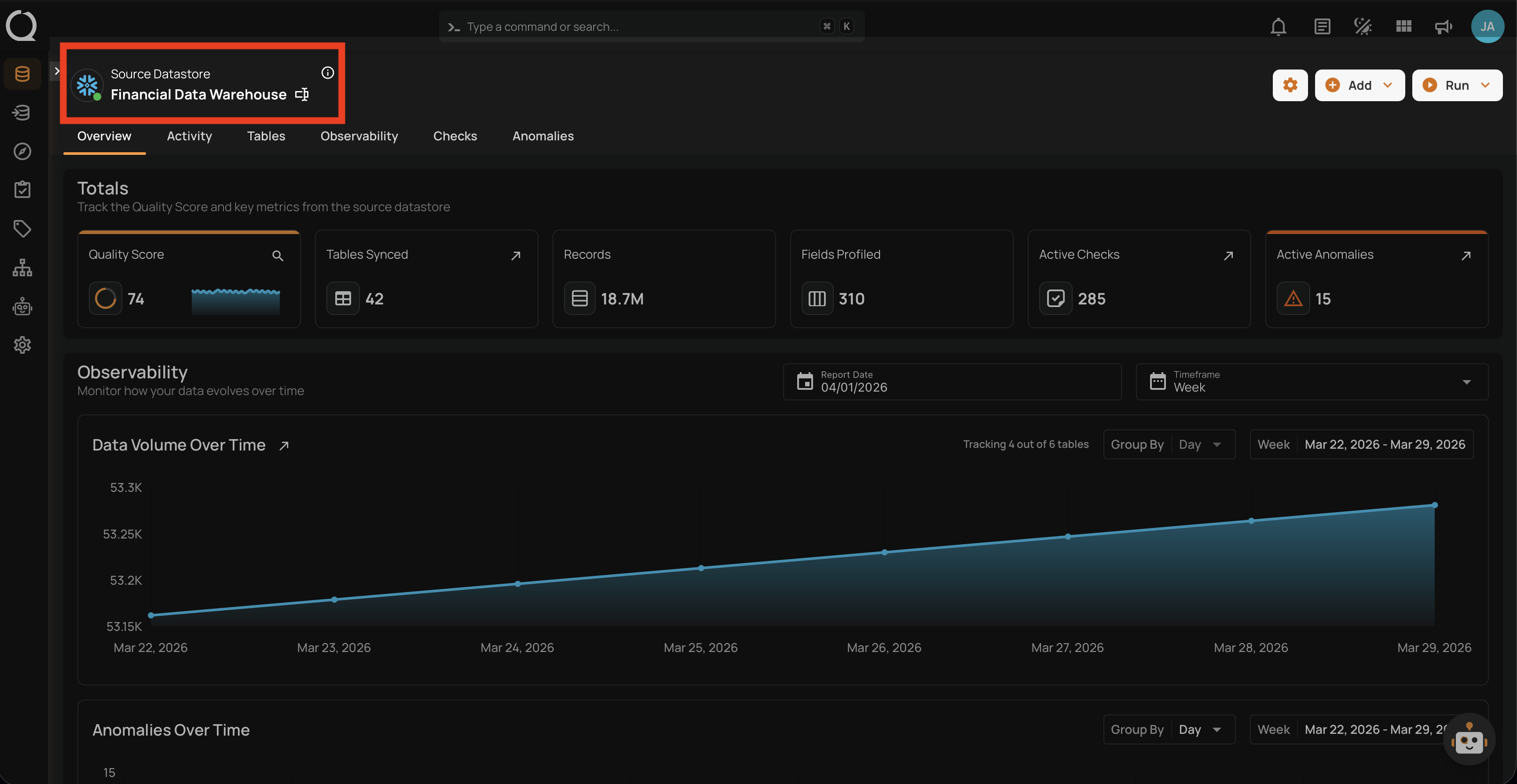
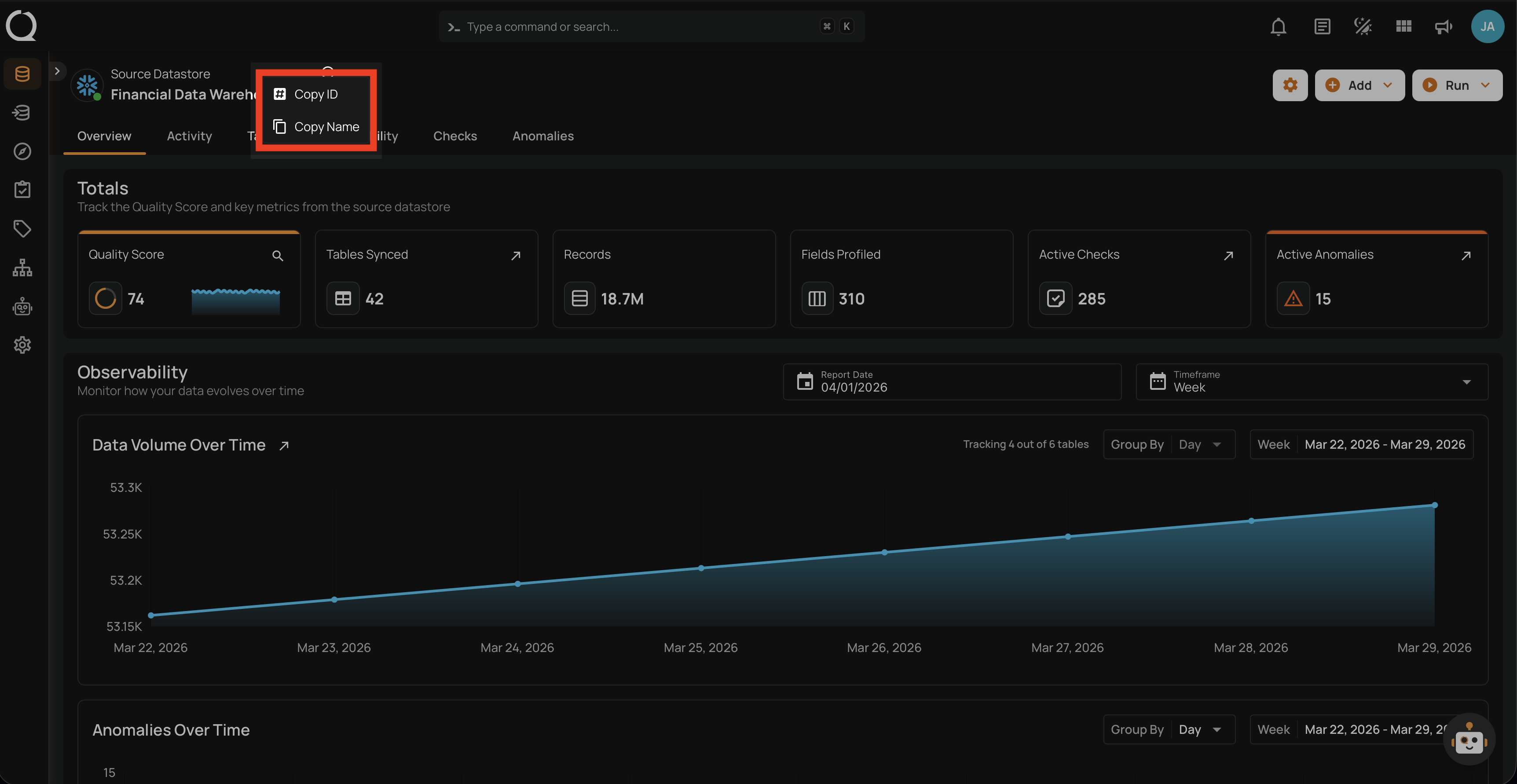
Right-click on the datastore name in the breadcrumb (top-left corner of the datastore overview page):
Note
The breadcrumb context menu only includes Copy ID and Copy Name — since you are already on the datastore page, Open in New Tab and Copy Link are not needed.