Assign a Tag to a Datastore
Assigning tags to your datastore helps you categorize, organize, and filter your data sources. Tags serve as labels that cascade to all containers, fields, checks, and anomalies within the datastore — making it easier to monitor data quality, scope operations, and manage resources.
Permission Required
You need the Editor role or above in at least one of the datastore's teams to assign tags. See the Permissions page for details.
Side Effects
When you assign a tag to a datastore, the tag is automatically inherited by all containers, fields, checks, and anomalies within the datastore. If the tag has a weight modifier configured, quality scores for all containers in the datastore will be recalculated to reflect the new weighting.
Prerequisites
You need to have at least one tag created before assigning it to a datastore. If you haven't created any tags yet, follow the Add Tag guide first.
Steps
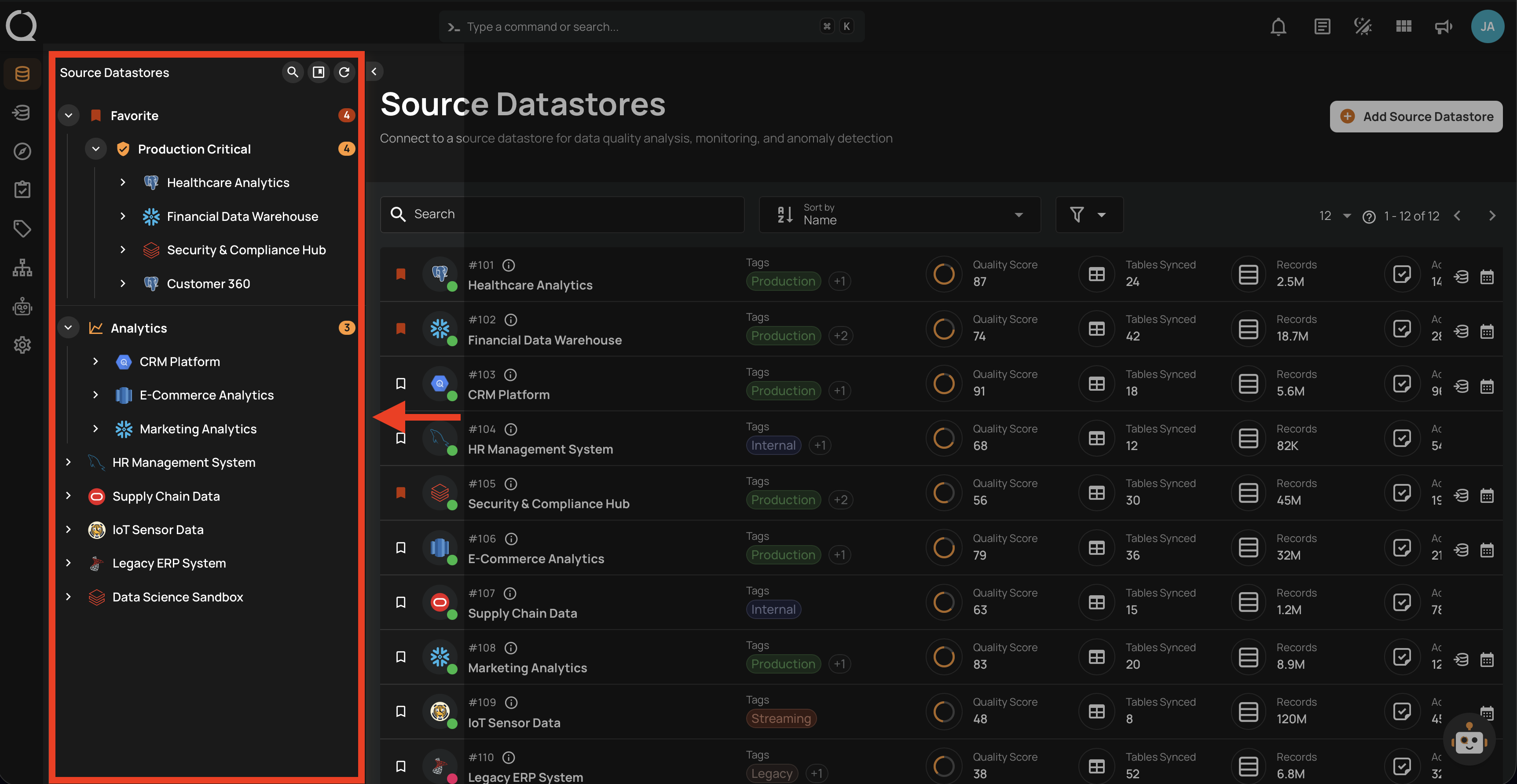
Step 1: Select a source datastore from the tree view to open its detail page.
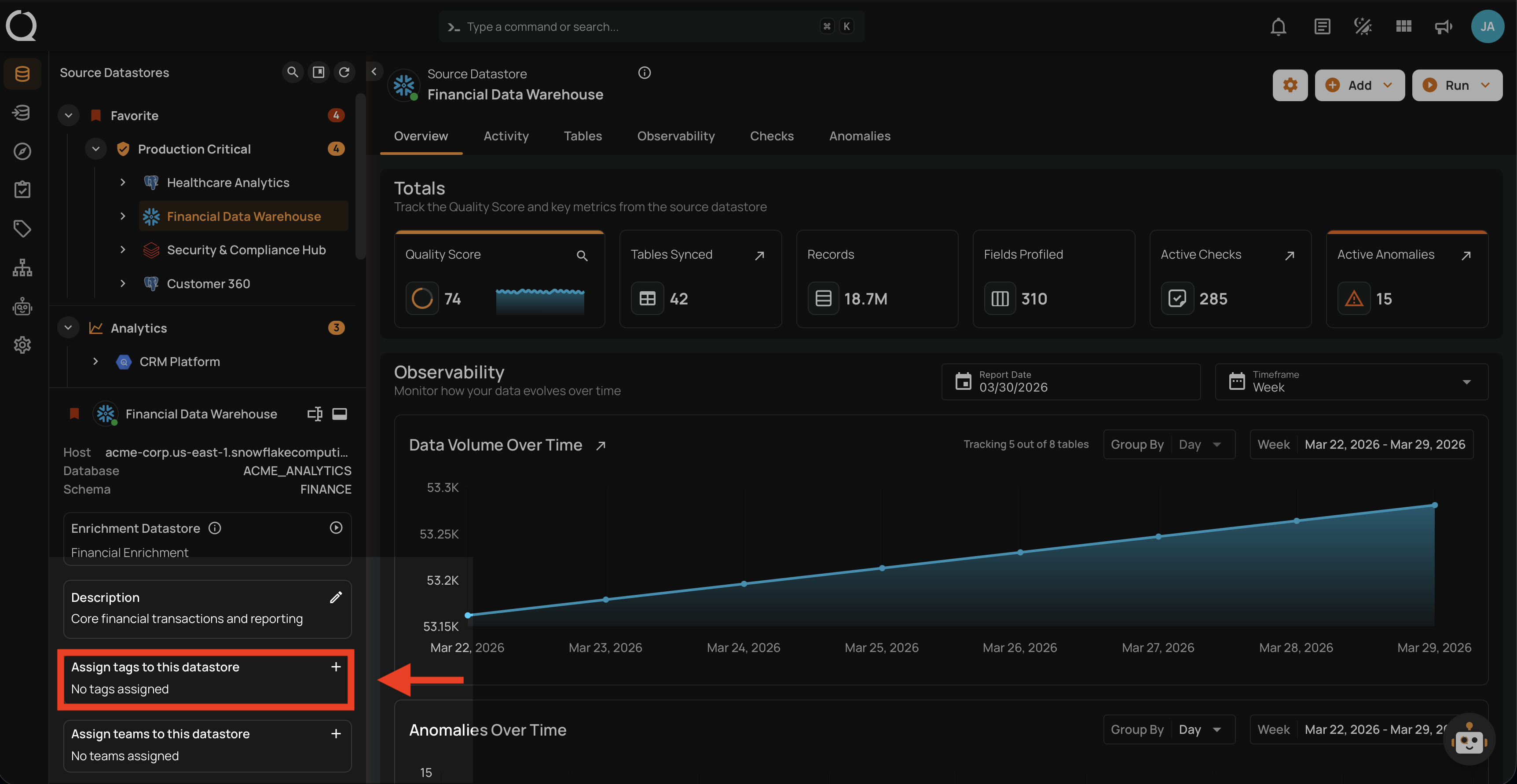
Step 2: In the datastore details panel below the tree view, locate the Assign tags to this datastore section and click the button to open the tag selector.
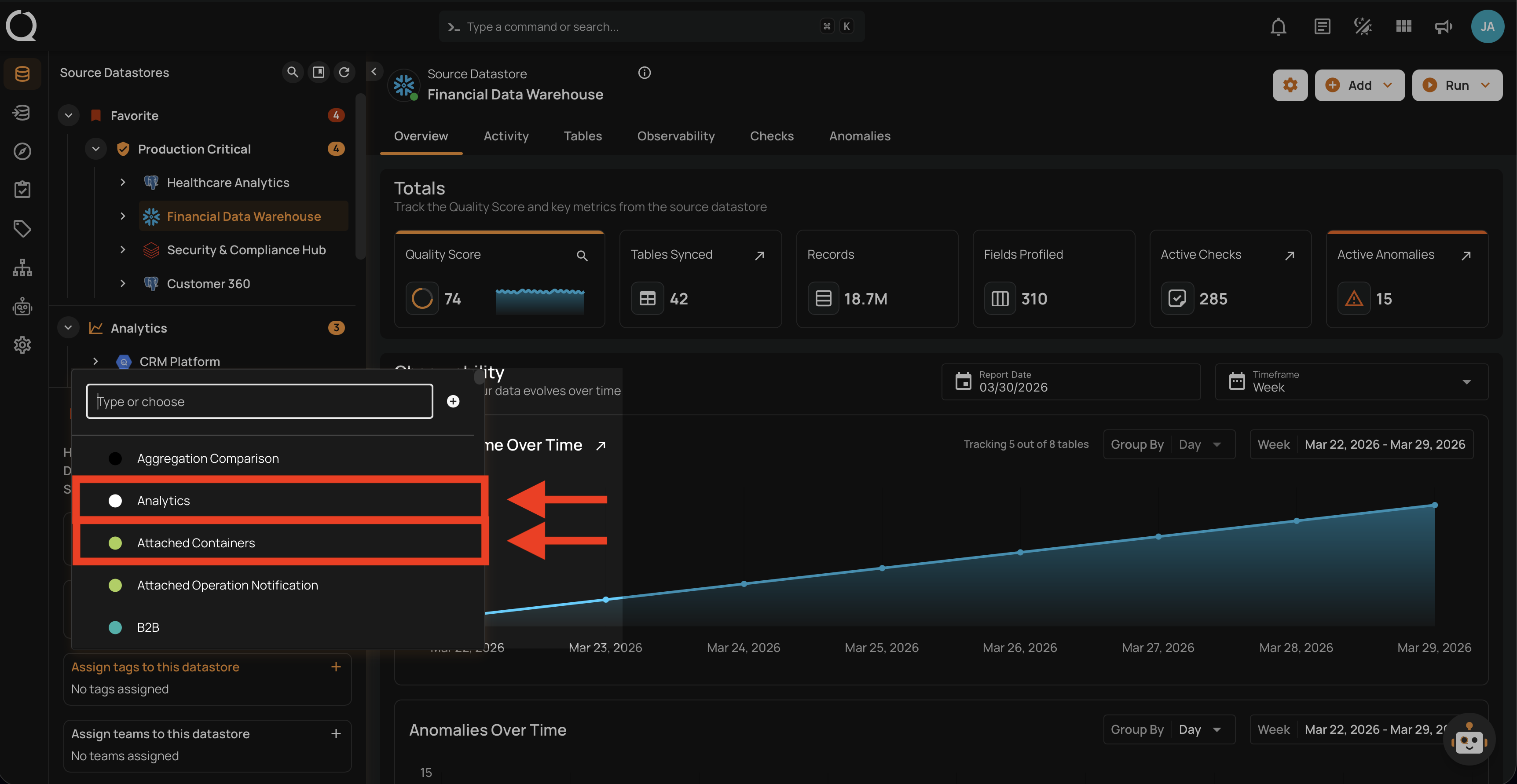
Step 3: A menu will appear with the list of available tags. Use the search field to filter tags by name, then select the tags you want to assign. You can select multiple tags at once.
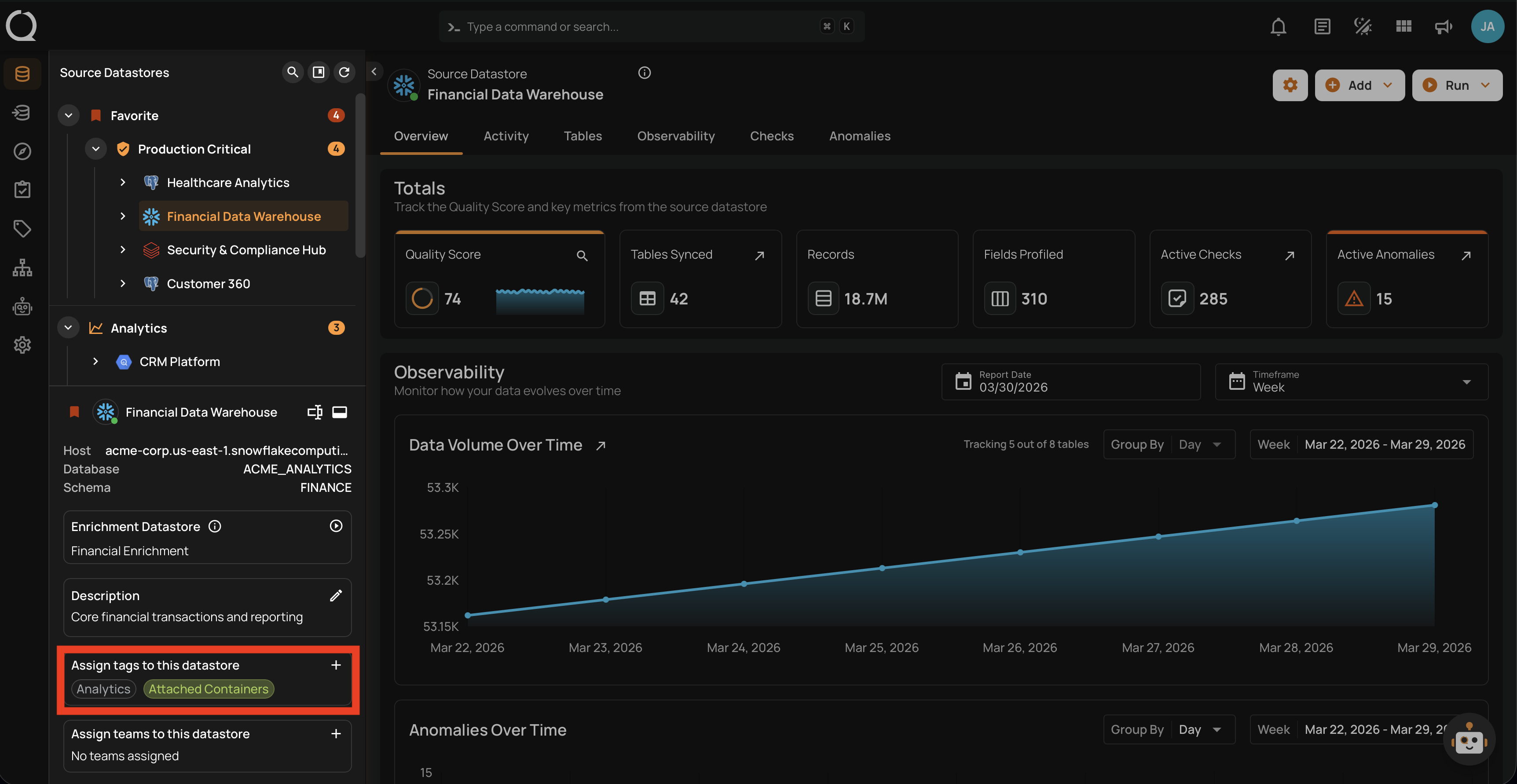
Step 4: Once assigned, the tags will be instantly labeled on your source datastore and automatically applied to all related containers, fields, checks, and anomalies.
Unassign a Tag
To learn how to remove a tag from a datastore, see the Unassign a Tag documentation.