Quality Score Settings
Configure the decay period and dimension weights that control how quality scores are calculated for your datastore.
Permission Required
You need the Member user role and Editor team permission on the datastore to edit quality score settings. See the Permissions page for details.
Score Impact
Changing the decay period or dimension weights triggers an immediate recalculation of all quality scores for the datastore. This may cause scores to increase or decrease depending on the new configuration.
Steps
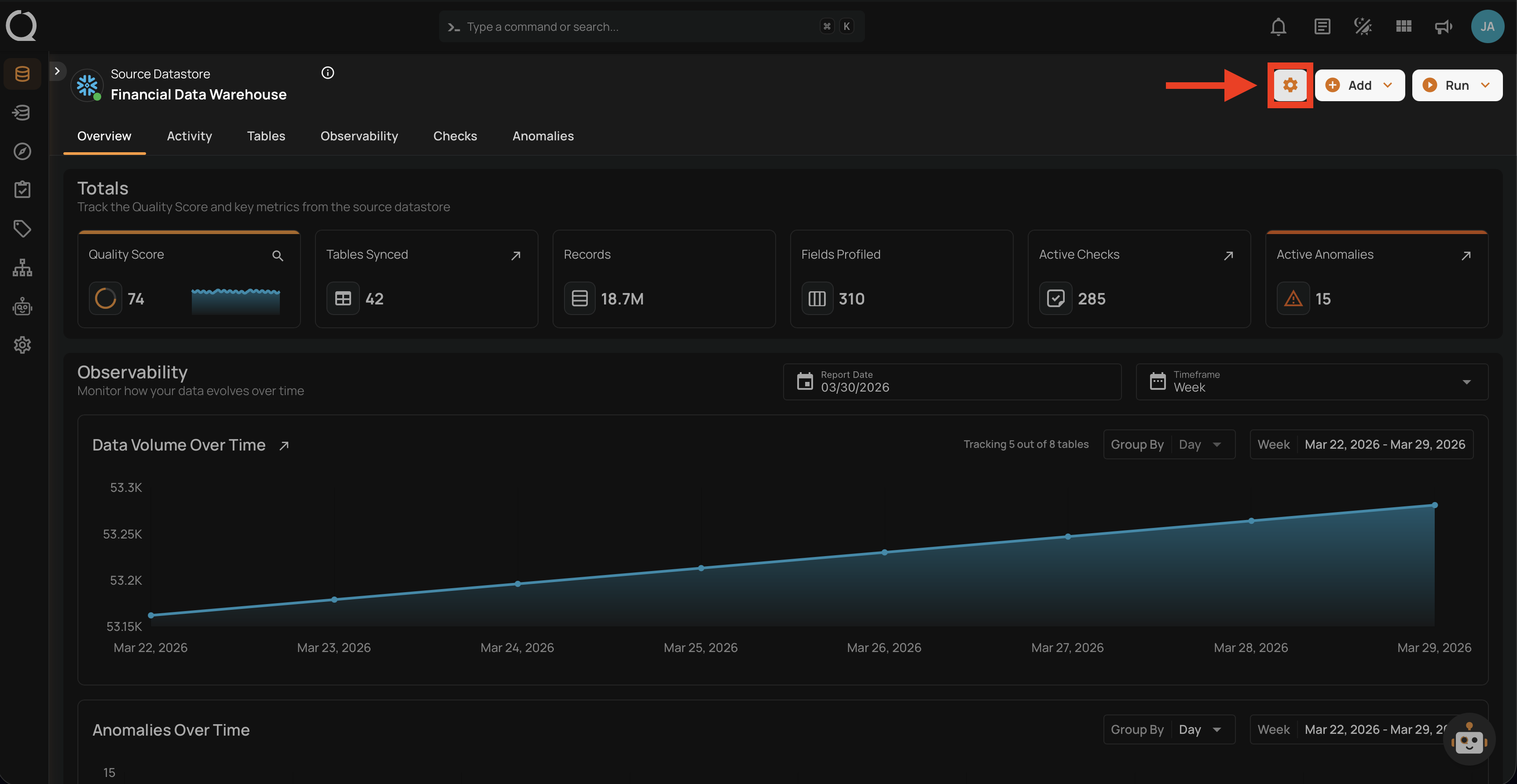
Step 1: Navigate to your datastore overview and click the Settings button located at the top-right corner of the interface.
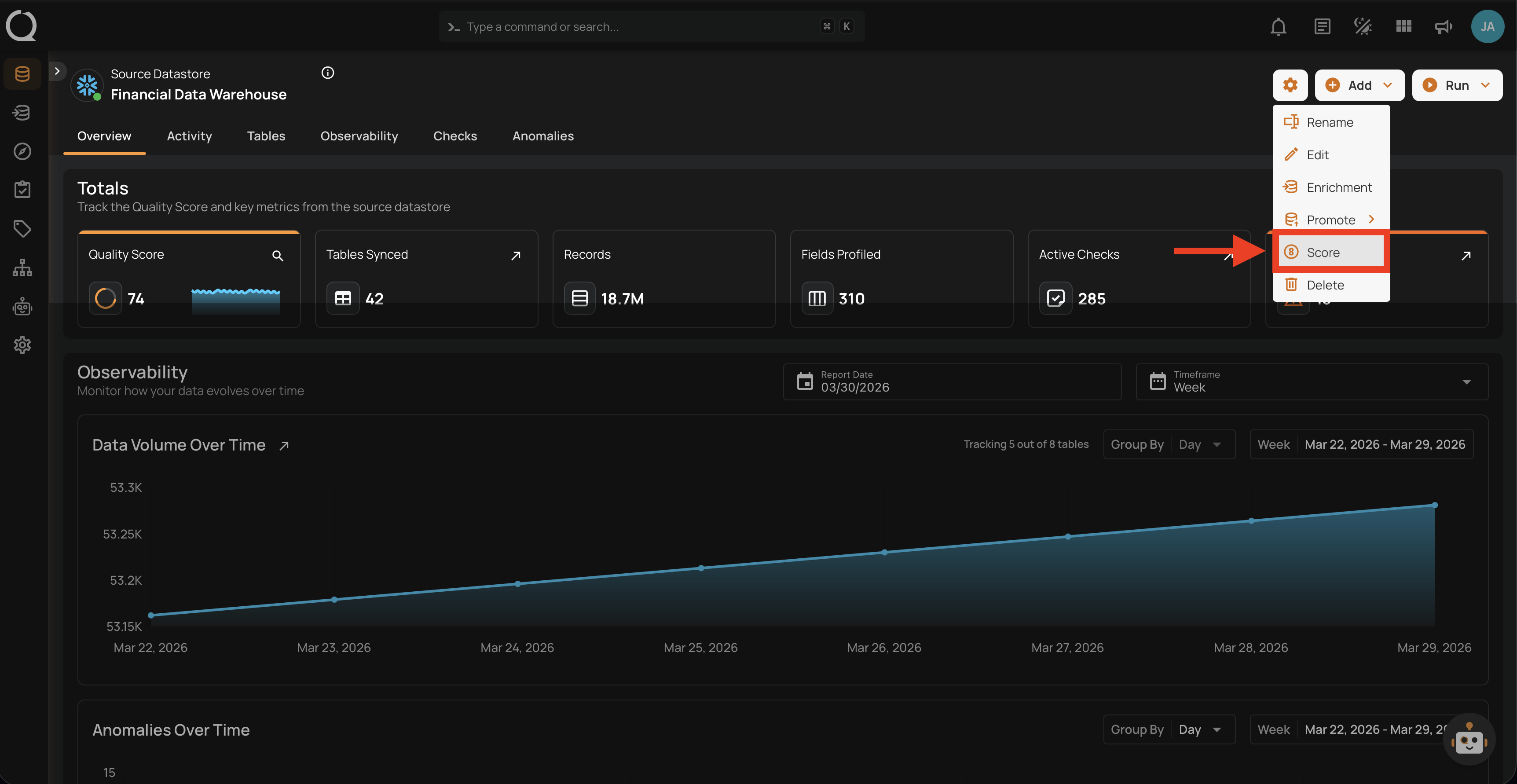
Step 2: A dropdown menu will appear. Click on Score to open the quality score settings.
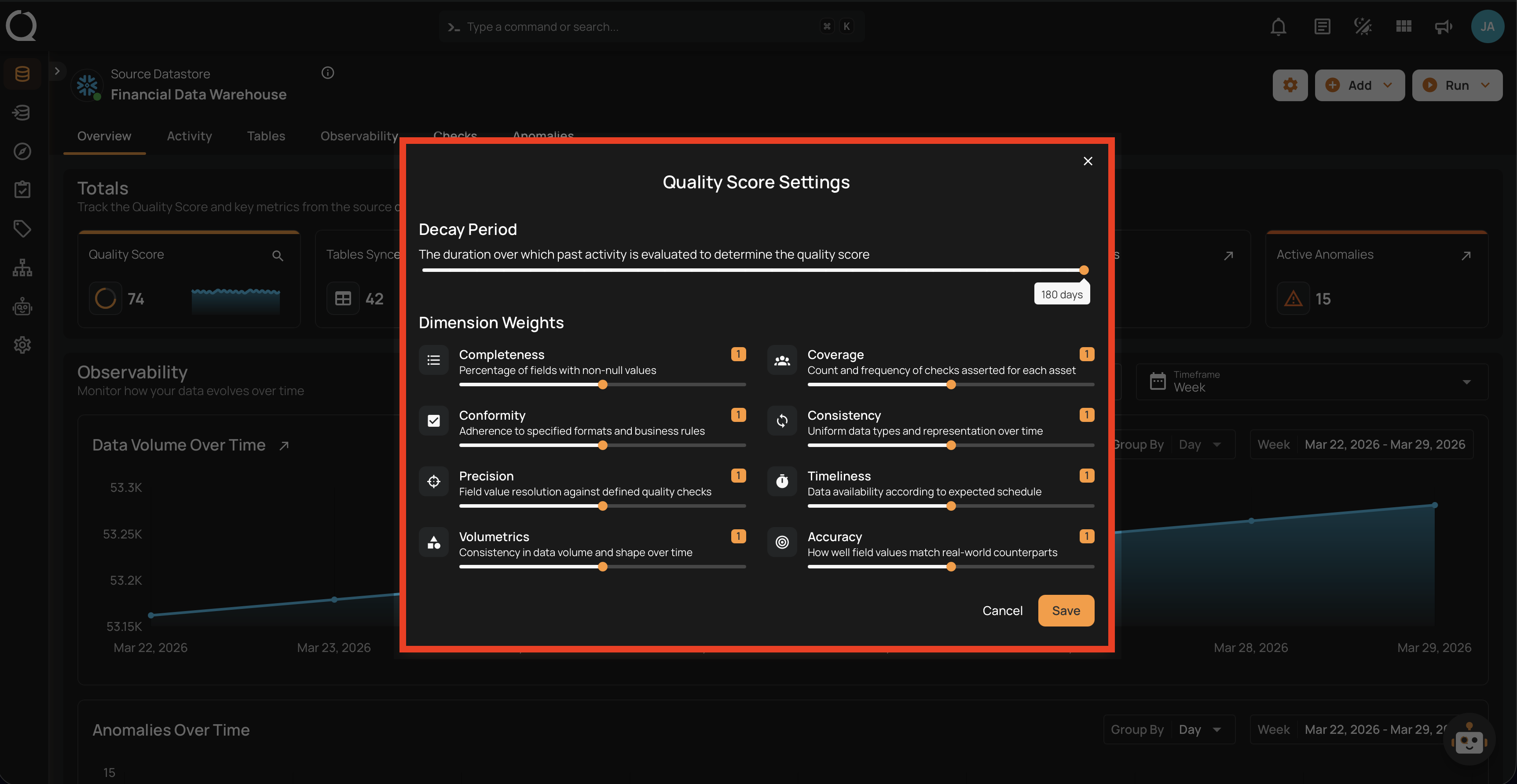
Step 3: The Quality Score Settings modal will appear with the decay period and dimension weights configuration.
Understanding the Dimensions
For a detailed explanation of each quality dimension (what it measures, examples, and how they combine), see the Quality Score Introduction page.
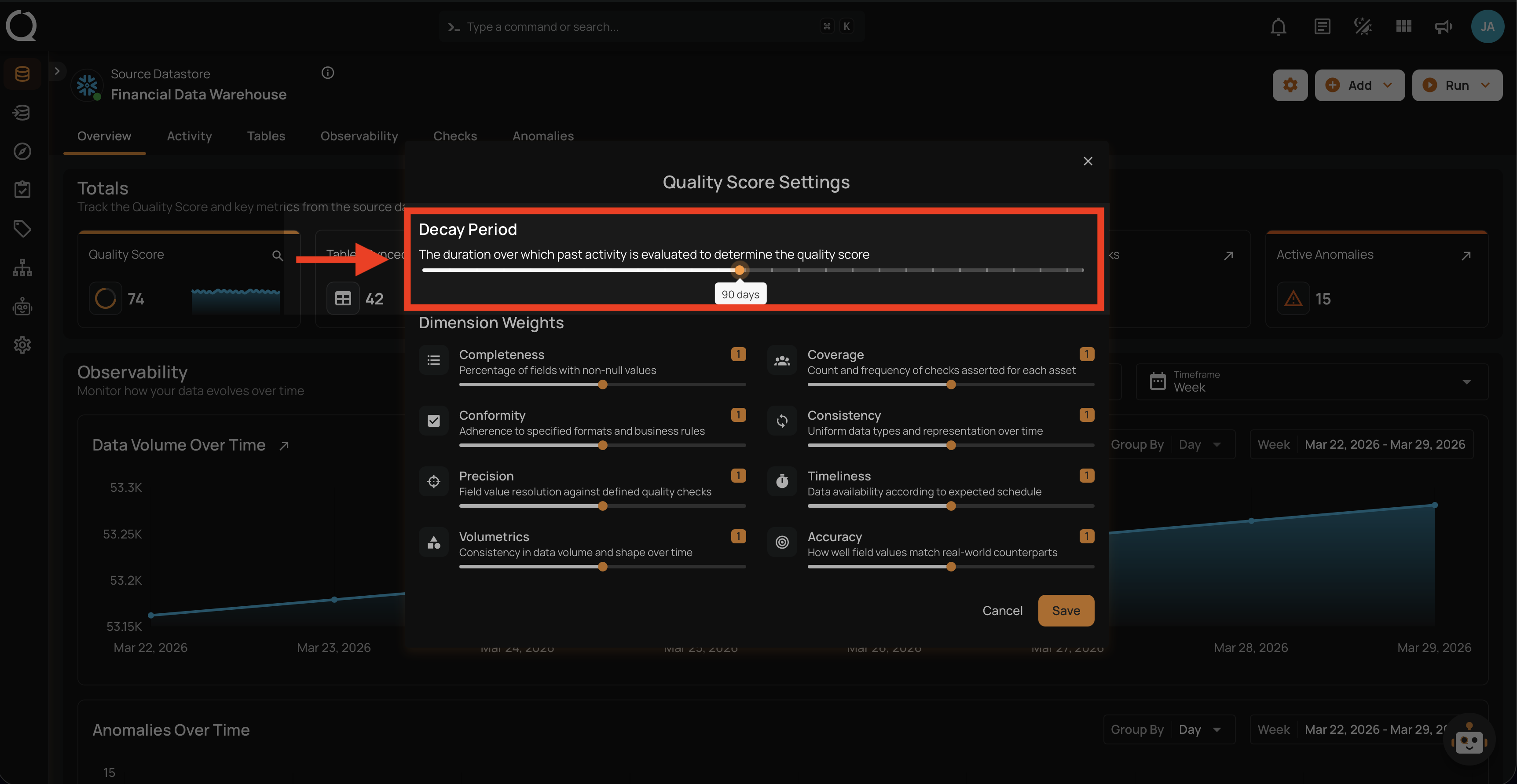
Step 4: Configure the Decay Period — the number of days of historical data used to calculate the quality score.
| Setting | Default | Range | Step | Description |
|---|---|---|---|---|
| Decay Period | 180 days | 7–180 days | 7 days | How far back in time Qualytics looks when calculating scores. Shorter periods give a more real-time view; longer periods provide a broader historical perspective. |
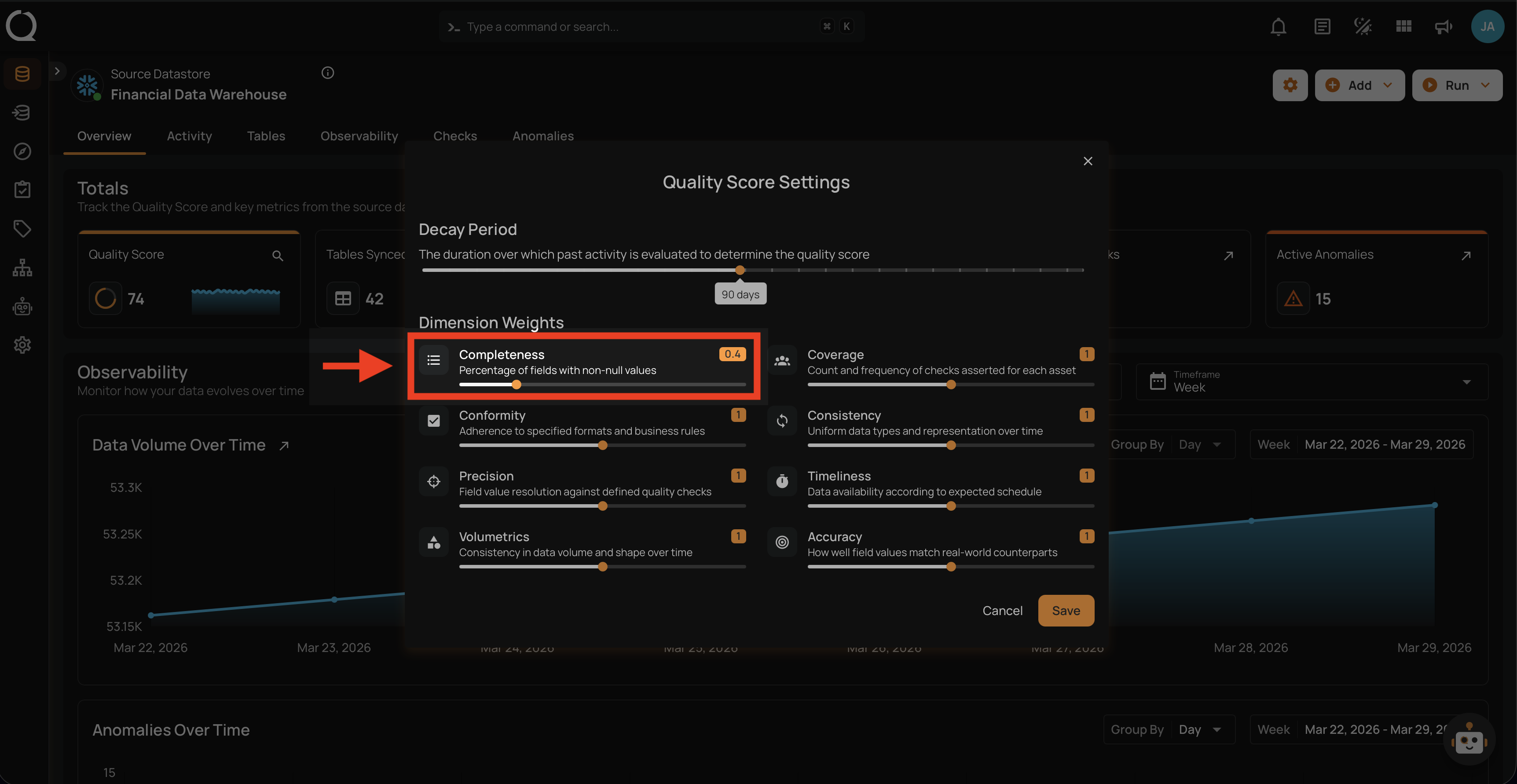
Step 5: Adjust the Dimension Weights to control the importance of each quality factor in the total score. Use the slider to set each dimension's weight.
| Setting | Default | Range | Step | Description |
|---|---|---|---|---|
| Dimension Weight | 1.0 | 0–2.0 | 0.1 | Controls how much each dimension impacts the container score. Setting a weight to 0 disables the dimension — it turns grey and no longer affects the score. Setting it to 2.0 doubles its influence. |
Step 6: Click the Save button to apply the quality score settings.
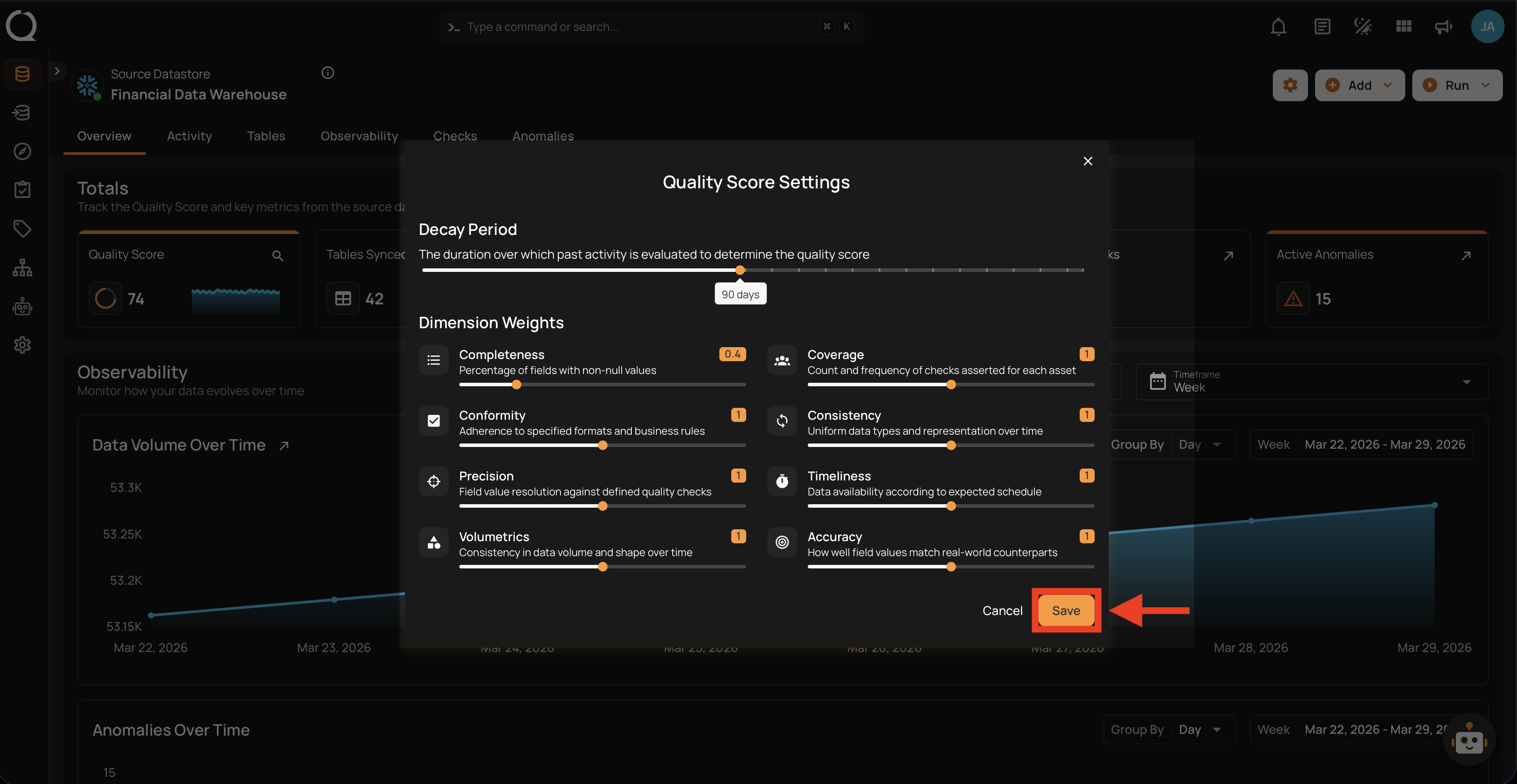
After clicking Save, a success notification will confirm that the settings have been applied. The quality scores for all containers and fields in the datastore will be recalculated based on the new configuration.
Datastore vs. Container Settings
Datastores and containers each have their own independent settings. Changing one does not affect the other. See the Quality Score Introduction for details on how this works.