Filter Datastores by Group
You can filter the Source Datastores listing page by group to narrow down results and focus on specific sets of datastores. Filtering is available to all roles — no special permissions are required.
Filter Logic
When multiple groups are selected, the filter uses OR logic — datastores belonging to any of the selected groups are shown. When combined with other filters (Type, Tags), the filters use AND logic — only datastores matching all active filters are displayed.
Steps
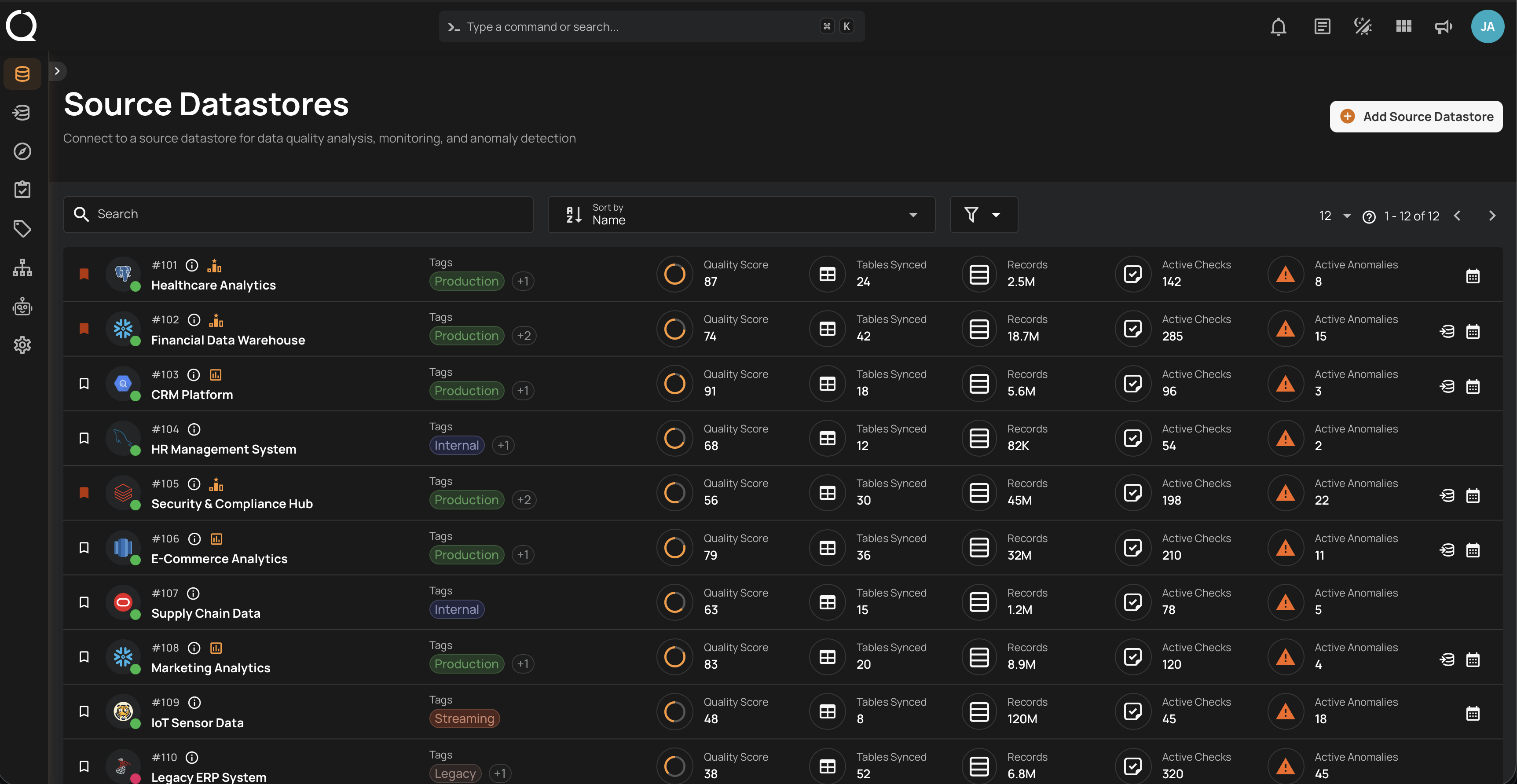
Step 1: Navigate to the Source Datastores listing page.
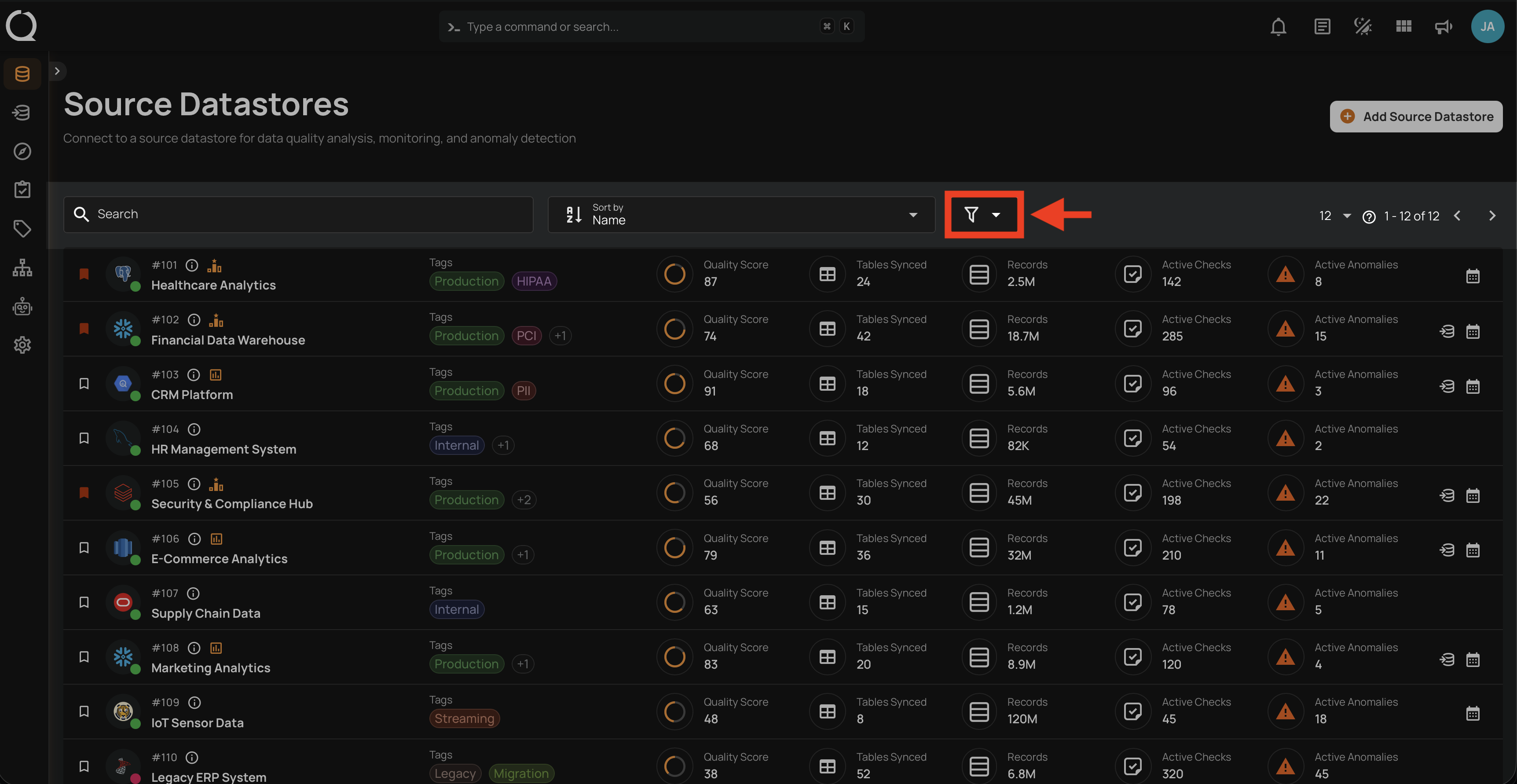
Step 2: Click the Filter button in the toolbar to open the filter panel.
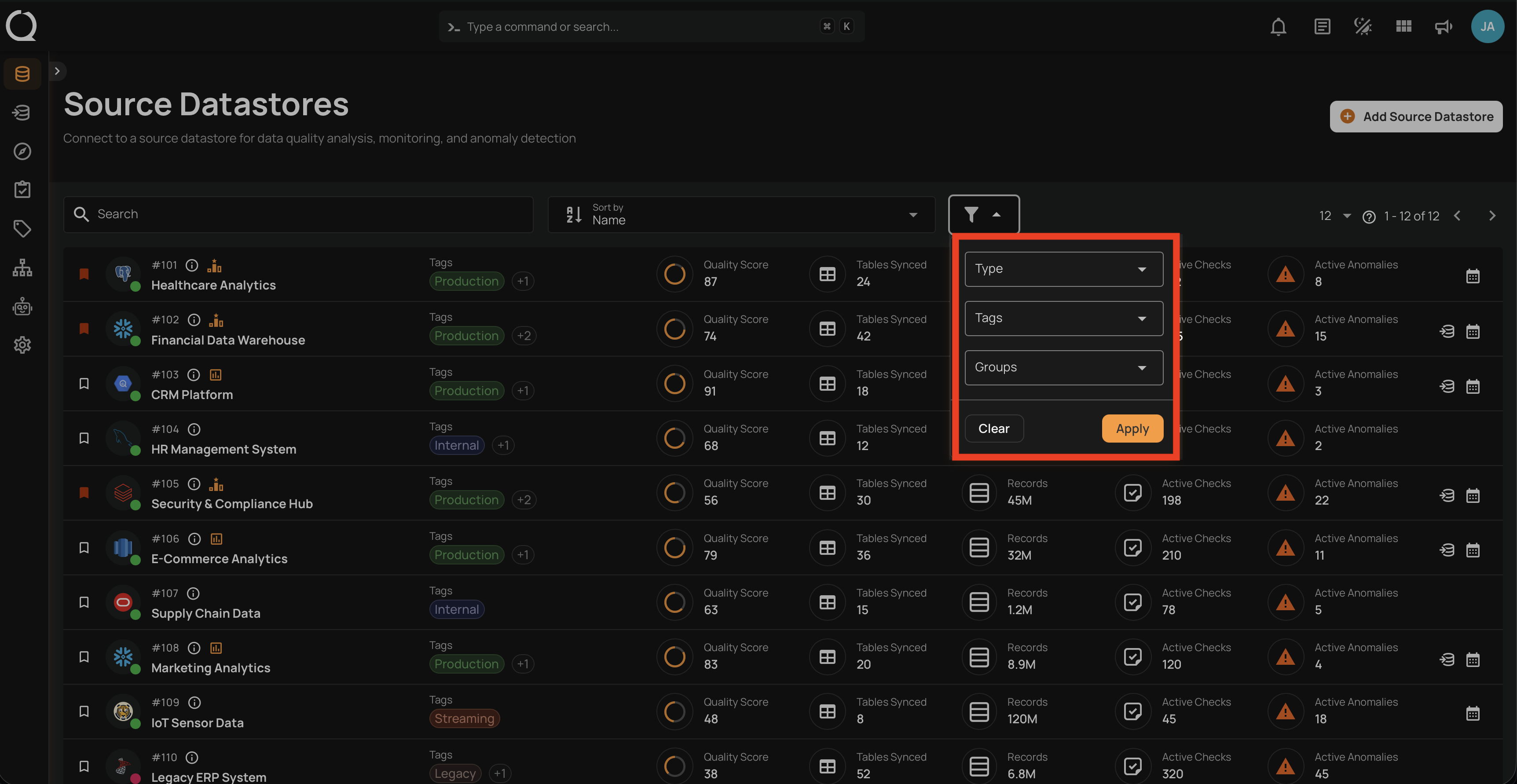
Step 3: The filter panel will open showing the available filter options (Type, Tags, Groups).
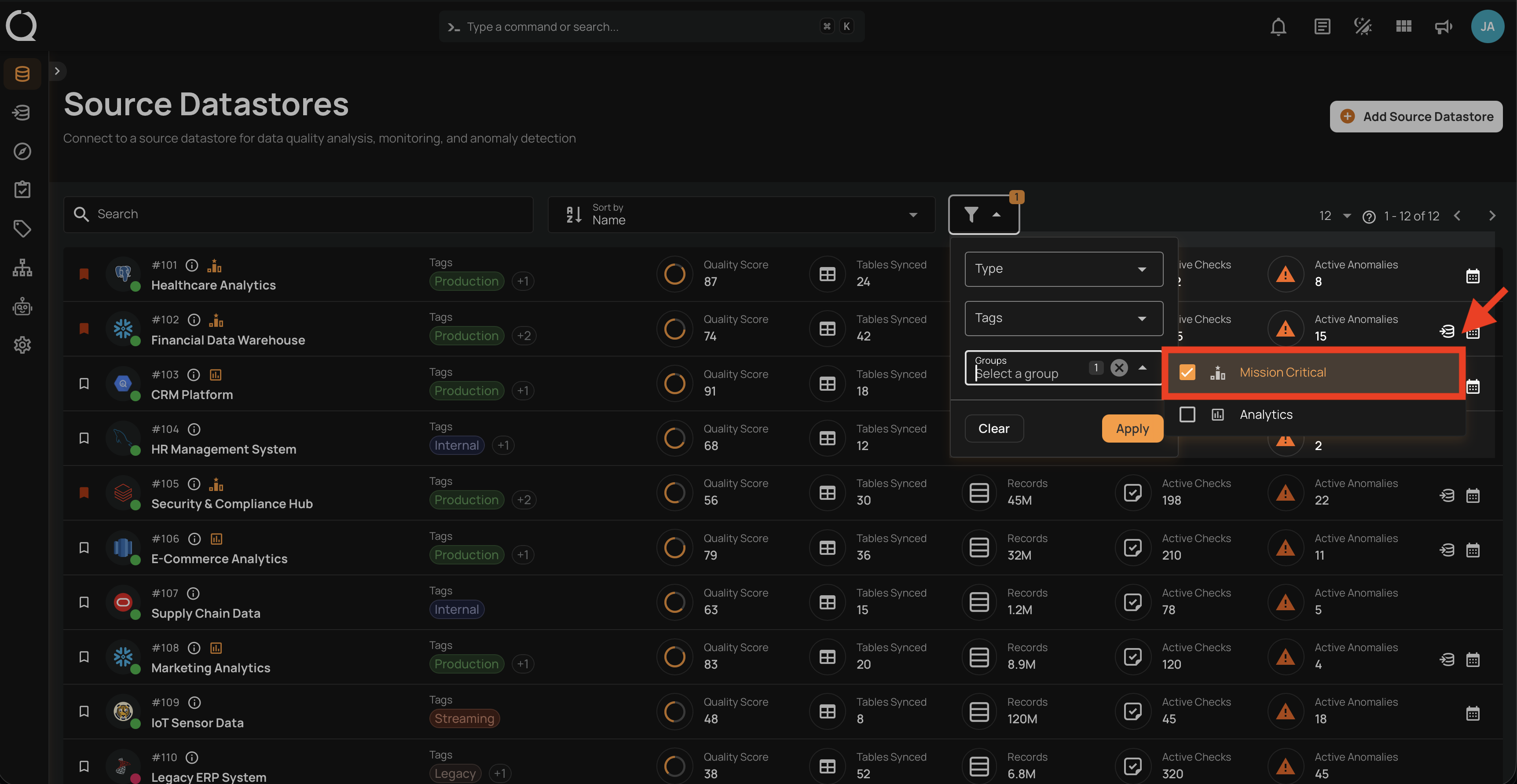
Step 4: Click the Groups dropdown to expand the list of available groups. Use the search field to find a group by name.
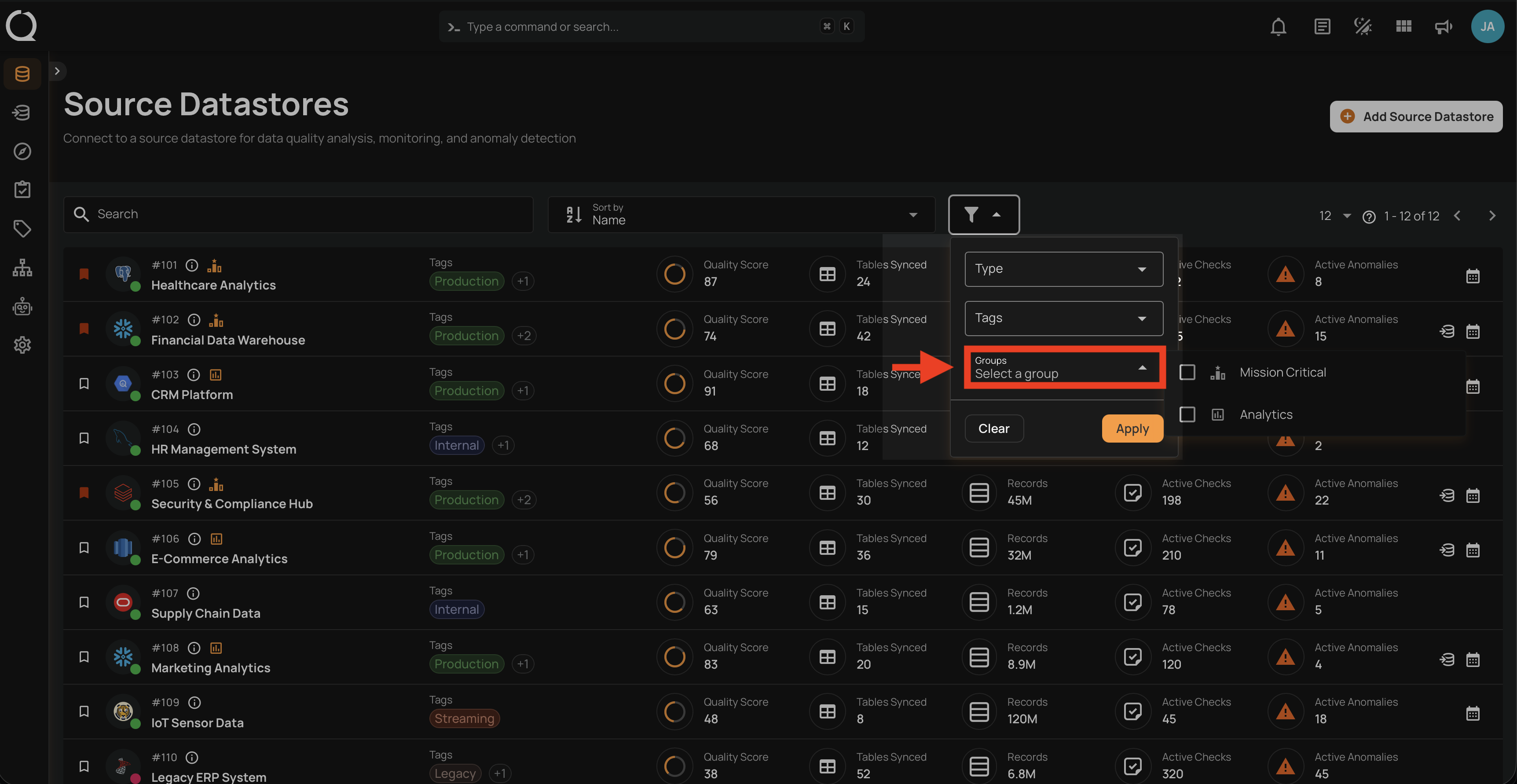
Step 5: Select one or more groups to filter by. Click on a group to select it — a checkbox will appear. Click additional groups to add them to the selection.
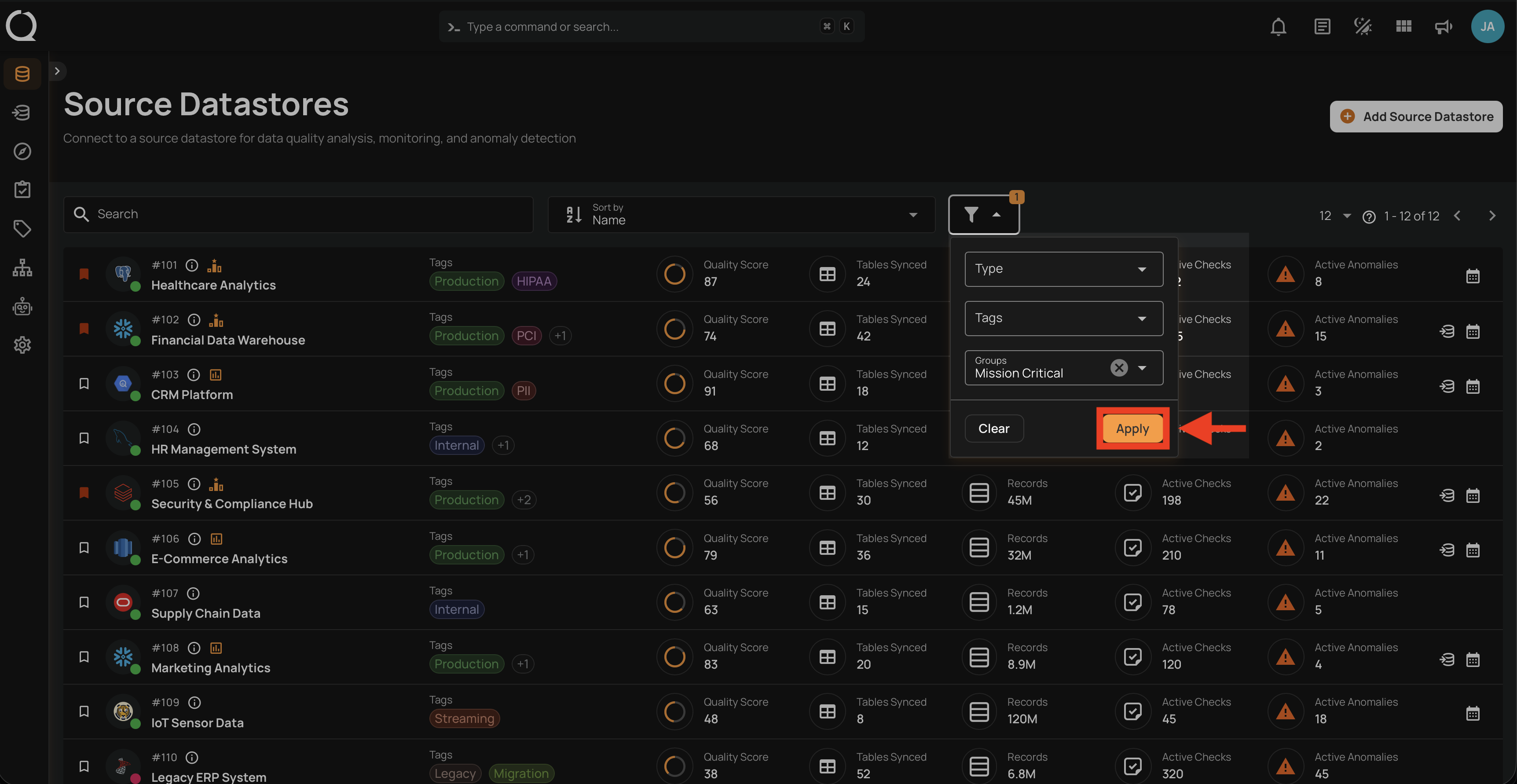
Step 6: Click the Apply button to apply the filter.
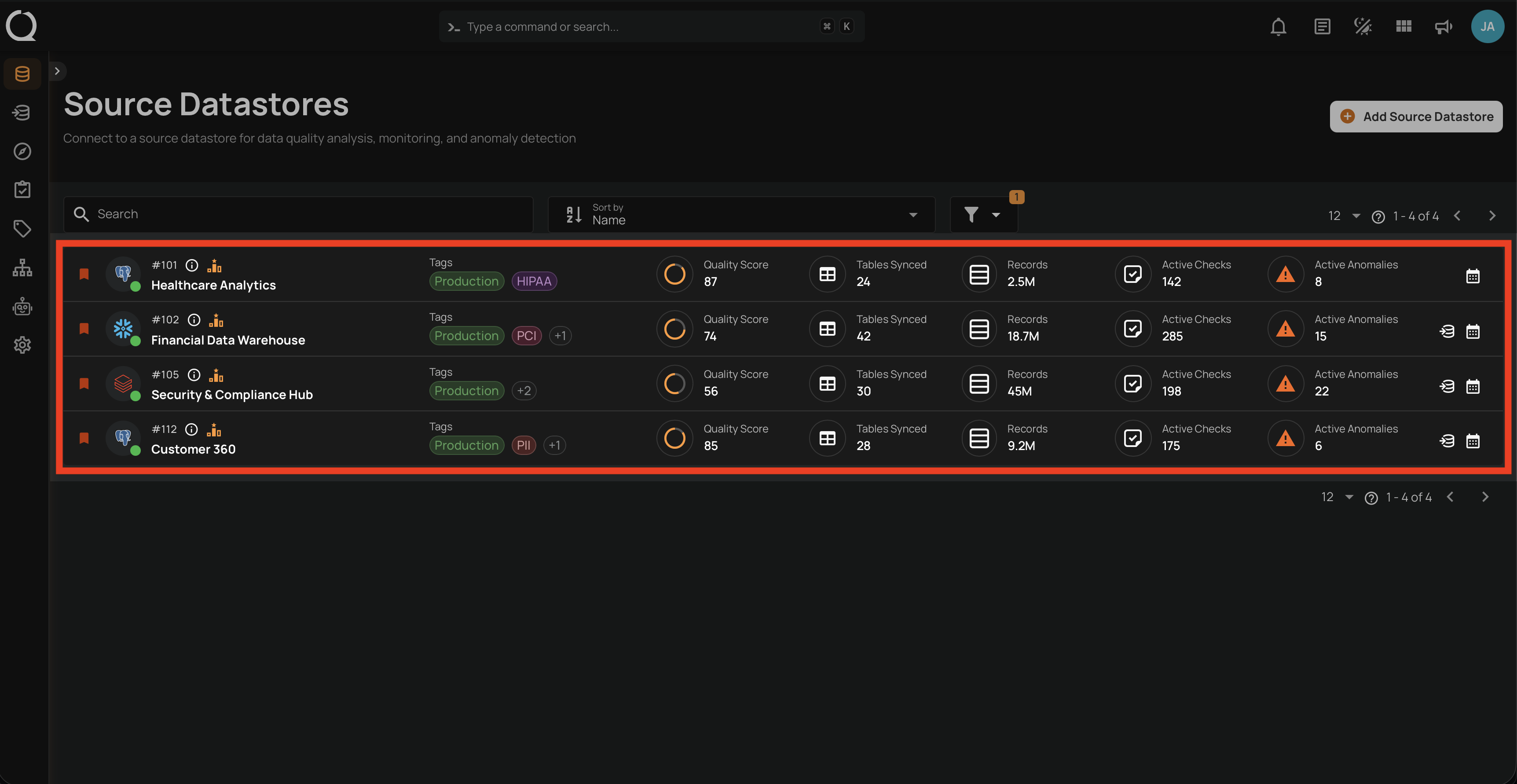
Step 7: The datastore listing updates to show only datastores that belong to the selected groups.
Tip
To remove the filter, click the Filter button again and click Clear, or deselect the groups individually.