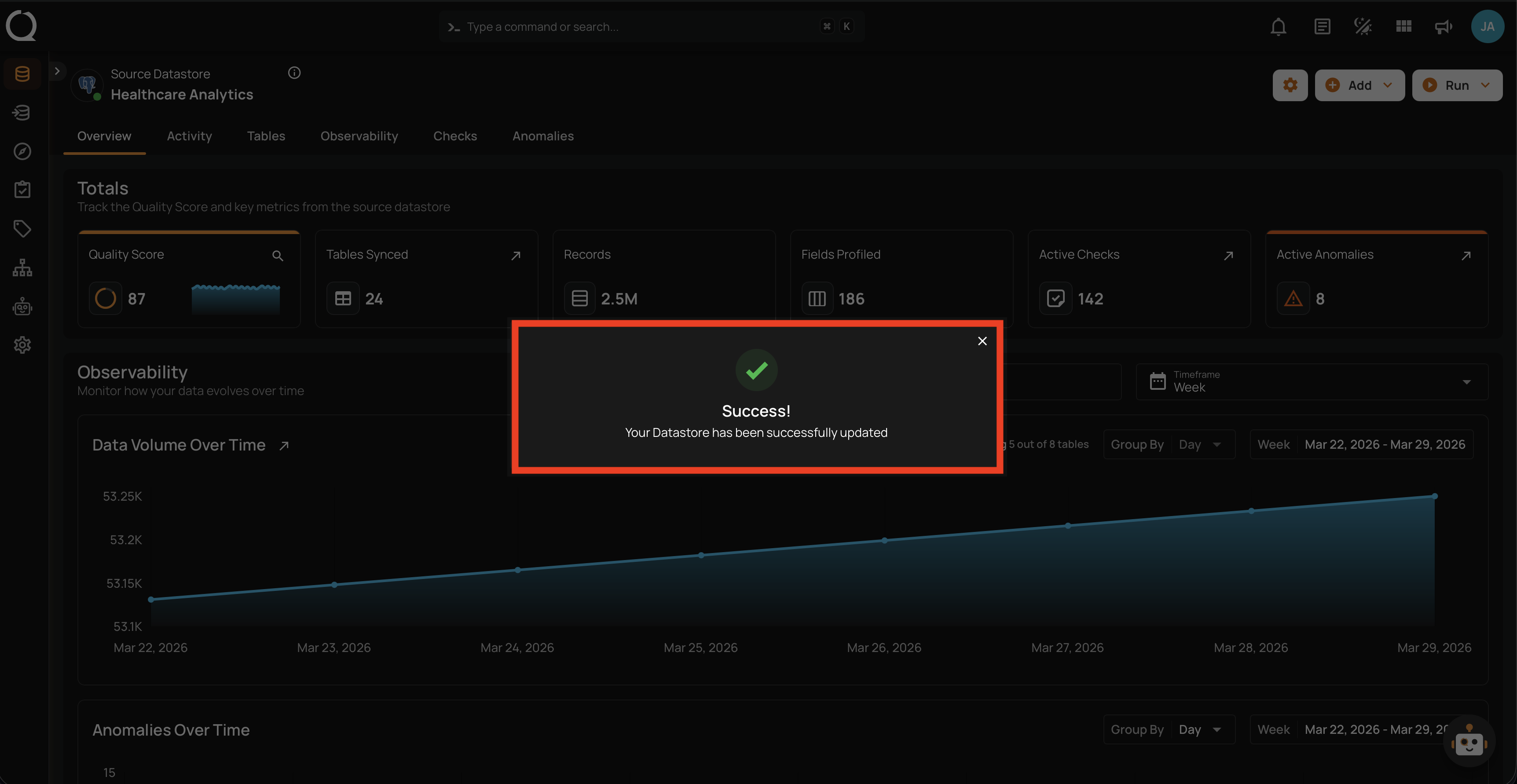
Edit Datastore
Use the Edit Datastore option to modify your datastore's connection scope (database, schema), team assignments, or other properties.
Connection Properties
The Connection Properties section is collapsed by default. Connection-level credentials (host, port, username, password) are managed at the connection level and are read-only in this modal. To update credentials, edit the connection directly through the Manage Connections page.
Steps
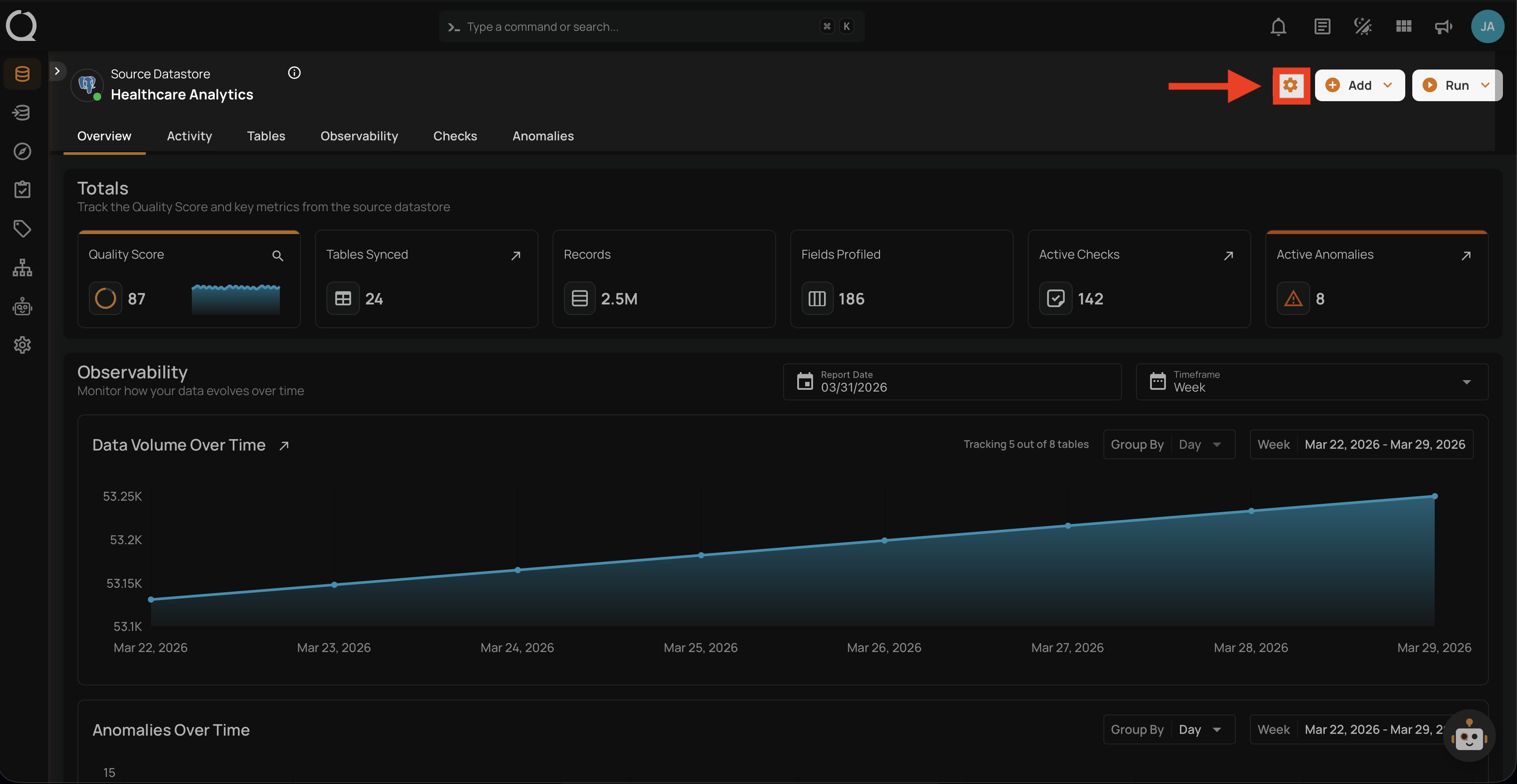
Step 1: Navigate to your datastore overview and click the Settings button located at the top-right corner of the interface.
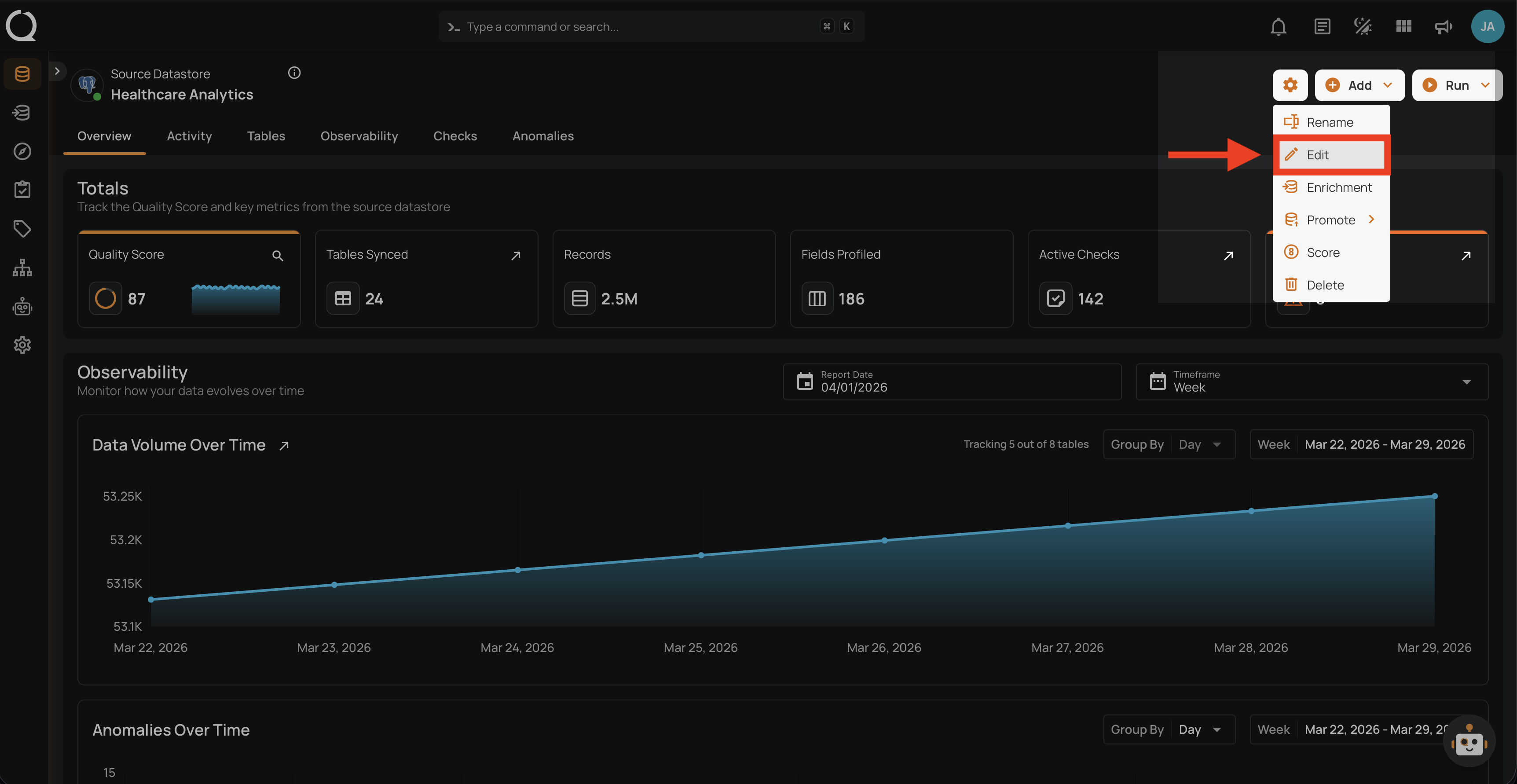
Step 2: A dropdown menu will appear. Click on Edit to open the Edit Datastore modal.
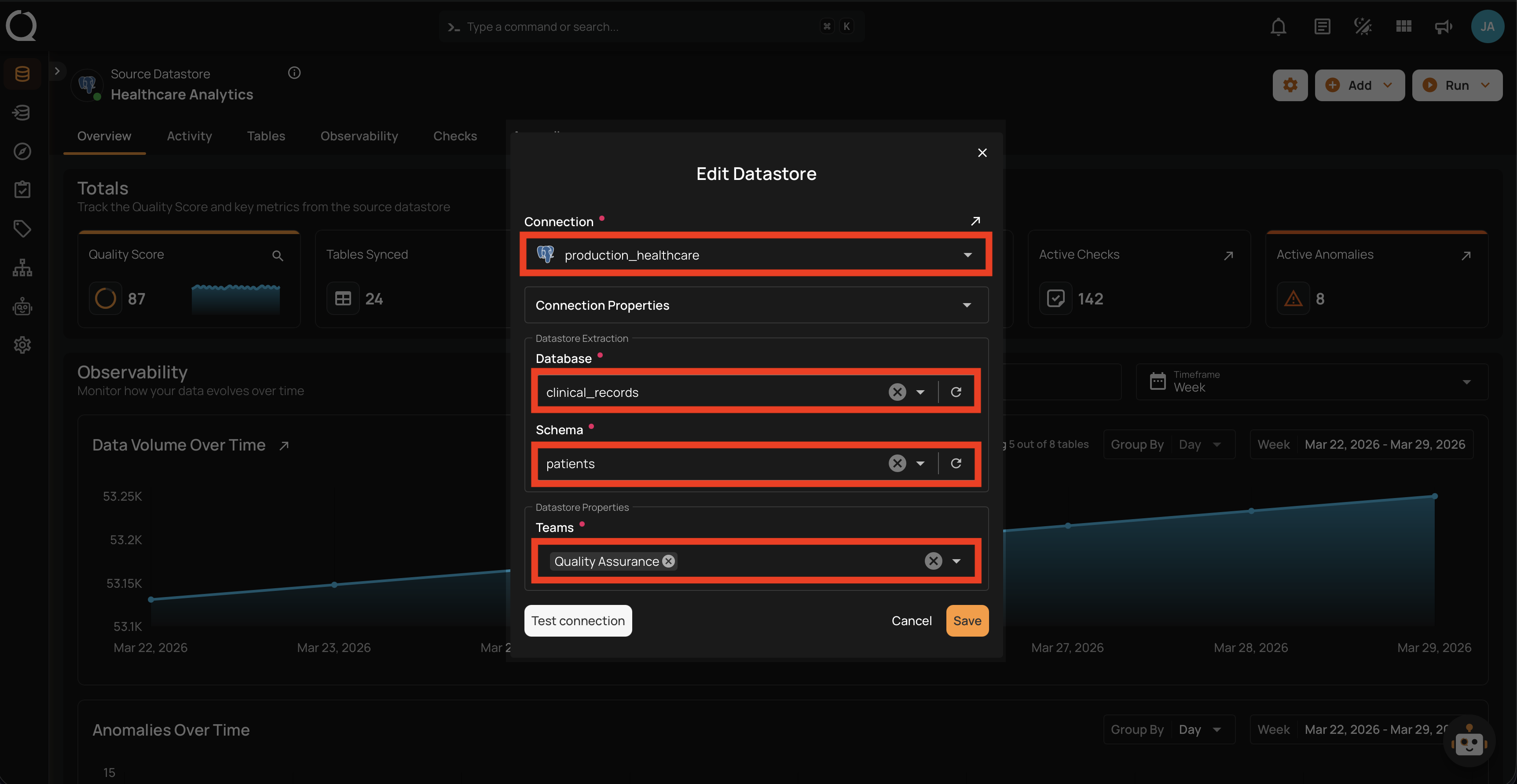
Step 3: The Edit Datastore modal will appear displaying the current datastore configuration.
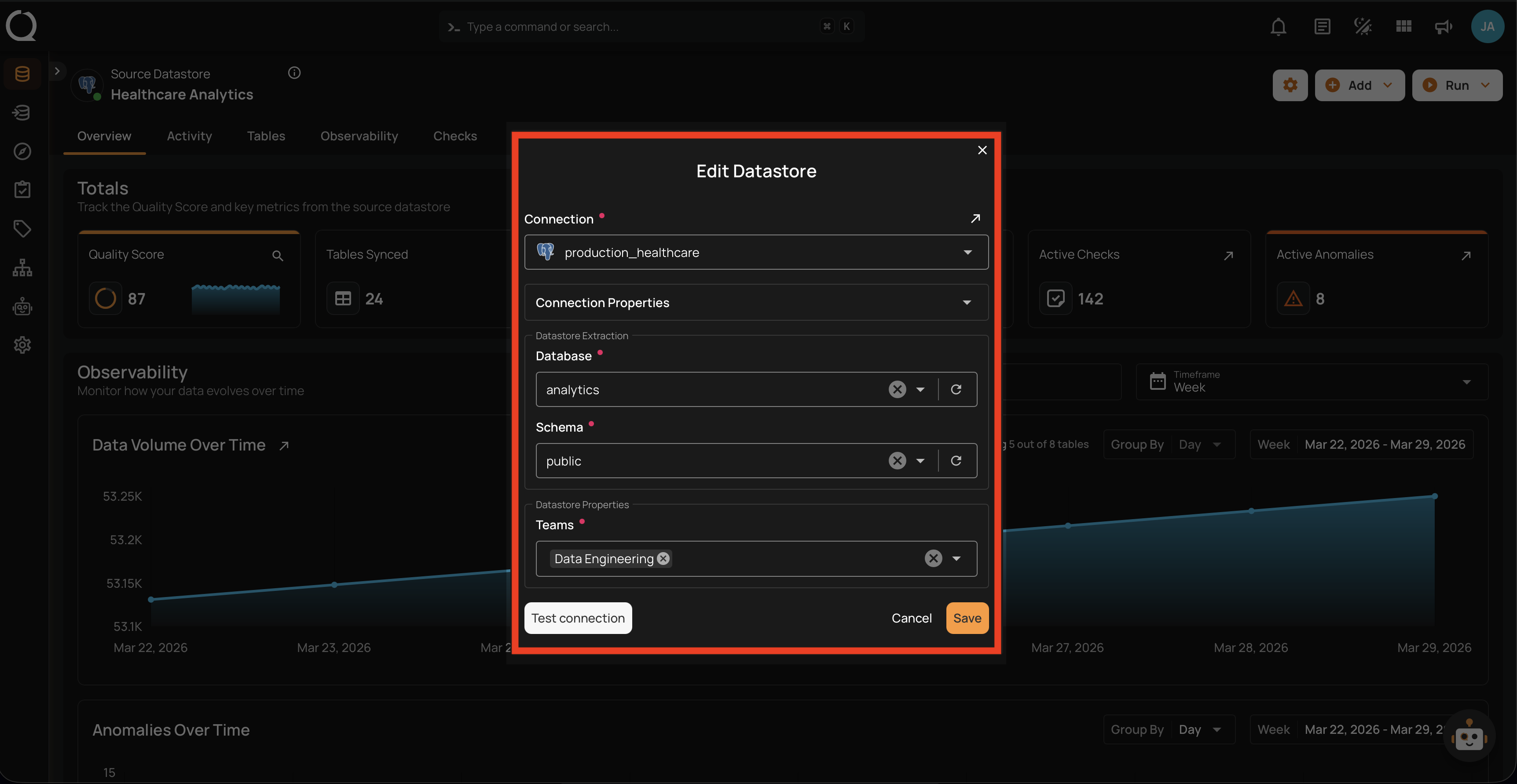
Step 4: Modify the fields as needed (Database, Schema, Teams, etc.).
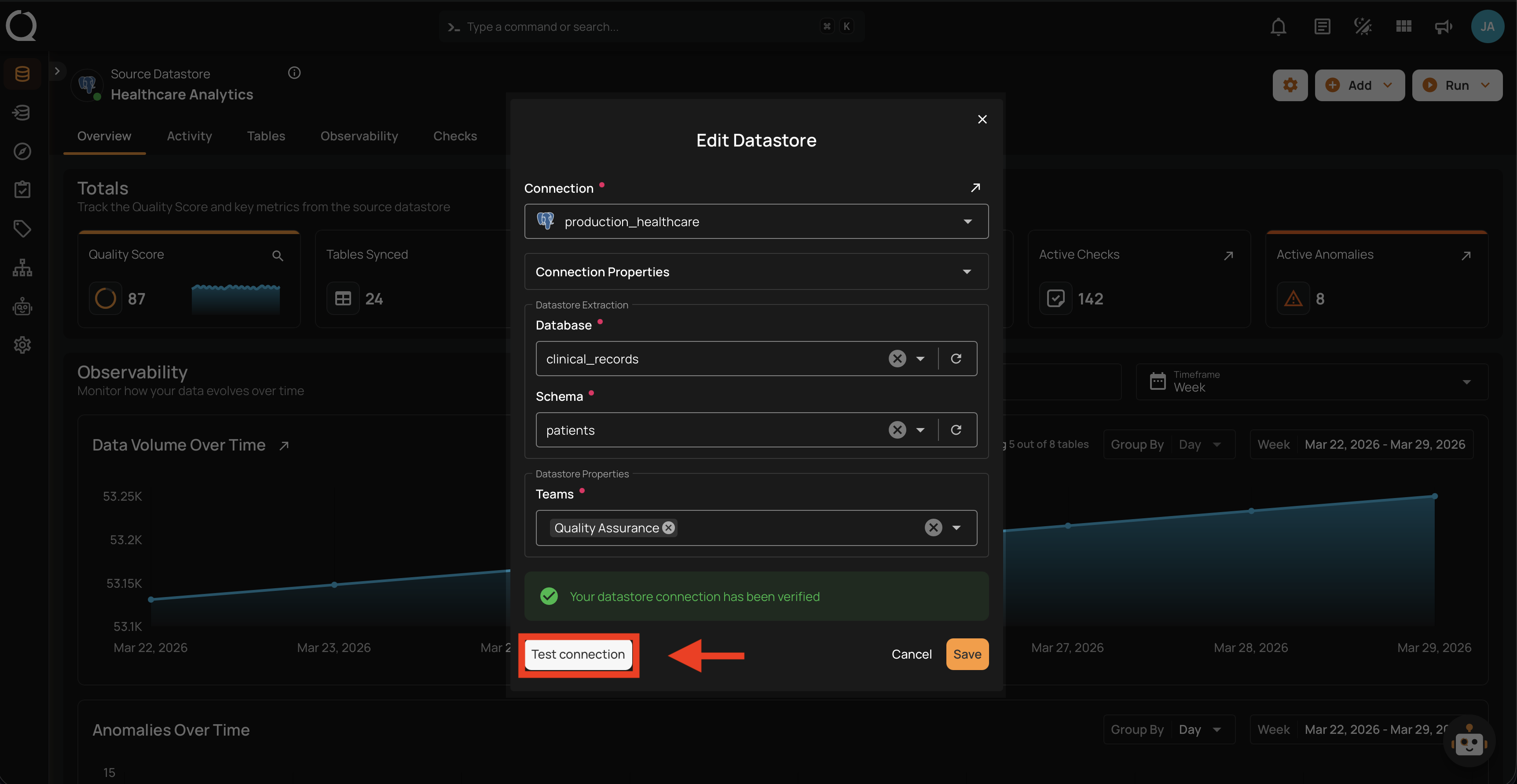
Step 5: Click the Test Connection button to verify the updated configuration. A success message will confirm the connection has been verified.
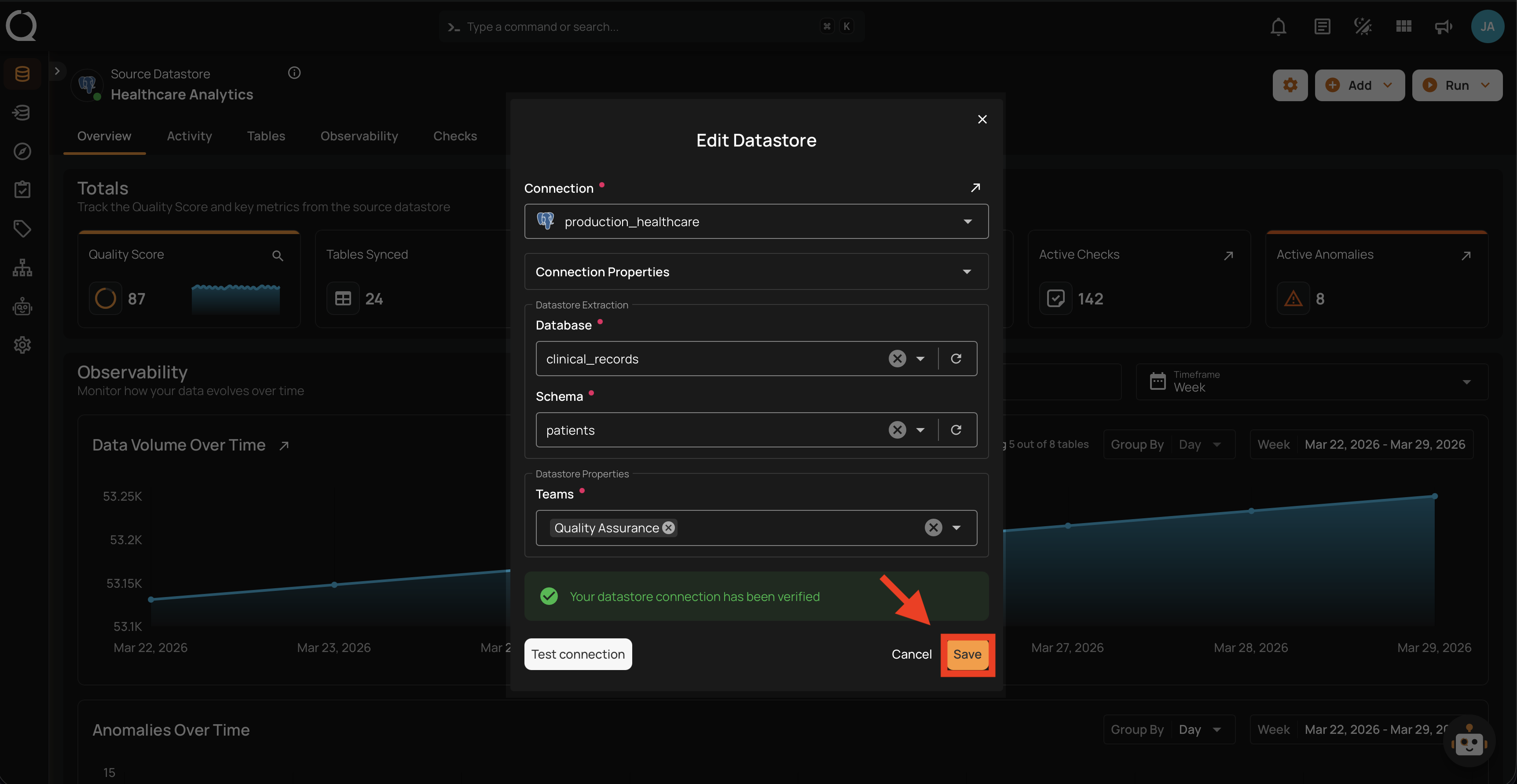
Step 6: Click the Save button to apply the changes.
Step 7: A success message will confirm that the datastore has been successfully updated.