Delete Datastore
Deleting a datastore permanently removes it along with all associated data.
Cascading Deletion
Deleting a datastore is permanent and irreversible. The following data will be removed:
- All tables, views, and file patterns (containers and fields)
- All quality checks associated with the datastore
- All anomalies across every table in the datastore
- All scheduled operations for the datastore
- All tag associations and team-datastore links
Steps
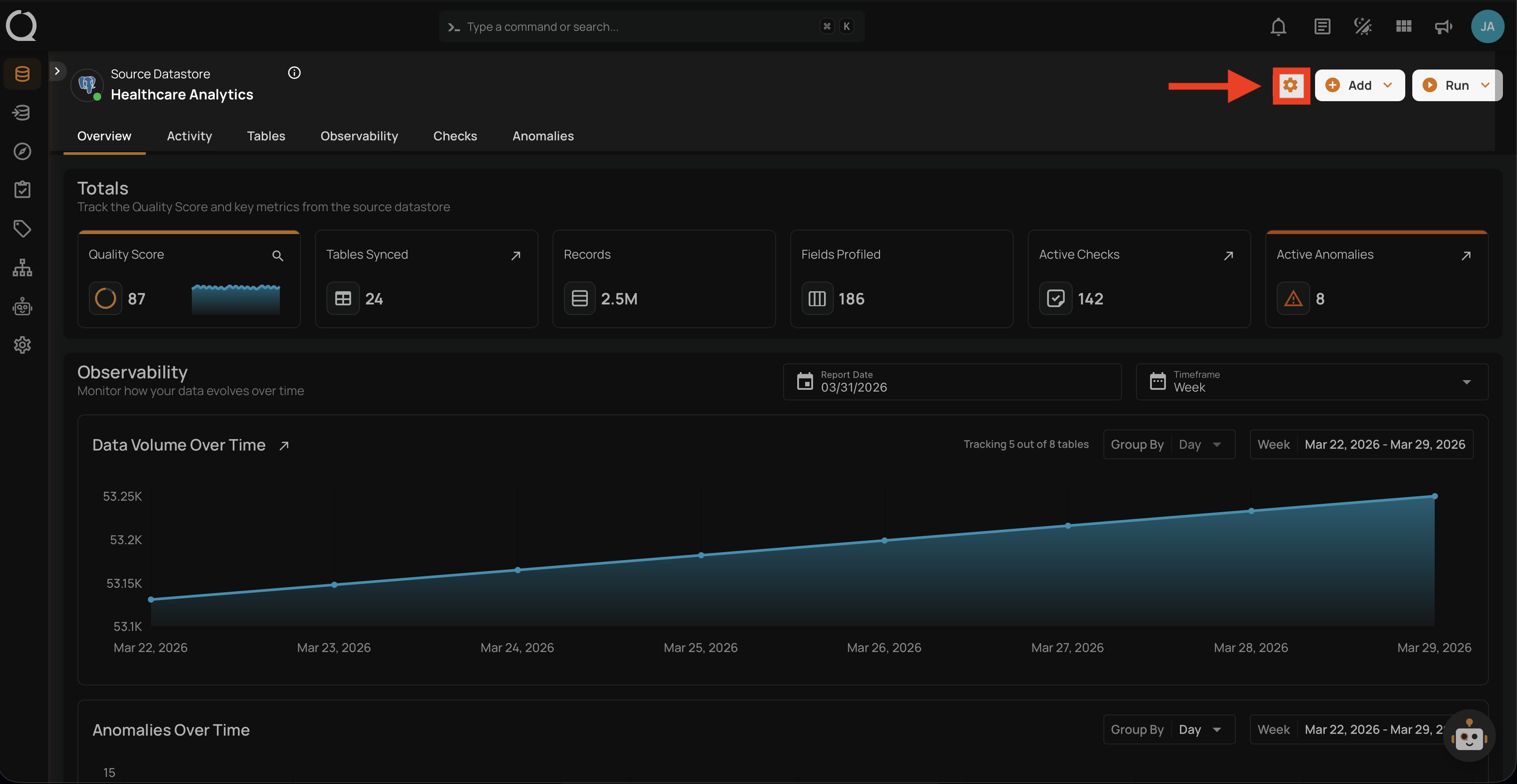
Step 1: Navigate to your datastore overview and click the Settings button located at the top-right corner of the interface.
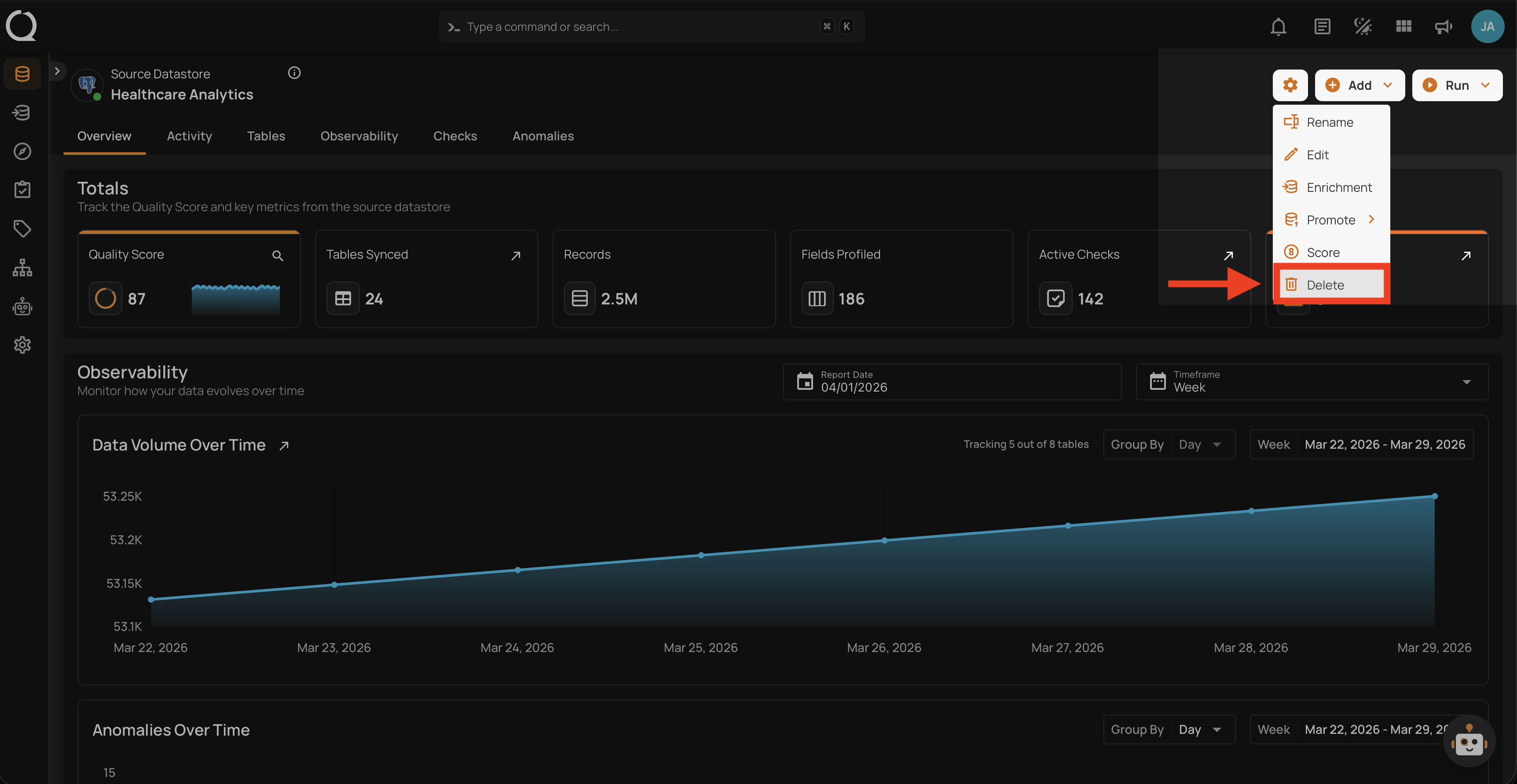
Step 2: A dropdown menu will appear. Click on Delete to initiate the deletion.
Step 3: A modal window — Delete Source Datastore — will appear, listing everything that will be permanently removed.
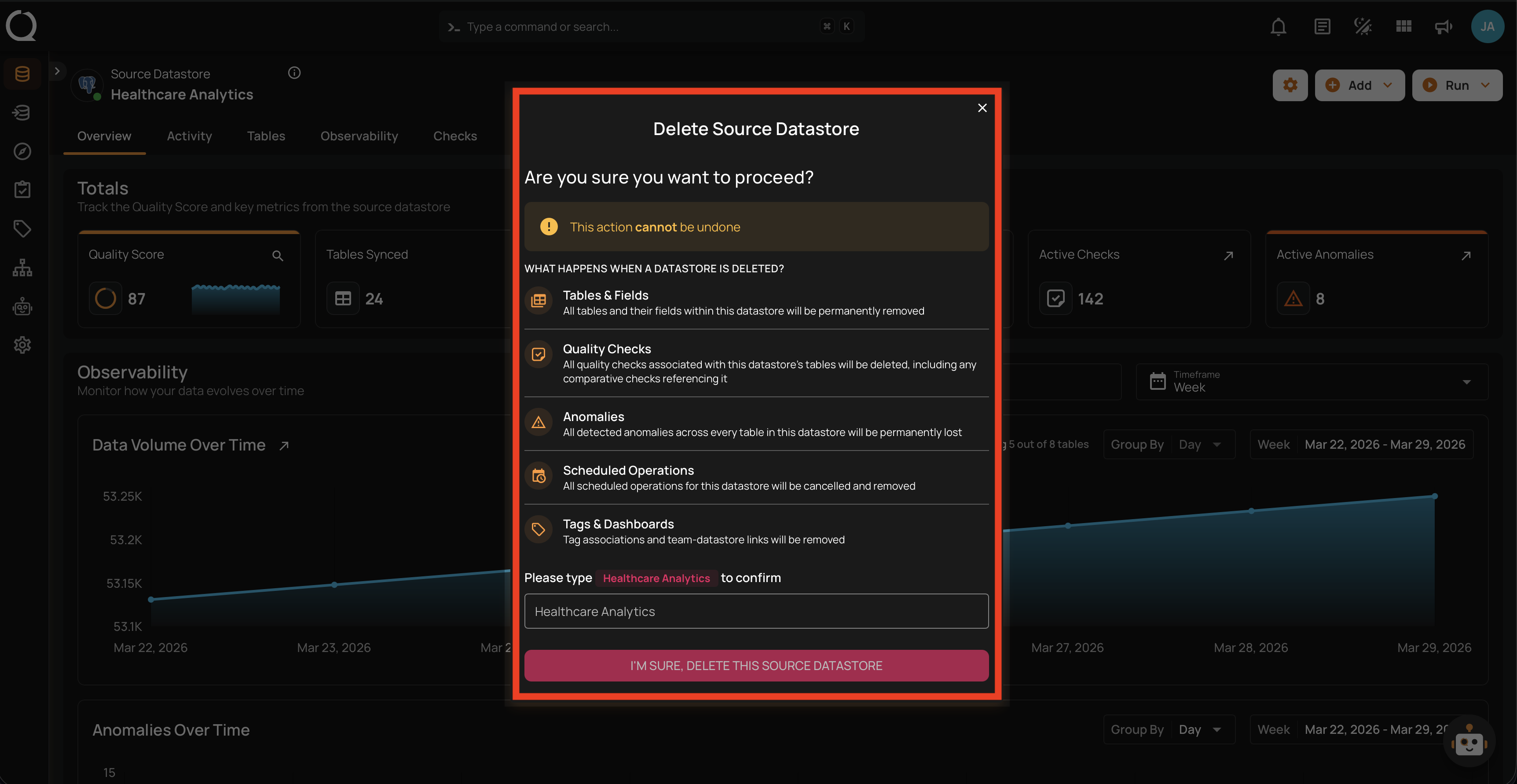
Step 4: Type the datastore name in the confirmation field to confirm the deletion.
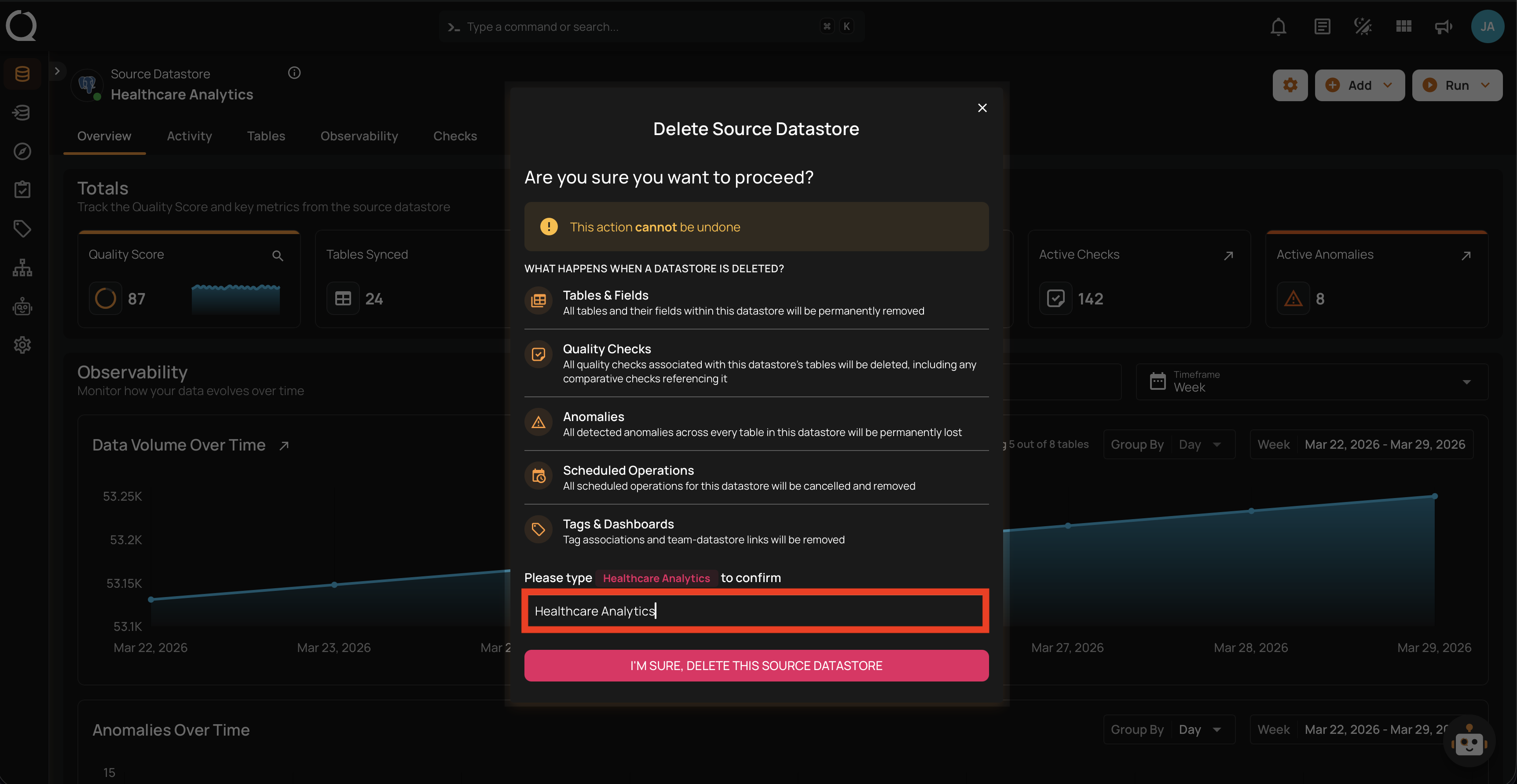
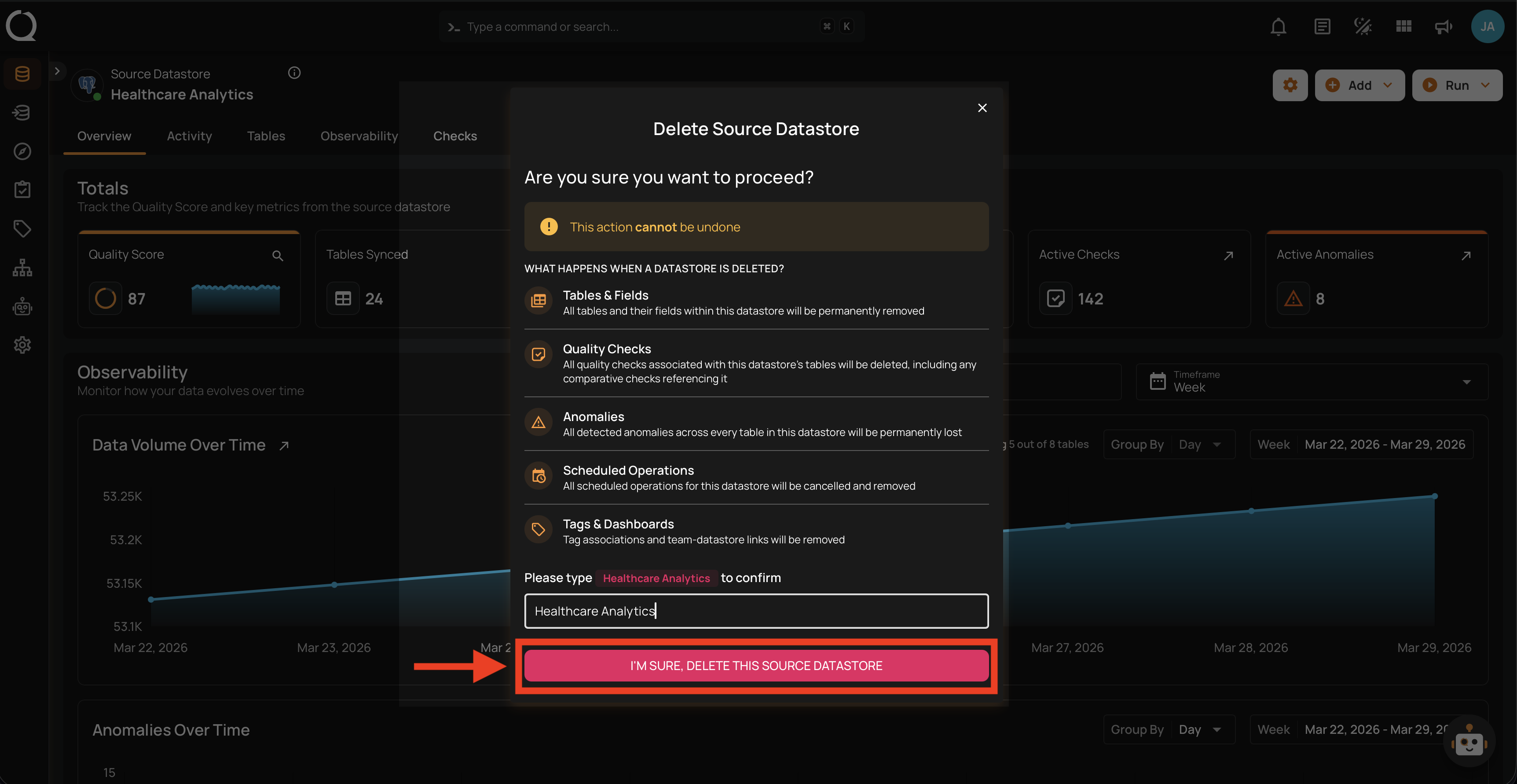
Step 5: Click the I'M SURE, DELETE THIS SOURCE DATASTORE button to confirm.
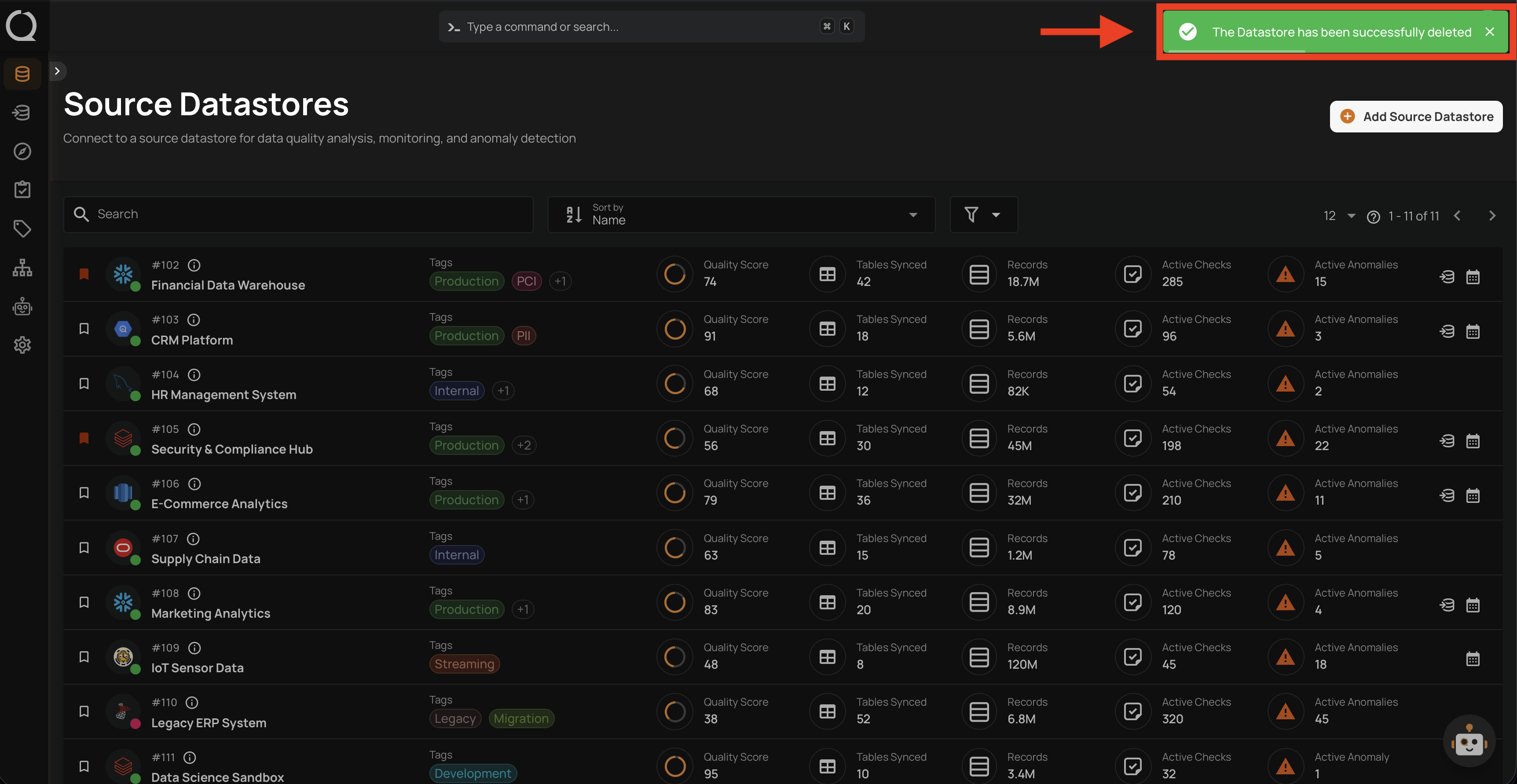
Step 6: A success message will confirm that the datastore has been successfully deleted. You will be redirected to the Source Datastores listing.